inflearn logo

Vivado·Python-based FPGA·NPU·CPU design environment setup

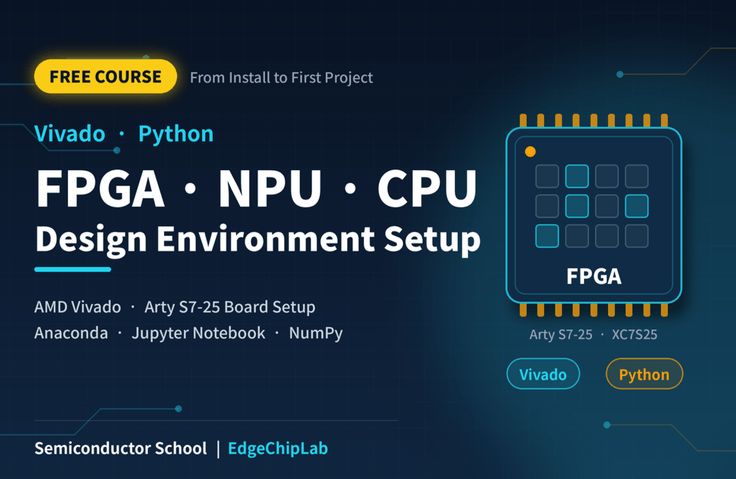
This course is a free program that guides you through setting up the AMD Vivado and Python development environments from scratch, as required for FPGA and NPU design projects.

13 learners are taking this course

Level Beginner

Course period Unlimited

Python
Python
FPGA
FPGA
jupyter-notebook
jupyter-notebook
vivado
vivado
Python
Python
FPGA
FPGA
jupyter-notebook
jupyter-notebook
vivado
vivado
Thumbnail

What you will gain after the course

  • AMD Vivado Installation, License Setup, FPGA Board Registration, and Project Creation

  • Design a simple Verilog-based digital circuit and perform synthesis, implementation, and bitstream generation

  • Download the design to the FPGA board, verify the operating results, and debug errors.

  • Building a Python data analysis and hardware verification environment in Anaconda·Jupyter Notebook

  • Complete a hands-on project integrating an FPGA with Python and lay the foundation for expanding the NPU design

The First Step in FPGA and NPU Design: Set Up Your Development Environment!

Free semiconductor design training, from installing AMD Vivado and Python to preparing for FPGA hands-on practice!

Have you wanted to learn FPGA and AI semiconductor design but felt overwhelmed starting with installing the development tools?

This course is a free introductory course that guides you through setting up the AMD Vivado and Python development environments required for FPGA and NPU design practice from scratch. Rather than focusing on complex theory, it uses actual installation screens to explain the process, allowing beginners to prepare their practice environment by following along with the video.


What You’ll Learn in This Course

① Setting Up the FPGA Design Environment — AMD Vivado

  • Downloading and Installing AMD Vivado

  • Vivado ML Standard Configuration

  • Registering the Digilent Arty S7-25 FPGA Board

  • Creating Your First FPGA Project and Verifying the Development Environment

② Setting Up the Python Development Environment — Anaconda & Jupyter Notebook

  • Basic concepts of Python, Anaconda, and Jupyter Notebook

  • Installing Anaconda and Running Jupyter Notebook

  • Basic arithmetic and graphing exercises using NumPy and Matplotlib

  • Understanding how Python is used in FPGA and NPU development


Where can it be used?

The development environment you set up can be used in the following semiconductor design and hands-on practice areas.

  • Digital circuit design: Logic circuit design and simulation using Verilog HDL

  • FPGA hardware implementation: Verify the designed digital circuit on an actual FPGA board

  • RISC-V CPU Design: Processor architecture design and FPGA implementation

  • AI NPU Design: Data preparation, hardware implementation, and result verification for neural network operations

  • Python-based verification: Numerical operations, data visualization, and comparison of FPGA computation results


Why did we create this course?

One of the first challenges encountered in FPGA and AI semiconductor design education is setting up the development environment.

To help you focus on actual circuit design, we have organized the installation and environment setup content commonly used in Semiconductor School’s FPGA and NPU courses into a separate free course.

Based on 30 years of hands-on semiconductor experience at Samsung Electronics and experience teaching semiconductor design at a university, this course focuses on the content needed for practical exercises.


Recommended for the following learners

  • Learners who are just starting out in FPGA and AI semiconductor design

  • Learners enrolled in Semiconductor School’s FPGA·NPU training program

  • Those who want to newly install or reconfigure the Vivado and Python development environments

  • Students preparing for digital circuit and semiconductor design practice at university

  • Learners interested in implementing RISC-V CPUs and AI NPUs in hardware

You can learn how to install development tools and configure the basic environment without a separate FPGA board. This helps you prepare the necessary programs in advance before starting hands-on hardware practice and reduce trial and error during the installation process.


After completing the course?

You can set up the AMD Vivado and Python development environments and be ready to begin hands-on FPGA and AI NPU design exercises.

This course is a common preparatory course linked to Semiconductor School’s paid FPGA and NPU training programs, and anyone can take it for free, even without enrolling in those programs.

Start by setting up your development environment. This is the first step toward actual FPGA design and AI semiconductor implementation.

Semiconductor School | EdgeChipLab

Recommended for
these people

Who is this course right for?

  • Beginners starting Vivado and FPGA hands-on work for the first time who are having difficulty with installation and board setup

  • A student majoring in the field who wants to directly verify Verilog digital circuits and RISC-V·NPU designs

  • Intermediate learners seeking to systematically master FPGA project synthesis, implementation, and debugging processes

  • An engineer seeking to automate hardware testing and result analysis using Python and Jupyter Notebook

Need to know before starting?

  • Basic proficiency in using the Windows operating system and experience installing programs

  • Basic understanding of computer hardware or digital circuits

  • Willingness to Learn a Programming Language (No Prior Python Knowledge Required)

Hello
This is EdgeChipLab

Career Verified

"In the AI era, the surest response is to build AI semiconductors yourself."

This program is neither a theory-focused university course nor the standardized curriculum of a contract department tailored to specific specifications. Nor is it limited to simply gaining experience using EDA tools or leveraging libraries, as in conventional fragmented practical seminars.

It is a one-of-a-kind, hands-on course designed and FPGA-validated by a practicing engineering professor with 30 years of experience, who began as a systems semiconductor researcher in Samsung Electronics’ DS Division, won the Silver Prize (Group Chairman’s Award) at the Samsung Technology Awards in the field of design automation, and went on to serve as a Director at Samsung’s UK and German subsidiaries and as the head of the System LSI Marketing and Sales Group.

[ Key differentiators for working professionals & aspiring engineers ]

  • Overcome the limitations of working engineers: Go beyond simply modifying code or using off-the-shelf IP to acquire practical, architecture-level expertise in designing NPUs and CPUs directly in RTL.

  • Establishing a Full-Flow practical system: Complete the entire value chain, from analyzing AI algorithms to FPGA implementation and Bit-True hardware integration verification, and extending to an AI SoC based on a CPU + NPU + RTOS.

  • Field validation complete: Going beyond theory taught in university classrooms, we deliver proven processes that can be applied immediately in real-world work, distilling design expertise from the front lines of industry.

AI Algorithm → RTL Design → FPGA Implementation → Bit-True Verification → AI SoC

For undergraduates and graduate students, as well as working professionals seeking to advance as next-generation AI semiconductor/SoC designers, it provides an unparalleled, top-tier practical guide.


Beyond theory to actual AI hardware implementation

It is difficult to develop system-level AI semiconductor design capabilities with only scattered, fragmented knowledge.

Students do not stop at using completed black-box IP. The goal is to progressively develop the system design skills needed to design an AI NPU and RISC-V CPU themselves, integrate memory and peripherals, port an RTOS on top of them, and ultimately build their own AI SoC.

Starting with the fundamentals of transistors and digital circuits, this course connects FPGA, CPU, and NPU technologies to hardware for accelerating Transformers and LLMs.


We validate the research results on actual FPGA hardware.

This is not a lecture you only watch. Rather than stopping at theory or simple simulations, you will run AI semiconductor circuits you designed yourself on an actual FPGA and perform Bit-True verification, confirming that the Python model and RTL results match down to the last bit.

The instructor also connects research results, including four KCI-indexed papers on AI semiconductors, FPGAs, and RISC-V, to the educational content, taking technologies validated through research into actual design and FPGA implementation. The source code needed for the exercises—including a self-developed RISC-V CPU, Python code for image training, and Verilog RTL—is made available.

Built around the affordable Arty S7-25 FPGA board and the free Vivado design tool, this course enables learners to reproduce the entire process of designing, implementing, and verifying their own work. It can also be used with Digilent FPGA boards, including the Zybo Z7. Simply modify the XDC pin mapping (board) and clock division parameters (RTL) to match your board. The 'MNIST NPU with FPGA' course only requires modifying the XDC pin mapping, while courses that use an OLED and camera require modifying the clock division parameters (RTL).

→The lecture exercises are configured with divider parameters based on Arty S7’s 100 MHz input clock. Since other boards have different input clocks (e.g., Zybo Z7 uses 125 MHz), you will need to recalculate the divider values so that the target frequency remains the same. If you overlook this, the screen or video may not display properly,so please check, as it can easily be mistaken for a code error.


A seamless full-stack roadmap: from the basics to a mini LLM accelerator

Every lecture is not an isolated fragment, but part of a journey toward completing one vast system.

  • Step 1: AI Theory and Image Processing Fundamentals (including Machine Learning)

  • Step 2: AI Accelerator (NPU) Design and Verification (Including Machine Learning)

  • Step 3: RISC-V CPU Design and System Integration

  • Step 4: Advanced AI SoC Implementation and Expansion into a mini LLM Acceleration Platform (Continuous Content Updates)


Objective verification metrics

All design deliverables from this course have undergone rigorous validation against global standards and by the academic community.

  • RISC-V Architecture Verification: In-house developed RISC-V CPU, passed the International Foundation’s official compliance test (ACT), and source code released (GitHub)

  • Academic Authority: Four Sole-Author Academic Papers (published in the prestigious KCI A-ranked journal IJIBC)

  • Global Recognition: Published four global Amazon technology books (reached #1 bestseller status)


    Published books: Roger Kim: books, biography, latest update

  • Real-World Operation Verification Complete: Core IPs, including the RV32I CPU, NPU, vision system, GPS, Transformer, and AURA-Edge SoC, operate flawlessly in the Arty S7 environment.


Take on the challenge. By the time you complete this process of uploading code to the board yourself and checking the results, you will have leveled up into a hardware engineer with a completely different perspective than before.

More

Curriculum

All

3 lectures ∙ (32min)

Published: 
Last updated: 

Reviews

Not enough reviews.
Please write a valuable review that helps everyone!

EdgeChipLab's other courses

Check out other courses by the instructor!

Similar courses

Explore other courses in the same field!

Free