

inflearn logo

Are you still using pandas? Switch your data analysis stack to Polars+Streamlit right now

"I knew how to analyze data, but I had no way to showcase the results." I was the same way at first. I would work hard on my analysis and create charts in Jupyter Notebook, but when it came time to share, I ended up just taking screenshots and pasting them into PowerPoint.. I couldn't even dream of showing things while changing filters in real-time. This course solves that frustration. Even if you don't have much coding experience or know anything about web development, as long as you have the basics of Python, you can build a functional data dashboard yourself!

2 learners are taking this course

Level Basic

Course period Unlimited

Python
Python
VSCode
VSCode
Anaconda
Anaconda
streamlit
streamlit
python-polars
python-polars
Python
Python
VSCode
VSCode
Anaconda
Anaconda
streamlit
streamlit
python-polars
python-polars

What you will gain after the course

  • Building Web Apps with Streamlit (Widgets, Layouts, Multi-page, Cache)

  • Fast data processing with Polars (filtering, aggregation, pivoting, cumulative sum)

  • Creating Interactive Charts with Plotly (Line/Bar/Pie/Dual Axis)

  • 5 Types of Practical Data Analysis (Time Series, RFM, Pareto, Delivery, Regional)

  • Dashboard design patterns used in practice (Shared Data Loader, Global Filter)

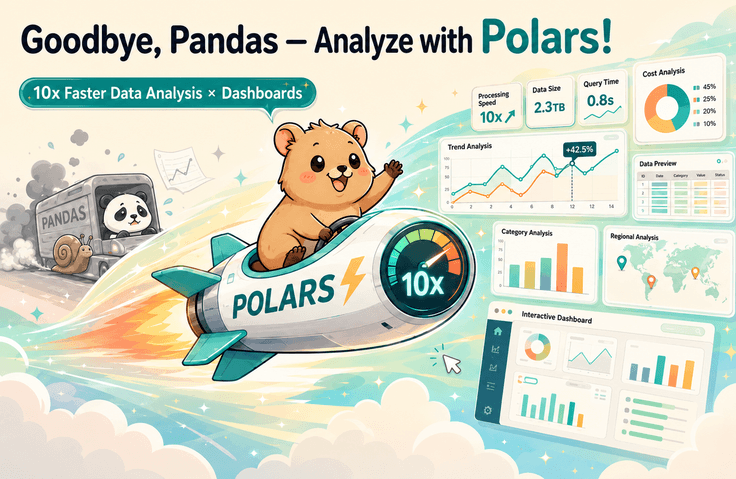
Stop using Pandas — 10x faster data analysis with Polars, plus web dashboards

A practical course to break free from slow Pandas and complete high-performance analysis + interactive dashboards all at once

😤 Have you ever experienced this?

  • I've given up waiting because df.apply() took dozens of seconds in pandas.

  • I have shared data analysis results every time by taking screenshots of Jupyter Notebooks.

  • "Show it to me interactively," they said, so you actually went to learn Tableau.

  • I have felt frustrated, feeling like data analysis is easy for everyone else but difficult only for me.

This course solves all of those problems(!)


I recommend this to the following people:

Data analysis beginners who felt lost about what to actually create từng cảm thấy bế tắc không biết thực sự nên tạo ra cái gì

Data analysts whose work is stalled due to slow Pandas

10x faster analysis and clean dashboards—for everyone who wants both

Break free from slow Pandas,

A lecture that enables you to present analysis results yourself

While working in data analysis in the field for several years

I've included everything I want to convey!

Mastering Polars — Escaping from Pandas

  • Core Polars Syntax: Filtering, Sorting, Aggregation, Pivot, Join

  • Query optimization execution using Lazy Evaluation

  • Practical migration: Converting Pandas code to Polars

Streamlit Basics — Building Web Apps with Python

  • Core Streamlit Components

  • Configuring screen layouts with sidebars, columns, and tabs

  • Implementing interaction with sliders, selectboxes, and buttons

  • Performance optimization with @st.cache_data caching

Data Visualization — Matplotlib & Plotly

  • Core Matplotlib Syntax: Understanding Figure/Axes structures, customizing chart styles, colors, and layouts

  • Creating interactive charts with Plotly

Kaggle Superstore Data Analysis Practice

  • Time-series sales trends: YoY/MoM growth rates,

  • Customer Segmentation (RFM): VIP/Churn Customer Classification

  • Product Portfolio: Pareto Analysis

  • Lead Time & Shipping: Analysis by Shipping Mode

  • Regional Performance: Comparison of sales and profit by region and city


Creating Interactive Dashboards

Designing a Streamlit Multi-page App Structure

Creating data analysis dashboard screens


Notes Before Taking the Course

Practice Environment

  • Operating System and Version (OS): Windows, macOS

  • Tools used: VSCODE (IDE), Anaconda (Python virtual environment management)

Learning Materials

  • All practice Python code and Jupyter Notebook code are provided.


Learning Method

  • By typing and executing the code line by line, you can quickly become familiar with it.

Recommended for
these people

Who is this course right for?

  • Those who are frustrated because Pandas is slow, or those who want to switch to a better tool.

  • Those who know a bit of Python but have a weak portfolio because they don't have a "service I created myself"

  • Those who want to present their data analysis results through a proper interface rather than just notebook screenshots.

  • Office workers and job seekers who want to quickly create data apps without the time to learn web development (HTML/CSS/JS)

Need to know before starting?

  • Python Basics (Variables, Functions, Conditionals, Loops)

  • Basic experience using Pandas

Hello
This is MoneyPouch

5,293

Learners

45

Reviews

19

Answers

4.9

Rating

3

Courses

Curriculum

All

28 lectures ∙ (8hr 56min)

Course Materials:

Lecture resources
Published: 
Last updated: 

Reviews

Not enough reviews.
Please write a valuable review that helps everyone!

Similar courses

Explore other courses in the same field!

25% off for new members

$43.90

25%

$53.90