inflearn logo

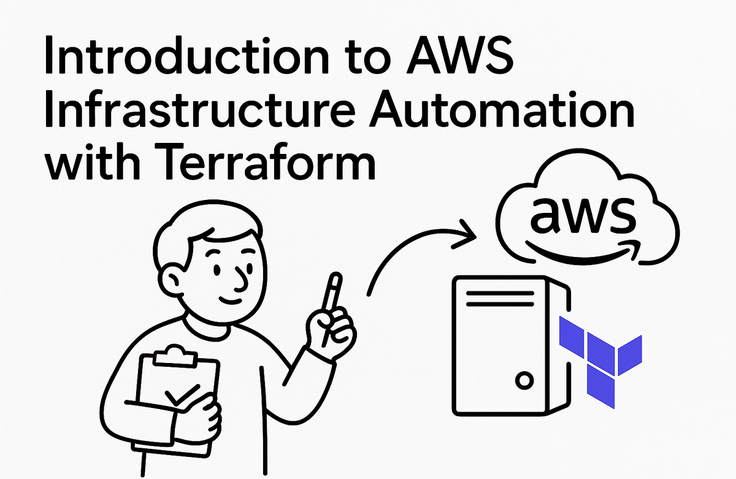
An Introduction to AWS Infrastructure Automation with Terraform

Learn step by step, from installing Terraform to running basic commands. Practice the core concepts of Infrastructure as Code (IaC) by securely managing IAM credentials and creating and deleting S3 buckets with code. Understand the workflow of the init, plan, apply, and destroy commands, and learn how to safely make infrastructure changes in real-world environments.

1 learners are taking this course

Level Beginner

Course period Unlimited

Terraform
Terraform
amazon-web-services
amazon-web-services
infrastructure
infrastructure
aws-iam
aws-iam
s3-bucket
s3-bucket
Terraform
Terraform
amazon-web-services
amazon-web-services
infrastructure
infrastructure
aws-iam
aws-iam
s3-bucket
s3-bucket

What you will gain after the course

  • Run the complete workflow of connecting the AWS Provider and creating and deleting an S3 bucket after installing Terraform.

  • How to manage IAM credentials securely with `aws configure` without exposing them in code

  • Proactively detect risky infrastructure changes by interpreting terraform plan output symbols (+, -, ~)


Building with Code
Cloud Infrastructure


Do you find yourself repeating the same tasks in the console and overlooking places that need to be changed?


At first, I also felt overwhelmed, unsure where to start in front of a server.
After more than 20 years of managing infrastructure and working with large-scale payment services and hundreds of instances, I learned that safe changes require a clear sequence.


From credential management to creating and deleting storage
Run Terraform's workflow yourself and develop a feel for managing infrastructure as code.


What you can gain from this course

Develop the ability to assess infrastructure beyond console operations

You will complete the entire Terraform workflow yourself, from installation through creation and deletion. Instead of memorizing commands, you will understand what changes each step makes to the infrastructure.. Thay vì ghi nhớ các câu lệnh, bạn sẽ hiểu mỗi bước tạo ra những thay đổi gì đối với hạ tầng.

Learn how to manage credentials securely without exposing them in your code. Through a hands-on IAM user and configuration process, you’ll build safe habits from the very beginning.

It incorporates the judgment criteria built over more than 20 years of operating large-scale cloud infrastructure. You’ll learn to read additions, deletions, and changes in plan results and identify risky changes before executing them.

After the course, you will be able to manage S3 buckets as code and assess the flow of changes yourself.
We will clearly guide you from the points where beginners first get stuck to the standards you should follow in real-world work.


After over 20 years of operating servers, I found the answer in Terraform.

I started with Linux server operations and have worked in the infrastructure field for over 20 years.

I moved data centers to Amazon Web Services, managed hundreds of instances, and tracked down the causes of outages every dawn.

In the field, what mattered more than how many times we clicked the console was how to recreate the same infrastructure and change it safely.

That’s why this course covers everything from installation and credential management to creating and deleting S3 buckets, as well as the workflow of planning and applying changes.

Turn console operations into code and read the risks before making changes. Build habits that keep credentials from being exposed. Create your first infrastructure as code today.


Course Structure

First Steps with Terraform

Section 1

Course Materials Guide

Check the materials and approach needed for the course, and understand the basic direction for the hands-on exercises that follow.

Section 2

Terraform Installation and Learning Overview

Explore the first execution process using Terraform and review the material covered previously. Get an overall understanding of the infrastructure-as-code management and hands-on practice scope covered in this course.

Section 3

Setting Up the Practice Environment and Installing Terraform

After checking the prerequisites for the hands-on exercises, install Terraform and verify that it runs properly. Set up the basic execution environment so that you can proceed with command-line exercises later.

Section 4

Terraform’s AWS Access and IAM Setup

Understand how Terraform accesses AWS and the role of the provider. Create an IAM user for the hands-on exercises and prepare the necessary permissions.

Section 5

Credential Management and Initial Project Configuration

Learn how to pass AWS credentials to Terraform and the essential security principles you must follow. Safely manage your credentials while setting up your first Terraform project directory.

Section 6

Writing the Main Configuration File and Initialization

Write the AWS provider and infrastructure configuration in the main configuration file, then run the initialization command. Review the roles of the files generated during initialization and the provider plugins.

Section 7

Change Planning, Application, State Management, and Deletion

Interpret the symbols in the plan command’s output to review create, delete, and change operations in advance, then use the apply command to create infrastructure such as an S3 bucket. After examining the role of the state file, safely clean up the practice resources with the destroy command.


Who This Course Is For

Recommended for those who…

Cloud beginners looking to convert repetitive AWS console tasks into code

Backend developers who want to prevent credential exposure and learn the Terraform change workflow


Notes Before Taking the Course


Practice Environment

  • Windows, Mac operating systems, and Linux are supported.

  • Terraform and Amazon Web Services are used.
    At least 8 GB of memory is recommended.

Prerequisites and Important Notes

  • It is helpful to know Linux commands and basic networking.
    Beginners can also follow the practice steps.

  • Create a separate IAM user for the exercises.
    Be careful not to store the secret key in the code.

Learning materials

  • The lecture slide PDF is provided as reference material.
    You can review the key commands and workflow.

  • Use the practice code and step-by-step checklist.
    Verify everything yourself, from creating the bucket to deleting it.


Recommended for
these people

Who is this course right for?

  • A cloud beginner developer who wants to automate manual tasks in the AWS console

  • A DevOps hopeful encountering the concept of managing infrastructure as code (IaC) for the first time

  • A backend developer who wants to quickly learn the basic Terraform commands and workflow

Need to know before starting?

  • AWS account ownership and experience with basic console operations

  • Can execute commands in a terminal (CLI) environment

  • Experience editing configuration files in YAML or JSON format

Hello
This is jjangkbg7719

Career Verified

897

Learners

72

Reviews

6

Answers

4.7

Rating

48

Courses

Hello, I'm Frank.

I am an infrastructure engineer who has been wrestling with servers for over 20 years. Starting with Linux server operations, I am now in charge of the cloud infrastructure for a large-scale payment service. My daily life involves migrating from data centers to AWS, managing hundreds of instances, and tracing the causes of failures in the early hours of the morning.

The reason I created this course is simple.

I often received questions like these from those around me: "I managed to connect to the server, but I don't know what to do next." "There are so many instance types; which one should I choose?" These are the exact same points where I got stuck at first. However, when I looked for resources, I found that most of them were written for people who already knew what they were doing.

So I decided to create the course I wish I had when I first started learning.

My lectures are based on three principles.

First, I help you understand rather than memorize. Instead of just listing commands, I explain why we use them in the first place.

Second, I boldly omit unnecessary content. I do not increase the volume by including information that is useless to beginners right now.

Third, I also talk about what doesn't work. Instead of just listing the pros, I clearly point out cases where it might not be a good fit. For someone who has to make decisions in the field, that is more important.

If you feel a sense of "Ah, I should start from here" after listening to the lecture, then my goal has been achieved.

Please feel free to leave any questions you may have at any time.

More

Curriculum

All

21 lectures ∙ (23min)

Course Materials:

Lecture resources
Published: 
Last updated: 

Reviews

Not enough reviews.
Please write a valuable review that helps everyone!

jjangkbg7719's other courses

Check out other courses by the instructor!

Similar courses

Explore other courses in the same field!

Limited time deal

$524.00

62%

$8.80