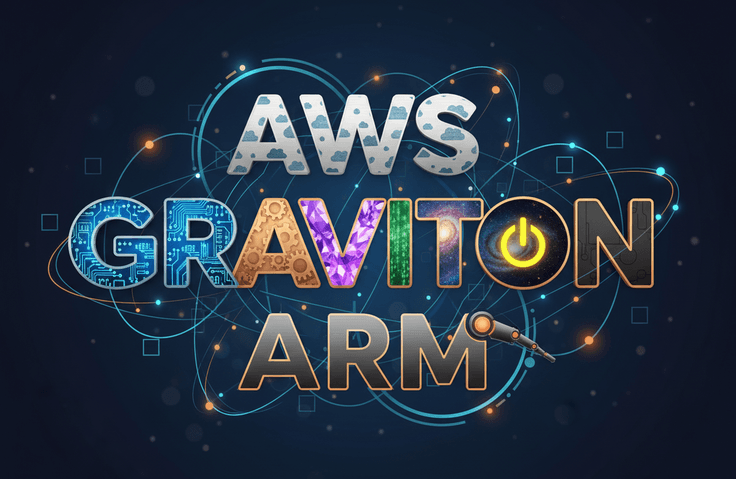
Introduction to AWS Graviton: Understanding ARM-based Instances

Have you ever skipped over the difference between m7i and m7g in the AWS console without knowing what it was? This lecture clearly explains the concept of AWS Graviton (ARM-based processors) in just 30 minutes. From instance type naming conventions to cost-saving principles and practical application criteria, we explain everything step-by-step at a beginner's level.

1 learners are taking this course

Level Beginner

Course period Unlimited

ARM Architecture
ARM Architecture
amazon-web-services
amazon-web-services
infrastructure
infrastructure
aws-ec2
aws-ec2
cost reduction
cost reduction
ARM Architecture
ARM Architecture
amazon-web-services
amazon-web-services
infrastructure
infrastructure
aws-ec2
aws-ec2
cost reduction
cost reduction

What you will gain after the course

  • Understanding the differences and pricing structures between Graviton and x86 processors

  • Ability to decode instance type naming conventions like r8gd

  • Self-assessment of service suitability for Graviton migration

1. Lecture Title

AWS Graviton for Non-Majors – Reducing Cloud Costs by 40% with ARM Processors

2. Two-line summary

A single 'g' in an instance name changes the price. In just 30 minutes, we summarize what AWS Graviton is, why it's cheaper than x86, and whether you should use it for your service. This is an introductory course on cloud cost optimization that focuses on concepts and decision-making criteria without command-line practice.

3. What you will learn

  • The ability to explain to others what Graviton is and why it is cheaper than x86

  • The ability to read and understand the generation and characteristics of instances just by looking at names like M7g or C8g

  • Criteria for judging for yourself whether it is okay to migrate our service to Graviton

  • Fundamental differences between x86 and ARM architectures

  • How to reduce cloud costs by combining with Savings Plans

4. Recommended for the following people

  • Those who have used EC2 but always chose the default instance type

  • Junior practitioners who have started looking for ways to reduce cloud costs after seeing their billing statements

  • Aspiring developers and operators who want to move on to the cloud after learning Linux basics

  • Those who simply skipped over the terms ARM, arm64, and aarch64 whenever they appeared

5. Is prior knowledge required?

Knowing what EC2 is is enough. Even if you have no experience with Linux commands or development, I explain all terms in detail so you can follow along.

6. Detailed Course Introduction

When creating an instance in the AWS console, the list includes both m7i and m7g

It's just a one-letter difference in the name, but the rates are different.

This "g" stands for Graviton. It is an ARM-based CPU designed by Amazon itself, offering the same performance at up to 40 percent lower cost. While over 90,000 companies worldwide are already using it, many people still find it difficult to give a clear answer when asked, "What exactly is it?"

This course aims to eliminate that ambiguity.

This is not a lecture for memorizing commands

Most Graviton-related materials focus on benchmark figures or migration practices, making it difficult for beginners to get started. This lecture takes the opposite approach.

We will establish the concepts of why x86 and ARM are different, what has improved with each generation, which workloads they are well-suited for, and where you should be cautious. Once you grasp these concepts, you will be able to make your own choices at the console.

What we will cover

It is composed of eight sections.

  • Definition and background of Graviton

  • Differences between x86 and ARM architectures

  • The history of evolution from the 1st generation to the latest 5th generation and how to read instance names

  • Price-performance, energy efficiency, security

  • Suitable workloads and cases to avoid

  • The 4 Stages of Migration and Multi-Architecture Containers

  • Purchase options and cost optimization tools

  • Key Summary and Next Learning Steps

Three unique features of this course

First, how to read instance names is covered in a separate section. By breaking down names like r8gd character by character, I will explain what the family, generation, Graviton indicator, and additional options each represent. After taking this lesson, you will be able to use this knowledge immediately when you open the console.

Second, I provide a transition suitability checklist. By answering five questions, you can determine if your service is a good fit for Graviton. I believe that what beginners truly need is not just knowledge, but the criteria for making decisions.

Third, I clearly state the cases where it is not suitable. Windows-only applications, software dependent on x86 instructions, commercial programs without ARM builds, and GPU-intensive large-scale training are not suitable for Graviton. Instead of just listing the advantages, I aim for a lecture that helps you make an informed decision on adoption.

The duration is 30 minutes

It wasn't made short just for the sake of it; it's the result of removing benchmark figures and command-line practices that beginners don't need immediately. You can finish it in a single commute.

After taking the course

You will be able to judge for yourself by looking at the types with a 'g' in the instance list, thinking, "This is Graviton, and we can use it for our service," or "This won't work."

Recommended courses to take together

It will feel more natural if you first take the free course "Linux Basic Commands Even for Non-Majors." Once you become familiar with the terminal, the next question you'll encounter is "Where should I host this server?" and this course covers the answer to that.

7. Tags

AWS, Graviton, ARM, EC2, Cloud, Cloud Cost Optimization, Infrastructure, DevOps, Server, Cost Reduction

Recommended for
these people

Who is this course right for?

  • Cloud beginners who have experience using EC2 but lack confidence in choosing instance types.

  • Junior developers and operators who have started looking for ways to optimize cloud costs

  • Aspiring cloud engineers who want to properly understand ARM architecture terminology

Need to know before starting?

  • Experience in creating and connecting to AWS EC2 instances

  • Ability to use basic Linux commands

  • Understanding the Basic Concepts of Cloud Computing

Hello
This is jjangkbg7719

Career Verified

175

Learners

9

Reviews

5.0

Rating

3

Courses

Hello, I'm Frank.

I am an infrastructure engineer who has been wrestling with servers for over 20 years. Starting with Linux server operations, I am now in charge of the cloud infrastructure for a large-scale payment service. My daily life involves migrating from data centers to AWS, managing hundreds of instances, and tracing the causes of failures in the early hours of the morning.

The reason I created this course is simple.

I often received questions like these from those around me: "I managed to connect to the server, but I don't know what to do next." "There are so many instance types; which one should I choose?" These are the exact same points where I got stuck at first. However, when I looked for resources, I found that most of them were written for people who already knew what they were doing.

So I decided to create the course I wish I had when I first started learning.

My lectures are based on three principles.

First, I help you understand rather than memorize. Instead of just listing commands, I explain why we use them in the first place.

Second, I boldly omit unnecessary content. I do not increase the volume by including information that is useless to beginners right now.

Third, I also talk about what doesn't work. Instead of just listing the pros, I clearly point out cases where it might not be a good fit. For someone who has to make decisions in the field, that is more important.

If you feel a sense of "Ah, I should start from here" after listening to the lecture, then my goal has been achieved.

Please feel free to leave any questions you may have at any time.

More
Published: 
Last updated: 

Reviews

Not enough reviews.
Please write a valuable review that helps everyone!

Similar courses

Explore other courses in the same field!

Limited time deal

$552.00

62%

$8.80