inflearn logo

Building Websites with AI - Stitch · Figma Make · React Hands-On Project

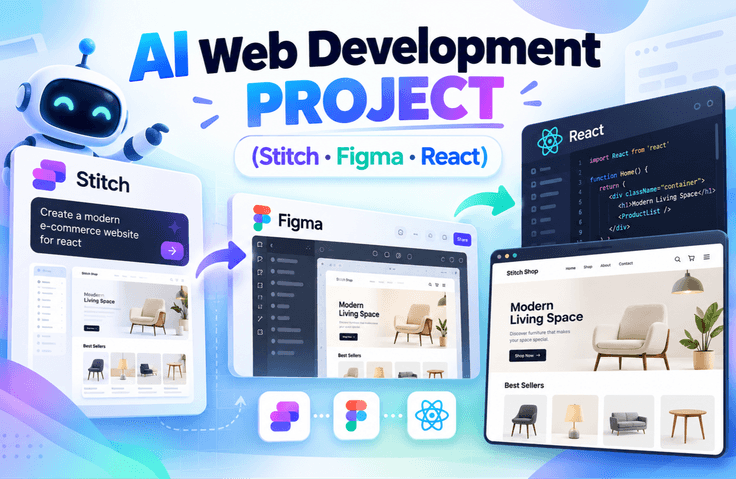
In the AI era, web developers need more than coding skills—they need the ability to use AI to turn ideas into real-world results. Build your AI web development skills for practical work and portfolios by gaining hands-on experience creating UIs with Stitch and Figma Make, implementing them in React, and deploying them.

(4.8) 8 reviews

73 learners

Level Basic

Course period Unlimited

React
React
Figma
Figma
stitch
stitch
AI
AI
React
React
Figma
Figma
stitch
stitch
AI
AI

What you will gain after the course

  • You will personally complete an entire project workflow, from planning and design to implementation and deployment.

  • You will learn how to apply it to real projects, not just an introduction to its features.

  • Learn according to the practical workflow, from designing the service structure to organizing components.

  • You can learn step by step how to use AI strategically to achieve the results you want.

  • You’ll build a project in the form of a real service, not just a simple example.

Before the class, you must be signed up for the services below.

  • chatGPT

  • Figma - Some features during the class are available only to paid members.

  • Stitch - Since it is still in beta, there are no feature limitations ^^ (as of 2026.2.13)

  • Github


1️⃣ What is Vibe Coding?

“Coding with AI” does not simply mean a feature that writes code for you.
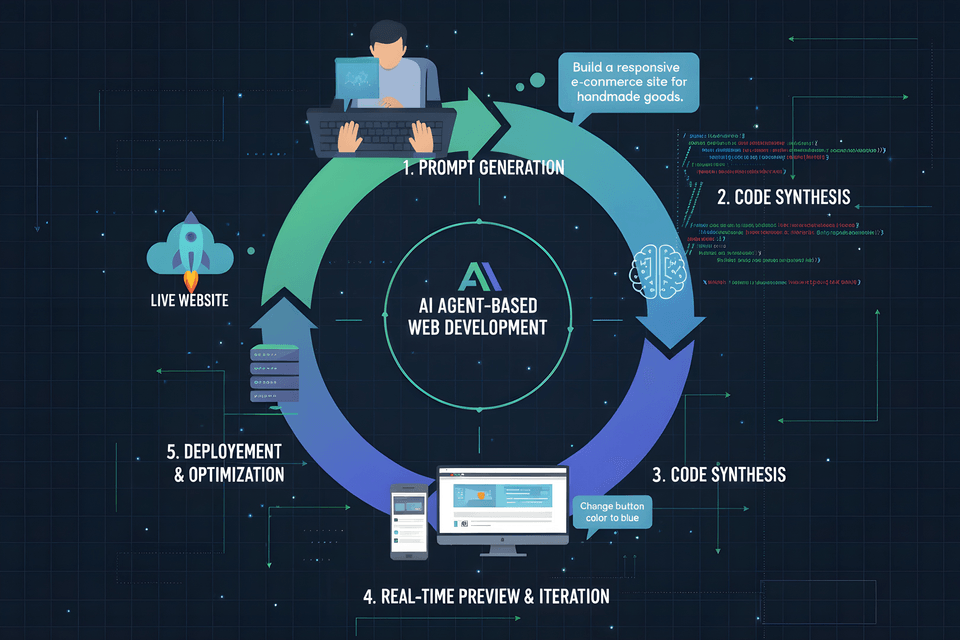
In this course, we introduce a new development approach that uses prompts to design the entire process, from planning and design to implementation and deployment. You will clearly understand how it differs from the traditional approach of writing code one line at a time and why this method is gaining attention now. You will experience the starting point of a paradigm shift in AI-assisted development.

Vibe Coding Process

Learning Content

  • Understanding the concept of vibe coding and how it differs from traditional development methods

  • Understanding the prompt-centered development structure

  • Establishing a perspective that uses AI as a “design tool” rather than an “assistive tool”

  • Understanding the overall project flow from planning → design → implementation → deployment


2️⃣ How to Request Designs from AI

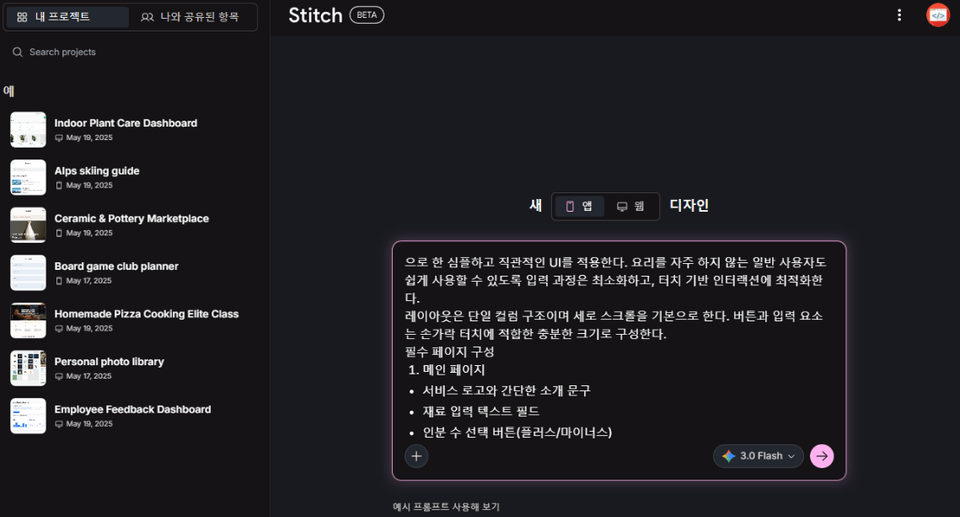
Have you ever asked AI to “create a design like this” only to get a result that differed from what you expected?
In this course, you will systematically learn how to make requests that AI can accurately understand and implement. Rather than giving vague instructions, you will learn strategies for achieving the desired results through structured prompts. You will experience firsthand how a single well-crafted sentence can produce a highly polished design.

  • Learn the principles of writing prompts to derive designs

  • Understanding the difference between function-focused prompts and UI-focused prompts

  • How to design based on a mobile-first approach

  • How to organize requirements so that AI can understand them


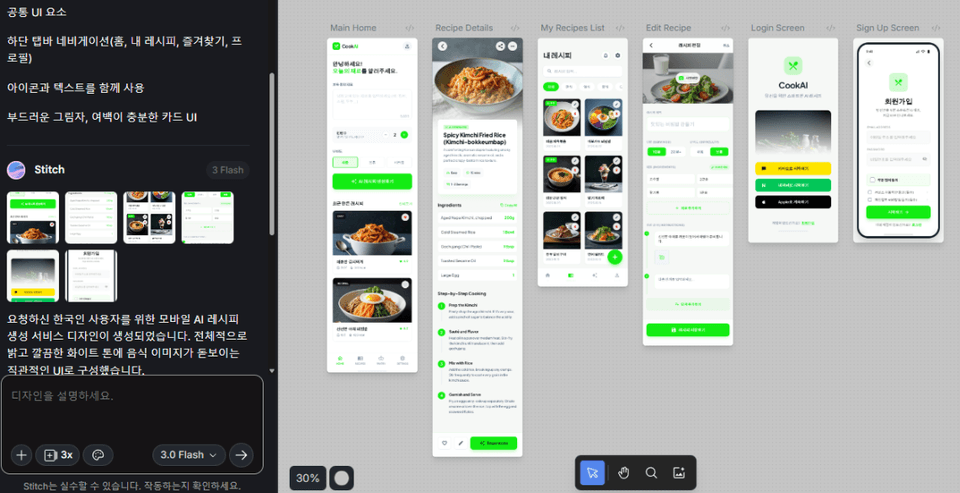
3️⃣ Generate designs and refine them

Use AI to actually generate designs and repeatedly revise them to match your desired direction.
You will experience the process of gradually refining the results by providing specific feedback, such as “Revise this part” and “Make the color a little brighter.” Through interaction with AI, you will learn practical methods for enhancing design quality.

  • Hands-on practice creating real designs using Stitch

  • How to Write Prompts for Requesting Partial Modifications

  • UI component-level modification strategies

  • Learning the Iterative Prompting Method

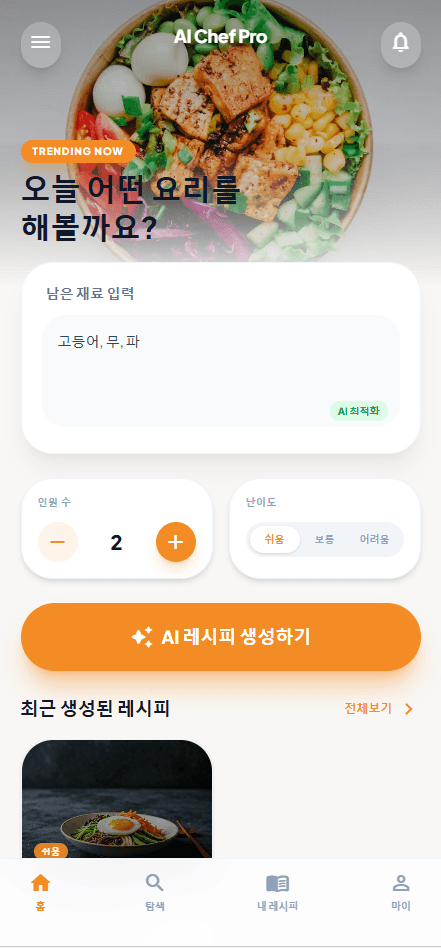
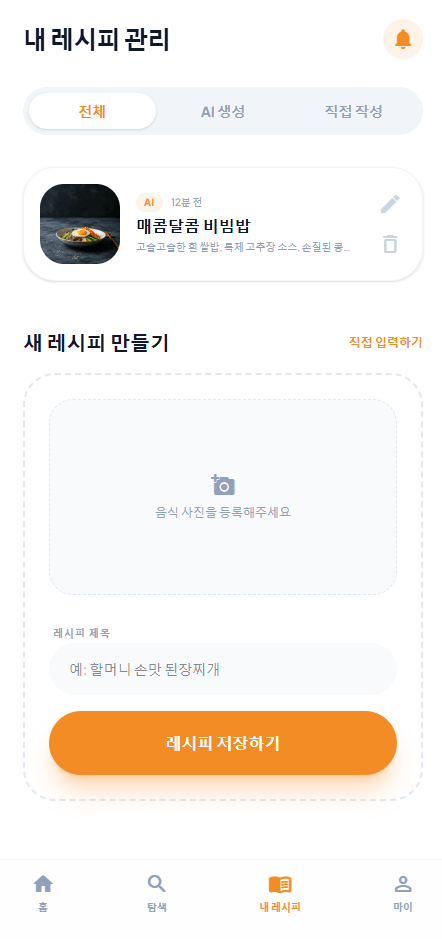
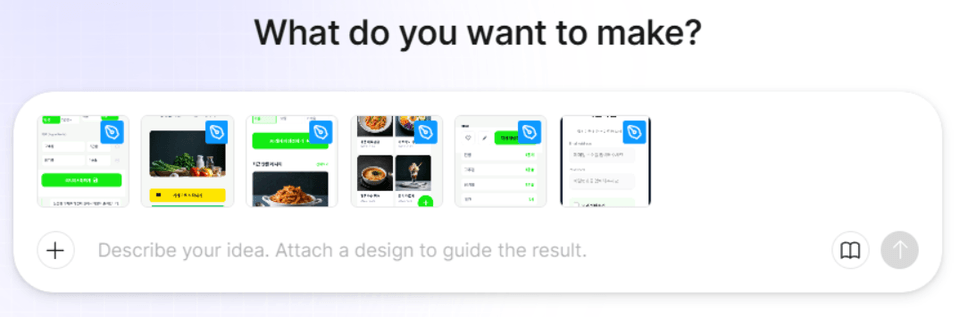
Generating a design through prompts

4️⃣ Implementing Design as Code

See firsthand how a completed design is transformed into code that actually works.
You will understand how it expands beyond a simple screen image into a runnable application. You will experience that design and implementation are not separate stages, but one connected process.

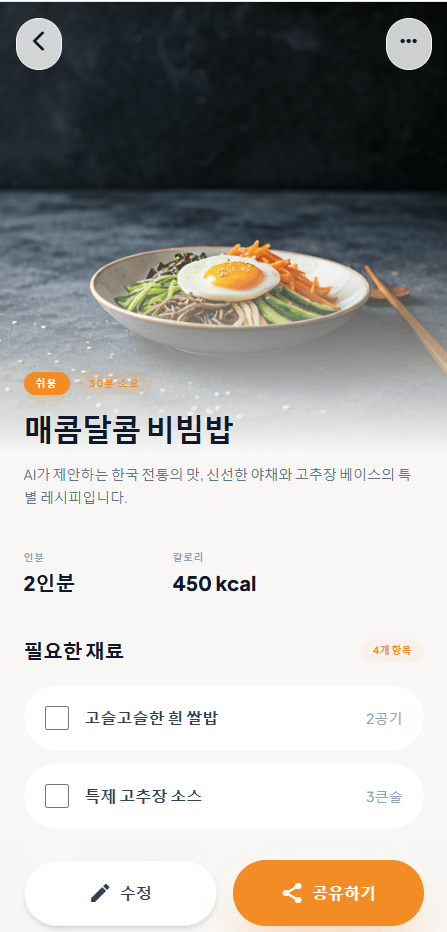
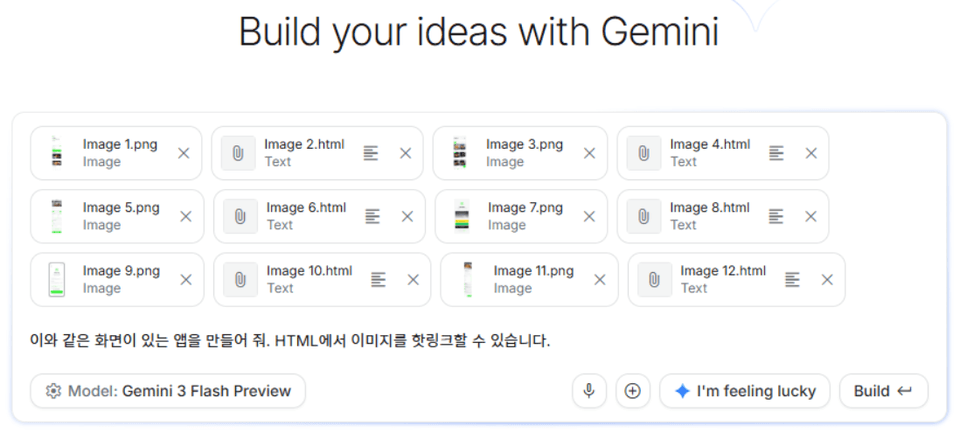
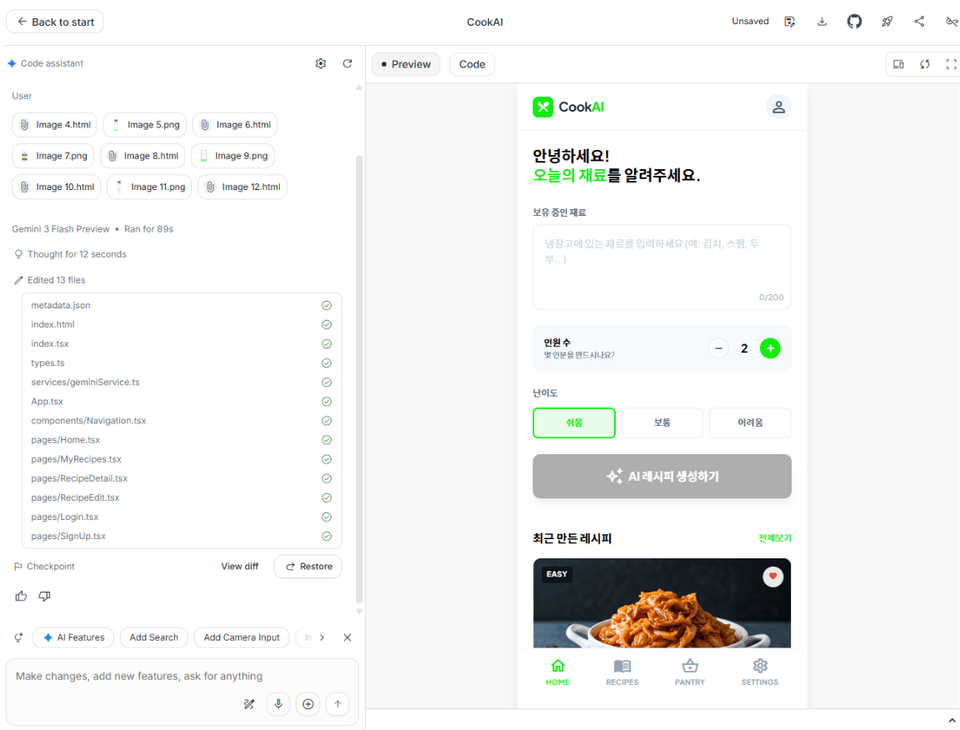
Generate Code from Design - AI Studio

Enter prompts into Google’s AI Studio to generate code based on the design, then use prompts to modify the functionality and structure, progressively improving the result.


Learning Content

  • Understanding the entire process of converting a design into code

  • Code generation practice using AI Studio

  • Learn how to modify code and improve functionality based on prompts

  • Establishing a development mindset that connects design and implementation

5️⃣ Deploying Your Completed Project to the Internet – Basics

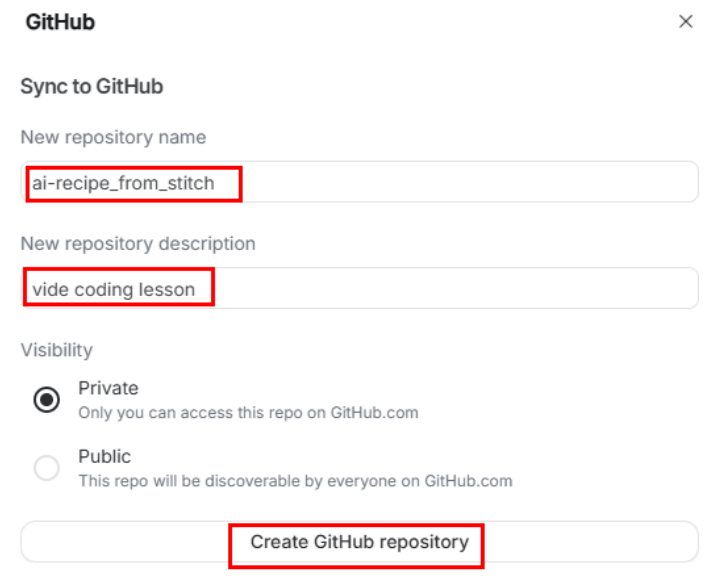
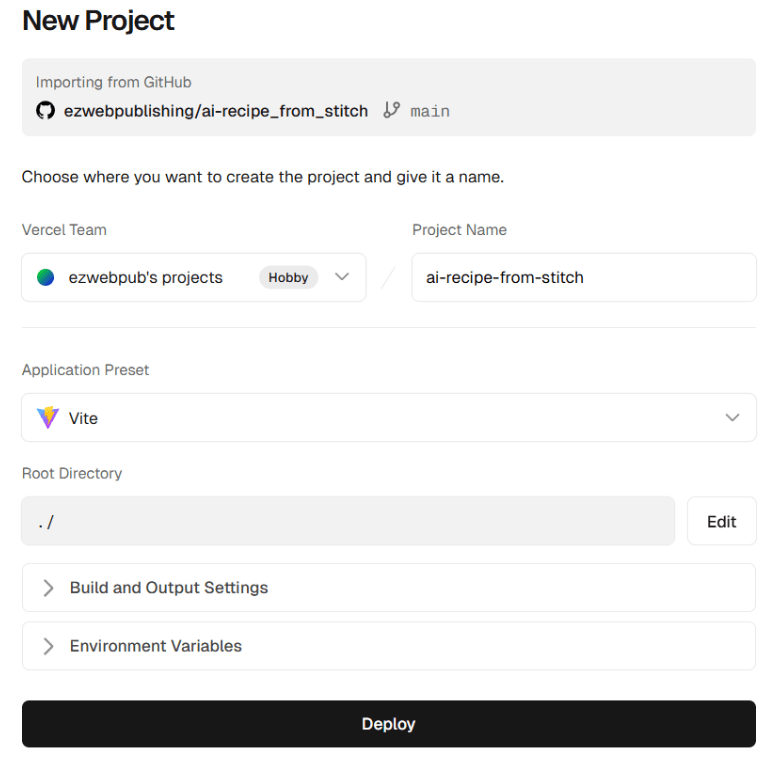
Practice saving the website you built yourself to GitHub and deploying it to the live internet.
Go beyond simply running it locally and turn it into a service with an address that anyone can access. The moment you share the deployment link, you will have the experience of creating a complete product.

You will deploy through Vercel by connecting it to a GitHub repository, and understand the process through which subsequent code changes are automatically redeployed.


Learning Content

  • Understand how to manage project versions and upload projects using GitHub

  • Hands-on practice deploying a website using Vercel

  • Understand how Git repositories integrate with deployment platforms

  • Understanding the Continuous Deployment workflow for automatic deployment when code changes are made

6️⃣ Developing Like a Designer - Figma Make

Learn another workflow for development through design tools.
You will develop flexible thinking by learning to choose the approach best suited to the situation and purpose, rather than assuming there is only one right way. By comparing design-centered and prompt-centered approaches, you will understand the advantages of each.

Create code based on designs generated using Figma Make, and expand the structure and functionality through prompt commands. You will also learn how to build polished websites using only prompts, without designs.


Learning Content

  • Understanding the Figma-Based Development Workflow

  • Hands-on code generation using Figma Make

  • Understand the differences between design-based development and prompt-based development

  • Learn strategies for choosing the right development approach for each situation

Design-to-Code Generation - Figma Make

7️⃣ Compare the Two Methods and Find Your Own Style

You will also go through the process of turning code generated using the Figma-based approach into a completed real-world service.
After experiencing both workflows learned earlier, you will compare their respective advantages and disadvantages and analyze which approach is better suited to you. Rather than simply following along, you will develop a perspective on development that enables you to make your own choices and designs.

Through this process, you will establish your own AI-assisted development style.


Learning Content

  • Understanding the process of completing Figma-based code deliverables into a real service

  • Comparative Analysis of Prompt-Centered Development and Design-Based Development

  • Summary of the advantages, disadvantages, and use cases of each approach

  • Designing an AI Development Workflow Optimized for the Individual

Since it is generated through AI, please note that the design created from the prompt may differ from the lecture screen.

Recommended for
these people

Who is this course right for?

  • Anyone interested in web development using AI

  • A beginner who wants to experience the entire web development process in one go

  • Job seekers preparing for employment who need a practical portfolio project

  • Those who want to learn design and development together

  • Those who want to learn new development methods suited to the AI era

Need to know before starting?

  • It’s okay even if you’re new to web development.

  • Anyone who has heard of HTML and JavaScript at least once is qualified.

  • Even if you’re new to React, you can follow along.

  • It’s okay even if you have no experience using AI tools.

Hello
This is ezweb

Career Verified

3,004

Learners

78

Reviews

4

Answers

4.9

Rating

15

Courses

I am a frontend specialist instructor who teaches everything from web publishing to practical JavaScript and React, as well as AI-assisted development.

I have taught non-majors, beginners, and job seekers at ESTSOFT KDT and Green Computer Academy, among others. I break down complex concepts into small hands-on exercises and favor project-based classes in which learners complete the deliverables themselves.

Key Educational Areas

  • HTML/CSS Web Publishing

  • JavaScript Basics and Web Interactions

  • React-based frontend development

  • Implementing Web Services Using Firebase

  • Figma UI design and development integration

  • Web Development with Generative AI

  • Web Design Technician Practical Exam

Corporate and institutional training

I conduct training for corporate practitioners, KDT courses, and special lectures at universities and academies.

We develop curricula and hands-on projects tailored to the learners, their prior knowledge, the training duration, and the intended outcomes. We offer in-person instruction, live online classes, and recorded educational content production.

Online Educational Content Production

We handle the following online educational content production tasks.

  • Lecture curriculum and learning objective design

  • Creation of course materials and presentations

  • Step-by-step practice code and example project setup

  • Writing lecture scripts for recording

  • Lecture filming and content delivery

Main Activities

  • ESTSOFT KDT Frontend Course

  • Green Computer Academy Web Publishing & Front-End Course

  • Operating the web publishing YouTube channel ‘ezweb’

  • Authored books in the fields of web publishing and web design

Publications

We accept inquiries about delivering courses for companies and institutions and producing online educational content.

Inquiries: ezwebpub@gmail.com

More

Reviews

All

8 reviews

4.8

8 reviews

  • hafamily6455님의 프로필 이미지
    hafamily6455

    Reviews 3

    ∙

    Average Rating 4.7

    5

    36% enrolled

    Thank you for the informative lecture.

    • ezweb
      Instructor

      Thank you for your valuable review.

  • mrnobody님의 프로필 이미지
    mrnobody

    Reviews 8

    ∙

    Average Rating 5.0

    5

    100% enrolled

    Thank you for the great lecture.

    • ezweb
      Instructor

      Thank you for your valuable review!

  • calculator님의 프로필 이미지
    calculator

    Reviews 297

    ∙

    Average Rating 4.9

    5

    36% enrolled

    • ahnjy05463님의 프로필 이미지
      ahnjy05463

      Reviews 4

      ∙

      Average Rating 4.3

      5

      64% enrolled

      • ezweb
        Instructor

        Thank you for your valuable course rating.~

    • jineelee님의 프로필 이미지
      jineelee

      Reviews 3

      ∙

      Average Rating 5.0

      5

      36% enrolled

      ezweb's other courses

      Check out other courses by the instructor!

      Similar courses

      Explore other courses in the same field!

      25% off for new members

      $13.20

      25%

      $13.20