Coding for the First Time with Web Publishing - CSS
ezweb
You will learn everything from CSS basics to animations and responsive design. Through practical examples, you will review what you've learned and build a solid foundation.
Beginner
HTML/CSS
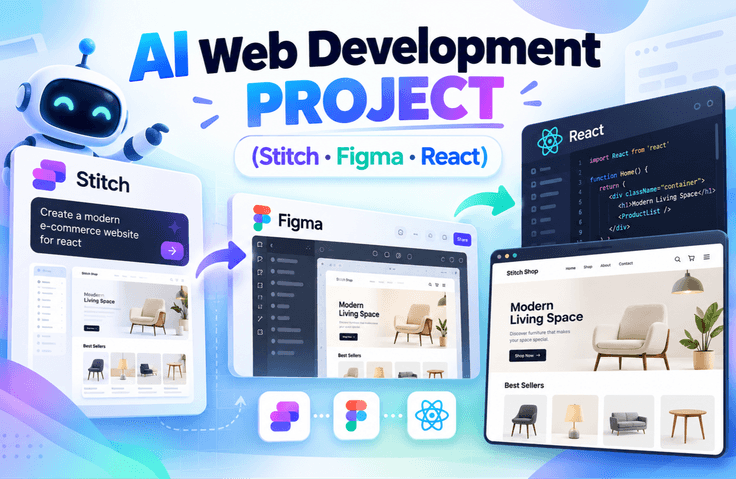
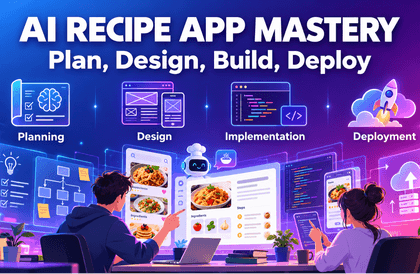
"A hands-on web development project course that covers everything from planning and design to implementation and deployment using Generative AI." We will complete the entire process together step-by-step—starting from idea conception, quickly creating designs with AI, implementing a functional website with React, and finally deploying it to the internet. Latest AI tools like Stitch and Figma Make will assist with your design work, and even complex coding will be taught in a way that is easy to follow step-by-step.


You will personally complete the entire project workflow, from planning and design to implementation and deployment.
You will learn the process of applying it to an actual project, rather than just a simple introduction of features.
You will learn according to the practical workflow, from service architecture design to component configuration.
You can learn step-by-step AI utilization strategies to achieve your desired results.
You will get to build an actual service-oriented project, rather than just a simple example.
Complete a simple mission and receive a 50% discount coupon immediately. Grab this limited-time, all-time great benefit right now!
Participate in the event: https://forms.gle/wcD2wRVeaG7B7fSj7
Subscribe & Like & Comment Event
1️⃣ What is Vibe Coding?
"Coding with AI" does not simply mean a feature that writes code for you.
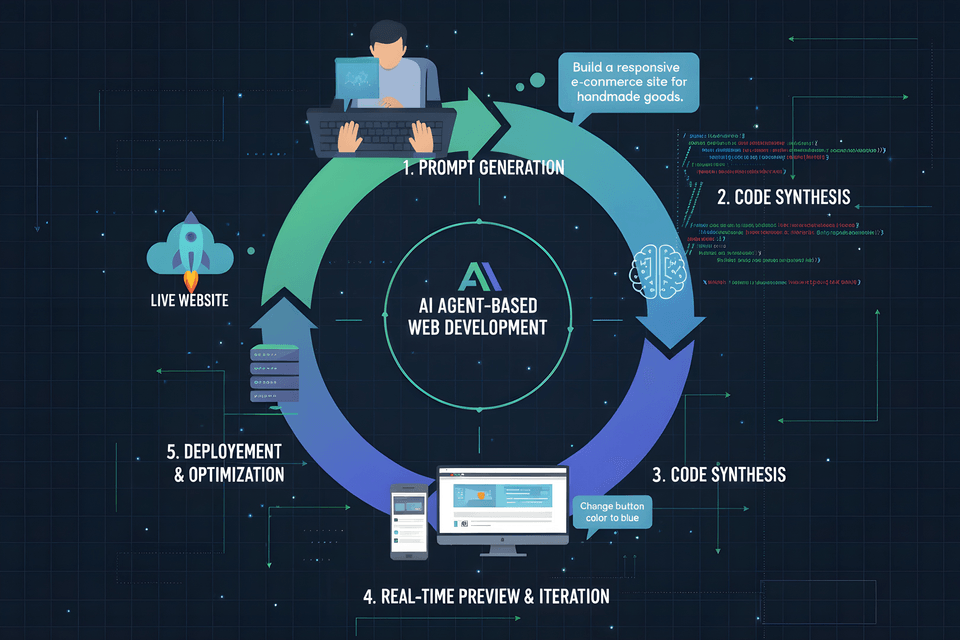
In this lecture, we introduce a new development method that designs the entire process—from planning and design to implementation and deployment—through prompts. You will gain a clear understanding of how this differs from the traditional line-by-line coding approach and why this method is gaining attention now. You will experience the starting point of a development paradigm shift using AI.
Vibe Coding Process
Understanding the concept of Vibe Coding and its differences from traditional development methods
Understanding prompt-centric development structures
Establishing a perspective on utilizing AI as a 'design tool' rather than just an 'assistant tool'
Understand the entire project flow, from planning to design, implementation, and deployment.
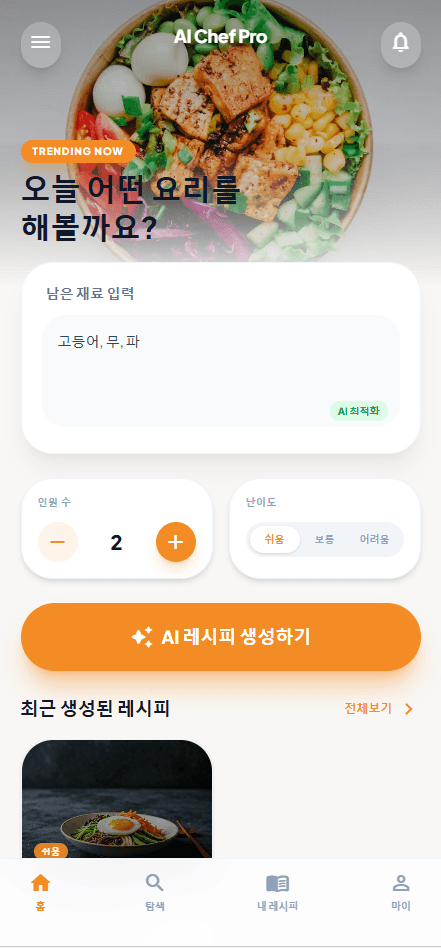
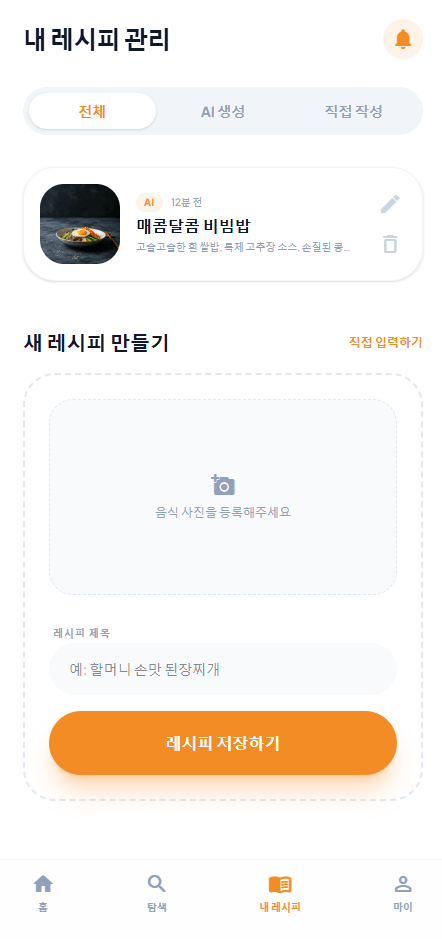
Cut to the chase and check out the finished version first
First Page:
- Try modifying the number of people and the difficulty level.
- Try clicking on the recent recipe list. It will take you to the details page.
- Try clicking on "My Recipes" at the bottom
- Try clicking on My Links at the bottom.
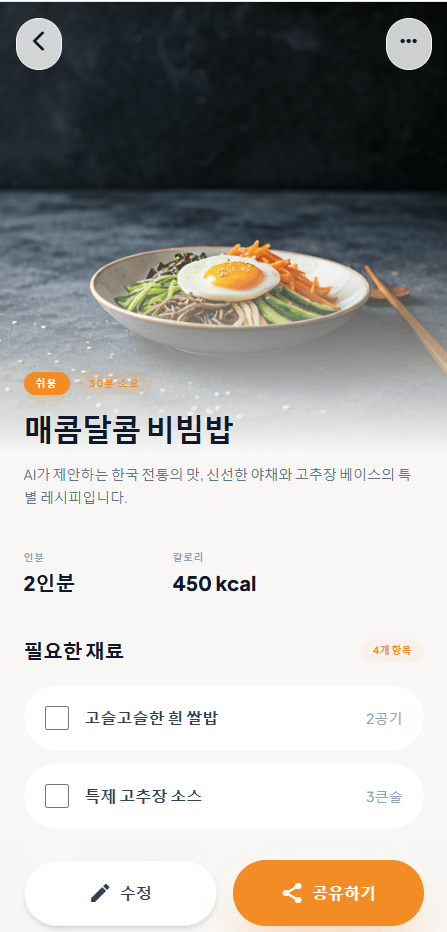
Details Page
- Try clicking the back button in the top left corner.
Login Page
- Try clicking the login button.
(If you enter your email and password, you will be moved to the home screen.)
- Try clicking the sign-up link
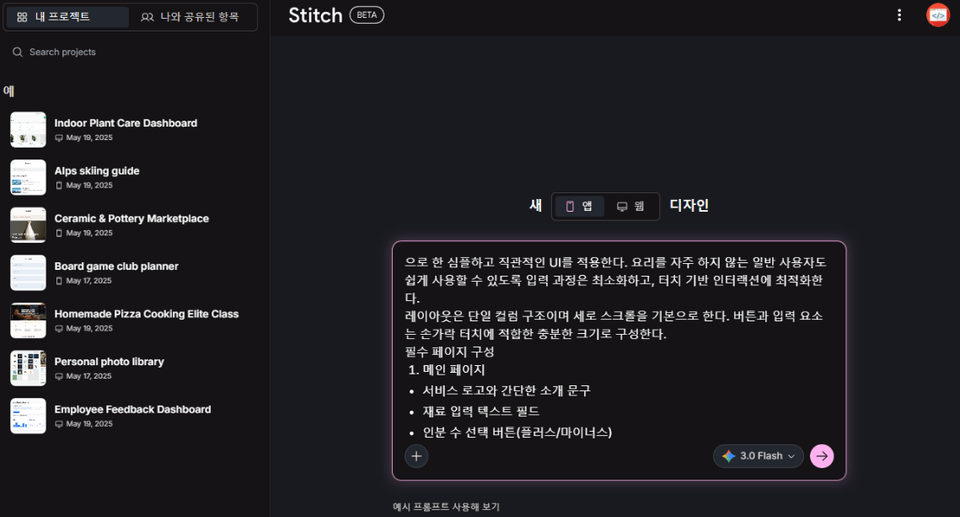
2️⃣ How to request a design from AI
Have you ever asked an AI to "create a design like this," only to get results that didn't meet your expectations?
In this course, you will systematically learn how to make requests that the AI can accurately understand and implement. You will master strategies for deriving desired results through structured prompts rather than vague instructions. You will experience firsthand how a single well-crafted sentence can create a high-quality design.
Learning prompt writing principles for deriving designs
Understanding the difference between function-oriented prompts and UI-oriented prompts
How to design with a mobile-first approach
How to structure requirements and organize them so that AI can understand them
3️⃣ Generating Designs and Enhancing Quality
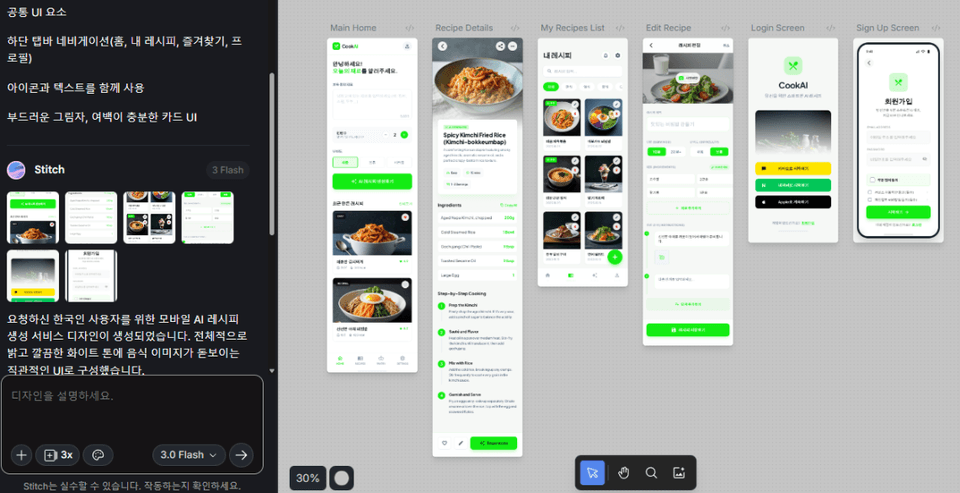
We will actually generate designs using AI and iteratively modify them to fit the desired direction.
You will experience the process of refining the results by providing specific feedback, such as "Modify this part" or "Adjust the color to be a bit brighter." Through interaction with AI, you will learn practical ways to enhance the quality of your designs.
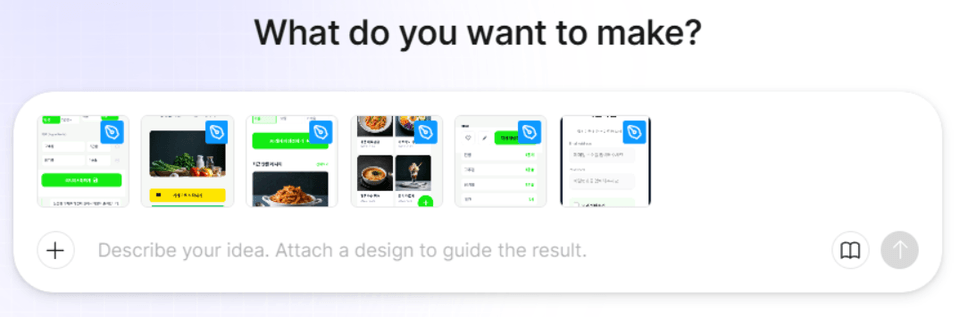
Hands-on design generation practice using Stitch
How to write prompts for partial modification requests
UI component-level modification strategy
Learning Iterative Prompting Methods
Generating design through prompts
4️⃣ Implementing Design into Code
You will see for yourself the process of a completed design being transformed into actual working code.
You will understand the flow of how a simple screen image expands into an executable application. You will experience that design and implementation are not separate stages, but a single connected process.
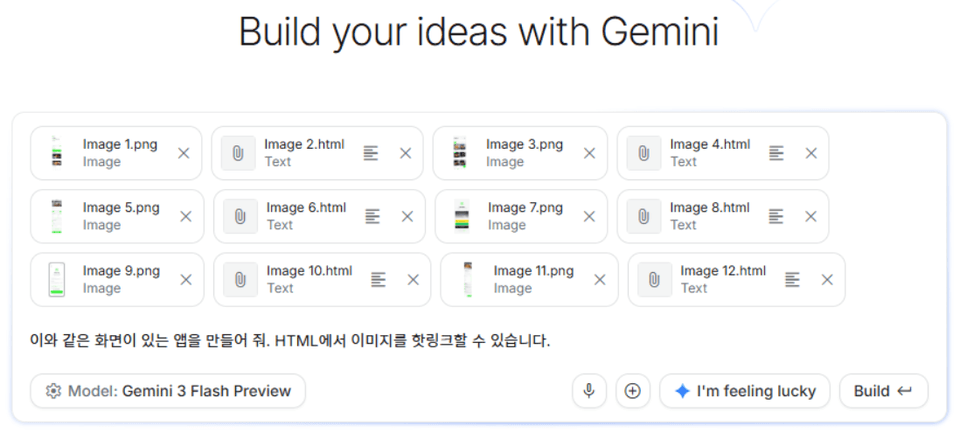
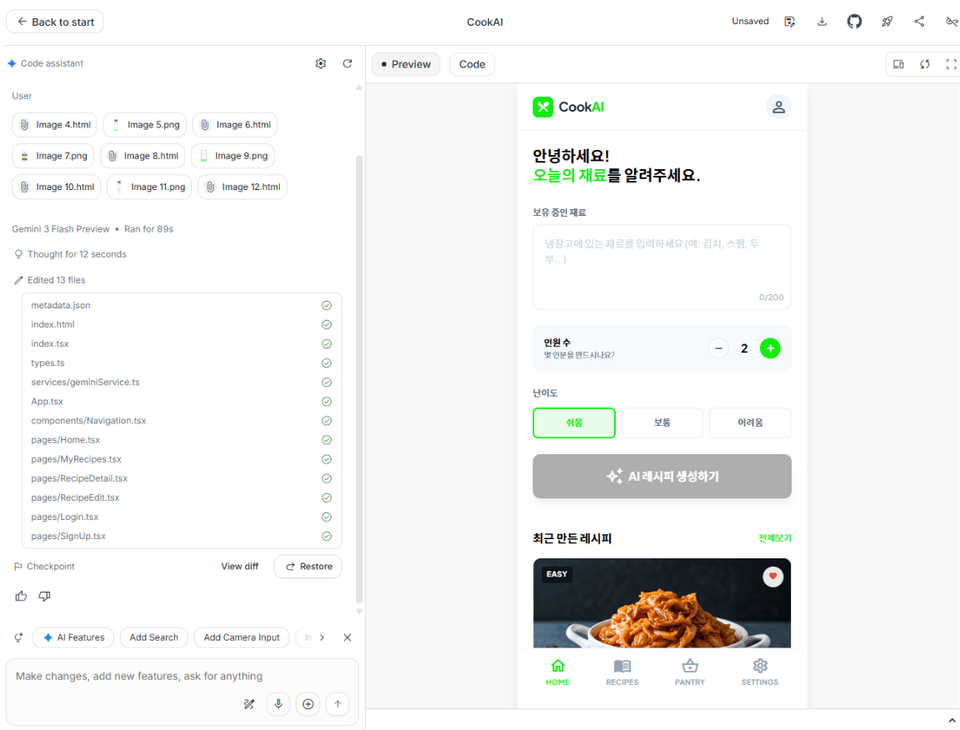
Generating Code from Design - AI Studio
By entering prompts into Google's AI Studio, you generate code based on a design and then progressively enhance its quality by using prompts to modify functions and structures.
Understanding the overall flow of converting design into code
Code generation practice using AI Studio
Learning how to modify code and improve functionality based on prompts
Establishing a development mindset that connects design and implementation
5️⃣ Deploying Your Completed Project to the Internet – Basic Level
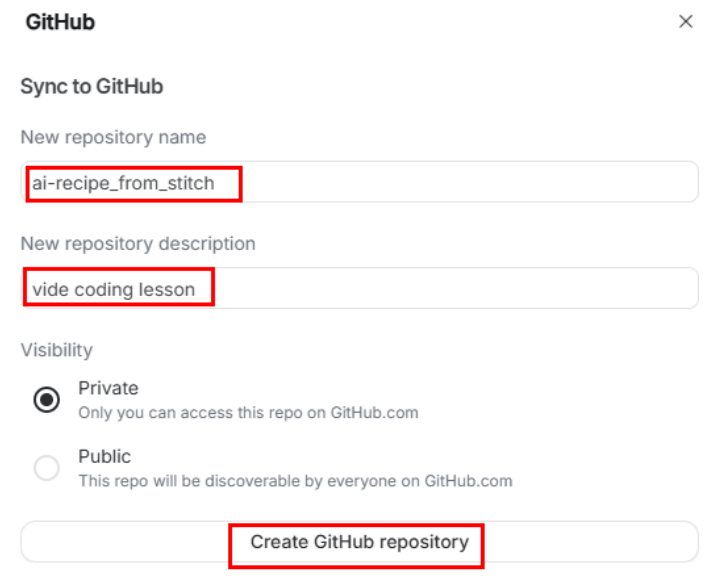
You will practice the process of saving the website you created yourself to GitHub and deploying it to a real internet environment.
Beyond simply running it locally, you will expand it into a service with an address that anyone can access. The moment you share the deployment link, you will experience what it's like to have created a finished product.
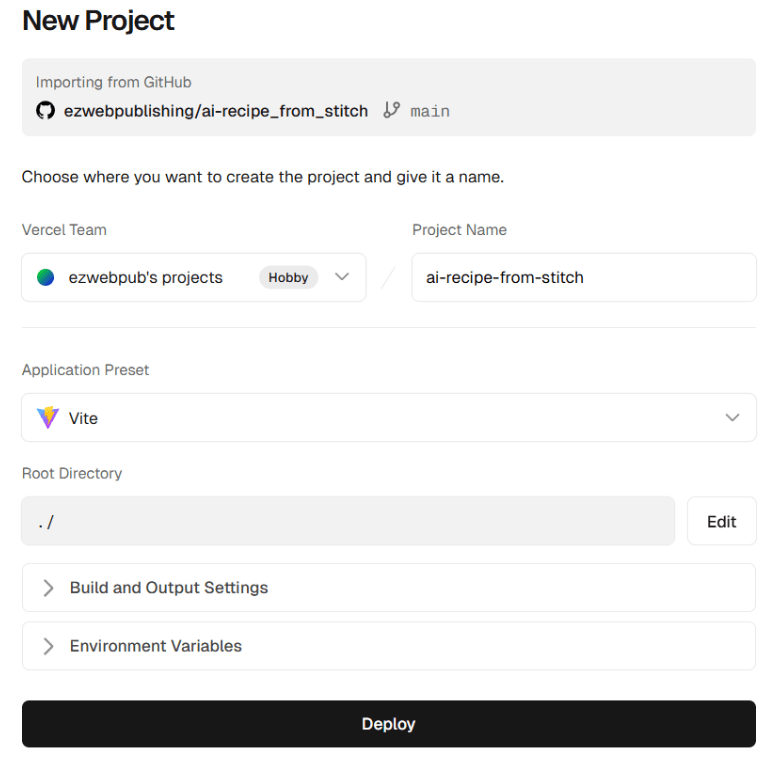
We will proceed with the deployment through Vercel by linking it with a GitHub repository and understand the entire workflow, including how the site is automatically redeployed whenever the code is changed.
Understanding how to manage project versions and upload them using GitHub
Website deployment practice using Vercel
Understanding the integration structure between Git repositories and deployment platforms
Understanding the flow of automatic deployment (Continuous Deployment) when code changes.
6️⃣ Developing Like a Designer - Figma Make
Learn another workflow for developing through design tools.
You will develop flexible development thinking to choose the appropriate method based on the situation and purpose, rather than believing there is only one right way. You will understand the advantages of each by comparing design-centered and prompt-centered approaches.
Using Figma Make, you will generate code based on created designs and expand structures and functions through prompt commands. Additionally, it covers how to implement high-quality websites using only prompts without any design.
Understanding Figma-based development workflows
Code generation practice using Figma Make
Understanding the difference between design-based development and prompt-based development
Learning strategies for selecting development methods based on the situation
Generating Code from Design - Figma Make
7️⃣ Comparing the two methods and finding your own style
The code generated through the Figma-based method will also undergo the process of being completed into an actual service.
After experiencing both workflows learned previously, you will compare the pros and cons of each and analyze which method is more suitable for you. Moving beyond simply following instructions, you will develop a development perspective that allows you to choose and design on your own.
Through this process, you will establish your own AI-driven development style.
Understanding the process of completing an actual service from Figma-based code outputs
Comparative analysis of prompt-centric development and design-based development
Summary of the pros and cons of each method and their use cases
Designing a personalized AI development workflow
Please note that since the designs are generated through AI, those created via prompts may differ from the lecture screen.
Who is this course right for?
Those who are curious about web development using AI
Beginners who want to experience the entire web development workflow all at once
Job seekers who need a practical portfolio project
Those who want to learn both design and development together
Those who want to learn new development methods suited for the AI era
Need to know before starting?
It's okay even if you are new to web development.
It is enough if you have at least heard of HTML and JavaScript.
You can follow along even if you are new to React.
It is okay if you have no experience using AI tools.
Career Verified
2,972
Learners
75
Reviews
4
Answers
4.9
Rating
14
Courses
■ [Current] ESTSOFT KDT Frontend Instructor
■ Green Computer Art Academy Web Publishing and Frontend Instructor
■ Operator of Web Publishing YouTube Channel 'Rock's Easyweb'
■ The Joeun Computer Academy Web Publishing Instructor
■ Hanbit Computer Academy Web Publishing Instructor
■ Frontend Publisher, Professional Frontend Publishing Instructor
■ UI/UX Web Design Portfolio Instructor
[ Books ]
Published on 2021.07.19 / The Complete Figma Guide for Web Design & Web Publishing / BJ Public
Published on 2022.08.25 / Coding for the First Time with Web Publishing / Youngjin Publishing
Published 2023.10 /2024 SD Edu Yu-seonbae Web Design Technician Practical Exam Tutoring Notes / Sidae Gosi Planning
2024.11 Reprint /2025 SD Edu Yoo-Sunbae Web Design Technician Practical Exam Tutoring Notes / Sidae Gosi Planning
2025.11 Reprint /2026 SD Edu Yoo-Sunbae Web Design Technician Practical Exam Tutoring Notes / Sidae Gosi Planning
[ Awards ]
2022.08 Green Computer Art Academy Jongno Branch - Outstanding Instructor 2021.06 Green Computer Art Academy Jongno Branch - Outstanding Instructor 2018.06 Green Computer Academy Sinchon Branch - Outstanding Instructor 2017.05 Green Computer Academy Sinchon Branch - Outstanding Instructor 2016.05 Green Computer Academy Sinchon Branch - Outstanding Instructor 2015.10 Green Computer Academy Sinchon Branch - Outstanding Instructor
All
11 lectures ∙ (2hr 2min)
All
8 reviews
4.8
8 reviews
Reviews 3
∙
Average Rating 4.7
5
Thank you for the informative lecture.
Thank you for your valuable review.
Reviews 31
∙
Average Rating 5.0
Reviews 276
∙
Average Rating 4.9
Reviews 3
∙
Average Rating 5.0
Check out other courses by the instructor!
Explore other courses in the same field!