An Introduction to Practical AI Applications Starting with Claude

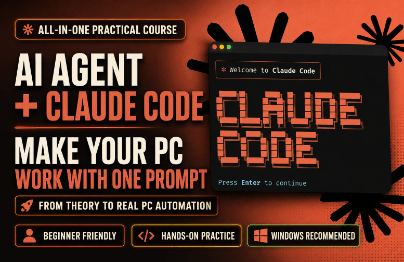
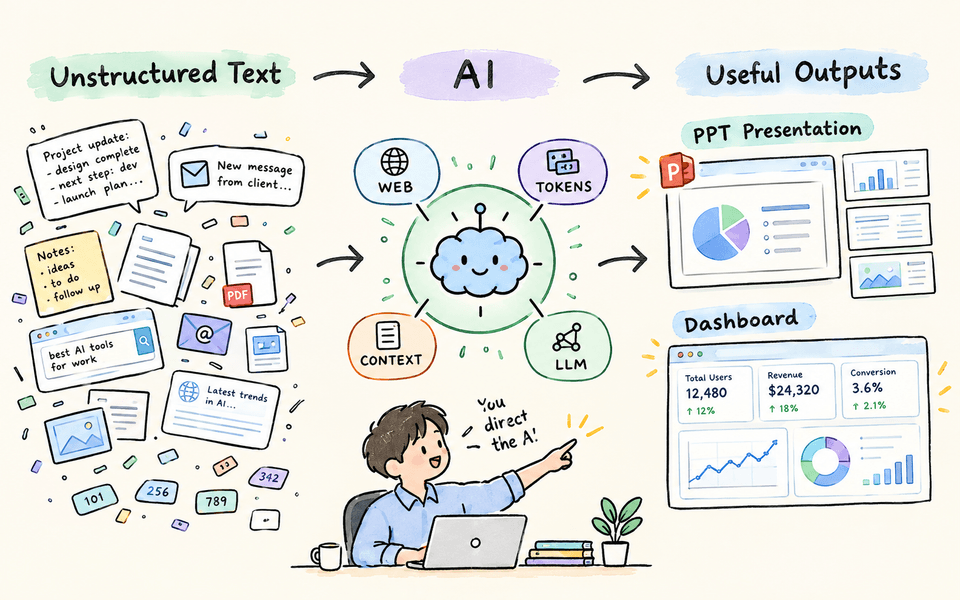
You will learn the meanings of tokens and context, terms you need to know before using AI services, and why LLMs are called “generative” AI. Through a simple hands-on exercise using Claude for Desktop, you will process unstructured text data into structured data and create a PPT and dashboard. You will learn everything from installing Claude Code to its basic usage, building a foundation for starting vibe coding.

(5.0) 2 reviews

96 learners

Level Beginner

Course period Unlimited

AI
AI
claude
claude
LLM
LLM
Vibe Coding
Vibe Coding
AX(Agent Experience)
AI
AI
claude
claude
LLM
LLM
Vibe Coding
Vibe Coding
AX(Agent Experience)

What you will gain after the course

  • Understanding LLM Tokens, Context, and How Services Work

  • Basic Claude Code Commands and Usage for Vibe Coding

  • Basic Usage of Claude for Desktop Cowork


Beyond chat, shall we delegate tasks to Agentic AI?

The difference in how you use AI begins not with the number of questions you ask, but with structuring the tasks you delegate to it.
Anyone can easily organize unstructured text into presentation materials and create dashboards to share with colleagues through vibe coding.
But first! You need to learn about tokens, context, and LLMs.


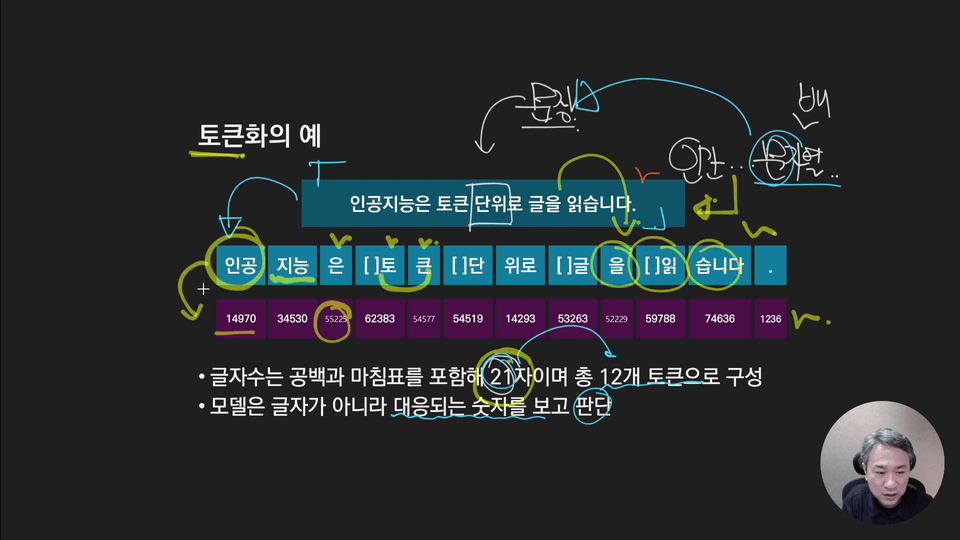
Once you understand what tokens mean, you can understand what context and generative AI are. Then you will be able to use LLM services properly.

You will work directly in Claude Desktop to organize scattered unstructured text into presentation materials and dashboards. You will also complete simple yet engaging hands-on exercises.

Learn only the essentials, from how to install Claude Code to the basic commands. You will also easily learn what you need to know before vibe coding, such as work modes and managing conversation sessions.

Now you need to delegate some of your tasks to AI to maximize productivity!
Understand the basic concepts, carry out small tasks yourself, and build a foundation for integrating agentic AI into your work.


From tokens and context to how LLMs work, all at once!
Along with the theory, you’ll also learn the core techniques for using Claude.

Turn unstructured text into PowerPoint presentations and dashboards,
and grow into a professional who delegates tasks to AI.

✔️

How to Delegate Real Work to AI Beyond Chatting

From how artificial intelligence works
to the workflow for applying it to work

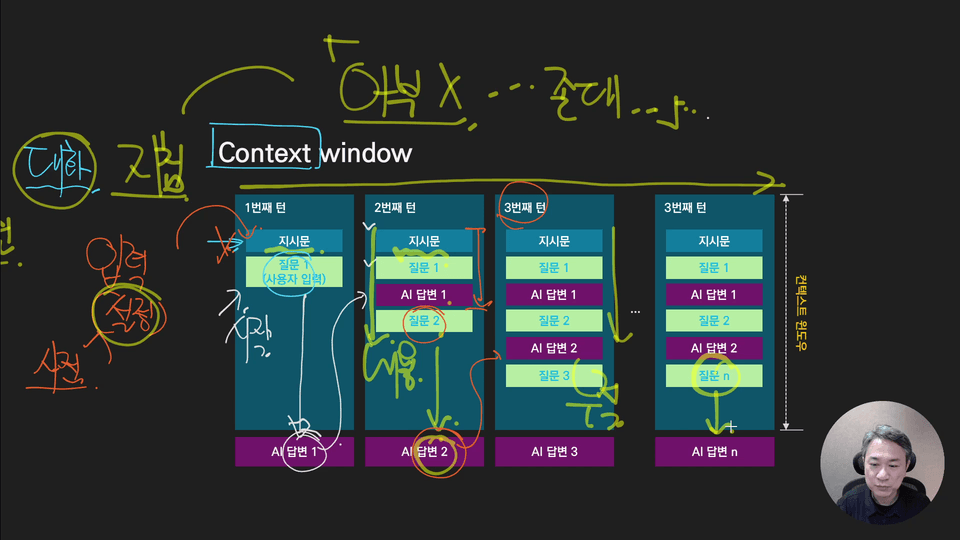
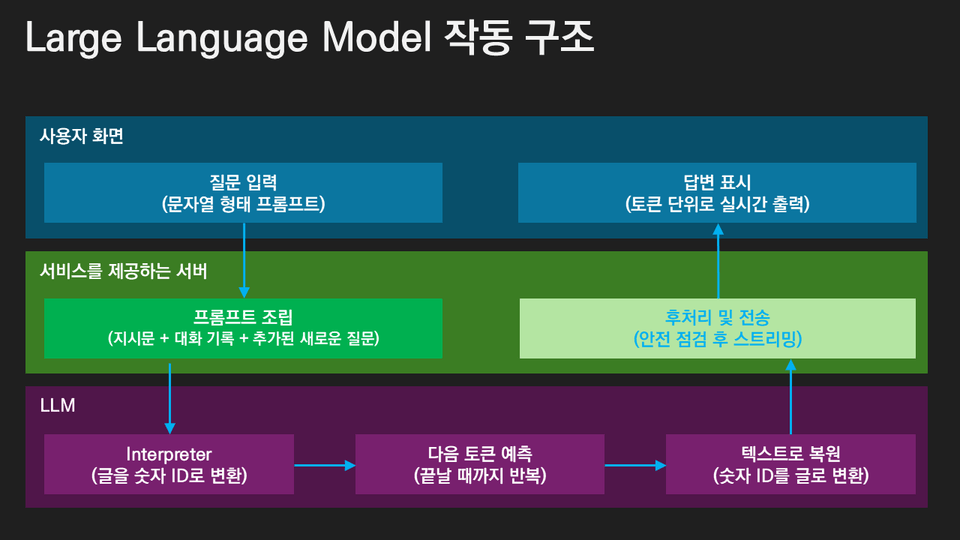
By understanding what tokens—the units of information handled by LLM services—mean, you can understand not only context but also how they affect the operation of generative AI. Based on this, learners can understand the proper ways to use AI independently.


Hands-on practice organizing, creating, and executing with Claude

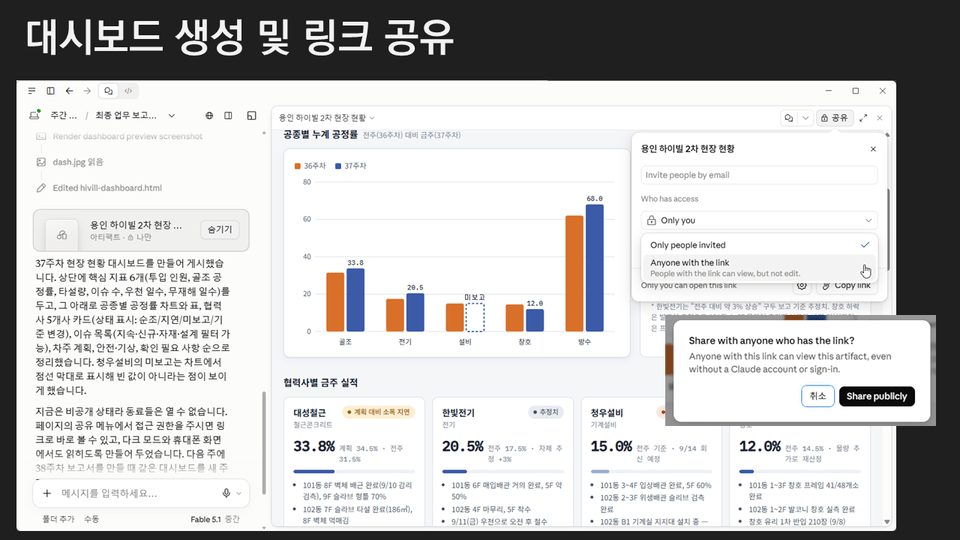
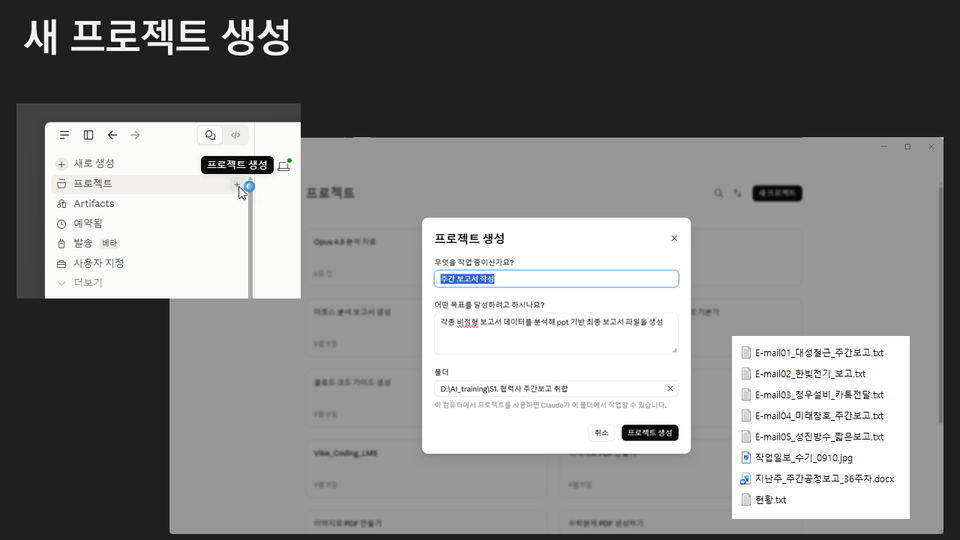
Using Claude Desktop’s Cowork, organize unstructured text into structured data, then create a presentation and dashboard based on the results. You’ll be amazed at how easy it is.


📚

Follow along and learn everything from tokens and context to practical automation and vibe coding.

Section 2

Fundamental Theory of Large Language Models

Understand how LLM (Large Language Model) services work, learn the concepts of tokens and context, and explore the characteristics of generative artificial intelligence. You will also examine the features of Anthropic’s AI models and the concepts of MCP and A2A for communication between models.


Section 3

Claude for Desktop

Learn the key features of Claude for Desktop and practice using the Cowork feature, which goes beyond simple conversations to instruct Claude to analyze materials and perform tasks. Process unstructured text data into structured data to create presentations and dashboards.


Section 4

Harness and Loop Engineering

We’ll understand what harness engineering and loop engineering mean as methods for using AI effectively, and explore desirable ways to leverage AI services.


Things to Note Before Taking the Course

Practice environment

  • Windows 11 operating system.

  • A PC capable of running Claude for Desktop and Claude Code

Prerequisite Knowledge and Important Notes

  • A level of proficiency sufficient to use Office software comfortably in a Windows environment

Learning Materials

  • Lecture slide PDFs are provided.

  • We use practical materials for organizing unstructured data.


Recommended for
these people

Who is this course right for?

  • Everyone beginning to learn how to delegate tasks to AI, going beyond simple chatting

  • Those considering introducing Agentic AI into their work

  • Practitioners who want to streamline data organization and report writing tasks

  • Beginners preparing to use AI coding tools without coding experience

Need to know before starting?

  • Basic computer skills (file management, program installation)

  • Experience creating business documents (PPT, Excel, etc.)

  • Basic interest and curiosity about AI and LLMs

Hello
This is nullnull8537

Inflearn Verified

54,107

Learners

3,305

Reviews

1,223

Answers

4.9

Rating

33

Courses

I am the owner of the "NullNull Developer TV" channel and
a developer who has been navigating the sea of IT technology for over 30 years. Nice to meet you. ^^

Curriculum

All

13 lectures ∙ (2hr 40min)

Course Materials:

Lecture resources
Published: 
Last updated: 

Reviews

All

2 reviews

5.0

2 reviews

  • luvuenet님의 프로필 이미지
    luvuenet

    Reviews 1

    Average Rating 5.0

    5

    31% enrolled

    • asss님의 프로필 이미지
      asss

      Reviews 6

      Average Rating 5.0

      5

      31% enrolled

      nullnull8537's other courses

      Check out other courses by the instructor!

      Similar courses

      Explore other courses in the same field!

      Limited time deal ends in 4 days

      $359.00

      74%

      $8.80