inflearn logo
inflearn logo

Building Web Services with Generative AI – An All-in-One Project from Planning and Design to Coding and Deployment

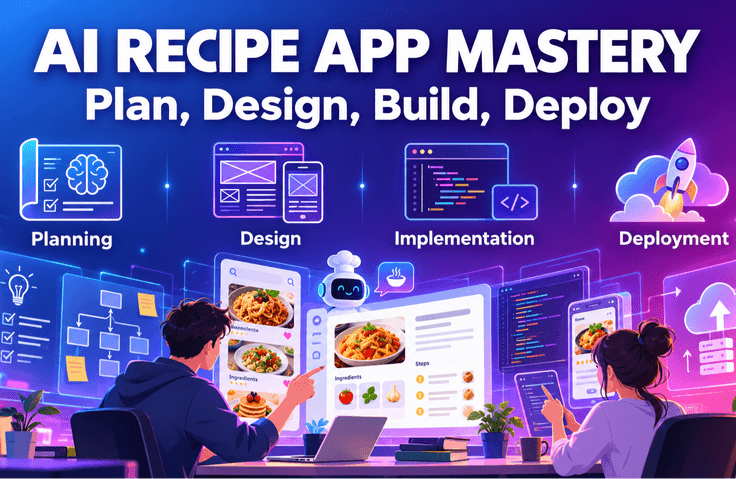
This is a practical web development project course where you complete everything from planning and design to implementation and deployment using generative AI. You will create designs using Stitch and Figma Make, generate code with AI Studio, and deploy them as actual services. Even if you don't know much about coding, you will learn how to develop alongside AI and complete your own AI web app. Now, you too can become a developer who collaborates with AI.

2 learners are taking this course

Level Basic

Course period Unlimited

Figma
Figma
Vibe Coding
Vibe Coding
HTML/CSS
HTML/CSS
JavaScript
JavaScript
React
React
Figma
Figma
Vibe Coding
Vibe Coding
HTML/CSS
HTML/CSS
JavaScript
JavaScript
React
React

What you will gain after the course

  • Generative AI-based web service planning capabilities

  • Prompt design and utilization skills

  • UI/UX design derivation skills using Stitch

  • Understanding Figma Make-based code generation

  • Ability to create apps using AI Studio

  • Cloud deployment and service operation capabilities

  • Understanding Supabase integration and basic backend structure

  • Practical Application Skills for Vibe Coding

Web development methods are changing rapidly.


In the past, humans had to manually handle every process, from creating designs separately to writing code and setting up servers. It required a lot of time and repetitive work, making it a heavy burden for beginners to complete until the end.


But now, things are different!

With the emergence of generative AI,
you can now complete everything from planning → design → code generation → deployment
much faster and more efficiently within a single workflow.


This course is not just about learning code.
It is a practical project where you use AI as a tool to complete an actual service from start to finish.

  • Generate designs using prompts and

  • Creating code with AI

  • Configure the backend with Supabase and

  • We will even proceed with the actual deployment to the internet.

We focus on the experience of completion rather than complex theories.


You will directly experience a new way of developing with AI, known as ‘Vibe Coding’.

Through this process, you will go beyond simple functional implementation and grow into a "developer who collaborates with AI."

Preparation Before Starting

Before diving into the actual learning, please set up the following 4 items in advance. Don't worry if it's your first time
— just follow along one by one while looking at the lecture materials (00_Preparation.pdf). 😊

💻 1. Development Environment Setup

These are the basic tools for writing code and running projects.

  • Code Editor — Please install either VS Code or Cursor

  • Node.js — Required for running the development server (npm will be installed along with it)

  • Git — You can save and manage your work.


🤖 2. Preparing AI Coding Tools

The core of this lecture! Please prepare the tools below for the experience of coding together with AI.

  • GitHub Copilot — An AI assistant that automatically completes your code

  • Codex — A tool that turns verbal descriptions into code


🎨 3. Prepare Design Tools

These are the tools we will use in the hands-on practice for creating and modifying the UI ourselves.

  • Figma — Used for designing screen structures and refining the UI

  • Stitch — Automatically generates UI using prompt commands


☁️ 4. Creating External Service Accounts

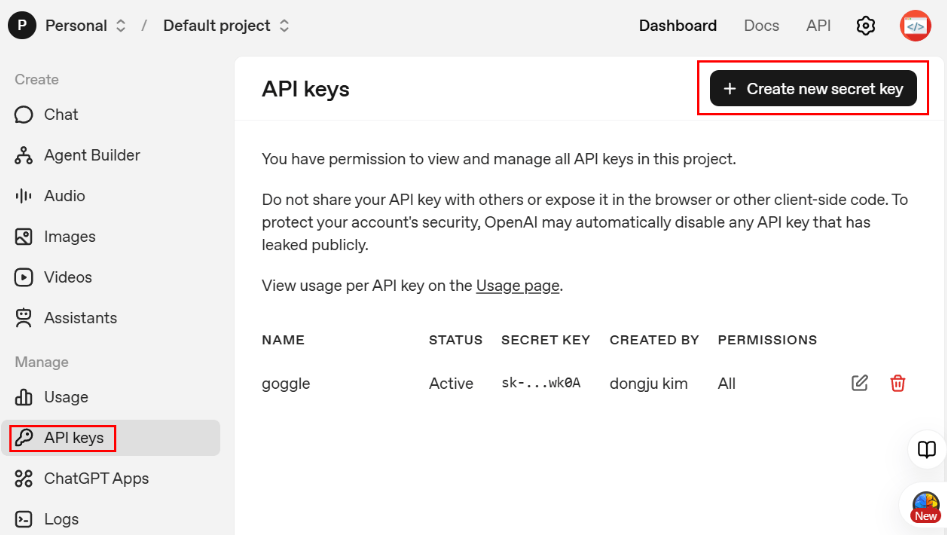
Please sign up for the services below in advance to implement recipe saving, login, and AI recipe generation features.

  • Supabase — Handle database, login, and file storage all in one place

  • OpenAI — Use the GPT API to create the AI recipe generation feature

1️⃣ Planning and Preparation Stage

Decide what to build first

Do not start coding right away.
First, decide what kind of web service you want to create and draw the big picture.

  • Prepare the environment necessary for development.

  • Organize what features will be included.

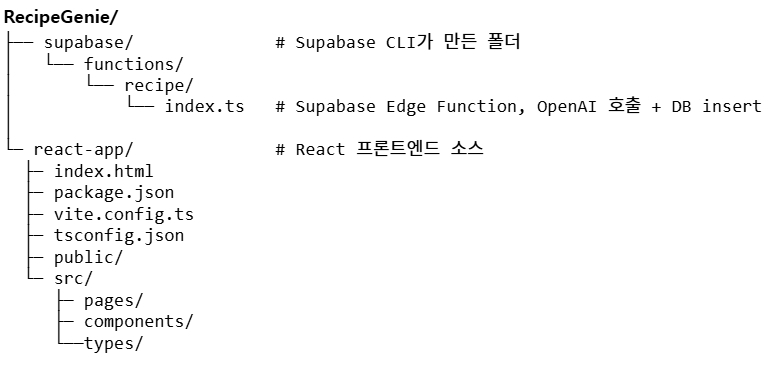
  • Understand the project structure.

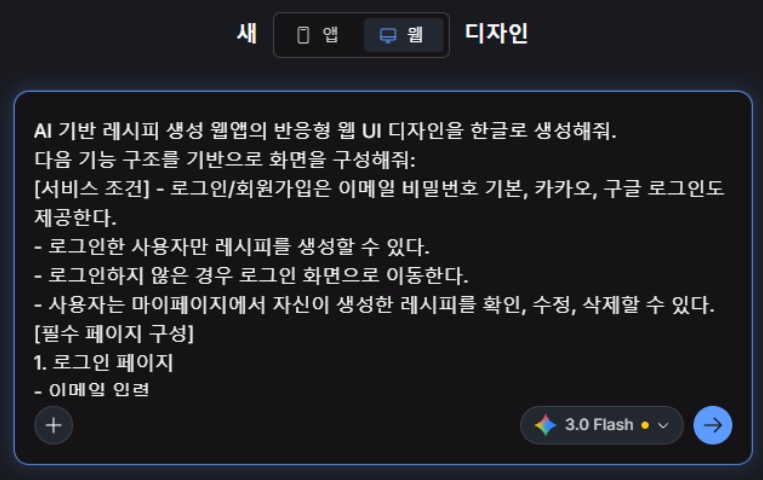
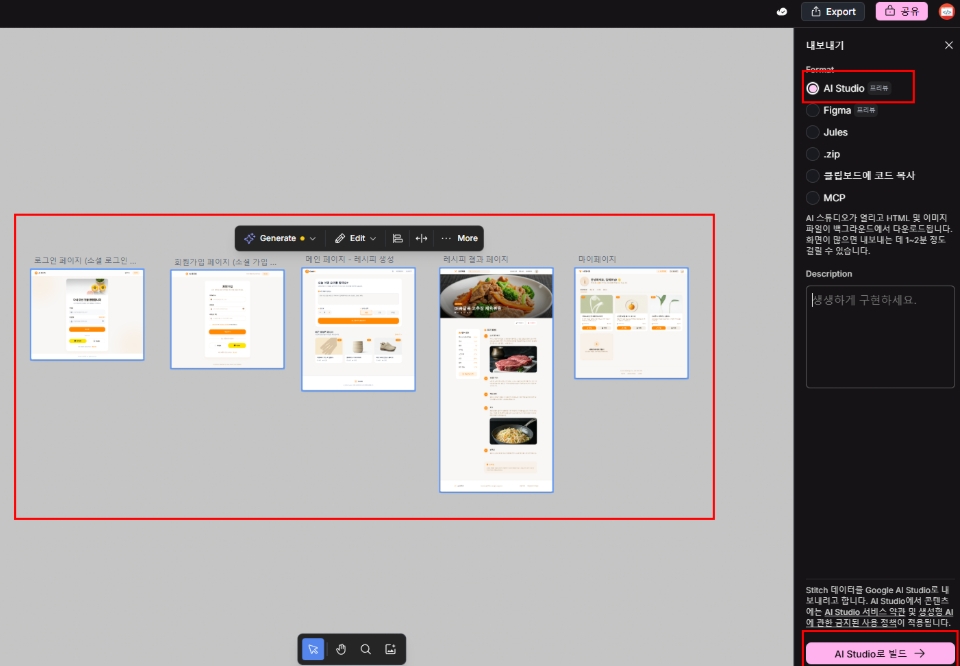
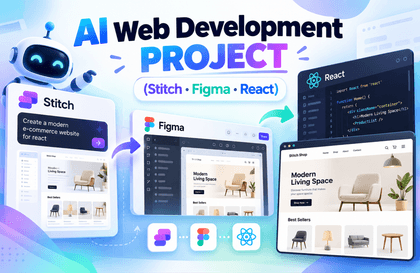
  • Create screen designs using Stitch.

It is designed so that even those who "have no idea how to start"
can naturally find their direction by following along step-by-step.

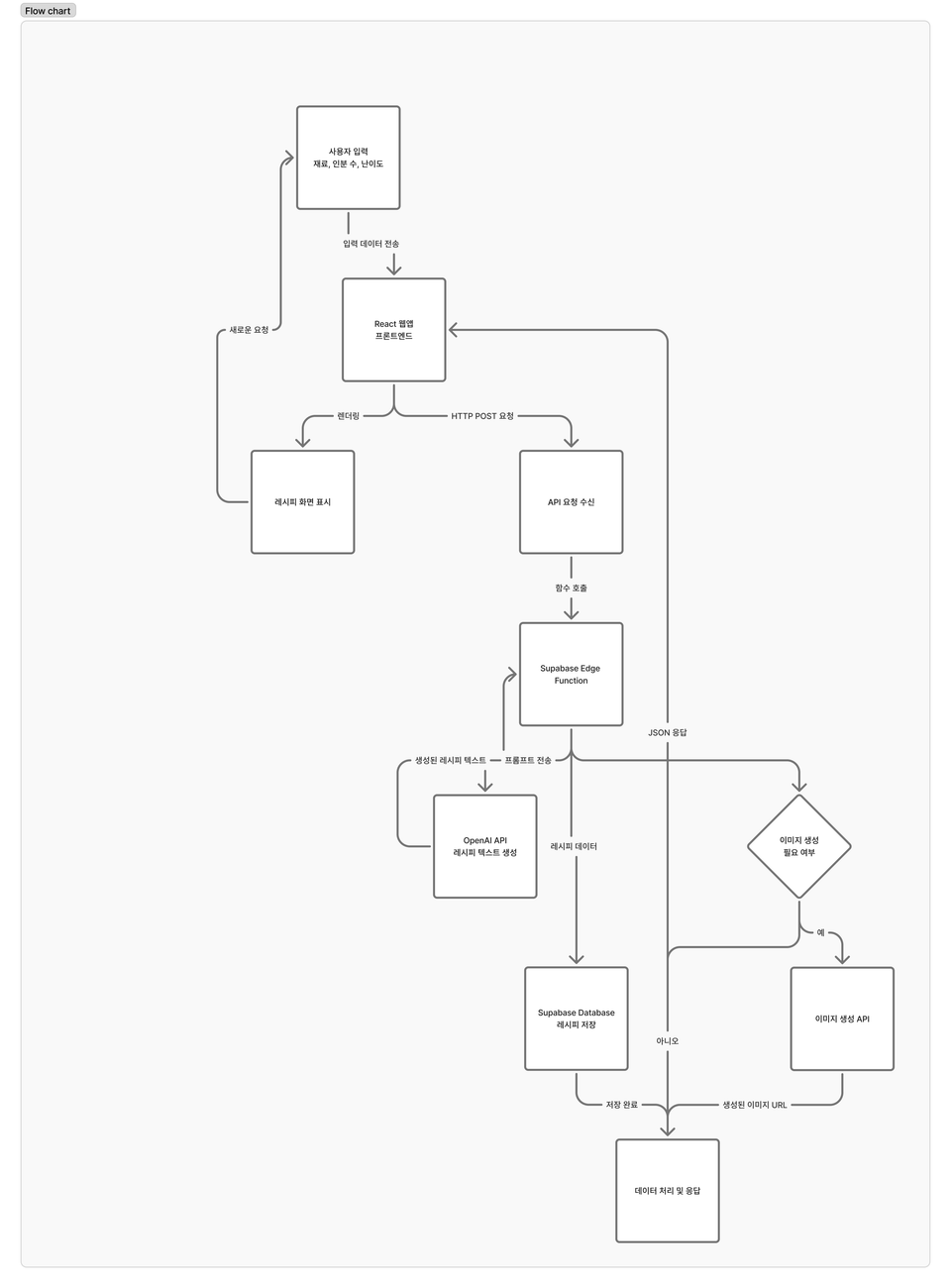
Design the app flow using Figjam.

Designing the project structure

Enter prompt commands to generate the design.

2️⃣ Creating AI Functions and Server

Make the AI actually work

In this step, we will directly implement the function where the AI generates recipes.

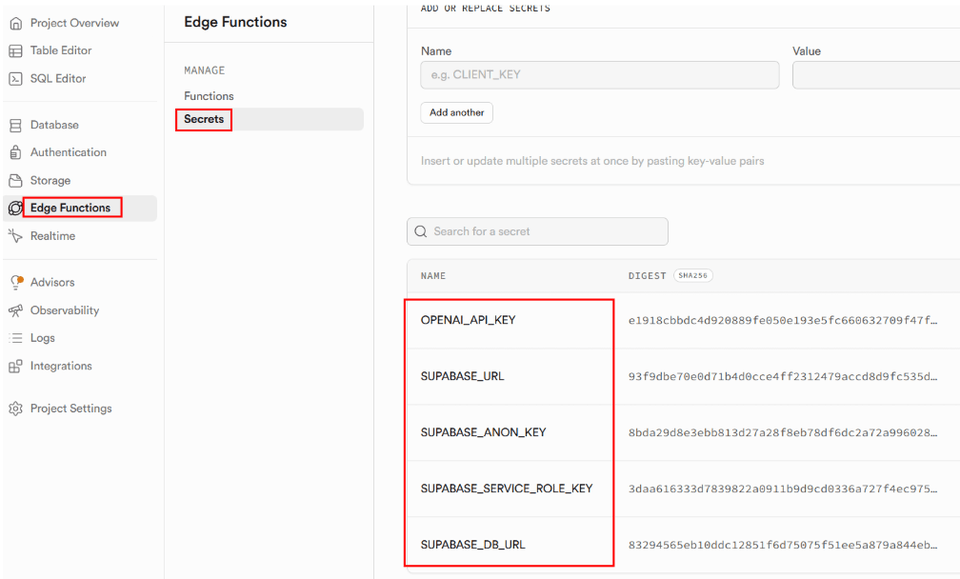
  • Proceed with the Supabase setup.

  • Connect OpenAI.

  • Create and configure the Edge Function.

  • Complete the AI recipe generation feature.

It may feel difficult, but
if you follow along step by step, you will come to understand the "structure of how AI actually operates."


3️⃣ Creating the Screen & Implementing Login Functionality

Create the actual screen that users will use

Now, we will build a web app that users can actually use.

  • Create a React app.

  • Implement login and sign-up.

  • Integrate Google and Kakao login as well.

  • Complete the recipe creation, editing, and deletion functions.

It is not just a simple example, but is completed as a
service in a form that can actually be used.

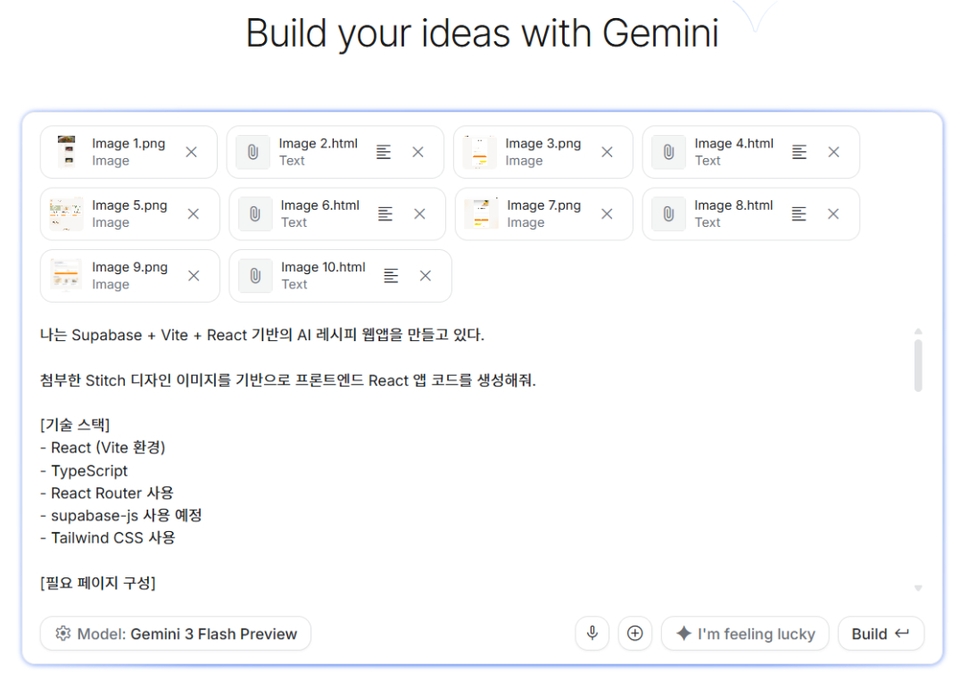
Generate code from the created design using AI Studio.

Generate code in AI Studio using prompt commands.


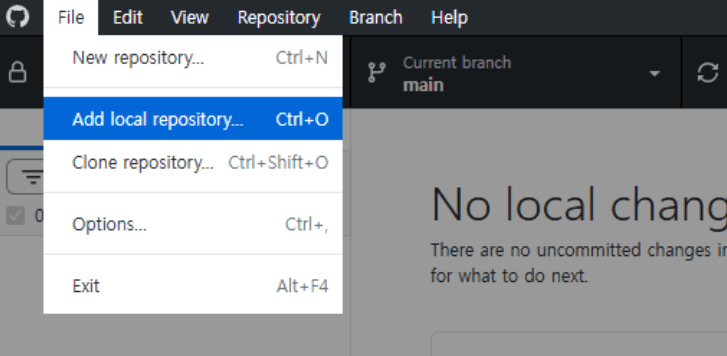
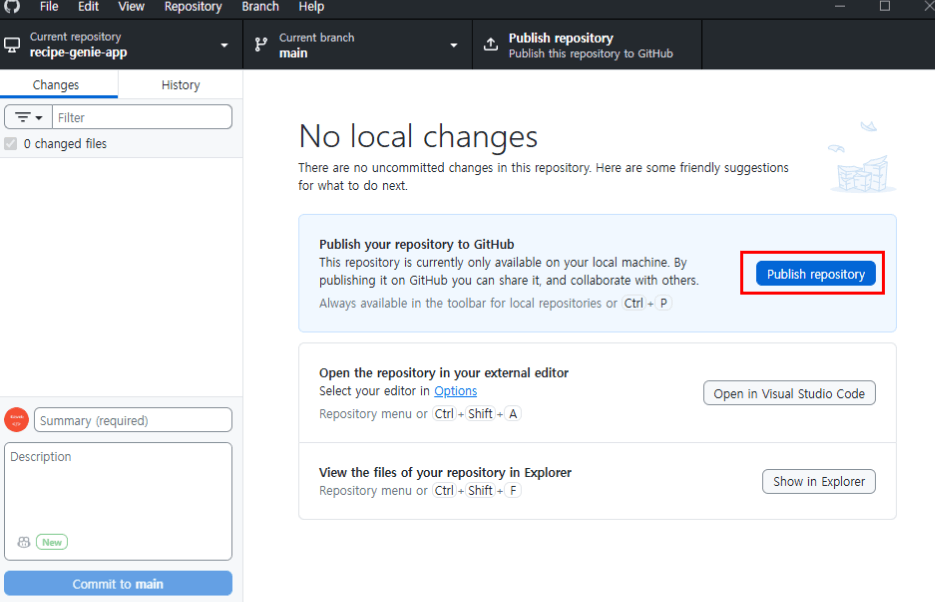
Code management is also handled easily using GitHub Desktop, rather than using difficult commands.


4️⃣ Deployment and Wrap-up

Release my service to the world

In the final step, you will deploy the web app you created to the internet.

  • Upload it to an actual server.

  • Fix the errors.

  • Summarize the overall flow once more.

You will experience the moment when you can share a link, saying,
“This is the service I built.”

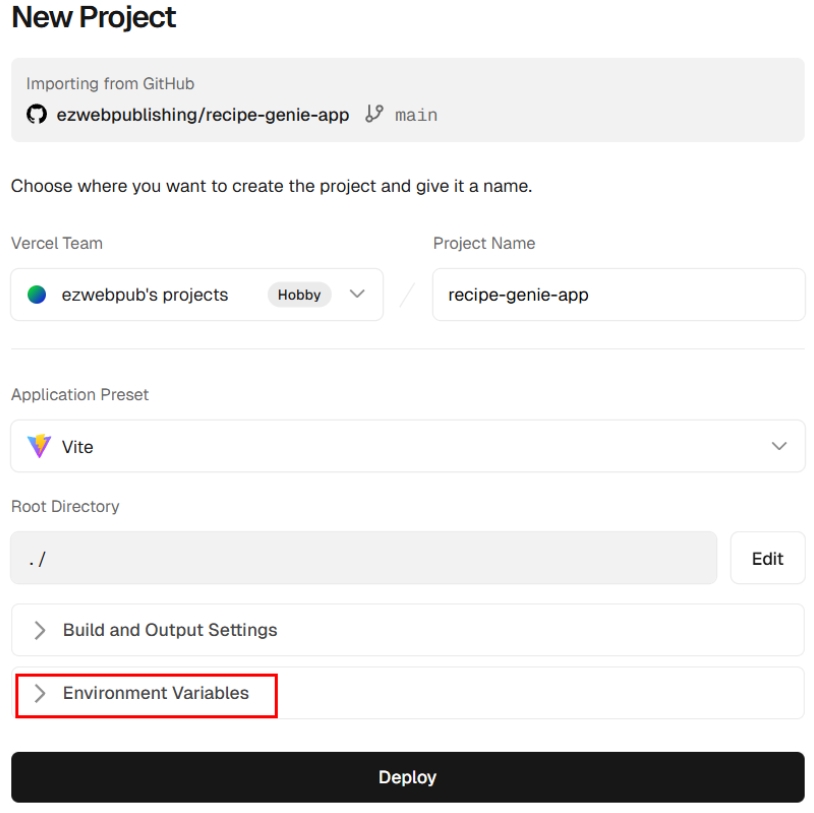
Deployment is also easily handled using the Vercel service.

Recommended for
these people

Who is this course right for?

  • Those who want to create a web service using generative AI

  • Beginners who find coding difficult but want to take on the challenge with AI

  • Job seekers who need practical projects for their portfolios

  • Those who want to experience the entire process from planning to deployment.

  • Those who are curious about how to use Stitch, Figma Make, and AI Studio

  • Those who want to complete a React-based project as a real-world service

  • A solo developer who wants to produce results quickly

  • Those who want to learn new development methods suited for the AI era

Need to know before starting?

  • It is enough to be able to save files, create folders, and install programs.

  • You just need to be able to follow the account creation process for platforms like GitHub and Supabase.

  • It is helpful if you have heard of what HTML is.

  • It is enough just to know that a language called JavaScript exists.

  • Since you will be going through it step-by-step with AI, even beginners can easily follow along.

Hello
This is ezweb

2,777

Learners

61

Reviews

4

Answers

4.9

Rating

13

Courses

■ [Current] ESTSOFT KDT Frontend Instructor
■ Green Computer Art Academy Web Publishing and Frontend Instructor
■ Operator of Web Publishing YouTube Channel 'Rock's Easyweb'
■ The Joeun Computer Academy Web Publishing Instructor
■ Hanbit Computer Academy Web Publishing Instructor
■ Frontend Publisher, Professional Frontend Publishing Instructor
■ UI/UX Web Design Portfolio Instructor


[ Books ]
Published on 2021.07.19 / The Complete Figma Guide for Web Design & Web Publishing / BJ Public

Published on 2022.08.25 / Coding for the First Time with Web Publishing / Youngjin Publishing

Published 2023.10 /2024 SD Edu Yu-seonbae Web Design Technician Practical Exam Tutoring Notes / Sidae Gosi Planning

2024.11 Reprint /2025 SD Edu Yoo-Sunbae Web Design Technician Practical Exam Tutoring Notes / Sidae Gosi Planning

2025.11 Reprint /2026 SD Edu Yoo-Sunbae Web Design Technician Practical Exam Tutoring Notes / Sidae Gosi Planning


[ Awards ]
2022.08 Green Computer Art Academy Jongno Branch - Outstanding Instructor 2021.06 Green Computer Art Academy Jongno Branch - Outstanding Instructor 2018.06 Green Computer Academy Sinchon Branch - Outstanding Instructor 2017.05 Green Computer Academy Sinchon Branch - Outstanding Instructor 2016.05 Green Computer Academy Sinchon Branch - Outstanding Instructor 2015.10 Green Computer Academy Sinchon Branch - Outstanding Instructor


More
Published: 
Last updated: 

Reviews

Not enough reviews.
Please write a valuable review that helps everyone!

ezweb's other courses

Check out other courses by the instructor!

Similar courses

Explore other courses in the same field!

Limited time deal

$35,040.00

34%

$41.80