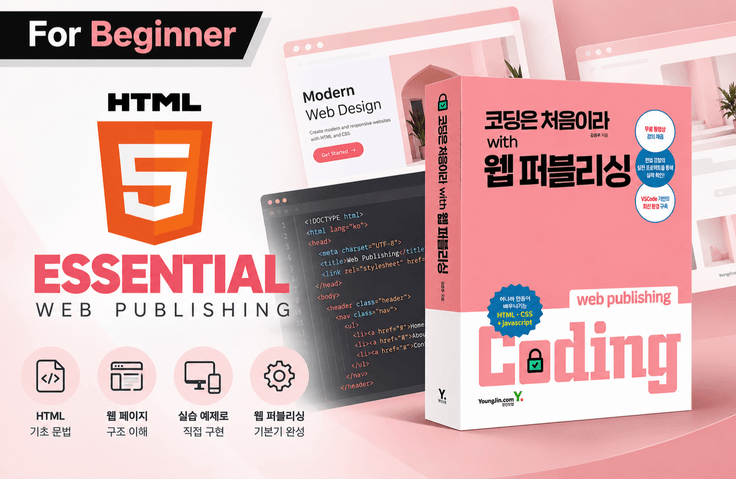
I’m New to Coding: Web Publishing—from HTML Basics to Real-World Practice

Even in the age of AI, web development starts with HTML. Learn step by step—from basic HTML syntax to semantic markup, web standards, and web accessibility—to build the ability to understand and modify AI-generated code, along with a solid foundation in web development for your career.

(4.9) 25 reviews

1,387 learners

Level Beginner

Course period Unlimited

HTML/CSS
HTML/CSS
HTML/CSS
HTML/CSS
Thumbnail

Reviews from Early Learners

4.9

5.0

gojeuneoghan

100% enrolled

If you are learning HTML for the first time, this is a must-listen lecture. The content is very informative and easy for beginners to understand. I think it is the best in terms of quality among free lectures. Thank you for making such a great lecture!

5.0

조성환

36% enrolled

It's good because I can find out easily and quickly.

5.0

mr.nobody

100% enrolled

Thank you for the great lecture. _(__)_

What you will gain after the course

  • Correct HTML Writing for Meaning and Semantics

  • How to Properly Fill Out a Form

In the Age of AI Coding, Why Should We Learn HTML?


It’s My First Time Coding! Start Web Development with HTML

If AI can generate code for you, do you really need to learn HTML?

With the emergence of AI tools such as ChatGPT and Claude Code, we have entered an era where webpages can be created without having to write complex code ourselves.

The Vibe Coding approach, in which AI generates code when you describe the desired functionality in natural language and supports everything from design to development, is also becoming increasingly widespread.

If so, does that mean we no longer need to learn foundational languages like HTML?

On the contrary, understanding the basic principles of web development is important for properly understanding and utilizing the results generated by AI.

AI can write the code for you, but you need an understanding of HTML to determine whether the structure of the generated HTML is appropriate, modify it as desired, and resolve errors.

HTML is not simply a language for creating web pages. It defines the meaning and structure of web content and serves as the foundation for various web development technologies, including CSS, JavaScript, and React.

Even if AI generates the code, it is the developer’s responsibility to understand and evaluate the result.

In this course, you will gradually learn HTML, the foundation of web development.

💼 If you’re preparing for employment, mastering the fundamentals is even more important.

If you are preparing to become a frontend developer or web publisher, simply **“being able to create web pages with AI”** is not enough.

In real-world work, you often need to read and modify code written by other developers or understand and maintain the structure of existing projects. In interviews and technical discussions, it is also important to understand not only how to create results but also the basic concepts of HTML structure and semantic markup, web standards, and web accessibility.

The ability to use AI and basic web development skills are not mutually exclusive.

People with a solid foundation in HTML can use AI more accurately.

HTML is not simply a language for creating web pages. It defines the meaning and structure of web content and serves as the starting point for various web technologies you will learn in the future, including CSS, JavaScript, and React.

Even if AI generates the code, understanding and evaluating the result is the developer’s responsibility.

In this course, you will steadily learn the fundamentals of HTML, which serves as that starting point.

🚀 What makes this course different?

It is not simply a process of memorizing how to use HTML tags.

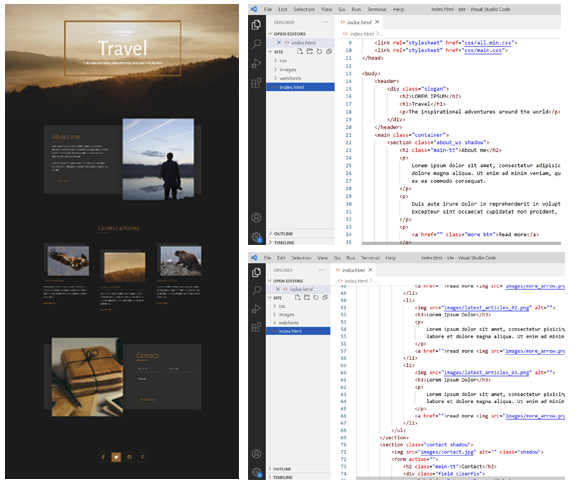
You will learn everything from the basic structure of an HTML document to how to use key tags, and finally, you will write the HTML structure of a webpage yourself by referring to an actual design.

You will also learn markup methods that take web standards and web accessibility into account.

The foundational knowledge you gain in this course will also help you later when learning CSS and JavaScript or using AI to create websites.

Once you understand HTML, even web pages created by AI will start to look different.


Is coding new to you?
Start with the foundation of web development: HTML! 🏃 


HTML, the core language of web development ✔️

Modern web pages are becoming more visually appealing, smoother, and faster. However, visual appeal and interactivity are merely aids that help convey the content of web pages clearly and make it memorable. For these aids to be effective, it is most important that HTML properly fulfills its fundamental role.

There are only three languages used to build websites. Not that many, right? 😊 Strictly speaking, there are only three languages that web browsers such as Chrome, Safari, and Firefox understand when displaying web pages. Among them, HTML is by far the most important core language. Languages you may have heard of, such as CSS, JAVASCRIPT, and React, all serve to supplement the language written in HTML. If the HTML is written incorrectly, the web page’s priorities will be turned upside down, right? In this course, our goal is to accurately write the content you want to convey using HTML tags.

A webpage is, after all, a document. A document should have clear content and purpose, and it should be structured to achieve its intended goals. Learn how to write HTML faithfully to the language’s original purpose!


✔️ Learn directly from the book's author!

  • This course is taught by the author of Youngjin.com’s book <Coding for the First Time with Web Publishing>, based on the book’s content. Studying alongside the book will help you learn more effectively.

  • If you need supplementary learning, check out additional lectures on the author's YouTube channel.

🎯 Recommended for those who…

1. Complete beginners who are just starting to code

Recommended for those who want to learn web development but feel overwhelmed and unsure where to start.

2. For those interested in AI and vibe coding

Suitable for those who want to understand the HTML structure of AI-generated webpages and acquire the basic knowledge needed to review or modify the results.

3. For those who want to expand their scope from web design to web publishing

You can learn the basic structure and key tags of HTML needed to turn designs into actual web pages.

4. Those preparing to learn CSS, JavaScript, and React

Recommended for those who want to understand the basic structure of webpages and the principles of markup before diving into front-end development.


📚 What will you learn?

STEP 01. HTML, the First Step in Web Development

You will understand how web pages are structured and learn the basic syntax needed to write HTML documents.

  • Setting Up a Development Environment for Learning HTML

  • DOCTYPE and the Basic Structure of an HTML Document

  • Character Encoding and Language Settings

  • HTML Document Titles and Basic Information

  • Differences Between Block Elements and Inline Elements

Understand the basic structure of a webpage by writing HTML documents yourself.

STEP 02. Main HTML Tags That Make Up a Webpage

Learn the HTML elements frequently used in actual web pages.

  • Headings, Paragraphs, Horizontal Rules, and Text-Related Tags

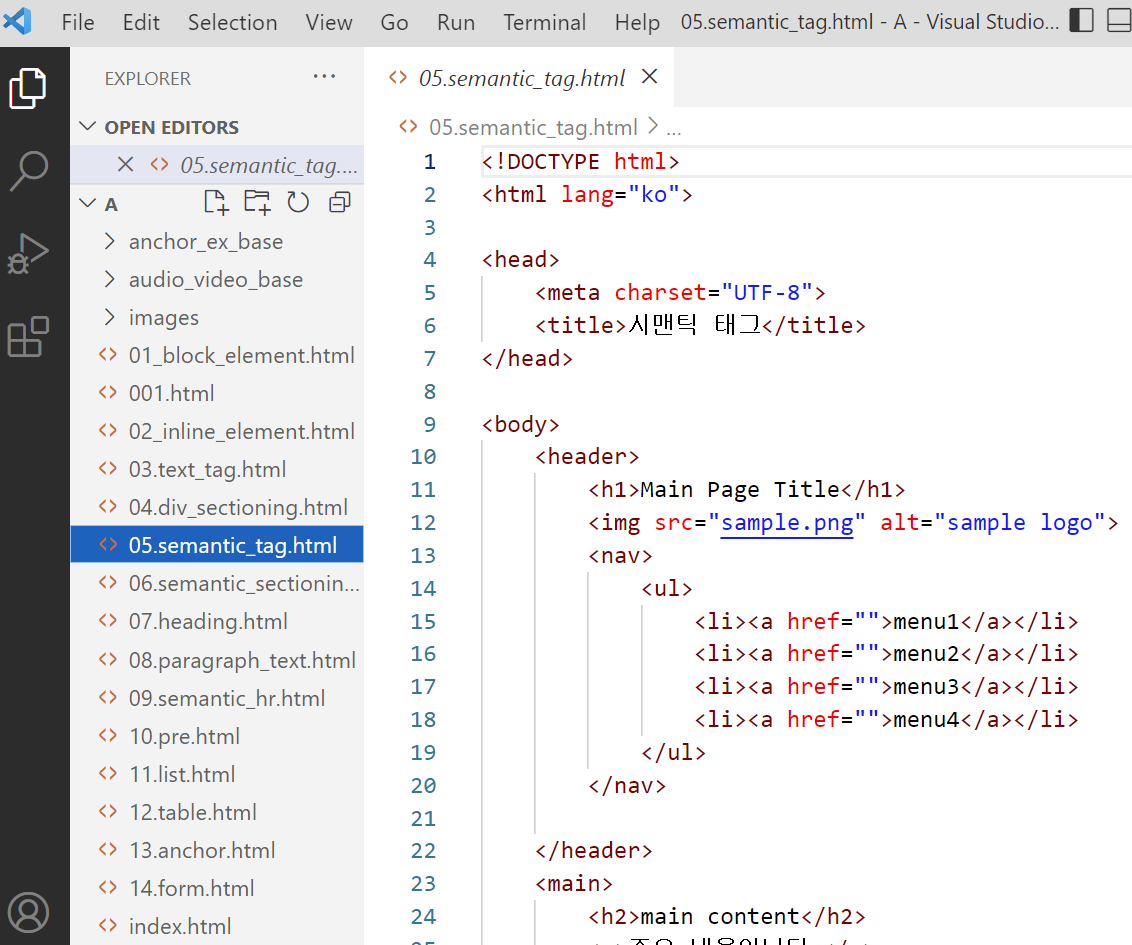
  • div and HTML5 Semantic Structure

  • Lists and Tables

  • Inserting Hyperlinks and Images

  • Inserting Video and Audio

Rather than simply learning how to use tags, you will understand the purpose and role of each element.

In particular, while learning the semantic structure of HTML5, you will learn how to use markup that matches the meaning of the content.

STEP 03. HTML Forms for Handling User Input

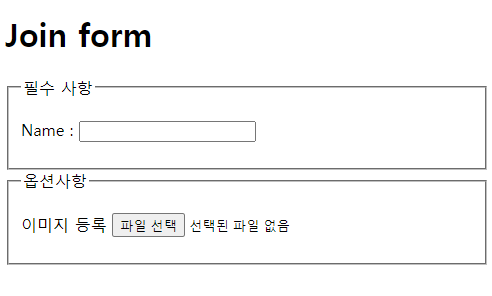
Learn the basic structure of HTML forms used for website registration, login, search, and other purposes.

  • The form and main input elements

  • How to use basic input fields

  • Various HTML5 Input Types

  • Using Additional Input Elements

Learn the basic HTML syntax for creating user input screens.

STEP 04. Hands-On! Implementing a Design in HTML

Apply the HTML syntax you have learned so far to creating an actual webpage.

  • Preparing the Practice Project

  • Saving and Managing Image Resources

  • Analyze the design and create the HTML structure

  • Markup Considering Web Standards

  • Writing HTML with web accessibility in mind

  • Implementing a web page structure that includes form layouts

Apply the tags learned in theory to an actual design and complete the structure of the webpage yourself.

Rather than simply typing code as instructed, this is the stage where you build experience in determining which HTML elements to use by looking at a design.

What You’ll Learn 📚

Section 1

Learn the basic tags needed for webpage content, including the HTML document type, headings, lists, images, and tables.

Section 2

Based on what you learned in Section 1, you will write HTML structures by referring to designs, just as you would in real-world work. You will identify the requirements needed for coding from the design, prepare the images, and then write the HTML according to the content.


✅ After completing the course, you will be able to do the following.

  • You can understand the basic structure of an HTML document and write one yourself.

  • You can use the main HTML tags appropriately for their intended purposes.

  • You can represent the structure of web content using HTML5 semantic tags.

  • You can use images, links, lists, tables, and form elements.

  • You can analyze a design and implement the HTML structure of a webpage.

  • You can understand basic markup methods that take web standards and web accessibility into consideration.

  • You can read HTML code generated by AI and understand its basic structure and the role of its elements.

Upon completing this course, you will have the foundation needed to learn CSS and JavaScript.

🤖 Want to start web development with AI?

Once you learn the basics of HTML, the way you use AI can also change.

For example, instead of simply asking AI to "create a webpage," you can take it a step further by providing specific requirements like the following.

  • "Write the webpage structure using HTML5 semantic tags."񎟂

  • "Build the menu area using the nav tag, and place the main content inside the main tag."

  • "Add an appropriate label to the input field."

  • Analyze the structure of this HTML code and tell me what can be improved from a web accessibility perspective.

If you know HTML, you can determine whether the results generated by AI are appropriate and request more specific revisions.

This is why learning the fundamentals of HTML is important even in the age of AI.

※ Writing AI prompts and vibe coding are not included in the regular hands-on exercises of this course. The above content is an example of how they can be used after learning HTML.

🛠 Preparations Before Taking the Course

Prerequisites

You can take this course without any prior programming experience.

If you know the basics of managing files and folders on a computer, you will be able to learn more smoothly.

How to study

We recommend studying by writing the HTML tags learned in each lesson yourself and checking the results in a browser.

In the final hands-on project, you will make comprehensive use of the key tags you learned earlier.

🎓 If you’ve learned HTML, it’s time for the next step!

If you've created a webpage's structure with HTML, it's now time to add design and movement.


STEP 1. Designing Web Pages with CSS

Learn how to design web pages by applying colors, fonts, layouts, and more to structures created with HTML.

New to Coding: Web Publishing with CSS


STEP 2. Add Interactivity to Web Pages with JavaScript

Learn the basic syntax of JavaScript, including variables, functions, conditional statements, and loops, and create web pages that interact with users by controlling HTML elements.

The crowning glory of web programming! JavaScript basics


STEP 3. Getting Started with Front-End Development Using React

Based on the fundamentals of HTML, CSS, and JavaScript, learn component-based React development and take on the challenge of creating a real website.

Your First Encounter with React: A Practical Guide for Publishers


Even in an age when AI writes code, the ability to understand code remains important.

Starting with HTML, build a solid foundation in web development and challenge yourself with new technologies.

Recommended for
these people

Who is this course right for?

  • Those who are new to coding

  • Those aspiring to become web publishers

  • Web designers who want to switch careers to web publishing roles

Hello
This is ezweb

Career Verified

3,001

Learners

77

Reviews

4

Answers

4.9

Rating

15

Courses

I am a web frontend instructor specializing in everything from practical frontend training and on-site lectures for companies and institutions to creating online courses.

■ Specialized Frontend Development Courses
HTML/CSS, JavaScript, React, Firebase, Figma, AI-assisted web development, and more
Step-by-step training is provided, from web publishing to practical frontend development.

■ Available for lectures at companies, institutions, and educational organizations
Training for corporate practitioners, KDT programs, special lectures at universities and academies, etc.
I can develop curricula tailored to the target audience and their level and deliver lectures.

■ Online course design and production available
From planning online lecture curricula to creating teaching materials, PPTs, hands-on materials, and sample code,
I can handle the entire online educational content production process, including lecture filming and content delivery.

■ Both online and offline lectures available
In addition to in-person academy lectures, we provide live online lectures and recorded content production
in various formats tailored to the educational environment.


■ Key Activities

  • ESTSOFT KDT Front-End Course

  • Green Computer Academy Web Publishing & Front-End Course

  • Runs the web publishing YouTube channel ‘Rock's Easyweb’

  • Authored books on web publishing and web design


■ Book
2021.07 / The Complete Guide to Figma for Web Design & Web Publishing / BJ Public

2022.08 / Web Publishing for Those New to Coding  / Youngjin Publishing

2023.10 / 2024 SD Edu Yuseonbae Web Design Technician Practical Exam Tutoring Notes / Sidae Gosi Planning

2024.11 / 2025 SD Edu Yuseonbae Web Design Craftsman Practical Tutoring Notes / Sidae Exam Planning

2025.11 / 2026 SD Edu Yoo Seon-bae Web Design Technician Practical Exam Tutoring Notes / Sidae Gosi Planning


More

Reviews

All

25 reviews

4.9

25 reviews

  • mrnobody님의 프로필 이미지
    mrnobody

    Reviews 8

    ∙

    Average Rating 5.0

    5

    100% enrolled

    Thank you for the great lecture. _(__)_

    • gojeuneoghan님의 프로필 이미지
      gojeuneoghan

      Reviews 1

      ∙

      Average Rating 5.0

      5

      100% enrolled

      If you are learning HTML for the first time, this is a must-listen lecture. The content is very informative and easy for beginners to understand. I think it is the best in terms of quality among free lectures. Thank you for making such a great lecture!

      • ezweb
        Instructor

        Thank you for your valuable review.

    • manitw28님의 프로필 이미지
      manitw28

      Reviews 34

      ∙

      Average Rating 5.0

      5

      100% enrolled

      Thank you for the great lecture.

      • chocho825306님의 프로필 이미지
        chocho825306

        Reviews 1

        ∙

        Average Rating 5.0

        5

        36% enrolled

        It's good because I can find out easily and quickly.

        • ezweb
          Instructor

          Thank you for your valuable review.

      • zzolyoon70313님의 프로필 이미지
        zzolyoon70313

        Reviews 9

        ∙

        Average Rating 5.0

        5

        100% enrolled

        It was a great lecture that made me feel like I wasted my time. I really hope there are more lectures in the future. Thank you so much for making such a great lecture.

        • ezweb
          Instructor

          Thank you. A new course has been opened. Please refer to it. https://inf.run/CZ1az

      ezweb's other courses

      Check out other courses by the instructor!

      Similar courses

      Explore other courses in the same field!

      Free