Smart Work and Microsoft 365 for face-to-face and non-face-to-face hybrid work style
We will introduce how to work smart even during the new work style of hybrid work through a single solution of Microsoft 365 and teach you the new features of the latest version of Office so that you can achieve more and better results with less effort.
It was a great lecture that stuck in my ears and I still have no problem listening to it 3 years later. :)
What you will gain after the course
Smart work in the era of hybrid work environment
Means of use and results when working remotely
Changing the work environment with Microsoft 365
Compare Office Standalone Purchase vs Microsoft 365 Subscription
Microsoft 365 Key App Services
What's new in the latest version of Office
Now is the era of hybrid work, Get one step closer to smart work!
🙆♀️ Hello everyone! 🙆♂️
🌿🌿🌿
Lecture Topic and Planning Background 📖
Due to COVID-19, remote work has become the norm, and with the addition of the 52-hour workweek, businesses are now operating in a hybrid form of remote and in-person work.
In these times, organizations and businesses are grappling with which programs to use and how to work smarter to avoid overtime, work a 52-hour workweek, and maintain work-life balance.
This course introduces how to work smarter, even in the new hybrid work environment, by leveraging a single Microsoft 365 solution instead of using multiple tools. Furthermore, you'll learn about the new features in the latest version of Office, helping you achieve more with less effort.
Target Audience 🔑
Is your company/organization/team equipped with a smart work environment and systems to deliver business results in a hybrid work environment that combines face-to-face and remote interactions?
Are you having these concerns right now?
What solution should I use for email?
What solution should I use for data storage, backup, and management?
What solution should I use for task management and project management?
Is it better to purchase office programs like Excel/Word/PowerPoint individually or through a subscription?
What solution should Messenger use?
What solution should I use for team collaboration?
What solution should I use for my collaboration site?
What solution should I use for video conferencing?
What security solution should I use?
What solutions should I use when working from home?
What solution should I use to communicate with my office-based and remote employees?
We've had the same concerns as you in the past.
Instead of mixing and matching solutions, you can solve all these problems with just one Microsoft 365. I recommend this course to anyone who is struggling with these concerns.
Lecture Features✔️
Do you agree with the saying that a tip from a neighborhood older sister or older brother who goes to college is 100 times better than a tip from 10 expensive academies? In this lecture, we'll share the smart work methods we've established at our company through trial and error while using Microsoft 365. It doesn't matter if you have exceptional technical skills or advanced IT expertise!
Due to the COVID-19 pandemic, we've been working remotely and in a hybrid work environment combining both face-to-face and remote work. We've been looking at what tools other companies are utilizing and what the results are. We'll introduce our own journey to smart work and learn how to work smarter using Microsoft 365.
What you'll learn 📚
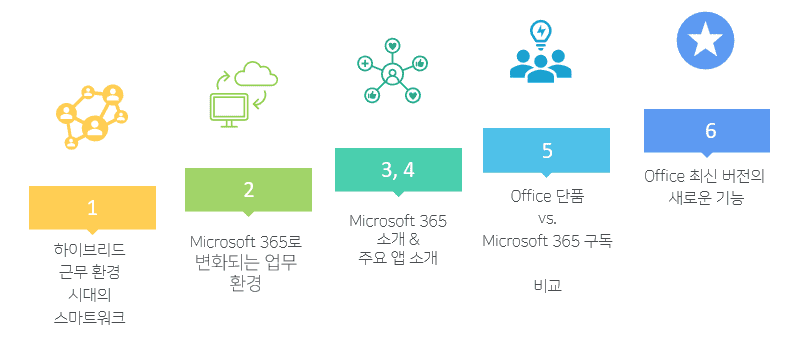
1. Smart Work in the Era of Hybrid Work Environments
Check the current situation
Hybrid work format of non-face-to-face and face-to-face
Means of use and results when working remotely
Various smart work tools
Introducing the Journey to Smart Work
2. The changing work environment with Microsoft 365
No, not necessarily. It's nice to have it, but you can still take the course without it!Plus, you can take the course for free with a one-month free trial!
Q. Do I need any prior knowledge to take the course?
No! Just follow the lectures and you'll be fine!You don't need any IT or programming knowledge!
Q. Are there any notes regarding the course (environment requirements, other precautions, etc.)?
This course is based on Microsoft 365 for Business & Enterprise.The content and environment may differ slightly for the personal version.
Q. Is there anything I need to prepare before attending the lecture?
A Microsoft 365 license is helpful, but not required! If you're really interested in getting hands-on experience with the newest version of Office, apply for the free version listed above and install the latest Office on your PC.
Introducing the Knowledge Sharer ✒️
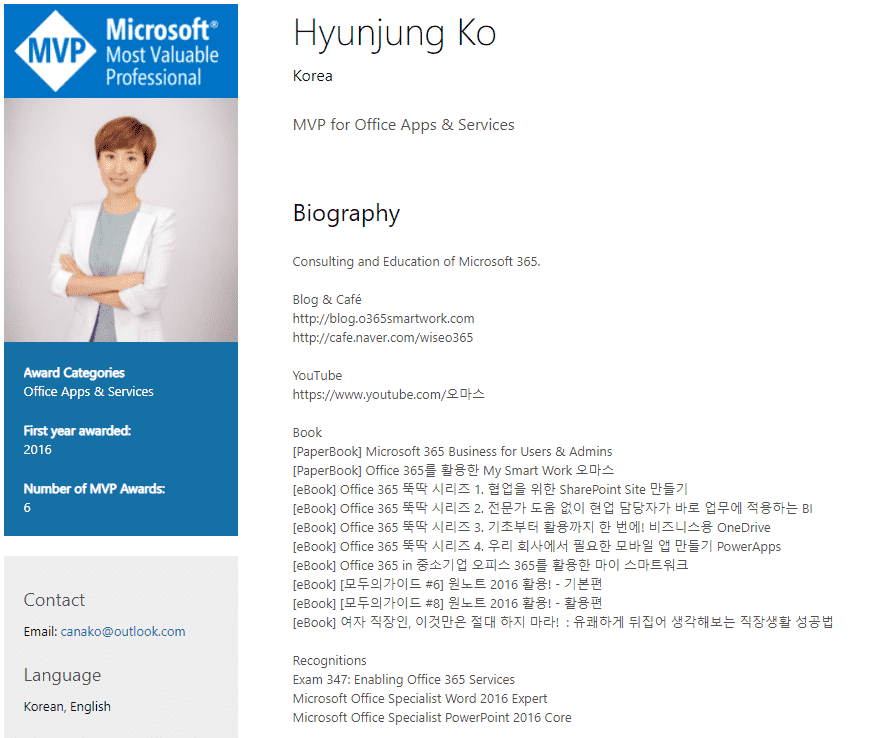
Hello! I'm Ko Hyun-jung , a six-year MVP in the Microsoft "Office Apps & Services" category. We'll help you work smarter and easier.
Recommended for these people
Who is this course right for?
Companies that work remotely
A company that works both face-to-face and remotely
Companies that want smart work
Companies considering a Microsoft 365 subscription
Companies that have just adopted Microsoft 365
For those who are curious about what's new in the latest version of Office







![[Work Automation Using Free MS RPA] Power Automate Desktop BasicCourse Thumbnail](https://cdn.inflearn.com/public/courses/329047/cover/35cb417d-cd84-47f8-a20f-653724b03a77/329047-eng.png?w=420)








![[Latest version update] Project and task management to become a pro at planning - MS PlannerCourse Thumbnail](https://cdn.inflearn.com/public/courses/336001/cover/9368db08-c64b-42ca-8ad1-e7a872bffc0e/336001.jpg?w=420)

![[Work Automation Using Free MS RPA] Power Automate Desktop - Automate Repetitive TasksCourse Thumbnail](https://cdn.inflearn.com/public/courses/332826/cover/fd9d8667-48a8-4d2e-b27d-1154f66df679/332826.png?w=420)









![[For Beginners] Data Visualization with Power BICourse Thumbnail](https://cdn.inflearn.com/public/courses/327055/cover/455b54c1-3e63-439b-9b60-5d12e12bc303/PowerBI-001 (1).png?w=420)

![[Pass ITQ Excel A in One Go] in 3 daysCourse Thumbnail](https://cdn.inflearn.com/public/courses/329652/cover/b44e11b6-a47e-4993-86ea-a85da9836bb5/329652-eng.png?w=420)
