Convenient and secure cloud, OneDrive for Business (new in 2023)

Learn from the basics how to utilize OneDrive for Business, MS's cloud drive. Find out what OneDrive is and how to use it!

(5.0) 3 reviews

25 learners

Level Basic

Course period 3 months

MS-Office
MS-Office
onedrive
onedrive
Team Collaboration Tool
MS-Office
MS-Office
onedrive
onedrive
Team Collaboration Tool

What you will gain after the course

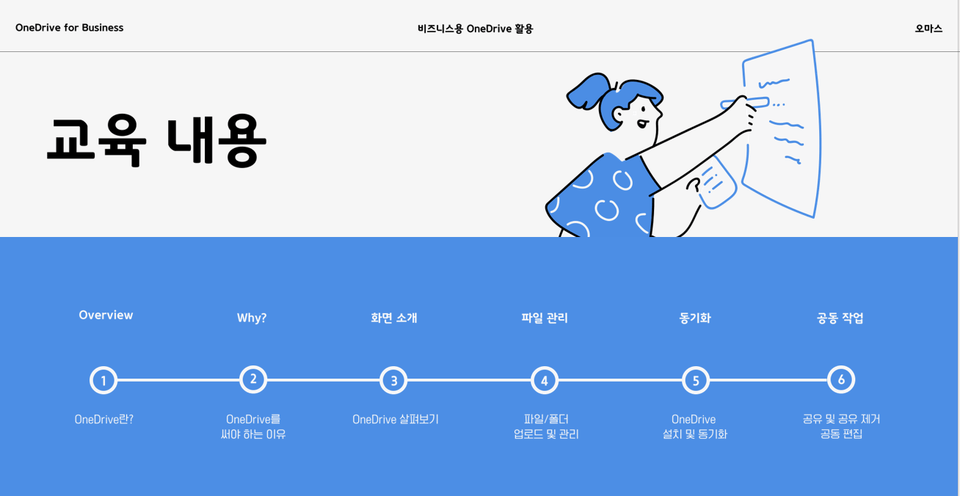
  • Understanding OneDrive

  • Why should I use OneDrive?

  • How to use OneDrive

  • Install and sync OneDrive

  • Upload and download OneDrive files/folders

  • Share OneDrive files/folders

  • Unshare a shared OneDrive file/folder

  • Set/change OneDrive file/folder sharing permissions

  • Collaborate on shared files

  • Creating OneDrive Forms

  • Understanding OneDrive Automation

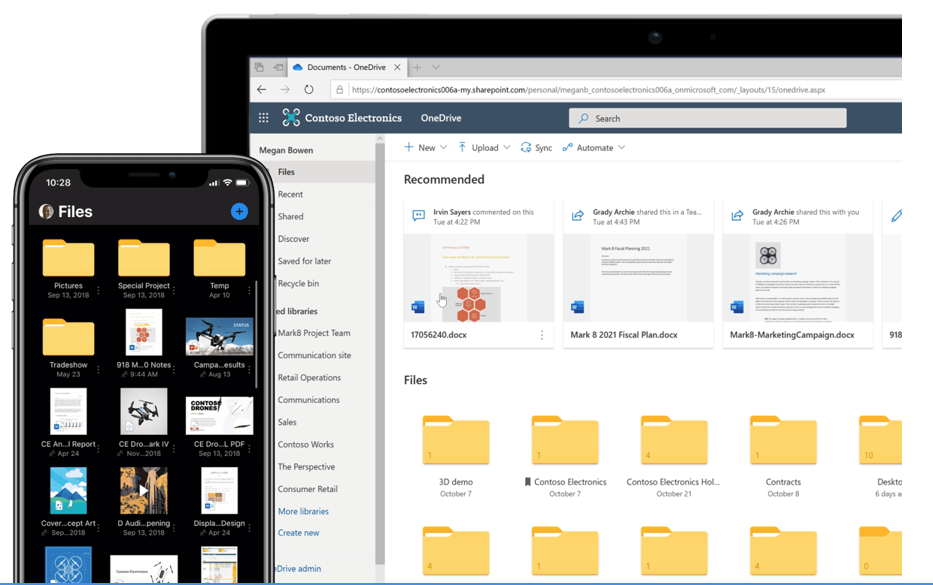
Updated OneDrive for Business
Learn the basics so you can use it! 💾

OneDrive
Why you should write!

Do you still work on files solely on your PC, so you have to go out and work on them when you return to the office? Do you create templates for each document and then collate them into individual documents?

For those of you struggling with these concerns, I recommend Microsoft's powerful OneDrive for a smarter and safer work experience. It offers a generous 1TB of storage and eliminates the risk of loss or damage, ensuring your data remains secure and safe from attack.

💡 After taking this course

  1. OneDrive lets you manage your files and folders safely.
  2. You can install and sync OneDrive on your computer for convenient use.
  3. You can share your files/folders in OneDrive with anyone you need and set/change permissions.
  4. OneDrive lets you collaborate on documents with the people you need, simultaneously or on demand.
  5. You can create a survey in OneDrive and get responses.
  6. Automate OneDrive to make your work a little more convenient.

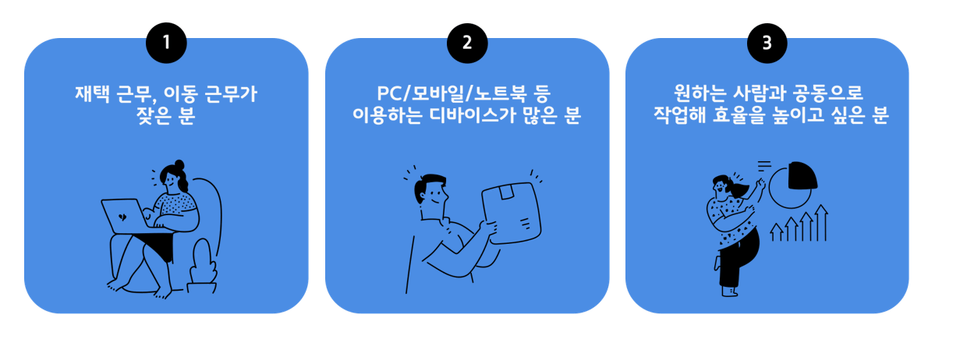
I recommend this to these people 😀


What you'll learn 📚

Expected Questions Q&A ✔️

Q. What program do you use in this course?

Microsoft OneDrive for Business is used. It's similar to personal OneDrive, but has different menus. You must have a Microsoft 365 Business Apps license or higher, or Microsoft 365 OneDrive Plan 1 or higher. You can also practice with a one-month free trial.

Q. What do I need to learn to take the OneDrive course?

No, you can take the course with an easy mind, as we'll start by explaining what OneDrive is.

Recommended for
these people

Who is this course right for?

  • For those who want to use OneDrive for Business well

  • Anyone who wants to collaborate

  • Anyone who needs to co-edit a document

  • For those who want to manage files safely

  • People who use multiple devices

  • People working in various jobs such as working from home, working on-site, or working in the office

Need to know before starting?

  • No! Let's learn from the basics~

Hello
This is omas

Career Verified

2,995

Learners

356

Reviews

167

Answers

4.6

Rating

47

Courses

Nice to meet you! We are Microsoft 365 experts, “Omas.”
Our Microsoft 365 experts will help you work more easily and efficiently.

Meet the instructor, Omas!!

Instructor Ko Hyun-jung
Microsoft Certified Trainer
Microsoft MVP (Microsoft 365 Apps&Services, 2016–present)


Official Blog & Café

YouTube

Books

  • Microsoft 365 Business for Users & Admins

  • My Smart Work with Office 365 by Omas

  • Office 365 in a Flash Series 1: Building a SharePoint Site for Collaboration

  • Office 365 in a Flash Series 2. BI that business users can put to work right away without expert help

  • Office 365 Made Easy Series 3. OneDrive for Business, from basics to practical use!

  • Office 365 Made Easy Series 4: Build the Mobile App Your Company Needs with PowerApps

  • Office 365 in Small and Medium-Sized Businesses: My Smart Work Using Office 365

  • OneNote 2016 in Action! - Basics 

  • Using OneNote 2016! - Advanced Edition

  • Working Women, Never Do These Things! A Fun, Fresh Take on How to Succeed at Work


Recognitions

  • MS-102 - Microsoft 365 Certified: Administrator Expert

  • MS-100 - Microsoft 365 Identity and Services

  • Teams Meetings and Meeting Rooms Technical Assessment

  • MS-700 - Microsoft 365 Certified: Teams Administrator Associate

  • MS-900 - Microsoft 365 Certified: Fundamentals

  • AZ-104 - Microsoft Azure Administrator Associate

  • AZ-900 - Microsoft Certified: Azure Fundamentals

  • SC-900 - Microsoft Certified: Security, Compliance, and Identity Fundamentals

  • PL-900 - Microsoft Certified: Power Platform Fundamentals

  • Exam 347: Enabling Office 365 Services

  • Microsoft Office Specialist Word 2016 Expert

  • Microsoft Office Specialist PowerPoint 2016 Core

  • Certificate of Qualification. Presentation Speech Level 1

Other Qualifications

  • Presentation Speech Level 1 (Korea Vocational Competency Testing Association, Ministry of Employment and Labor)

  • Level 1 CS Instructor (Korea Vocational Competency Testing Association, Ministry of Trade, Industry and Energy)

  • Top E-Learning Consultant (Korea U-Learning Association)

  • E-Learning Instructor Level 1 (Korea U-Learning Association)

  • Computer Science Teacher Certification (Minister of Education)

  • Lifelong Education Specialist Level 2 (Seoul Culture Arts University)

More

Curriculum

All

12 lectures ∙ (2hr 34min)
Published: 
Last updated: 

Reviews

All

3 reviews

5.0

3 reviews

  • sayhj007214님의 프로필 이미지
    sayhj007214

    Reviews 1

    ∙

    Average Rating 5.0

    5

    75% enrolled

    thank you

    • omas
      Instructor

      Thank you too! 😊I hope you can manage your data conveniently and safely through OneDrive!

  • jhong5299님의 프로필 이미지
    jhong5299

    Reviews 2

    ∙

    Average Rating 5.0

    5

    100% enrolled

    Thank you for the detailed explanation.

    • omas
      Instructor

      Wow!!! From SharePoint to OneDrive? You're studying hard!!! 👍 I hope this helps, and good luck!! 🙏

  • n03192296697taeh7569님의 프로필 이미지
    n03192296697taeh7569

    Reviews 2

    ∙

    Average Rating 5.0

    5

    33% enrolled

    omas's other courses

    Check out other courses by the instructor!

    Similar courses

    Explore other courses in the same field!