inflearn logo

How to work smarter than Excel: Smart data management and collaboration starting with MS Lists

🧙‍♂️ Overcome the limitations of Excel and implement secure data management, real-time collaboration, and permission control using Microsoft Lists. You will acquire practical skills that can be applied immediately, from utilizing various data types to configuring custom views and connecting with Teams.

1 learners are taking this course

Level Beginner

Course period 3 months

Teams
Teams
SharePoint
SharePoint
microsoft365
microsoft365
lists
lists
collaboration
collaboration
Teams
Teams
SharePoint
SharePoint
microsoft365
microsoft365
lists
lists
collaboration
collaboration

What you will gain after the course

  • Designing and building a structured database using various data types (images, locations, users, etc.) in Microsoft Lists

  • Implementing a secure and efficient team collaboration environment through user-specific permission management and customized view settings

  • Create convenient user input forms through Forms integration

  • Apply it to your work through Teams integration for immediate use in the field.

Microsoft Lists

Data Management, Beyond the Limits of Excel
Complete it Smartly with MS Lists!


If you are a professional looking to increase work efficiency
or struggling with data duplication and version control,
it is time to develop systematic data management and collaboration skills..

From designing your own Lists to Teams integration
Develop data management skills that can be applied directly to your work.


Practical Mastery of MS Lists is
a course for creating smart collaboration that goes beyond the limitations of Excel.

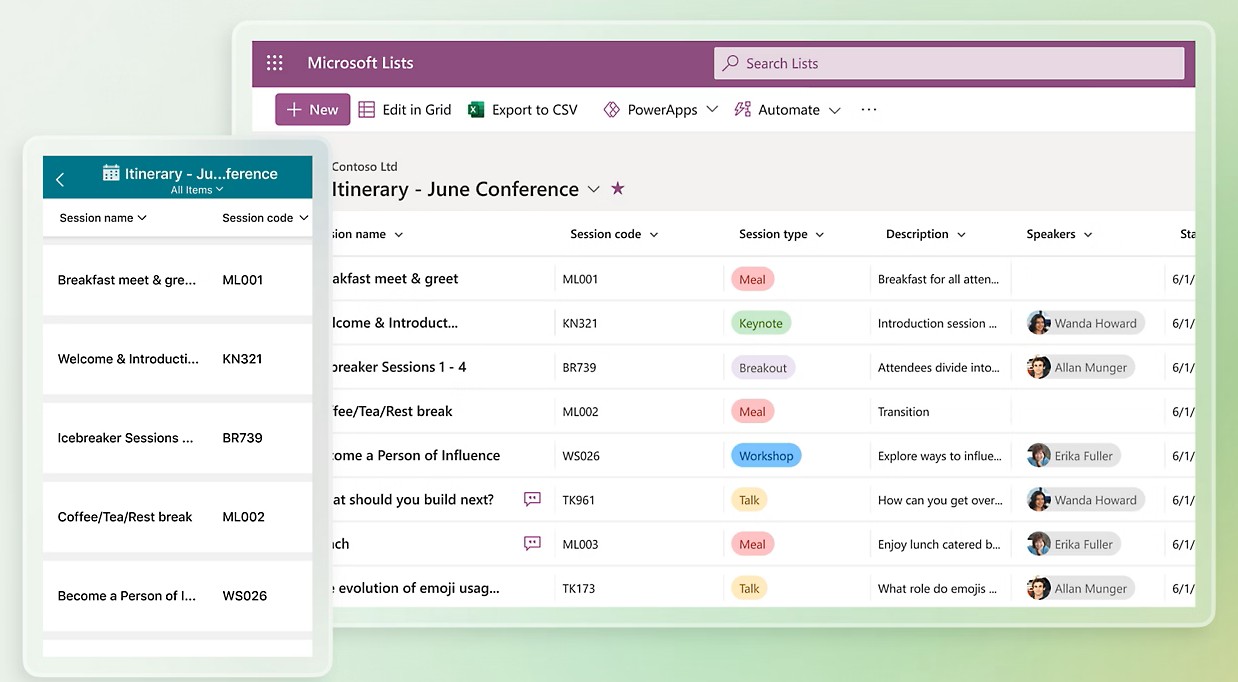
Learn core practical functions such as systematic data management using MS Lists, custom view settings,
Teams integration, and Forms connection.

Rather than a simple list of features, you will develop service-level proficiency by directly solving data management and collaboration problems that occur in real-world work environments using Lists.

From team task lists and progress tracking to permission settings, you will design and build a Lists-based collaboration system
to complete a smart work environment.


Beyond Excel,
Start Smart Data Management


Section 1 - Introduction and Basic Understanding of MS Lists

We introduce a general overview of Microsoft Lists and compare the differences with traditional Excel-based work methods. By understanding the collaboration features and process improvement effects of Lists, we present a starting point for smart data management.


Section 2 - Creating Lists and Designing Structure

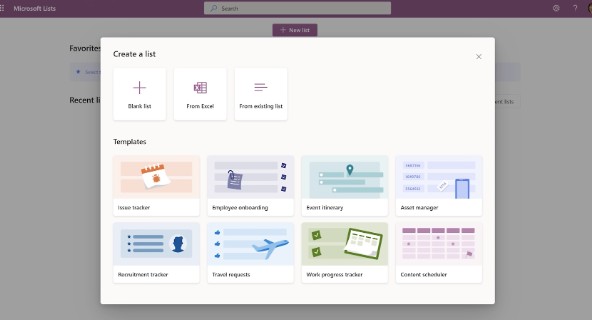
Learn how to plan and create a Lists structure for efficient data management. You will practice adding various types of columns and configuring detailed settings to enhance data accuracy and usability.


Section 3 - Utilizing Lists and Enhancing Collaboration

Maximize the utility of Lists through custom view settings for different situations, notification features, and Teams integration. Explore ways to transform actual business ideas into Lists and seek future application methods.


Smarter than Excel! Start collaborating with MS Lists

Have you felt that Excel isn't enough?
This course was created specifically for people like you.


✔️ Professionals who feel the limitations of managing data with Excel

  • Those who are struggling with repetitive Excel tasks, version control, and simultaneous editing issues.

  • Those who want to manage data more systematically and share it efficiently with team members

  • Those who are new to Microsoft Lists but want to apply it to their work immediately

✔️ Those who want to smartly transform team collaboration and data management

  • Those who want to systematically manage team task lists or progress status

  • Those who want to securely manage shared data and set up access permissions.

  • Those who want to create convenient data entry forms through Forms integration

✔️ Anyone who wants to increase work efficiency using MS Lists

  • Those who want to learn how to design and build databases using various data types in Lists

  • Those who want to create a collaboration environment that can be immediately applied to practical work through customized view settings and Teams integration

  • Those who want to automate repetitive tasks and adopt a smarter way of working


Stop being stuck in Excel.
Learn how to work smartly with Microsoft Lists and become a true smart worker.


Notes before taking the course


Practice Environment

  • Microsoft 365 account for business (Use of Teams, SharePoint, and Lists features)

  • Stable internet environment

Prerequisite Knowledge and Important Notes

  • It is helpful if you have experience managing data in Excel.

  • It is okay even if you are using Microsoft Lists for the first time.

  • It is even better if you understand the importance of team collaboration.

Learning Materials

  • Lists Planning Draft

  • Sample examples for performing the mission

  • Other Microsoft Lists official help documents and function links

Recommended for
these people

Who is this course right for?

  • Practitioners experiencing version control and simultaneous editing issues while managing data with Excel

  • For those new to Microsoft Lists

  • Those who want to systematically manage team task lists or progress status.

  • Those who want to efficiently share data used by multiple people together

  • Those who want to make repetitive tasks a bit smarter.

  • For those who haven't been able to properly utilize the Lists feature yet

Need to know before starting?

  • It is recommended to have a basic understanding and experience using the Microsoft 365 environment.

  • Experience in data entry and basic management tasks using Excel is preferred.

Hello
This is omas

2,503

Learners

288

Reviews

166

Answers

4.6

Rating

45

Courses

Nice to meet you! We are "Omas", Microsoft 365 experts.
As Microsoft 365 experts, we will help you work more easily and smartly.

Introducing Omas's instructors!!

Instructor Hyunjung Ko
Microsoft MVP (Microsoft 365 Apps & Services, 2016 – Present)


Official Blog & Café


YouTube


Books 

  • Microsoft 365 Business for Users & Admins

  • OMAS: My Smart Work using Office 365

  • Office 365 Quick Guide Series 1. Creating a SharePoint Site for Collaboration

  • Office 365 Quick & Easy Series 2. BI that business users can apply to work immediately without expert help

  • Office 365 Quick & Easy Series 3. From Basics to Advanced All at Once! OneDrive for Business

  • Office 365 Quick Series 4. Creating mobile apps your company needs: PowerApps

  • Office 365 in SMBs: My Smart Work using Office 365

  • Using OneNote 2016! - Basic Edition

  • OneNote 2016 Utilization! - Advanced Guide

  • Female office workers, never do this! A cheerful look at how to succeed in your professional life by thinking outside the box.


Recognitions

  • MS-102 - Microsoft 365 Certified: Administrator Expert

  • MS-100 - Microsoft 365 Identity and Services

  • Teams Meetings and Meeting Rooms Technical Assessment

  • MS-700 - Microsoft 365 Certified: Teams Administrator Associate

  • MS-900 - Microsoft 365 Certified: Fundamentals

  • AZ-104 - MS Azure Administrator Associate

  • AZ-900 - Microsoft Certified: Azure Fundamentals

  • SC-900 - Microsoft Certified: Security, Compliance, and Identity Fundamentals

  • PL-900 - Microsoft Certified: Power Platform Fundamentals

  • Exam 347: Enabling Office 365 Services

  • Microsoft Office Specialist Word 2016 Expert

  • Microsoft Office Specialist PowerPoint 2016 Core

  • Certificate of Qualification. Presentation Speech 1st  Level

Other Qualifications

  • Presentation Speech Level 1 (Korea Vocational Skills Certification Association, Ministry of Employment and Labor)

  • CS Instructor Level 1 (Korea Vocational Competency Assessment Association, Ministry of Trade, Industry and Energy)

  • e-Learning Senior Consultant (Korea U-Learning Association)

  • e-Learning Instructor Level 2 (Korea U-Learning Association)

  • Computer Science Teacher Certificate (Minister of Education)

  • Lifelong Education Specialist Level 2 (Seoul University of Buddhism and Culture)

More
Published: 
Last updated: 

Reviews

Not enough reviews.
Please write a valuable review that helps everyone!

omas's other courses

Check out other courses by the instructor!

Similar courses

Explore other courses in the same field!

Limited time deal

$18.70

29%

$26.40