강의

멘토링

로드맵

Creating a Notion that Organizes Itself: From DB Design to Task Automation with AI Agents

Turn your dormant "notebook" into an "AI Workspace" that works on its own! Connect Notion DB with agents to complete a system where repetitive tasks run themselves.

1 learners are taking this course

Level Basic

Course period Unlimited

Notion
Notion
AI
AI
AI Agent
AI Agent
Business Productivity
Team Collaboration Tool
Notion
Notion
AI
AI
AI Agent
AI Agent
Business Productivity
Team Collaboration Tool

What you will gain after the course

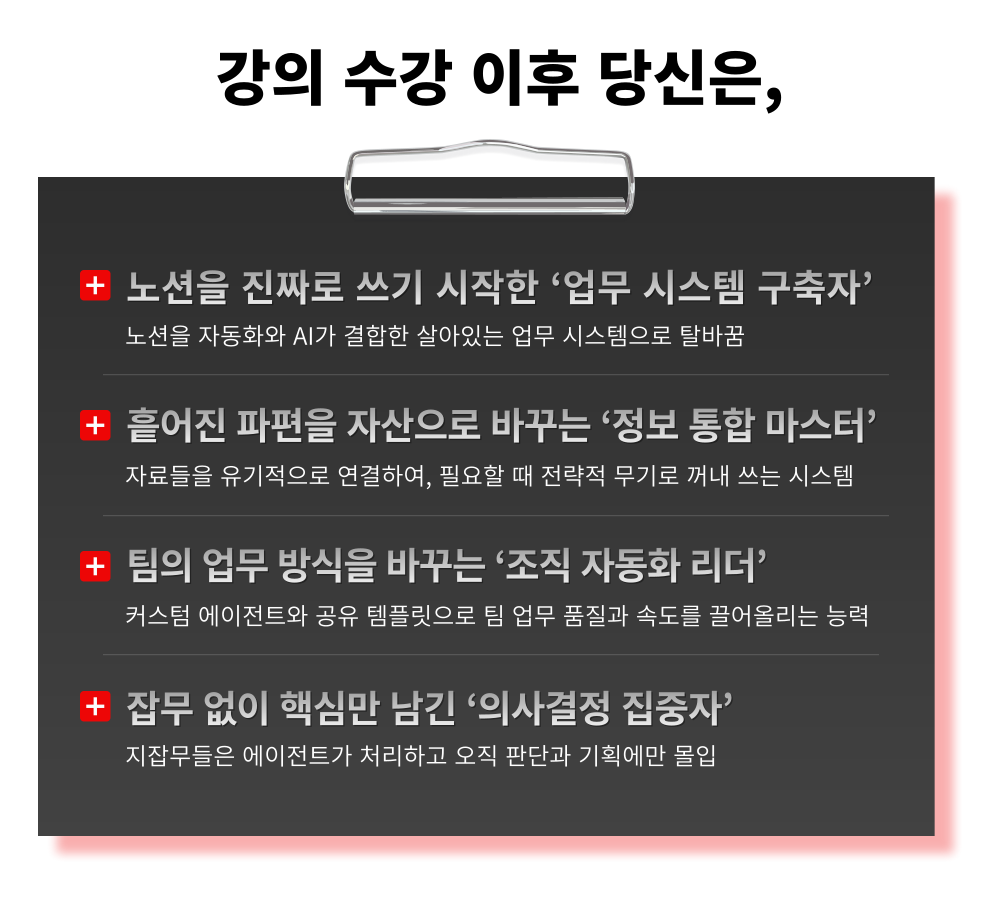
  • Transforming Notion into a living work system that combines automation and AI

  • A system that organically connects data and retrieves it as a strategic weapon when needed.

  • The ability to boost team work quality and speed with custom agents and shared templates

  • Agents handle the trivial tasks, allowing for complete immersion in judgment and planning.


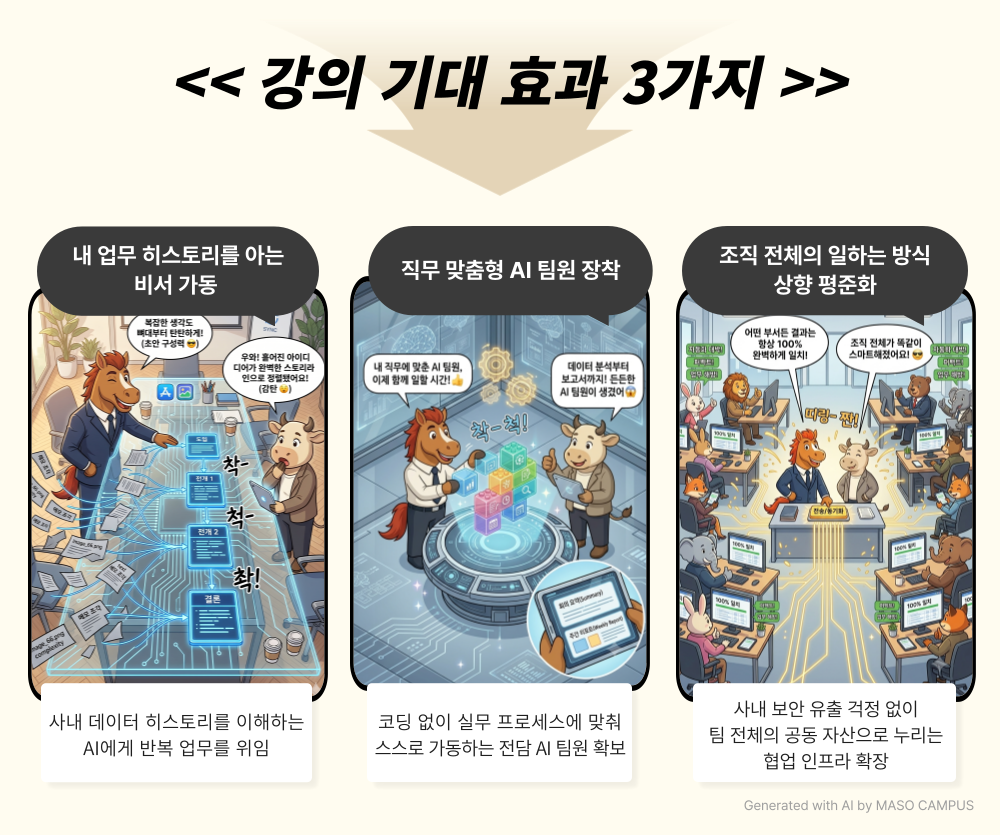
Stop wasting your energy in the prompt window explaining the background every time.
It's time to introduce a 'Notion Agent' that perfectly understands your work context!

“An AI that handles tasks on its own without needing separate explanations—that is the Notion Agent.”
The Notion mechanism creates an intelligent teammate that moves on its own based solely on natural language instructions.


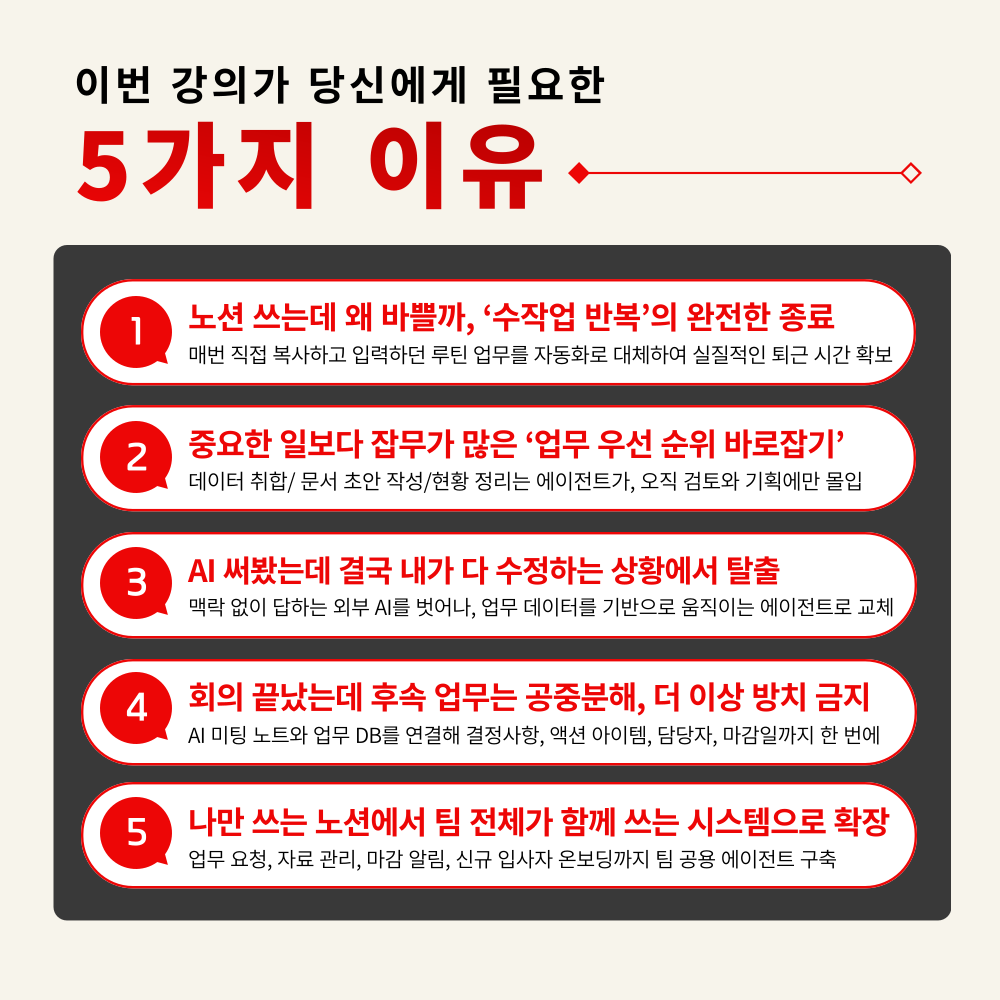
– Custom agents unify reports that used to take time to compile due to different formats for each team member
– Immediately after a meeting ends, AI meeting notes, summaries, and action item extraction are completed, eliminating organizing tasks
– External requests collected via Notion Forms are automatically organized into the DB, fully automating collection and data entry
– With a single trigger setting, automatic notifications before deadlines and task assignments are processed simultaneously, ensuring zero missed tasks

The exhaustion of tedious compilation and reporting has been completely eliminated.
Stop chasing after your work; become the 'owner' who commands the system!

Curriculum Features for Creating a Notion That Organizes Itself

This is a practical course that organically links repetitive routines and implements them into a functioning automation system.

1. Building an 'Information Repository' to end the struggle of missing data
Gather work documents, meeting minutes, and project materials into Notion to establish a framework for instant retrieval when needed

2. 'Task DB Design' to make intuition-based work visible
Manage ongoing tasks, backlogs, tasks by person in charge, and items nearing deadlines at a glance with views and filters

3. 'Automatic Aggregation Structure' to reduce manual status collection
Establish a management system where work data is automatically linked and calculated using relations, rollups, and formulas

4. ‘Click-based Automation’ to reduce repetitive operational tasks
Quickly handle meeting minute template generation, task request collection, and status changes within Notion

5. 'Agent Utilization Scenarios' that understand work context
Equip yourself with agent usage methods tailored to actual tasks, from weekly reports and deadline notifications to data management and onboarding


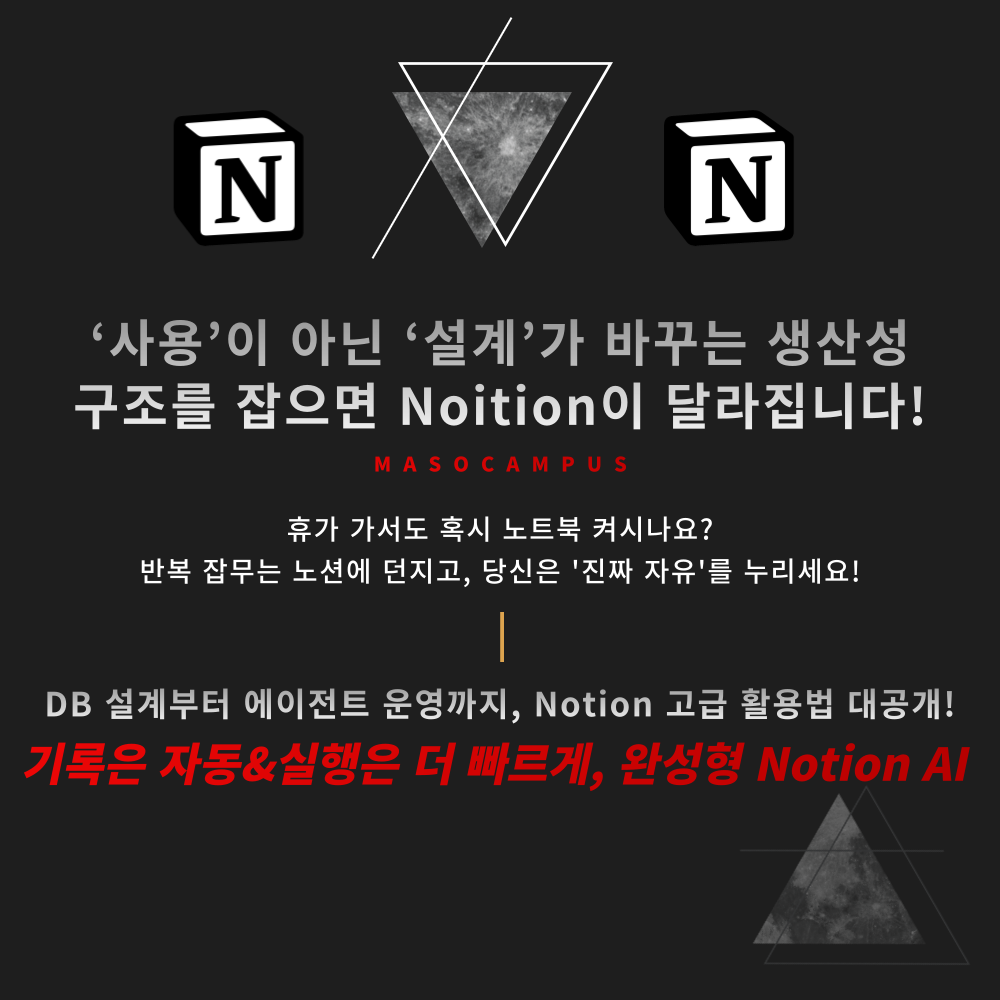
Notion is no longer just a space for storing records

It is an actionable workspace where you design the workflow and the AI takes action!

From a Notion that only records,

3-step practical course to transform into a self-working AI business system

1. Register for the course

2. Master ‘AI Agent Building’ with Notion alongside Instructor Song Min-kyung

3. Build a 'self-working business system' that can be applied immediately to practical tasks

Now, Notion is no longer just a note-taking tool;
it understands your work context and acts on your behalf.

Notion records, AI works, and you take all the overwhelming 'results'!


Have you ever wondered, "Is this really what I should be doing?" while repeating the same tasks every week?

Break free from wasteful work routines with a Notion automation system,
and expand into an AI work infrastructure for the entire team!

I confidently recommend this to the following people.

– Heavy Notion users who use the tool but are stuck at a simple notepad level
– Planning, operations, and management professionals who spend a lot of time on repetitive report writing and organizing work status
– Team leaders who find it burdensome to organize meeting minutes, track follow-up tasks, and manage action items
– Office workers who want to organize their workflow because projects, tasks, and resource links are scattered in multiple places
– Non-developer practitioners who want to create an AI work automation system without coding

Many people use Notion, but those who build systems with Notion are different.
Become an indispensable person in your organization!


Course Features

STEP 1. Transition from ‘scattered records’ to a ‘workspace where work is visible’

Design a space where necessary information is immediately visible by using filters, sorting, and views for scattered information


STEP 2. Expand isolated data into a 'connected and calculated work structure'

Build a data ecosystem by linking information from multiple databases into a single flow using relational properties, rollups, and formulas


STEP 3. Reduce repetitive clicks and inputs into 'automated execution routines'

Break free from repetitive manual data entry and tasks, and handle everything with a single click using button blocks and DB automation rules


STEP 4. Convert prompts written from scratch every time into 'prompt assets for reuse at any time'

Prompt management that turns frequently used instructions into page assets to derive consistent, high-quality results


STEP 5. Expanding beyond individual efficiency to 'professional AI team members used by the entire organization'

Grant independent security permissions and build agents that execute automatically via triggers to scale as a work standard for the entire team

If you're using Notion like a simple notepad, you're throwing away half of your productivity right now!

By connecting databases, buttons, automations, and agents, the system handles repetitive tasks.

There is something that only comes to those who begin to design.
Take the first step toward a work environment where a Notion AI teammate handles the tasks for you!

Frequently Asked Questions Q&A

Q. Can someone who has never used Notion before take this course?
A. Yes, it is possible. This course is designed to help you learn step-by-step, starting from the basic structure of Notion—such as workspaces, pages, blocks, and databases—to advanced features like filters, sorting, relations, rollups, formulas, and automation. Since you will learn how to design Notion according to your workflow beyond simple usage, even beginners can easily follow along.

Q. Can I create a Notion Custom Agent with a free Notion plan?
A. Currently, the Notion Custom Agent creation feature requires a Notion Business or Enterprise plan. The Business plan is $24 per month for monthly billing or $20 per month for annual billing (based on annual billing). Since prices are subject to change, please check the official site for the latest pricing.

Q. Can the Notion system created in the lecture be applied directly to actual work?
A. Yes, this course is designed with practical application in mind. You will learn how to connect Notion databases with agents based on real-world organizational scenarios—such as project management, task deadline notifications, automated weekly report generation, data management, and new hire onboarding—allowing you to apply them immediately.

Please check before taking the course!

  • Since this is a practice-oriented course, we recommend using dual monitors or an extra device so you can separate the lecture screen from your practice screen.

  • Additionally, as the practice sessions are based on Windows OS, we recommend taking the course in a Windows environment.

  • Lecture materials and practice files are located in the <00. Textbook Download Center> section.

Recommended for
these people

Who is this course right for?

  • A heavy Notion user who uses it frequently but remains at a basic notepad level.

  • Planning, operations, and management personnel who spend a lot of time on repetitive report writing and organizing work status.

  • Team leaders who find it burdensome to organize meeting minutes, track follow-up tasks, and manage action items.

  • Office workers who want to organize their workflow because projects, tasks, and resource links are scattered in multiple places.

  • Non-developer professionals who want to create AI business automation systems without coding

Need to know before starting?

  • Even those who are new to Notion can take this course. This curriculum is designed to help you learn step-by-step, starting from basic structures like workspaces, pages, blocks, and databases, and moving on to advanced features such as filters, sorting, relations, rollups, formulas, and automation. Since you will learn how to design Notion to fit your workflow beyond just simple usage, even beginners will have no trouble following along.

  • Currently, the Notion custom agent creation feature requires a Notion Business or Enterprise plan. The Business plan costs $24 per month for monthly billing, or $20 per month for annual billing (based on annual payment). Prices are subject to change, so please check the official website for the latest pricing.

  • This course is designed for practical application, allowing you to learn how to connect Notion databases with agents based on common real-world organizational scenarios—such as project management, task deadline notifications, automated weekly report generation, data management, and new hire onboarding—so you can apply them immediately.

Hello
This is Masocampus

12,026

Learners

1,772

Reviews

146

Answers

4.7

Rating

116

Courses

"I will grow more than yesterday. And, I will help those who strive to grow more than yesterday."

With Actionable Content that embodies the sincerity and aspirations of Maso Campus,

100 million cumulative hours of lectures shared online and offline since 2013!

This precious experience and time are always the source of growth for both Maso Campus and our students.

The Miso Campus team strictly adheres to two principles for the growth of us all. 1. Actionable Content that can be put into practice immediately after learning. 2. Respecting the time and effort of participants.

The Miso Campus team strictly adheres to two principles for the growth of us all.

1. Actionable Content that you can actually use after learning 2. Time-Saving Curriculum that respects the participant's time and effort Grow with Miso Campus's Actionable and Time-Saving Curriculum

1. Actionable Content that you can surely use once you learn it

2. Time-Saving Curriculum that respects the time and effort of participants

We hope you will walk the path of growth together with Masocampus's Actionable and Time-Saving Curriculum.

We hope you will walk the path of growth together with Maso Campus's Actionable and Time-Saving Curriculum.

Curriculum

All

35 lectures ∙ (7hr 4min)

Published: 
Last updated: 

Reviews

Not enough reviews.

Please write a valuable review that helps everyone!

Limited time deal

$55,440.00

30%

$61.60

Masocampus's other courses

Check out other courses by the instructor!

Similar courses

Explore other courses in the same field!