inflearn logo

Microsoft 365 Administrator Basic Training (OK even if you are not an IT professional, understanding and setting up the Admin Center)

This course was created for those who say, "I've become an M365 administrator, but I have absolutely no idea where to start or what to do." Microsoft 365 has numerous features and management centers, and opening the Message Center reveals a flood of unfamiliar terms. As a result, many new administrators start their work with the features available but without seeing the big picture. This training step-by-step guides you through the essential tasks an administrator must perform to actually implement and use M365 within your company. Specifically, it is designed to help those who have just become M365 administrators grasp the workflow of: ✅ what to prioritize in management, ✅ what the core tasks you must know are, and ✅ where to check first when a problem arises. The reason for creating this course is to provide you with the criteria to judge "this is an administrative task I need to do now," rather than just "clicking around for now."

1 learners are taking this course

Level Basic

Course period 3 months

microsoft365
microsoft365
microsoft365
microsoft365

What you will gain after the course

  • You will be able to make judgments and respond on your own at the actual site.

  • You will find out why this setting is necessary.

  • When a problem occurs, you can know where to start looking.

  • You will be able to make independent judgments from the perspective of both the user and the organization.

  • You can set up the necessary environment and basic settings to properly use M365.

  • You can become an M365 administrator who can judge and explain for themselves.

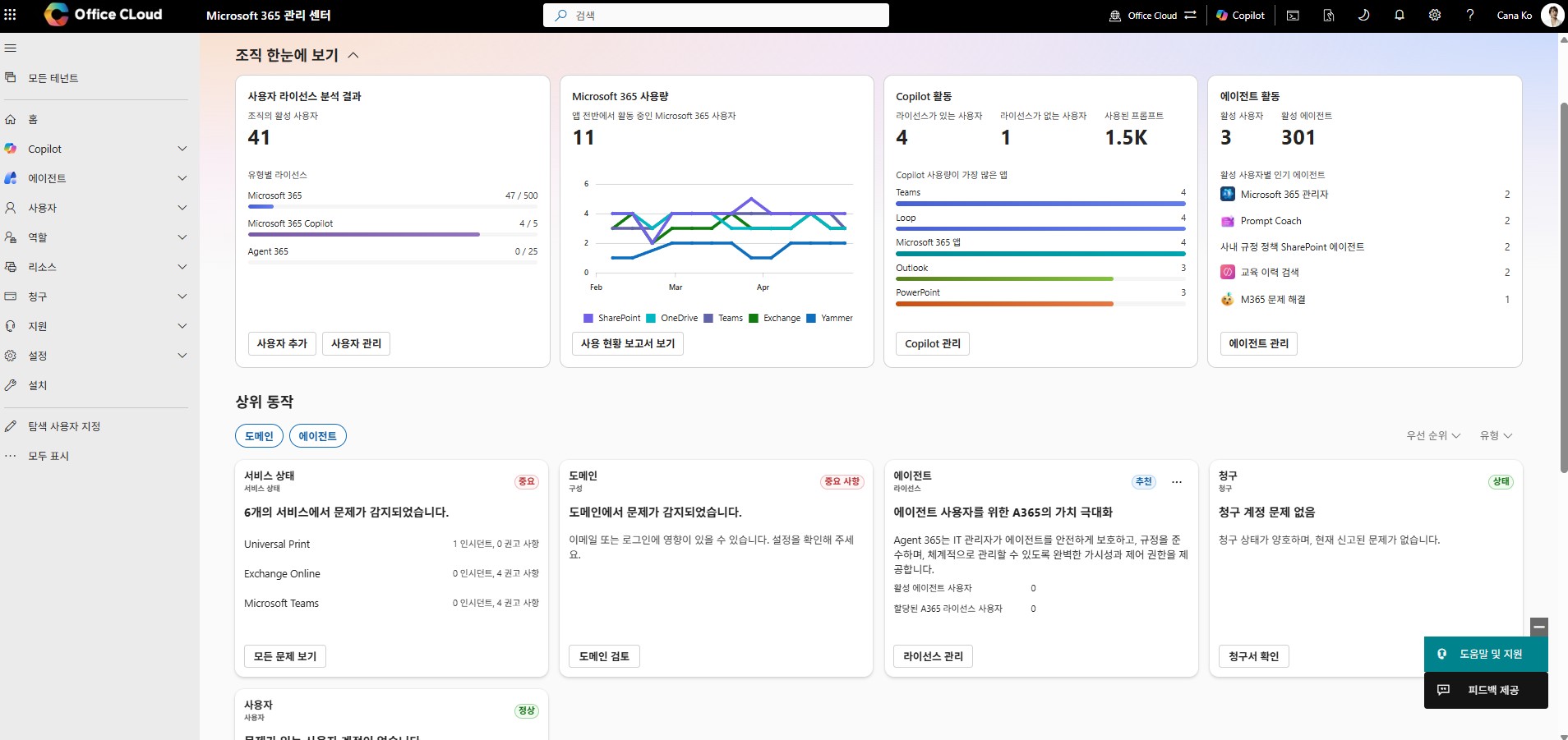
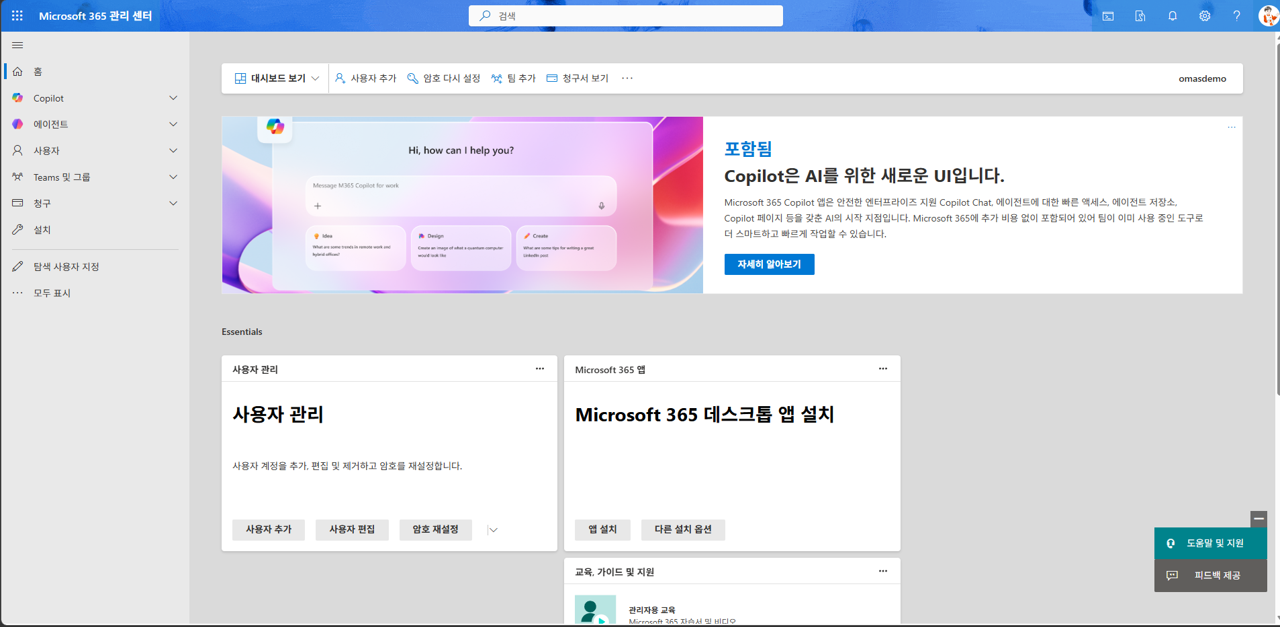
Microsoft 365 admin center

Feeling overwhelmed by Microsoft 365 administration?
From core tasks to troubleshooting methods!

Strengthen Microsoft 365 administrator capabilities with a focus on practical tasks!

Even non-IT experts can confidently handle the Microsoft 365 admin center.
Learn the management workflows required in actual field operations to
acquire systematic configuration and proficient operational skills..


M365 Administrator Course
M365 Management, leave the uncertainty behind!

Domain integration, user and license management, MFA, groups, shared mailboxes, and more
—we cover all the core administrative tasks required for actual operations.

Theory alone is not enough. Solve various management scenarios encountered in actual corporate environments perfectly through
step-by-step practice.

From user account management to security policy configuration and utilizing the Message Center,
you will systematically build all the practical skills required as an M365 administrator.bạn sẽ xây dựng một cách hệ thống tất cả các năng lực thực hành cần thiết với tư cách là quản trị viên M365.


The confusion of Microsoft 365 administration
will be resolved through this course.

Section 1 - Introduction to Microsoft 365 Administration and Environment Setup

Understand the essential basic concepts as a Microsoft 365 administrator and grasp the overall functions and purposes of the admin center. We provide detailed guidance on the course objectives and curriculum so that even those without IT management experience can easily follow along.

Section 2 - Microsoft 365 Tenant and Basic User Management

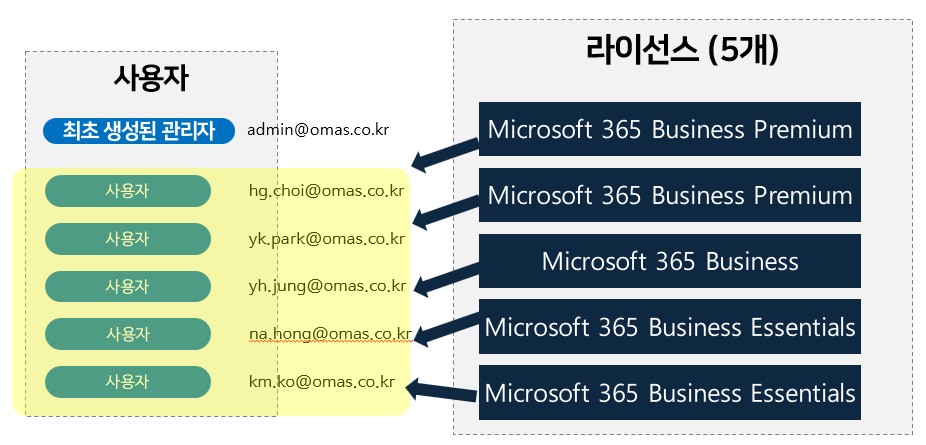
Starting with tenant setup, a core element for effective M365 operation, you will learn how to integrate domains and manage user accounts and licenses. Additionally, you will strengthen your practical skills through hands-on practice in configuring essential security policies, groups, and shared mailboxes.

Section 3 - Microsoft 365 Data Protection and Compliance

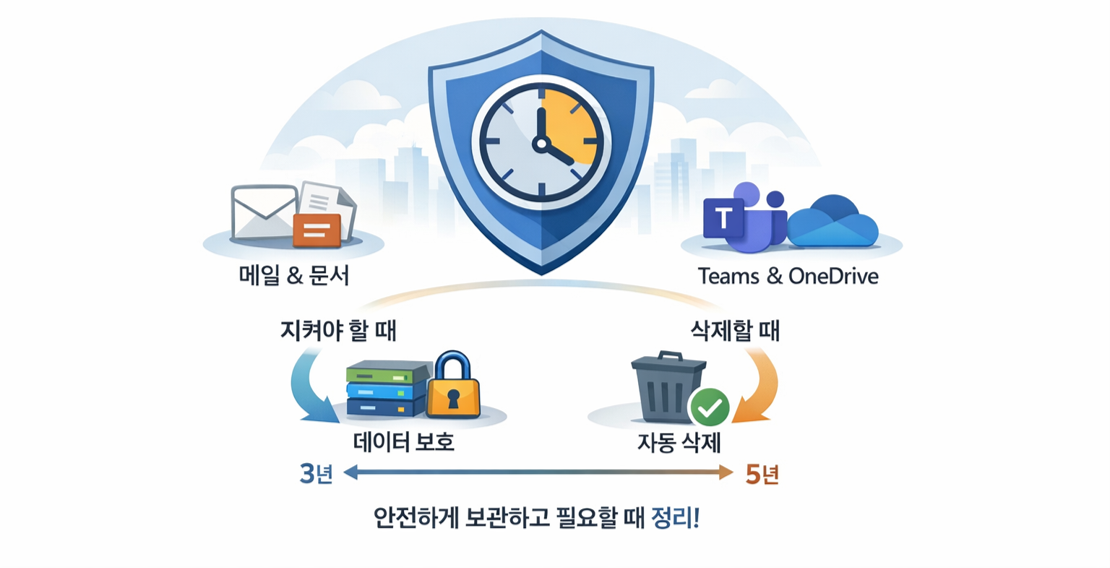
Manage your organization's critical information securely by enabling email archiving and setting data retention policies. Explore various features of the Admin Center to learn practical management strategies for data integrity and compliance.

Section 4 - Microsoft 365 Operations, Monitoring, and Troubleshooting

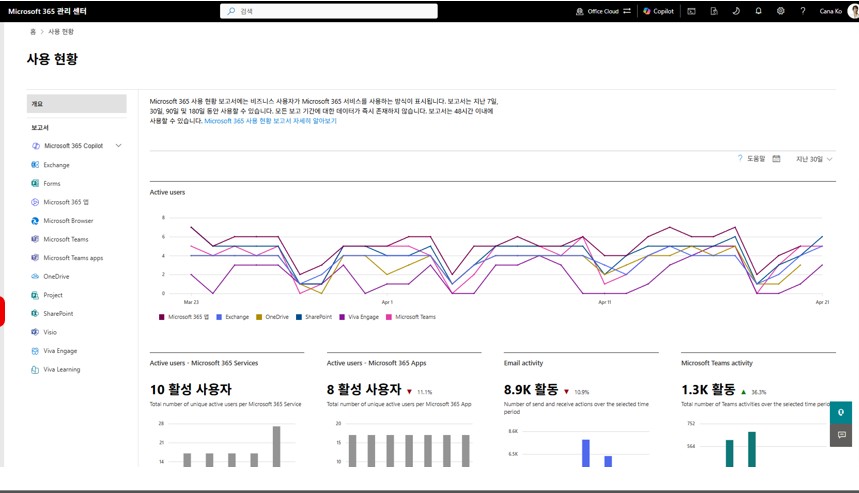
Learn how to efficiently monitor the M365 environment using reports and the Message Center, and familiarize yourself with the procedures for handling technical support requests. Systematically organize the core tasks that administrators must perform daily and establish future M365 operational plans.


Are you feeling overwhelmed as a Microsoft 365 administrator?


Have you been appointed as an M365 administrator but feel overwhelmed about where to start? It must have been difficult to grasp the big picture due to the complex admin centers and the flood of terminology. This training was prepared specifically for people like you.

We provide a systematic guide on the essential tasks you must perform as an M365 administrator in real-world scenarios. We establish clear standards for what to prioritize, what the core tasks are, and where to check first when problems arise.

From “Just clicking around” to “This is my management task”!

Rather than simply listing features, we help you develop the practical skills to assess and operate the M365 environment on your own. It's okay if you're not an IT expert. We will help you build a solid foundation in M365 administration so you can approach your work with confidence.


Does Microsoft 365 administration feel overwhelming?
This course was created specifically for people like you.


✔️ Those who are taking on Microsoft 365 administration for the first time

  • Those who have felt overwhelmed and unsure of where to start when faced with the complex admin center

  • Those who found it difficult to understand the big picture due to the various features and terminology of M365

  • Those who want to clearly understand 'why this setting is necessary' in actual work tasks.

✔️ Practitioners who have been assigned M365 management duties even if they are not IT professionals

  • Those from non-IT departments, such as general affairs or management support, who have been assigned M365 administration tasks

  • Those who find themselves in a situation where they must efficiently operate M365 without a dedicated IT administrator.

  • Those who want to develop M365 management capabilities to make judgments and solve problems on their own

✔️ Administrators who want to properly establish standards and principles for M365 operations

  • Those who have experienced difficulties managing M365 without systematic training

  • Those who have learned by trying various things but now need clear standards and principles

  • Those who want to optimally configure the M365 environment from the perspective of both users and the organization


Stop thinking "I'll just try clicking it" for now!
Identify the essential core tasks required as an M365 administrator,
and transform into an expert who can manage the M365 environment with confidence.

Notes before taking the course


Hands-on Lab Environment

  • Microsoft 365 Global Administrator Account


  • Stable internet environment

  • Microsoft 365 Business or Enterprise license (Personal/Education versions not allowed)

Prerequisite Knowledge and Important Notes

  • This course is optimized for those who are taking on the role of Microsoft 365 administrator for the first time.

  • Even non-IT professionals can learn how to use the admin center.

  • You will learn step-by-step from basic concepts, even without prior practical experience.

Recommended for
these people

Who is this course right for?

  • Those who have just been assigned the M365 administrator role

  • 🎯 Those who have entered the management center for the first time but feel overwhelmed about where to start

  • Those who are new to M365 cloud management

  • A practitioner who has taken on M365 management as a dual role without dedicated IT personnel

  • 🎯 Those who have taken on manager roles in non-IT departments such as general affairs or management support

  • Managers who have implemented M365 but have been operating it without systematic training

  • Those who have learned by tinkering with various things but want to properly establish standards and principles.

Need to know before starting?

  • No, you can take the course from beginning to end even without any prior knowledge.

Hello
This is omas

2,502

Learners

287

Reviews

166

Answers

4.6

Rating

44

Courses

Nice to meet you! We are "Omas", Microsoft 365 experts.
As Microsoft 365 experts, we will help you work more easily and smartly.

Introducing Omas's instructors!!

Instructor Hyunjung Ko
Microsoft MVP (Microsoft 365 Apps & Services, 2016 – Present)


Official Blog & Café


YouTube


Books 

  • Microsoft 365 Business for Users & Admins

  • OMAS: My Smart Work using Office 365

  • Office 365 Quick Guide Series 1. Creating a SharePoint Site for Collaboration

  • Office 365 Quick & Easy Series 2. BI that business users can apply to work immediately without expert help

  • Office 365 Quick & Easy Series 3. From Basics to Advanced All at Once! OneDrive for Business

  • Office 365 Quick Series 4. Creating mobile apps your company needs: PowerApps

  • Office 365 in SMBs: My Smart Work using Office 365

  • Using OneNote 2016! - Basic Edition

  • OneNote 2016 Utilization! - Advanced Guide

  • Female office workers, never do this! A cheerful look at how to succeed in your professional life by thinking outside the box.


Recognitions

  • MS-102 - Microsoft 365 Certified: Administrator Expert

  • MS-100 - Microsoft 365 Identity and Services

  • Teams Meetings and Meeting Rooms Technical Assessment

  • MS-700 - Microsoft 365 Certified: Teams Administrator Associate

  • MS-900 - Microsoft 365 Certified: Fundamentals

  • AZ-104 - MS Azure Administrator Associate

  • AZ-900 - Microsoft Certified: Azure Fundamentals

  • SC-900 - Microsoft Certified: Security, Compliance, and Identity Fundamentals

  • PL-900 - Microsoft Certified: Power Platform Fundamentals

  • Exam 347: Enabling Office 365 Services

  • Microsoft Office Specialist Word 2016 Expert

  • Microsoft Office Specialist PowerPoint 2016 Core

  • Certificate of Qualification. Presentation Speech 1st  Level

Other Qualifications

  • Presentation Speech Level 1 (Korea Vocational Skills Certification Association, Ministry of Employment and Labor)

  • CS Instructor Level 1 (Korea Vocational Competency Assessment Association, Ministry of Trade, Industry and Energy)

  • e-Learning Senior Consultant (Korea U-Learning Association)

  • e-Learning Instructor Level 2 (Korea U-Learning Association)

  • Computer Science Teacher Certificate (Minister of Education)

  • Lifelong Education Specialist Level 2 (Seoul University of Buddhism and Culture)

More

Curriculum

All

15 lectures ∙ (2hr 51min)

Course Materials:

Lecture resources
Published: 
Last updated: 

Reviews

Not enough reviews.
Please write a valuable review that helps everyone!

omas's other courses

Check out other courses by the instructor!

Similar courses

Explore other courses in the same field!

Limited time deal

$46,200.00

30%

$51.70