[Work Automation Using Free MS RPA] Power Automate Desktop Basic
We will practice automating repetitive tasks using Power Automate Desktop, a free RPA tool from MS. Through this process, we will learn to understand automation and apply it to our actual work.
Thanks to the good examples and sample lectures, my fear of using Power Automate Desktop has been greatly reduced. Thank you for preparing such a useful lecture.
5.0
2025 회사탈출
100% enrolled
Ah ㅋㅋ Among the PAD lectures, this BASIC is the most useful, but there hasn't been a single course review yet, I'm the first one ㅎㅎ>< Anyway, this is really useful. ㅋ At first, when I come to work, I have to turn on several Excel programs, or the company's INTRANET site, honestly, there are about 5~6 of them, so I just come to work and run the Flow that opens the company's essential programs on the PAD, and I go get water or coffee. -> Then, they're all already turned on. ㅎㅎ
(I even put Spotify on those 5~6 sites ㅋㅋ so that I can play the music I want)
And I can also create a flow that sends the status of receivables to each company (I applied the lecture on sending the due date of the Omas program that appears here) ㅋㅋ I actually sent it to my email too ㅎ I sent an email to my client 3 days before the receivables deadline, and the bosses noticed it as a reminder and sent the money late, but this time they sent it early. ㅋ
Honestly, it's so good, right? ㅋㅋ That's why I don't want to tell other people ㅋ Hehe, there are a lot of other things I've applied. Like creating a flow that allows me to receive articles about the areas I'm interested in by email ㅎ
Anyway, while listening to the lecture, don't just listen to the lecture, but definitely!! Think about whether there are parts that you can apply to your work? And whether there are things you can apply to your personal work as well. Then, you'll create a new flow, think more, and go through trial and error to gradually learn more about PAD!!
Fighting everyone!!
5.0
kimkerry
90% enrolled
This is a lecture that makes it easy to understand Power Automation by following along very easily for beginners. Automation with Python is good, but if you want automation that is easier and simpler, Power Automation is the best. It was a good lecture that made it easy to learn Power Automation by following along. Thank you.
What you will gain after the course
Microsoft RPA (Robotic Automation) Solutions
Power Automate License
Power Automate Web, Desktop Comparison
Install Power Automate Desktop
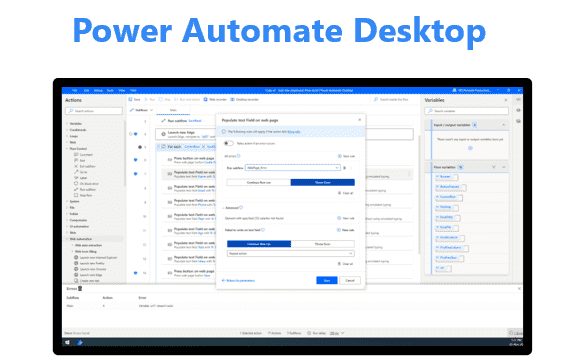
Power Automate Desktop screen and menu
Run and copy Power Automate Desktop example flow
Task Automation 1: Task Preparation (Launching the required website, executing the file, printing the date)
Task Automation 2: Search the weather for the place I want on the Internet and display it in a window
Task Automation 3: Search for specific keyword news and send it by email
Task Automation 4: Automatically send emails based on Excel information on products and service expiration dates for each customer
Task Automation 5: Search for exchange rates, create an Excel file, and send it as an email attachment
Task Automation 6: Search for company names in Excel on a web page and find the CEO and put them in Excel
Work Less, Do More Start automating your work with free tools 🤖
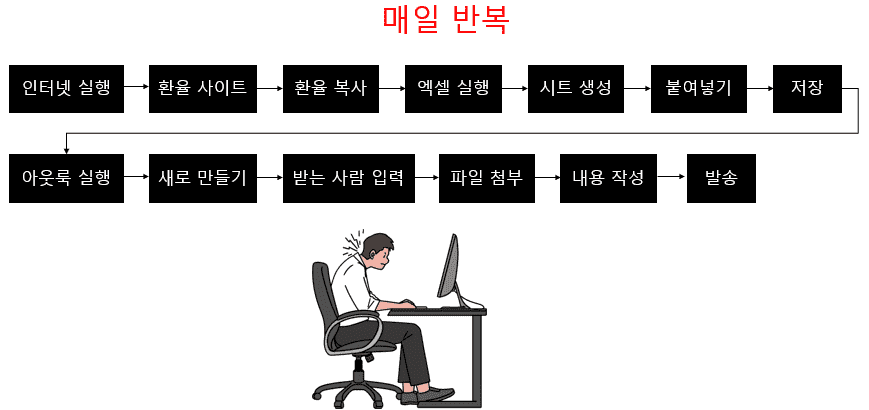
By any chance... are you working like this? 🥲
If you're on the Finance team and your job involves searching for exchange rates by country every day, creating a file, and sending it to your colleagues, you're probably doing this over and over again.
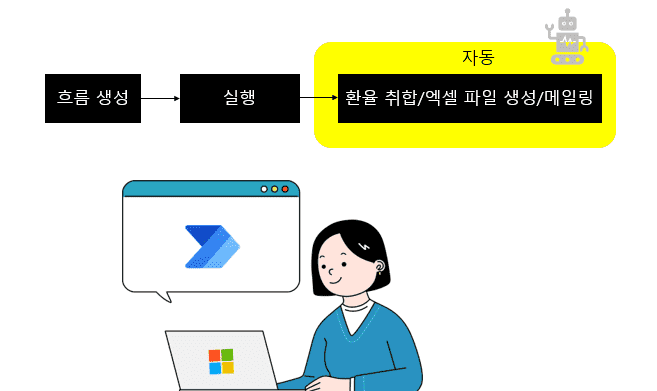
But what if you could do this with just one click?
By using Power Automate Desktop to automate repetitive tasks, you can turn tedious, repetitive tasks into simple tasks that can be completed with a single click.
Why Power Automate Desktop? 🧐
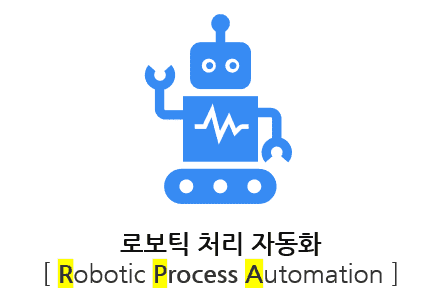
With the implementation of a digital office environment due to COVID-19, Robotic Process Automation (RPA) has begun replacing previously simple tasks. RPA is now performing a wide range of repetitive tasks, such as collecting and analyzing data for use in business processes. The processing speed is incomparably faster than human labor, and the reduced risk of errors is boosting corporate competitiveness.
Power Automate, Microsoft's RPA tool, is a workflow service that uses desktop flows and UI-based automation to connect existing and new systems and help reduce repetitive tasks.
In October 2021, Microsoft announced that Power Automate Desktop would be available free to all users running Windows 10 or later. This means Power Automate Desktop, which comes pre-loaded with approximately 400 actions for automating desktop-centric workflows, is now available for free. You can create and use automation flows that automate tasks across the various applications you use at work.
In this course, you'll learn through hands-on practice how to automate repetitive tasks using the free Power Automate Desktop.
Learn through practice Microsoft Power Automate Desktop Welcome to the lecture!
Learn things like this📚
Install Power Automate Desktop
Introduction to the screen and menu
Run and copy the example flow
Preparing for work (launching Chrome, navigating to a specific site, adding a tab, running a file, printing today's date)
Open the weather window of the place I want on the Internet
Search for news with specific keywords and send it by email
After adjusting the content based on the Excel information, an email will be sent (*Information on the end date of products and services used by each customer)
Search for exchange rates, create an Excel file, and send it as an attachment to an email.
Search for the company name in Excel on a web page and find the representative, then paste it into Excel.
What you need for the lecture✒️
Microsoft 365 or Microsoft free account, school account
Power Automate Desktop (free)
Microsoft Excel
PC with internet access
headset or speakers
Reference lecture 📑
This course provides hands-on experience in task automation using Power Automate Desktop.For those interested in learning automation using Power Automate Web, please refer to the course below.
Preview Q&A 💬
Q. Do I need to purchase a license to attend the lecture?
No, Power Automate Desktop is free. However, it requires Microsoft Excel for automation.
Q. Do I need any prior knowledge to take the course?
We teach from the beginning, from product introduction to installation method, so no prior knowledge is required.
Q. Is it possible to do this without any coding or development knowledge?
Yes, the lectures are structured so that you can do it if you follow along slowly, one by one.
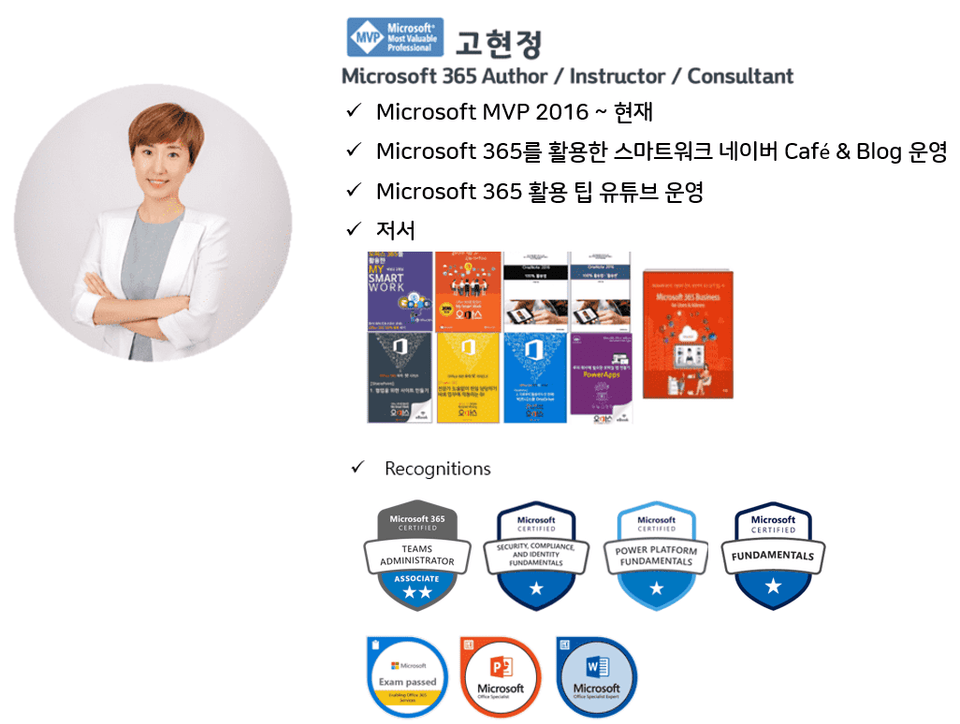
Introducing the knowledge sharer 🙋♀️
Recommended for these people
Who is this course right for?
For those curious about Power Automate Desktop
Anyone who wants to automate their work
Anyone who wants to experience MS RPA
Those who want to apply work automation with Power Automate Desktop
Anyone who wants to automate their work through free RPA
Need to know before starting?
No! We will proceed so that you can follow the product introduction and connection.
It seems to be a helpful course for people who are starting Power Automate for the first time. The difficulty is moderate, so even those without basic knowledge should be able to take the course easily.
Thank you.















![[Latest version update] Project and task management to become a pro at planning - MS PlannerCourse Thumbnail](https://cdn.inflearn.com/public/courses/336001/cover/9368db08-c64b-42ca-8ad1-e7a872bffc0e/336001.jpg?w=420)

![[Work Automation Using Free MS RPA] Power Automate Desktop - Automate Repetitive TasksCourse Thumbnail](https://cdn.inflearn.com/public/courses/332826/cover/fd9d8667-48a8-4d2e-b27d-1154f66df679/332826.png?w=420)




![[Work Automation Using Free MS RPA] Power Automate Desktop EssentialsCourse Thumbnail](https://cdn.inflearn.com/public/courses/329655/cover/8364da63-535b-4613-9b02-3dcdfc21791d/329655-eng.png?w=420)

![[First in Korea] ChatGPT × Word Practical Applications: Document Automation for EveryoneCourse Thumbnail](https://cdn.inflearn.com/public/files/courses/338227/cover/01k0rxg0k0xk9q6vefywa4qnbn?w=420)





![[Pass ITQ Excel A in One Go] in 3 daysCourse Thumbnail](https://cdn.inflearn.com/public/courses/329652/cover/b44e11b6-a47e-4993-86ea-a85da9836bb5/329652-eng.png?w=420)
![[For Beginners] Data Visualization with Power BICourse Thumbnail](https://cdn.inflearn.com/public/courses/327055/cover/455b54c1-3e63-439b-9b60-5d12e12bc303/PowerBI-001 (1).png?w=420)