Power Automate Level 4 - Creating a Vacation Request/Management System
Are you using Excel to apply for and manage vacation/annual leave? 🤔 Stop asking your manager about your annual leave every time! Create a vacation application and management system for your company through this lecture.
Developing a vacation and annual leave application/management system
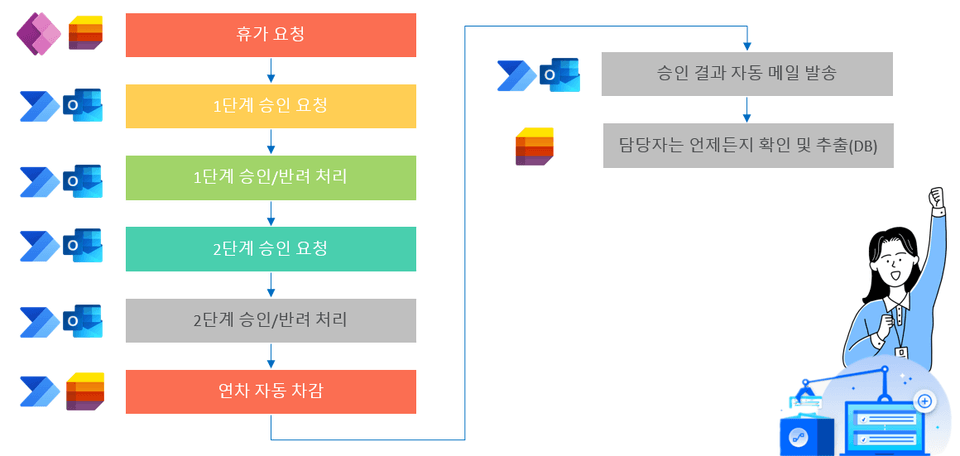
Business Process Automation
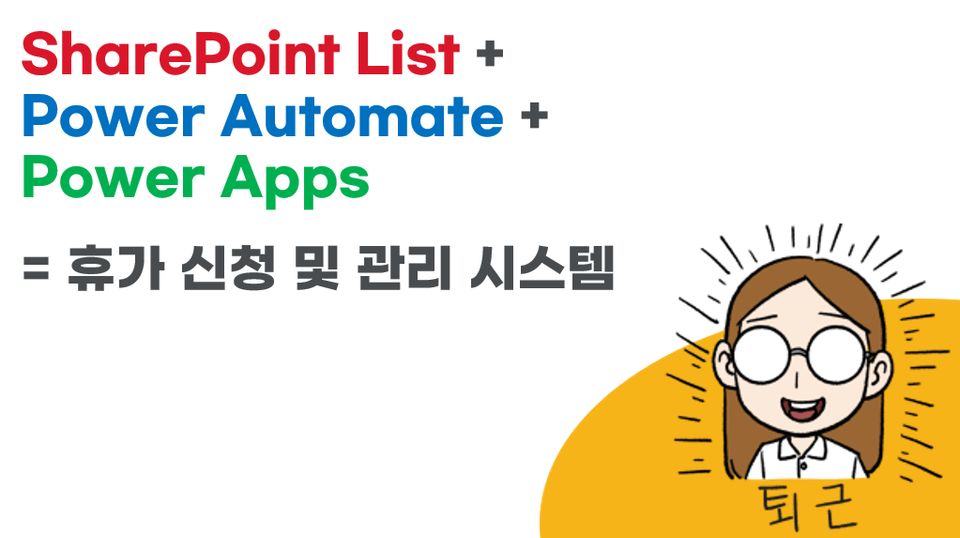
SharePoint + List + Power Automate + Power Apps
Convenient for both managers and users Developing a vacation management system and annual leave application app!
Apply for annual leave/vacation by email, and the person in charge organizes it in Excel.
When you return from your annual leave/vacation, deduct the number of days you went back in Excel and subtract them.
Employees keep asking me how many vacation days I have left... 😭
If there is a system,it is not a big deal, but if there is not and the person in charge manages it using Excel or manually, it is not only inconvenient for the user, but also requires the person in charge to spend a lot of time.
It is ambiguous to develop a system like this, so the lecture was designed to help managers spend time on repetitive tasks by creating a system with SharePoint and List, connecting it to Teams for convenient use, and automating it with Power Automate to reduce repetitive tasks and allow managers to focus on important tasks.
I recommend this to these people 😀
If you do not have a vacation/annual leave application system and need to apply by email or payment! If the person in charge is organizing annual leave/vacation in Excel! If you're wondering if there's a system for requesting annual leave/vacation! If you need approval but it is difficult to build a system!
"If there was a system, it wouldn't be a big deal... It's a repetitive task that anyone can do...
If you are wondering, "Is there any way to automate this...?"
This course will help you build and automate systems to reduce repetitive tasks and focus on what matters!
Lecture Features ✨
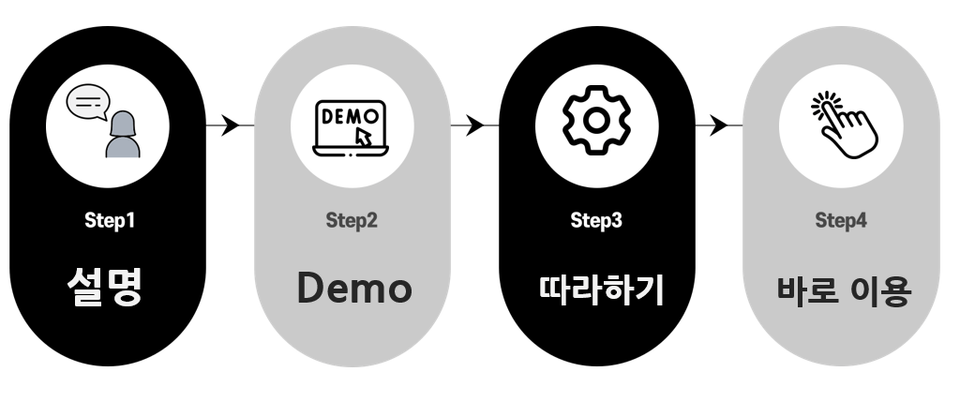
The course proceeds step by step from beginning to end.
Let's follow along while taking the class 😁
🎯 Follow along as we create, configure, and automate together.
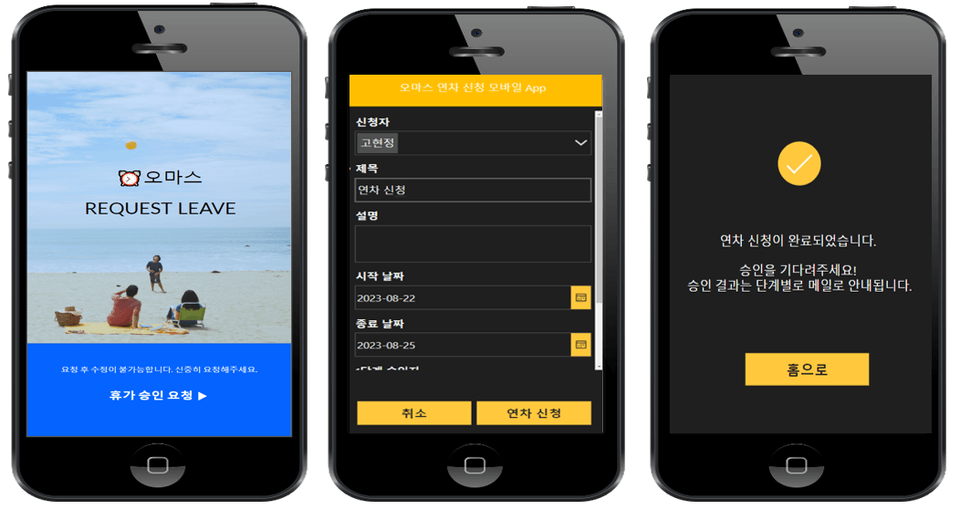
1️⃣ An annual leave/vacation request management system is created and the process is automated. 2️⃣ The mobile app for applying for annual leave/vacation is now available and can be used immediately. 3️⃣ You can automatically process approval/rejection and manage the results in an organized manner.
What you'll learn 📚
[Get Started]
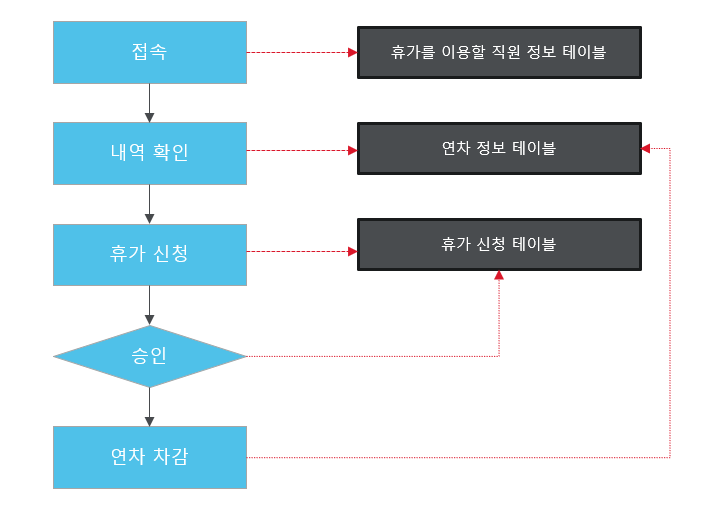
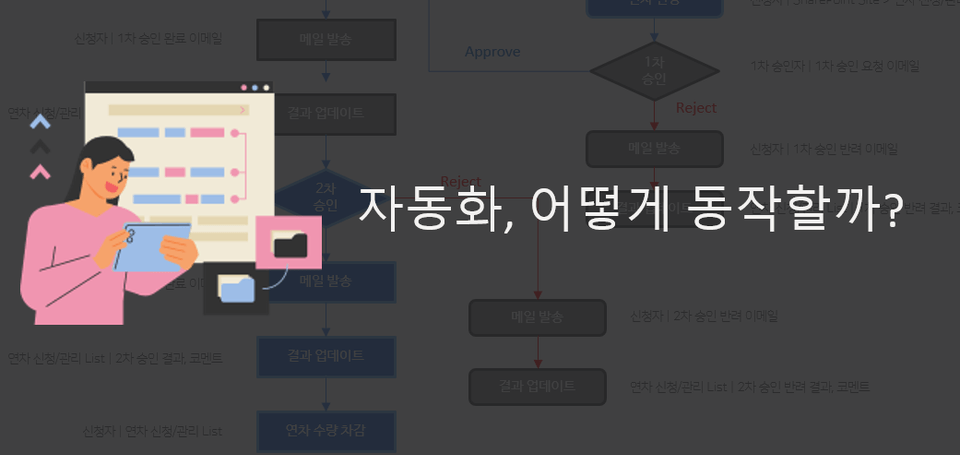
Team Approvals Understanding the system production flow
[SharePoint Site, List]
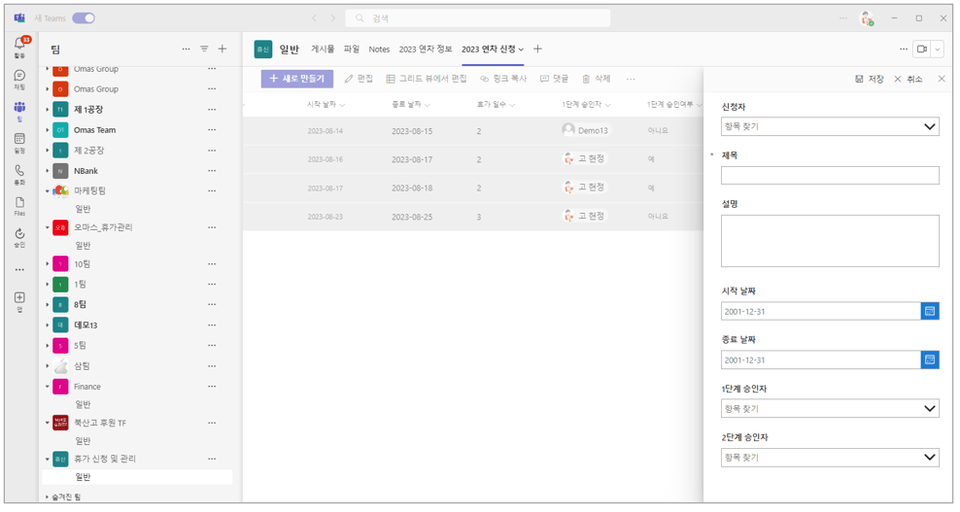
Creating a vacation request/management site
Creating an Employee Information Table
Creating an annual leave information table
Create an annual leave application/management list
Modifying the application form with PowerApps
[Power Automate Automation]
Understanding the Approvals Flow
Automated Step 1 Approval
Automated two-step approval process
Automation of annual leave deduction
[Power Apps Mobile App]
Creating a Mobile App for Annual Leave Applications - (1) Automating from Lists
Creating a Mobile App for Annual Leave Applications - (2) Creating a Mobile App in Power Apps
Verify and test your mobile app
[Sharing and Utilization]
Using the List App
Sharing and Teams Connection
Expected Questions Q&A 💬
Q. Do I need to buy any tools to take the course?
No, if you already have a Microsoft 365 Business Standard license or higher, you can use that. If you are not subscribed, you can sign up for a one-month free trial and proceed for free before subscribing.
Q. Do I need any IT development or programming knowledge to take this course?
No! Even if you're not a developer or a specialist, you can easily follow the lectures. Anyone can do it in no time, even without any programming knowledge.
🌀 Notes before taking the course
Microsoft 365 services required to attend lectures


.png?w=960)








![[Work Automation Using Free MS RPA] Power Automate Desktop BasicCourse Thumbnail](https://cdn.inflearn.com/public/courses/329047/cover/35cb417d-cd84-47f8-a20f-653724b03a77/329047-eng.png?w=420)




![[Latest version update] Project and task management to become a pro at planning - MS PlannerCourse Thumbnail](https://cdn.inflearn.com/public/courses/336001/cover/9368db08-c64b-42ca-8ad1-e7a872bffc0e/336001.jpg?w=420)

![[Work Automation Using Free MS RPA] Power Automate Desktop - Automate Repetitive TasksCourse Thumbnail](https://cdn.inflearn.com/public/courses/332826/cover/fd9d8667-48a8-4d2e-b27d-1154f66df679/332826.png?w=420)



![[Work Automation Using Free MS RPA] Power Automate Desktop - Excel AutomationCourse Thumbnail](https://cdn.inflearn.com/public/courses/330201/cover/8adc841c-39de-4770-98d3-2439ed8881a3/330201-eng.png?w=420)
![[Work Automation Using Free MS RPA] Power Automate Desktop EssentialsCourse Thumbnail](https://cdn.inflearn.com/public/courses/329655/cover/8364da63-535b-4613-9b02-3dcdfc21791d/329655-eng.png?w=420)

![[Pass ITQ Excel A in One Go] in 3 daysCourse Thumbnail](https://cdn.inflearn.com/public/courses/329652/cover/b44e11b6-a47e-4993-86ea-a85da9836bb5/329652-eng.png?w=420)



![[First in Korea] ChatGPT × Word Practical Applications: Document Automation for EveryoneCourse Thumbnail](https://cdn.inflearn.com/public/files/courses/338227/cover/01k0rxg0k0xk9q6vefywa4qnbn?w=420)
![[For Beginners] Data Visualization with Power BICourse Thumbnail](https://cdn.inflearn.com/public/courses/327055/cover/455b54c1-3e63-439b-9b60-5d12e12bc303/PowerBI-001 (1).png?w=420)