


Figma UI3 Basics + Practical Skills Solid Ultra-Fast Completion Course
jyoung

It is structured so that you can systematically, easily, and quickly complete the course from basics to practical application using Figma UI3.

Beginner
Figma, ui
Figma Design + AI-Assisted Coding + Deployment Full-Stack Course!! [Figma + Vibe Coding (HTML/CSS/Tailwind/React) + Git + vercel Deployment] Your design, exactly as envisioned!! Complete it through vibe coding with zero deviation—not even 1 pixel! A full-stack guide to increasing your real-world productivity fivefold with AI! You can become a full-stack designer capable of both design and coding. ✅ Implement the intent behind your design with zero deviation—not even 1 pixel ✅ Design structures that AI can understand ✅ The ability to create prompts that precisely control AI ✅ The ability to effortlessly modify code written by AI as it pleases Experience the incredible transformation of shortening the process from design to coding and deployment to one-fifth of the time.
528 learners
Level Basic
Course period Unlimited
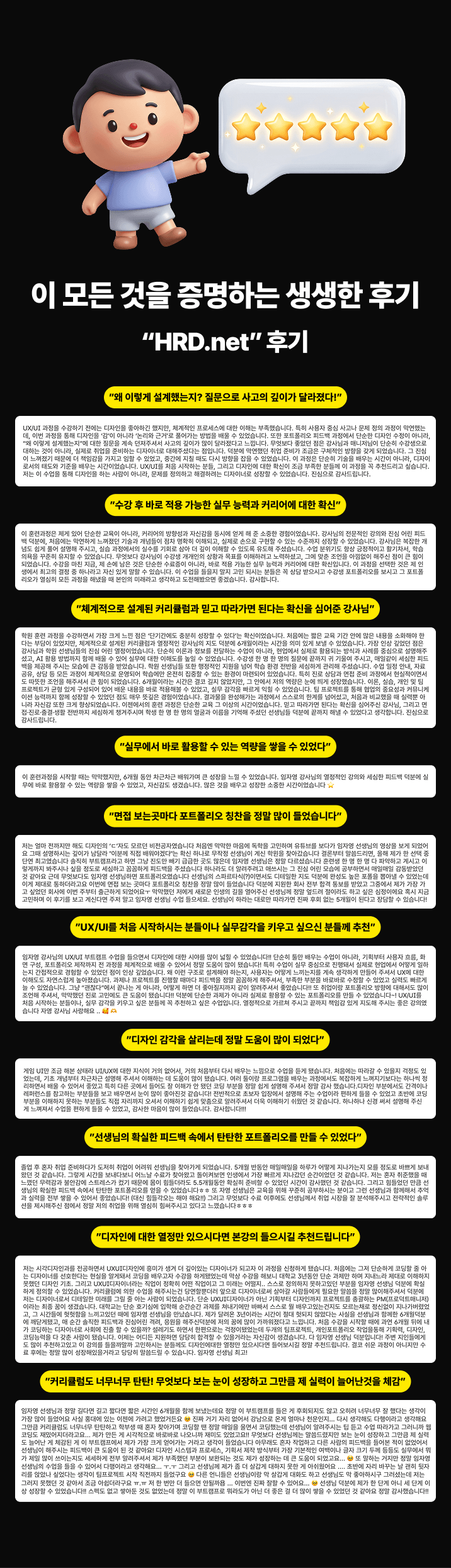
Reviews from Early Learners
5.0
blake choi
To be honest, every time a new AI is released lately, I’ve had this vague anxiety that my job might eventually disappear. I hated feeling so small in front of code, so I signed up for Teacher J-young's class. Usually, when you look up MCP, most resources just stop at explaining the tool's features. But this course felt like it was dealing with real-world practice, which I loved. The process of utilizing design tokens and passing them off in a way that Cursor could understand was fun in itself. Seeing my work being implemented on the web through back-and-forth interaction with the AI taught me exactly what "Vibe Coding" is all about. I was especially touched by the materials meticulously organized in Notion; even when I missed something in the video, I could resolve it by following along with the Notion docs. I will definitely take your next course when it opens. Thank you so much, Teacher!!
5.0
자니?
I really enjoyed the lecture. I think it's the best course from Vibe Coding. Connecting MCP and watching Cursor generate 90% of the code exactly as intended was a whole new world. Coding always felt daunting, but learning how to make edits using the developer tools was truly impressive. While making manual adjustments one by one was a bit tedious, after finishing the course, my confidence in modifying any structure has skyrocketed. Thank you for the great lecture. I think my practical work speed will double~ Thank you for always providing great lectures~
5.0
hylimhy65
As someone who can handle Figma and coding to some extent, this lecture was a huge help in leveling up my skills. It felt like it perfectly addressed and cleared up all the confusing and difficult parts I encountered while creating layouts. Above all, it was truly fascinating to see the design being implemented exactly as it was by connecting MPC. I have a feeling my work speed will become two or three times faster. Also, it was very impressive to see how easily I could modify AI-generated results using developer tools. Through this lecture, I’ve gained the confidence that I can complete responsive web pages really quickly. I am truly grateful to the instructor for creating such a great course.
Exactly as I designed it! Implemented using AI with pixel-perfect precision.
Figma Auto Layout: Complete Understanding and Implementation
Understanding and Implementing Responsive Web Design in Figma
Learn how to register and apply Figma Variables
Perfect understanding and implementation of HTML/CSS layout structures and responsive web design
Master how to use developer tools perfectly
Strategic Vibe Coding Prompts for Perfect Control Using AI
Learn how to modify the results of AI-generated coding as needed.
Understanding and Implementing GSAP ScrollTrigger Development Methods
Easily implement responsive web development using TailwindCSS
Understanding Concepts and Basic Structure Through React Refactoring
Experience with the entire web portfolio creation process, from design → vibe coding → Git version control → Vercel deployment
☑ Can you design, but lose confidence whenever you think about coding?
☑ Have you been disappointed by the results AI created arbitrarily after you entered just a few lines of prompts?
☑ Do you want to use AI to implement your designs without a single pixel of deviation?
☑ Do you want to properly understand the entire process, from design → frontend development → deployment?
☑ Do you dream of becoming a solo creator (solopreneur) who encompasses both design and development?
☑ Do you want to create trendy websites yourself using AI?
☑ From design planning
☑ development using AI,
☑ and even actual deployment
👌 We’ve packed all the essential know-how you can apply right away in the workplace into this course.
Design a structure that AI can understand accurately.
Auto Layout
Design a responsive box structure that adapts flexibly to any resolution
Systematize Variables
Organize colors, spacing, and values systematically so AI can immediately translate design intent into code.
Layer Naming Strategy
Efficient naming conventions that help AI quickly understand the code structure
Extracting Tokens.json
Token-based design that connects the design system to code
You will learn AI-leading techniques to translate your designs exactly into code—100% true to the original.
Cursor, Antigravity, Claude, Codex AI & MCP Server Integration
Prompt Engineering Strategies
Pixel-perfect implementation methods
Interactive UI Implementation Techniques
👌Learn how to use AI not as a simple automation tool, but as a development partner you work alongside.
Portfolio design in Figma
AI-assisted HTML/CSS implementation
Responsive refactoring with Tailwind
Building an Interactive Web Experience with React
Git & GitHub Version Control
Real-world service deployment through Vercel
👌Experience the entire process as a practical workflow.
Structured Layer Design Skills
System-Based Design Thinking
AI-Friendly Design Skills
Ability to analyze and modify AI-generated code
Prompt design skills
Precision implementation skills that preserve design intent
Understanding of HTML / CSS structure
Ability to implement responsive designs using Tailwind
Ability to understand and apply React structures
Version control using Git
GitHub repository management
Real-world experience deploying live services through Vercel
Complete a portfolio that anyone around the world can access

their designs exactly as they are
with Vibe Coding
designers who want to implement
Those who can design but
gave up creating websites because coding was difficult

Want to increase your work productivity fivefold with AI
With AI as your assistant,
from design to development and deployment,
you want to quickly
create and build websites

Those who can do everything from design to deployment
and want to become a full-stack expert
those who want to become
Those who want to create high-quality interactive portfolios with overwhelming productivity
and succeed in finding a job or changing jobs
☑ An 'unmatched competitive edge' spanning both design and development
You will grow from a "person who only knows design" into a "professional capable of both design and coding".
You will become the most coveted, top-priority talent in the job and career-change market.
☑ Master an 'AI workflow' that makes you work 5 times faster
Use AI like an assistant to implement complex features in a short time, allowing you to
focus on more valuable work such as planning and design.
☑ Own a high-quality ‘full-stack portfolio’
Not only will you have a living portfolio completed from Figma design through React development and actual web deployment, but you will also learn
how to apply the production methods.
☑ Turning the entire production process carried out in collaboration with AI into an asset
This is not just a single finished product. You will be able to capture the
entire workflow as a powerful portfolio story, from the initial idea through Figma design and AI-assisted coding to deployment.
[Figma] Registering and Applying Variables
Connecting Cursor AI to the Figma MCP Server
[Vibe Coding ] Desktop mode design
- Complete an HTML/CSS static page
- Implement animations using ScrollTrigger
- Connect the gnbMenu component
[Vibe Coding] Tablet Mode Design
[Notion Notes] Prompts AI Can Understand
Git version control and deployment to GitHub & Vercel
Creating a Mobile Web Experience with Claude + Anitigravity MCP Using Vibe Coding
Build a mobile website with Claude + Codex MCP using Vibe Coding
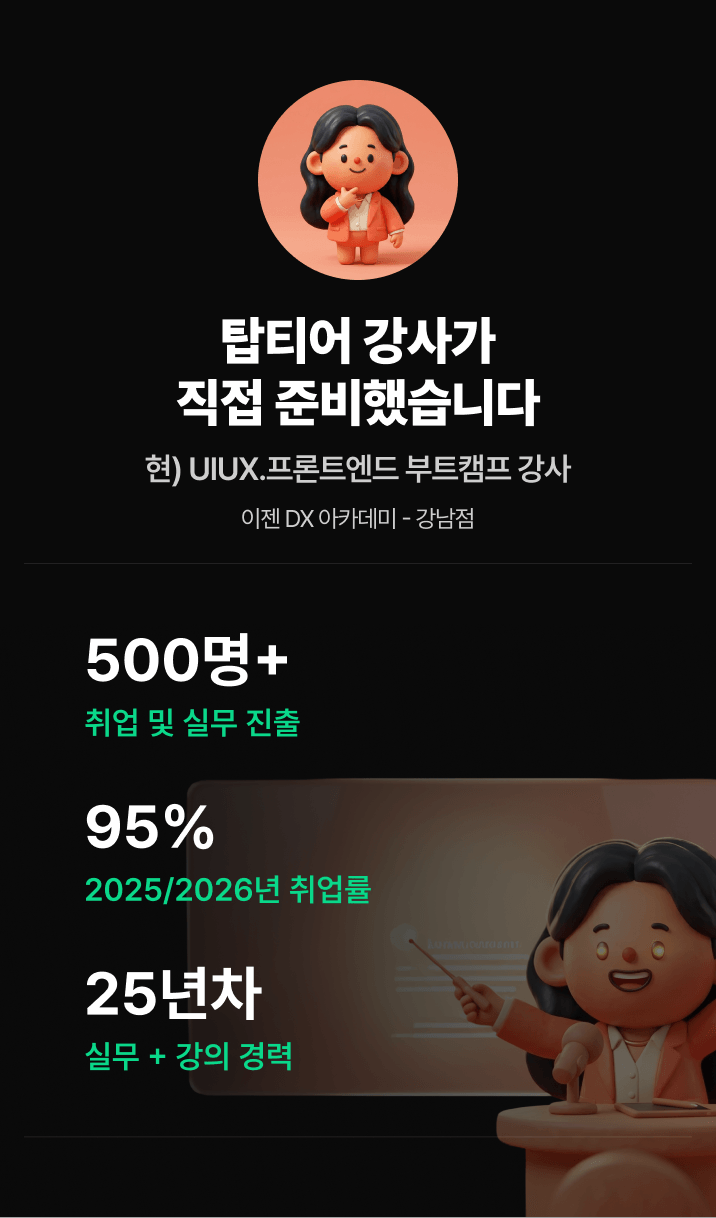
25-year instructor in industry and education
As UI/UX designers, product designers, and coding designers, over 500 people have found employment!
92% employment rate in 2025, 95% employment rate as of 2026
Over 10,000 online and offline students!
Operates the YouTube channel “Coding Designer Jalnanwebdi”
Current) UI/UX Planning, Design & Front-End Bootcamp Instructor (Ezen DX Academy - Gangnam Branch)
Currently) UI/UX planning + design & + coding => Portfolio creation group lessons
This course uses Figma, Cursor, and Antigravity.
The course content and source files are provided on Notion.
Figma Basics:
This course does not cover the basics of using Figma tools. If you are new to Figma, please check out
[Coding Designer Jalnan Webdi] on YouTube for [Figma & UIUX Design | Super-Fast Completion Course
If you take the Figma basics course on
and then take this course, I believe it will be very helpful for your learning.
HTML/CSS Basics :
This course does not cover basic HTML/CSS syntax in detail. If you are new to coding or lack the fundamentals, please watch my free course, HTML/CSS Fundamentals: Super-Speed Complete Course, first. Once you have learned the basic concepts, you will be able to pick up practical coding using AI much more easily and quickly
Who is this course right for?
Those who can design but have hit a wall with coding and are stuck on their portfolio
For those who have felt frustrated by results that weren’t what they wanted despite using AI
Those who want to achieve results 100% according to their intentions through AI prompts
Those aspiring to become full-stack experts who can handle everything from design to deployment on their own.
Become a developer with both design and coding skills—and a full-stack designer.
Those who want to increase their work productivity fivefold through AI
Those who urgently need a high-quality interactive portfolio for finding a job or changing jobs
Need to know before starting?
Free lessons that even complete beginners to Figma can take on.
Free lessons that even complete beginners in HTML/CSS can take on.


Inflearn Verified
Career Verified
11,081
Learners
472
Reviews
247
Answers
4.8
Rating
15
Courses
Hello.
I have over 20 years of practical experience in web and app service planning, design, and development,
and I am currently working as an instructor for UI/UX web planning, design, and front-end bootcamps.
Based on my practical experience, I have helped over 500 students find employment in the design and IT fields, and I am currently focusing on teaching practical skills and new portfolio creation methods suited for the AI era.
Instead of simply learning how to use tools, I help you build capabilities that can be applied immediately in the field by experiencing the same process as actual work, from planning to design, development, and deployment.
We focus on learning AI utilization skills, problem-solving abilities, and collaboration skills required in the rapidly changing job market.
We focus on creating projects and portfolios that can capture the interest of interviewers.
Now, you need the
capabilities of a Fullstack Creator who can plan, design, implement, and deploy.
You will gain basic proficiency in design tools and create actual services using Claude, Codex, and Figma,
experiencing how to produce results alongside AI.
- If you are feeling lost on where to start,
- If you want to increase the competitiveness of your portfolio,
- If you want to grow faster by utilizing AI, I will be your reliable guide.
I will be with you until the moment your results are complete.
Professional Experience
2017~Present | Digital Product Director & UX Consultant
2015~2017 | Executive Director, EliEsel Inc.
2003~2015 | Executive Director, Amusingware Inc.
2003 | Head of Design, Seowoo C&D
Lecturing Experience
Employment Portfolio Creation and Project Mentoring
Corporate lectures and practical competency enhancement training
Practical lectures for universities, corporations, and educational institutions
Design · Development Portfolio Consulting and Group Mentoring
Team coaching and portfolio guidance based on practical projects
Practical training for corporate employees and job seekers
AI-based UI/UX · Frontend Practical Education and Consulting
- Current) Full-time Instructor for UIUX Planning · Design · Frontend Bootcamp (EZEN DX Academy - Gangnam Branch)
- Specialized Lectures on Design/Development Portfolios and Team Group Lectures
* YouTube Channel in Operation (Coding Designer)
Open Chatroom Operation
For smoother learning, if you join the Jalnan Web-D open chat room operated by J.young,
I will provide answers to lecture questions and feedback on your portfolio.
- Open Chat Room Name: Jalnan Web-D
- Code: jyoung
All
77 lectures ∙ (9hr 14min)
All
26 reviews
4.8
26 reviews

Reviews 9
∙
Average Rating 5.0
5
I really enjoyed the lecture. I think it's the best course from Vibe Coding. Connecting MCP and watching Cursor generate 90% of the code exactly as intended was a whole new world. Coding always felt daunting, but learning how to make edits using the developer tools was truly impressive. While making manual adjustments one by one was a bit tedious, after finishing the course, my confidence in modifying any structure has skyrocketed. Thank you for the great lecture. I think my practical work speed will double~ Thank you for always providing great lectures~
Thank you so much for your heartfelt review, janey23. I am truly glad to hear that your refactoring skills have improved through this course. Thank you once again ^^ J. Young Dream

Reviews 8
∙
Average Rating 5.0
5
I've taken a few MCP courses, and this one definitely felt different from the others. It wasn't just a simple explanation of features; it systematically showed how to connect Figma MCP and AI within an actual workflow, even demonstrating the refactoring process, which I found very satisfying. Personally, I felt this was the best among all the MCP classes I've taken. In particular, the explanation of how to use Figma Variables was very well organized, and the overall flow of boosting work speed through "Vibe Coding" was excellent. There were so many points where I thought, "I can use this right away," making it a course that actually leaves you with practical skills rather than just listening and forgetting. As expected, Instructor J.Young's lectures are always worth trusting. I highly recommend this to anyone preparing their portfolio.
Eun-seunim, Thank you so much for your warm course review~~ Since it was Vibe Coding, I had some difficulties during filming, but those feelings just melted away in an instant. Thank you truly, and I'll be rooting for you to study hard so that this helps you create a great portfolio and becomes a big help in your practical work^^ Thank you^^
Reviews 1
∙
Average Rating 5.0
5
To be honest, every time a new AI is released lately, I’ve had this vague anxiety that my job might eventually disappear. I hated feeling so small in front of code, so I signed up for Teacher J-young's class. Usually, when you look up MCP, most resources just stop at explaining the tool's features. But this course felt like it was dealing with real-world practice, which I loved. The process of utilizing design tokens and passing them off in a way that Cursor could understand was fun in itself. Seeing my work being implemented on the web through back-and-forth interaction with the AI taught me exactly what "Vibe Coding" is all about. I was especially touched by the materials meticulously organized in Notion; even when I missed something in the video, I could resolve it by following along with the Notion docs. I will definitely take your next course when it opens. Thank you so much, Teacher!!
Thank you, Blake Choi, for the touching course review. I am even more grateful that you felt it was like dealing with real-world practice. I will work even harder to bring you better lectures in the future. Best regards, J.young
Reviews 8
∙
Average Rating 5.0
5
I’m already an 8th-year product designer. I hated seeing myself feeling anxious about losing my job to AI, so I signed up for this course! I felt that by building my own portfolio, I could get a real sense of how to utilize AI in actual practice. The process of designing variables in Figma, organizing design tokens, and passing them to Cursor via MCP was a total game-changer! I used to think a designer's role ended after the hand-off to development, but now that I can analyze code, remove unnecessary structures, and even oversee the React refactoring process, I’m able to take on a much broader role in the workplace. After taking your course, I realized that AI isn't a scary tool, but a powerful partner when given precise instructions. Thank you!
Thank you so much for such an evaluation, especially coming from a product designer with 8 years of experience. You're right... At first, I also feared that I might lose my job if AI took over everything. However, after consistently working with AI, I've realized that the ultimate winner is the one who can master it. I will continue to research and post ways to improve AI utilization skills. Thank you! ^^
Reviews 2
∙
Average Rating 5.0
5
As someone who can handle Figma and coding to some extent, this lecture was a huge help in leveling up my skills. It felt like it perfectly addressed and cleared up all the confusing and difficult parts I encountered while creating layouts. Above all, it was truly fascinating to see the design being implemented exactly as it was by connecting MPC. I have a feeling my work speed will become two or three times faster. Also, it was very impressive to see how easily I could modify AI-generated results using developer tools. Through this lecture, I’ve gained the confidence that I can complete responsive web pages really quickly. I am truly grateful to the instructor for creating such a great course.
hylimhy65, You've already completed the course. I'm so grateful to hear that it felt like it scratched that itch regarding the difficult parts. Vibe coding by connecting MCP is truly a remarkable advancement in AI. I hope this helps you significantly increase your work productivity. I will look forward to seeing you again with even better lectures. Thank you. Best regards, J.young
Check out other courses by the instructor!
Explore other courses in the same field!

![[Integrated] Vibe Coding for Beginners + Practical Web Build CompletionCourse Thumbnail](https://cdn.inflearn.com/public/files/courses/342990/cover/01kwkcejhccgf82zdekg0w61sb?w=420)
![[Lv.5] SwiftUI with AI - Building AI Apps with Apple IntelligenceCourse Thumbnail](https://cdn.inflearn.com/public/files/courses/341905/cover/01krprhwat5ngfskp43xy1nsj3?w=420)



![[Integrated] Vibe Coding for Beginners + Complete Practical App DevelopmentCourse Thumbnail](https://cdn.inflearn.com/public/files/courses/342986/cover/01kwkcfpxw9bwfvp6018ap5w1n?w=420)