


강의

멘토링

로드맵

Developing an Online Store Solo with AI Vibe Coding (Design Edition) Part 3: Subpages and Admin Mode 1

This is a process of designing and implementing subpages and an admin mode for an online shopping mall using Cursor AI. It covers designing key screens such as product detail pages, shopping carts, and order payment pages by asking the AI questions, as well as methods for making efficient edits using modes like Quick Edit. You can experience a practical workflow for completing an online shopping mall’s UI through AI vibe coding alone, without any coding knowledge.

1 learners are taking this course

Level Beginner

Course period 12 months

Vibe Coding
Vibe Coding
game-ai
game-ai
ui
ui
Cursor AI
Cursor AI
Vibe Coding
Vibe Coding
game-ai
game-ai
ui
ui
Cursor AI
Cursor AI
Thumbnail

What you will gain after the course

  • You can use Cursor AI to design and implement the UI of a shopping mall subpage.

  • You can efficiently perform AI-powered design revisions using features such as Quick Edit mode.

  • Can independently complete the design flow for key shopping mall screens, such as the shopping cart, order payment, and product options.

AI Vibe 코딩으로 혼자 쇼핑몰 개발하기 (디자인편) Part.3

Ask AI without coding, and your online store is built in a snap.

Product detail pages · Shopping cart · Order payment · Admin mode — A hands-on course for designing and implementing the core subpage UIs of an online store directly with Cursor AI

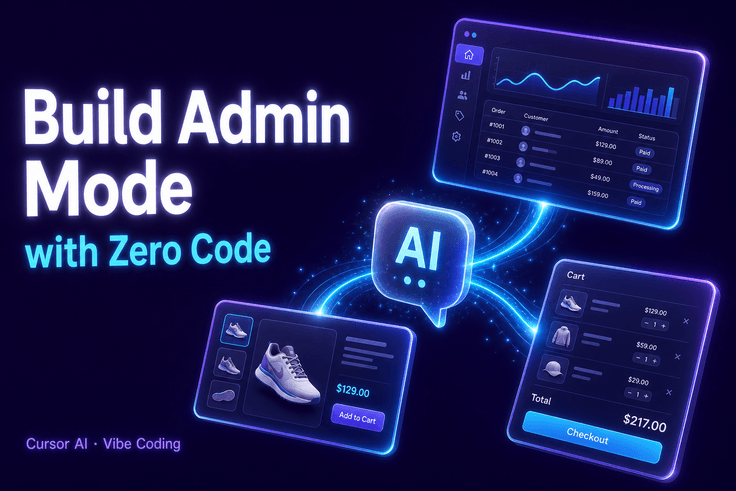
AI Vibe 코딩으로 혼자 쇼핑몰 개발하기 (디자인편) Part.3 강의 대표 이미지

You can complete the core UI screens of an online store yourself simply by asking the AI questions and giving it instructions for revisions.

TOOL

Tools covered

You will create screens hands-on using the essential tools for AI vibe coding.

Cu

Cursor AI

Based on the Free Plan

OUTPUT

We’ll make something like this.

After completing the course, you’ll be able to create the following results yourself.

🛍️

Shopping mall product detail page

A product detail page with product information and an option selection UI

3~6강
🛒

Shopping Cart Page

A shopping cart screen for reviewing selected products and adjusting quantities

3~4강
💳

Order Payment and Confirmation Page

The flow from entering payment information to final order confirmation

7~9강

Quick Edit Revision Flow

An AI-based UI improvement workflow for quickly iterating on partial edits

5강
CURRICULUM

You’ll learn the following things.

Through this course, you will build the following skills in sequence.

1~2강

Build a Foundation Before Starting AI Coding

Through the DEMO preview and basic knowledge, you'll get a feel for how to ask AI questions.

3~6강

Product Detail Page · Shopping Cart · Option UI Design

Design the product details, shopping cart, and option selection screens step by step through conversations with AI.

7~9강

Complete the order payment flow

Refine the payment page with a polished design and implement the entire flow through to the final order confirmation screen.

10강

Expanding UI Modification Skills

Learn two methods for refining detailed UI elements, such as modifying scroll tab buttons, to develop your ability to make independent adjustments.

NOTICE

Notes Before Taking the Course

  • This course is Part 3, so the learning process will flow more naturally if you take it after completing Parts 1 and 2.
  • The course is structured around asking AI questions and proceeding without any coding knowledge.
  • Since the UI reflects the state at the time of recording, some screens may differ depending on Cursor AI updates.
  • Support for answering individual questions that arise during the course is not provided.

Recommended for
these people

Who is this course right for?

  • Planners and marketers who want to create their own shopping mall UI without coding, using AI tools

  • A junior developer who wants to learn a practical design and publishing workflow using Cursor AI

  • People who want to build a side project or personal online store using AI-powered development tools

Need to know before starting?

  • Experience using AI chatbots or copilot tools in a web browser

  • Basic understanding of the typical layout of shopping mall websites (product detail pages, shopping carts, checkout, etc.)

  • Basic concepts of web front-end development, including HTML/CSS

Hello
This is usefulit

8,280,078

Learners

6,601

Reviews

4.6

Rating

336

Courses

I will help you grow through useful IT lectures.

Reviews

Not enough reviews.
Please write a valuable review that helps everyone!

Free

usefulit's other courses

Check out other courses by the instructor!

Similar courses

Explore other courses in the same field!