inflearn logo

AutoCAD 2025 Easy for Beginners to Learn

This is an introductory course for those who need to learn AutoCAD but are short on time and worried that it might be difficult. Subtitles are also provided, so enjoy the course!

(5.0) 11 reviews

88 learners

Level Beginner

Course period 6 months

CAD
CAD
AutoCAD
AutoCAD
CAD
CAD
AutoCAD
AutoCAD

Reviews from Early Learners

5.0

5.0

scw3315

100% enrolled

Okay.

5.0

bity2

30% enrolled

Explains things in an easy-to-understand way.

What you will gain after the course

  • Understanding AutoCAD

  • AutoCAD commands

  • Basic design

  • AutoCAD Plot

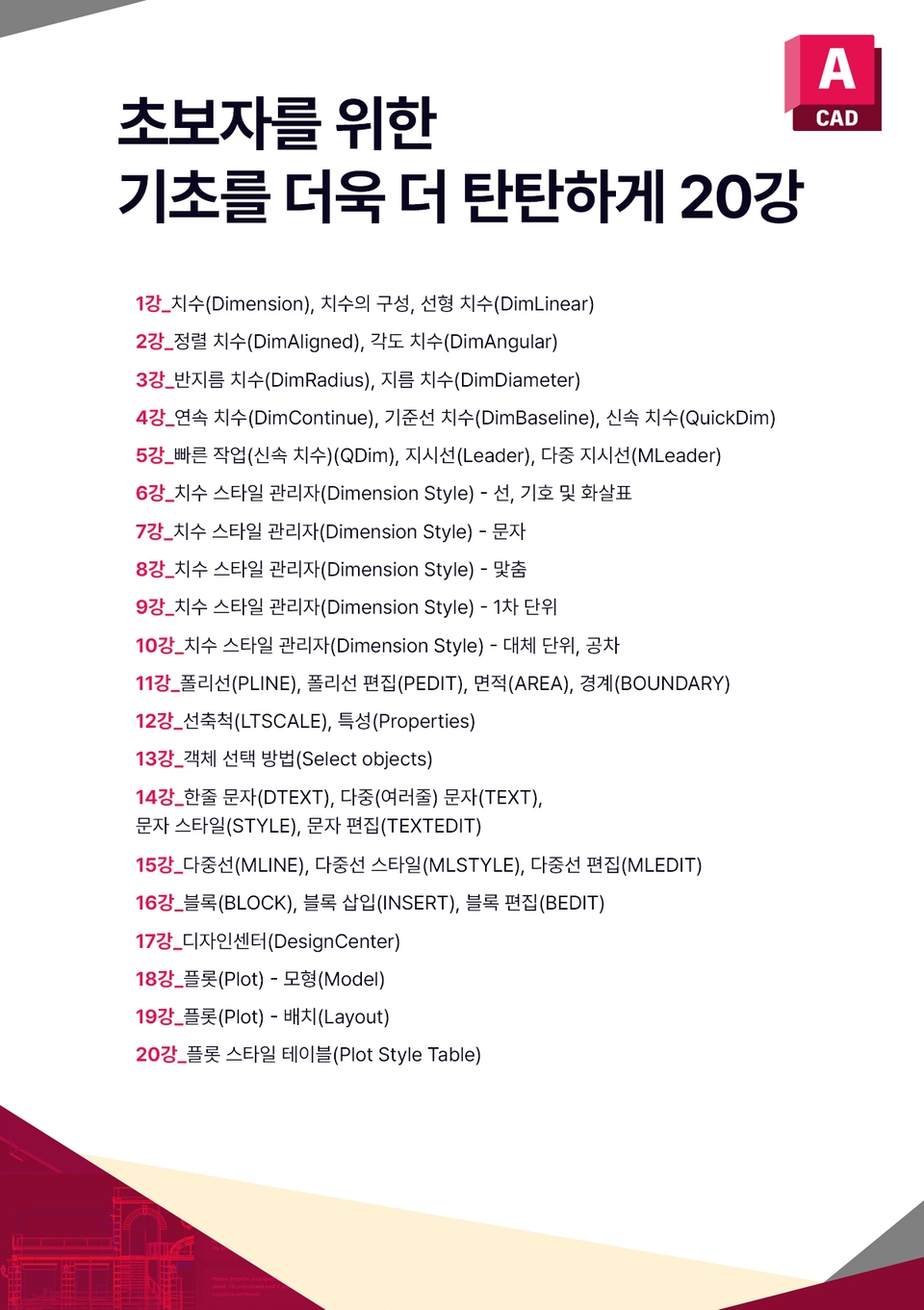
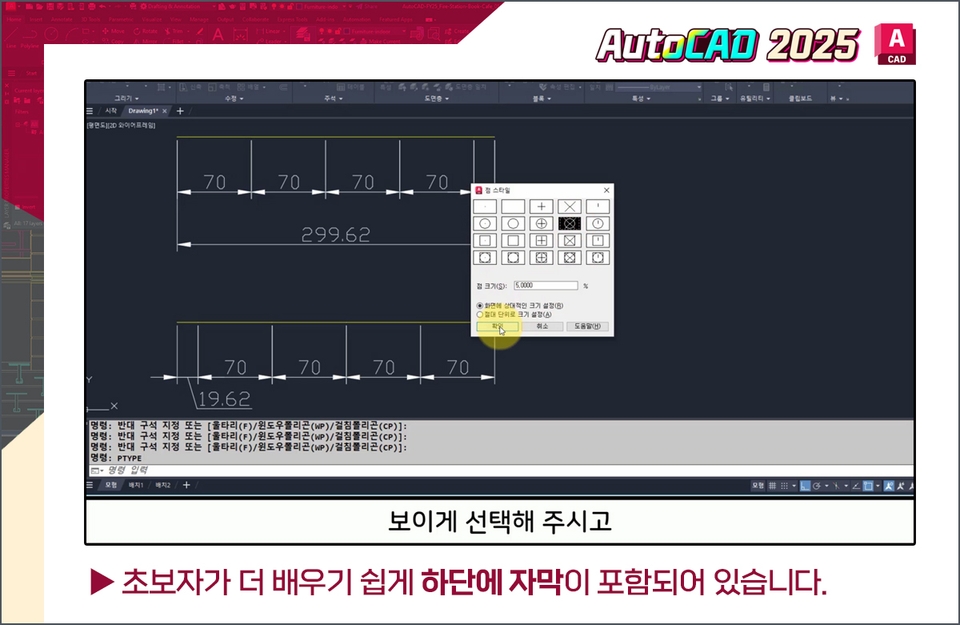
  • Dimension Style Manager

  • Various AutoCAD dimensions

Discover the latest 2025 course on the world-standard CAD software, 
AutoCAD (AutoCAD)!


The ultimate architectural/mechanical design program!
AutoCAD program

AutoCAD is used by architects, engineers, and construction professionals to create precise 2D and 3D drawings
. It is a world-standard CAD (Computer-Aided Design) software.

The AutoCAD program is one of the CAD programs, but as the program with the largest number of users,
it can be used by anyone and is easy to learn, making it highly accessible to users.

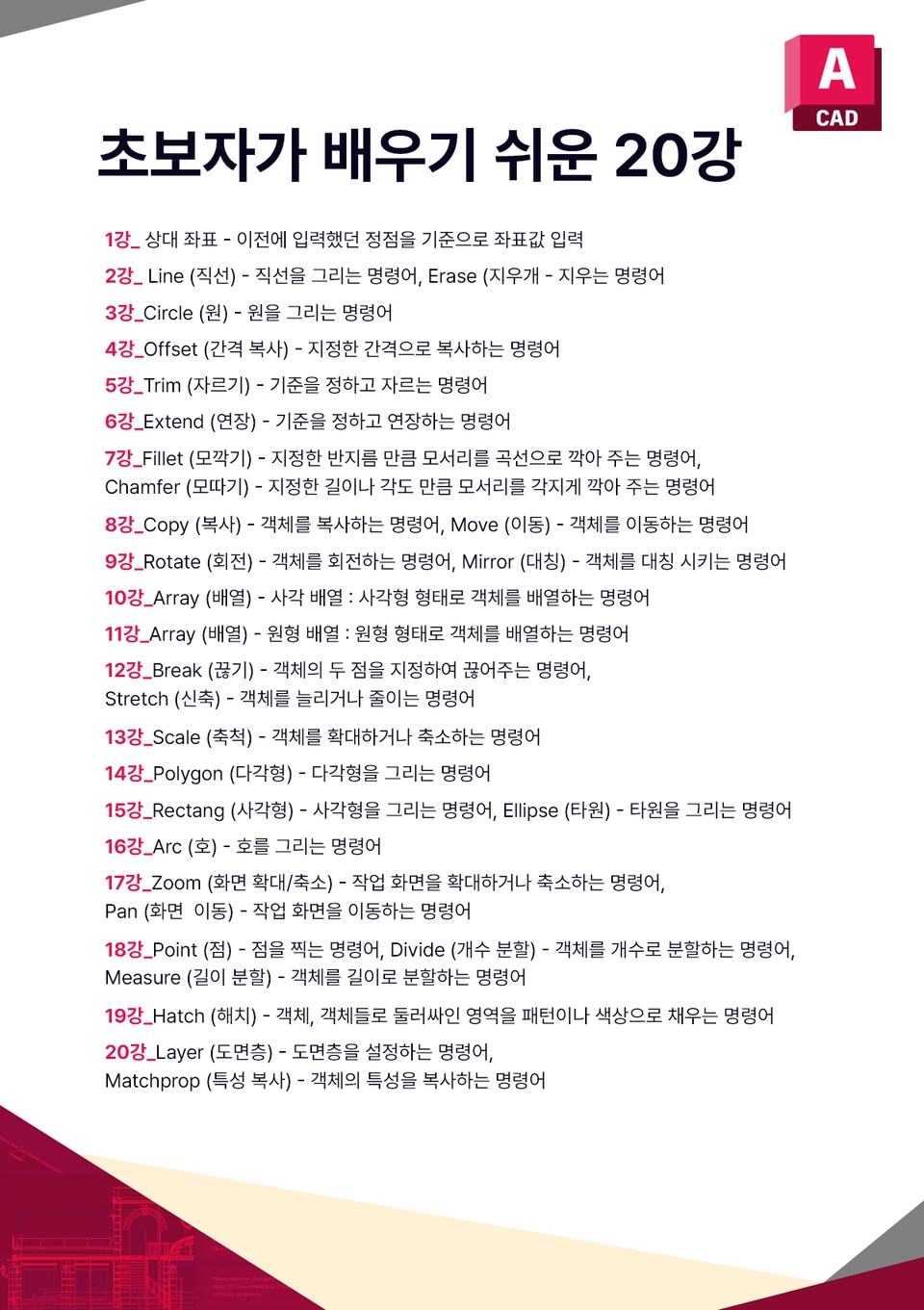
A 40-lesson AutoCAD course that solidifies the fundamentals for beginners

The basics of AutoCAD are about learning its commands.

Learn the basics of AutoCAD 2025 through essential commands!!

  • This course introduces the CAD (Computer-Aided Design) tool for creating 2D/3D architectural and construction drawings, explores the basic concepts of
    AutoCAD 2025, and helps you get started with AutoCAD through its core commands.


  • Learn practical, command-focused features easily and quickly!

  • It does not include the new features of AutoCAD 2025. They are covered in the intermediate and practical courses.

Shortcut keys

  • Line (straight line) - Shortcut: L

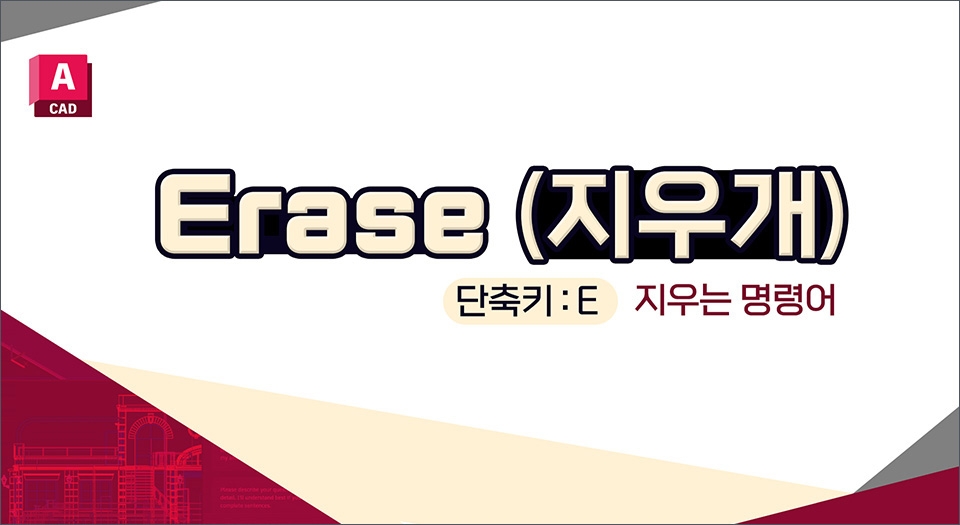
  • Erase (Eraser) - Shortcut: E

  • Circle (circle) - Shortcut: C

  • Offset (Offset Copy) - Shortcut: O

  • Trim (자르기) - Shortcut: TR

  • Extend (extension) - shortcut: EX

  • Fillet (모깎기) - 단축키 : F

  • Chamfer (모따기) - Shortcut: CHA

  • Copy (복사) - shortcut: CO, CP

  • Move (이동) - Shortcut: M

  • Rotate (rotation) - shortcut: RO

  • Mirror (Symmetry) - Shortcut: MI

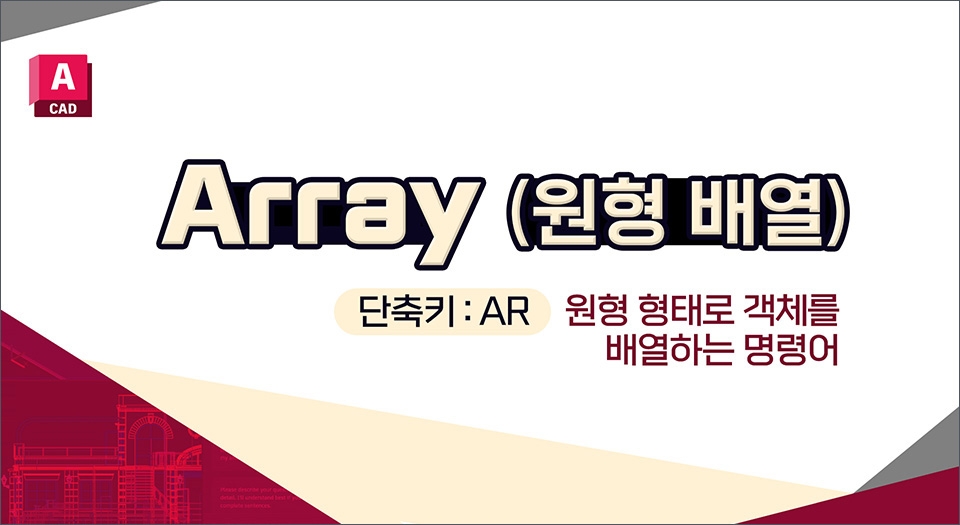
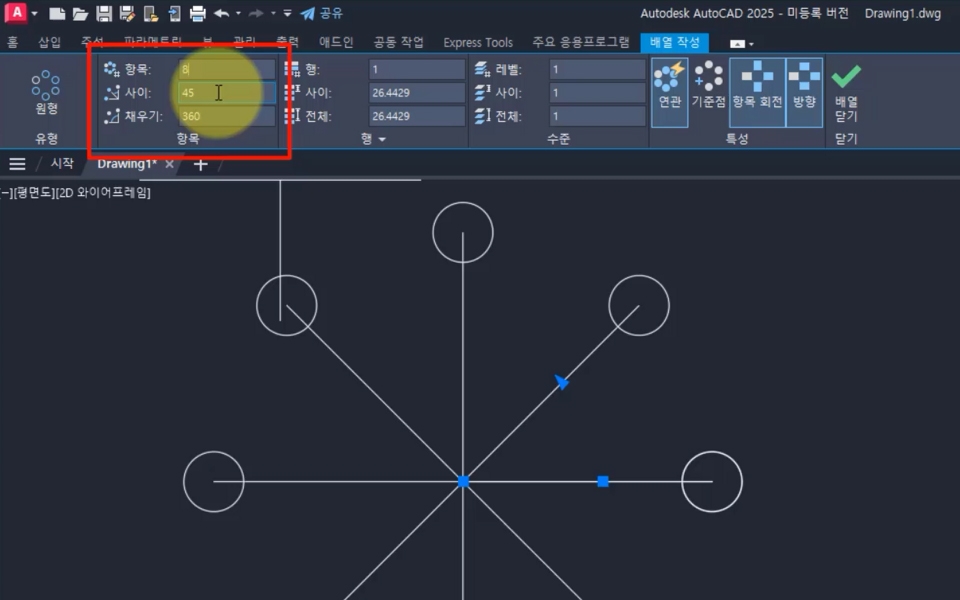
  • Array (array) - Shortcut: AR

  • Break - Shortcut: BR

  • Stretch (신축) - 단축키: S

  • Scale (Scale) - Shortcut: SC

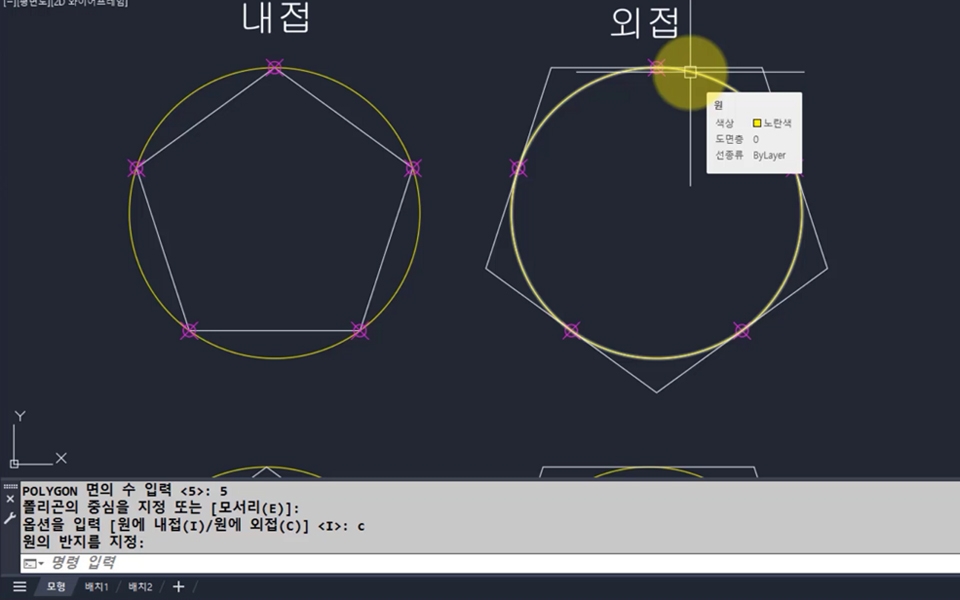
  • Polygon (다각형) - 단축키 : POL

  • Rectang (rectangle) - shortcut: REC

  • Ellipse (ellipse) - shortcut: EL

  • Arc (Arc) - Shortcut: A

  • Zoom (화면 확대/축소) - 단축키 : Z

  • Pan (panning) - shortcut: P

  • Point (point) - Shortcut: PO

  • Divide (number division) - shortcut: DIV

  • Measure (길이 분할) - 단축키 : ME

  • Hatch (hatch pattern) - Shortcut: H

  • Layer (Layer) - Shortcut: LA

The command for drawing a circle is Circle

The command for drawing a circle is Circle

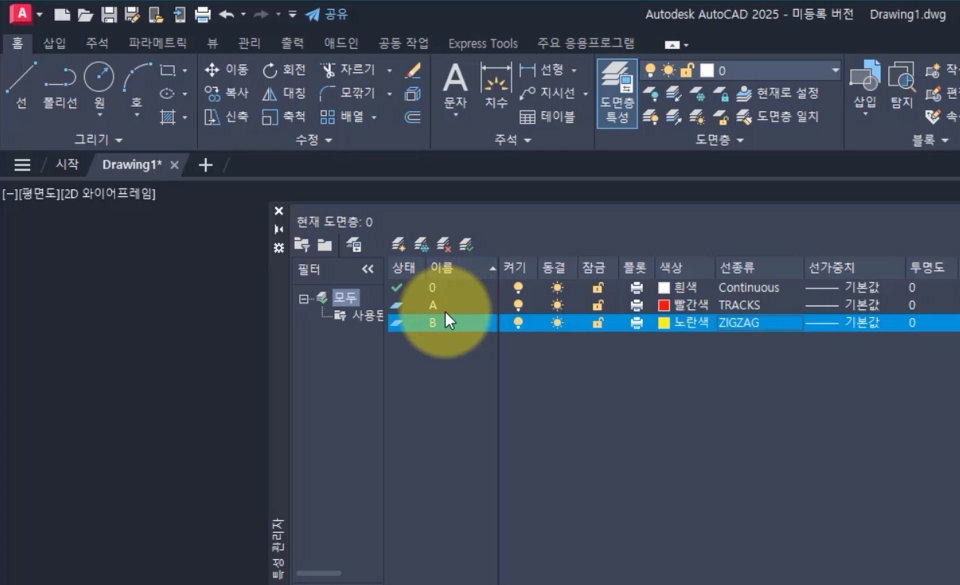
The command for setting the layer is Layer.

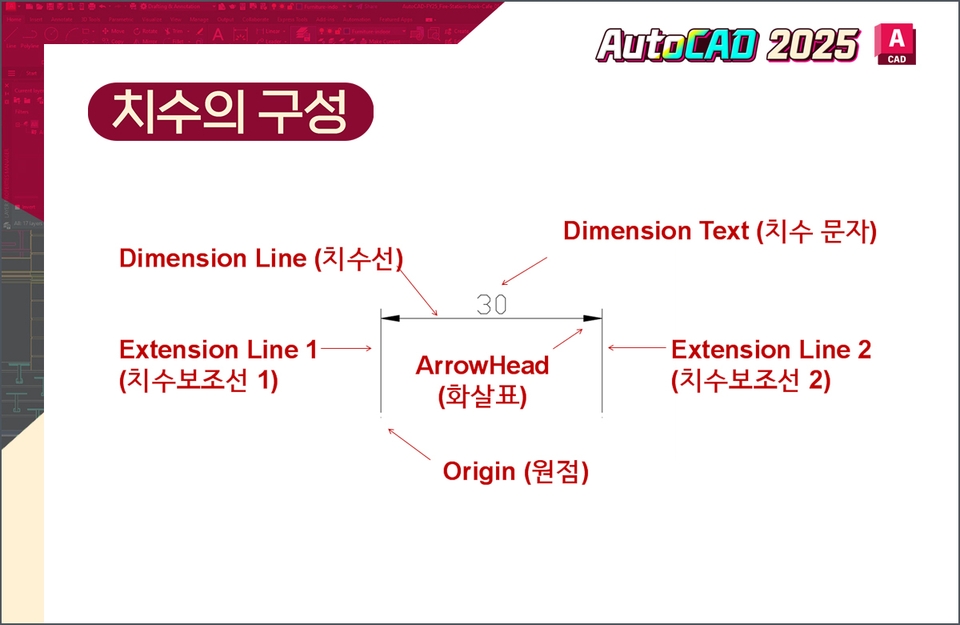
Components of AutoCAD Dimensions

Important Information Before Enrolling

Practice Environment

  • Operating system and version (OS): 64-bit Microsoft Windows 11 and Windows 10 version 1809 or later

  • Processor (basic): 2.5–2.9GHz processor with 8 logical cores (baseline).
    ARM processors are not supported.

  • Processor (recommended): 3GHz or higher processor (base), 4GHz or higher (turbo)

  • Memory: 8GB (minimum), 32GB (recommended)

  • For detailed system requirements (including the Mac environment), please refer to Autodesk AutoCAD 2025.

Learning Materials

  • This course is a beginner-level course for those new to the subject, so no separate source files (CAD files) are required.


    Just watch the video and follow along.

  • The course materials are included in Lesson 1.

Recommended for
these people

Who is this course right for?

  • AutoCAD beginner

  • Those who need to read AutoCAD drawings

Need to know before starting?

  • Beginners welcome

Hello
This is comt

Career Verified

1,960

Learners

173

Reviews

4

Answers

4.8

Rating

40

Courses

Back when Apple's MAC computers made it possible to design even better.

It's already been well over 25 years since I first started teaching Adobe Photoshop and Illustrator at the academy~~^^

I remember the days when, instead of calling the instructors Teacher Eom, Teacher Ha, and Teacher Gu, we used to call them Eom-T and Gu-T.

Together with those teachers, we started using ComTee as an abbreviation for Computer Teacher!

I will continue to be a "Computer Teacher" who works hard to share knowledge for all those who are learning.

Thank you!!

Thank you!!

Together with everyone, we've come to use "Com-T" as a shorthand for Computer Teacher! We will continue to be a Computer Teacher that works hard to share knowledge for all learners. Thank you!!

Together with everyone, we've come to use "Com-T" as a shorthand for Computer Teacher! We will continue to be a Computer Teacher that works hard to share knowledge for all learners. Thank you!!
More

Curriculum

All

40 lectures ∙ (10hr 13min)

Course Materials:

Lecture resources
Published: 
Last updated: 

Reviews

All

11 reviews

5.0

11 reviews

  • scw33151191님의 프로필 이미지
    scw33151191

    Reviews 2

    ∙

    Average Rating 5.0

    5

    100% enrolled

    Okay.

    • bity25813님의 프로필 이미지
      bity25813

      Reviews 1

      ∙

      Average Rating 5.0

      5

      30% enrolled

      Explains things in an easy-to-understand way.

      • hyunju08848192님의 프로필 이미지
        hyunju08848192

        Reviews 1

        ∙

        Average Rating 5.0

        5

        30% enrolled

        • kes319497122님의 프로필 이미지
          kes319497122

          Reviews 1

          ∙

          Average Rating 5.0

          5

          100% enrolled

          • rkqls1561234님의 프로필 이미지
            rkqls1561234

            Reviews 1

            ∙

            Average Rating 5.0

            5

            30% enrolled

            comt's other courses

            Check out other courses by the instructor!

            25% off for new members

            $46.00

            25%

            $66.00