강의

챌린지

멘토링

로드맵

커뮤니티

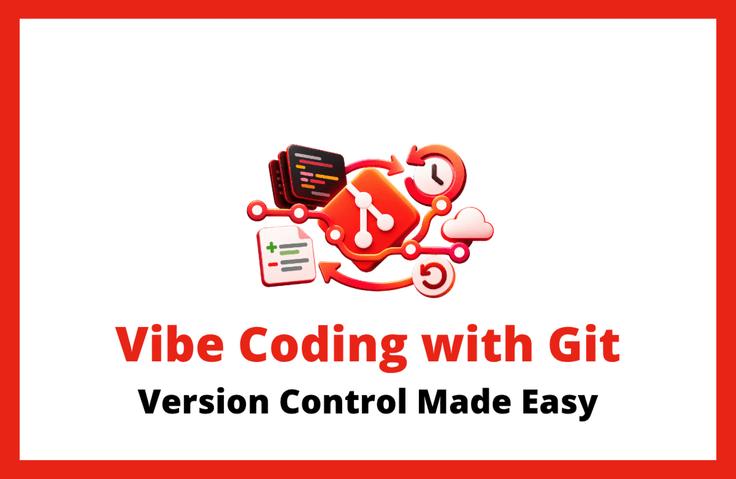
Vibe Coding: Entrusting It to AI with Peace of Mind — Git Version Control That Lets You Undo a Mess in One Sentence

The more you modify, the more anxious vibe coding can become. Now create save points you can return to anytime. You don’t need to know Git commands. Just tell the AI what to do, and it will handle saving, backups, and restoration.

1 learners are taking this course

Level Beginner

Course period Unlimited

AI
AI
Git
Git
Vibe Coding
Vibe Coding
VSCode
VSCode
codex
codex
AI
AI
Git
Git
Vibe Coding
Vibe Coding
VSCode
VSCode
codex
codex

What you will gain after the course

  • “Concept Maps & Practice Environments” That Break Through the Limits of Copies

  • “Prompt commit habit” of saving sentences instead of commands

  • “Remote Backup & Mistake Recovery” That Remains Even If Your Laptop Breaks Down

  • A “branch experimentation system” that tests while preserving the original

Recommended for
these people

Who is this course right for?

  • A vibe coder who wiped out the code — someone who rebuilt it from scratch because they didn’t know how far the changes they asked AI to make had spread.

  • Beginners who get stuck at the command line — those who know they need Git but give up every time they face terminal commands

  • A solo developer worn out by folders full of copies—someone who piles up “final” and “really final” files yet still can’t find the right one

  • A side-project maker afraid to experiment — someone who can’t add new features for fear of breaking code that currently works.

Need to know before starting?

  • This course is not a programming lecture where you memorize and enter Git commands. Instead, you’ll understand repositories, commits, and branches visually, while leaving execution to AI through natural-language prompts. Since we’ll go through the tool installation process together, even those new to version control can follow along.

  • This course is also available for free. VS Code, Git, and a GitHub account are all free, and the Codex extension is also available on ChatGPT’s free plan. However, the free plan has usage limits, so responses may be interrupted during hands-on practice. We recommend a Plus plan ($20/month or more).

  • What you learn in the course can be applied directly to your project. The hands-on exercises use a small landing page made up of three files, but the cycle of saving, recording, backing up, restoring, and experimenting applies the same way regardless of project size. You can transfer the situation-specific prompts used in the course to your own project and use them right away. However, when applying them to company code, you should first check your organization’s repository policies and security standards.

Hello
This is Masocampus

15,732

Learners

2,359

Reviews

171

Answers

4.7

Rating

125

Courses

"I will grow more than I did yesterday. And I will help those who strive to grow more than they did yesterday."


With Masocampus’s sincerity and aspirations in Actionable Content,, thông qua Nội dung có tính ứng dụng,

Since 2013, 100 million cumulative hours of courses delivered both online and offline together!

This invaluable experience and time are always the source of growth for both Masocampus and its students.


The Masocampus team always adheres to two principles for everyone’s growth.


1. Actionable Content you can definitely use after learning mà chắc chắn bạn có thể sử dụng sau khi học

2. Time-Saving Curriculum that respects participants’ time and effort tôn trọng thời gian và công sức của người tham gia


We hope you will join us on the path to growth with Maso Campus’s Actionable and Time-Saving Curriculum.

More

Curriculum

All

18 lectures ∙ (1hr 59min)

Course Materials:

Lecture resources
Published: 
Last updated: 

Reviews

Not enough reviews.
Please write a valuable review that helps everyone!

Masocampus's other courses

Check out other courses by the instructor!

Similar courses

Explore other courses in the same field!

Limited time deal

$27.50

28%

$38.50