inflearn logo

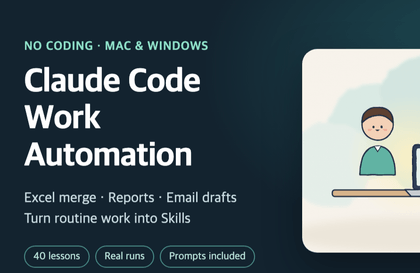
Claude Workflow Automation by Job Role, Even If You’re Not a Developer (Marketers, Merchandisers, Designers, PMs)

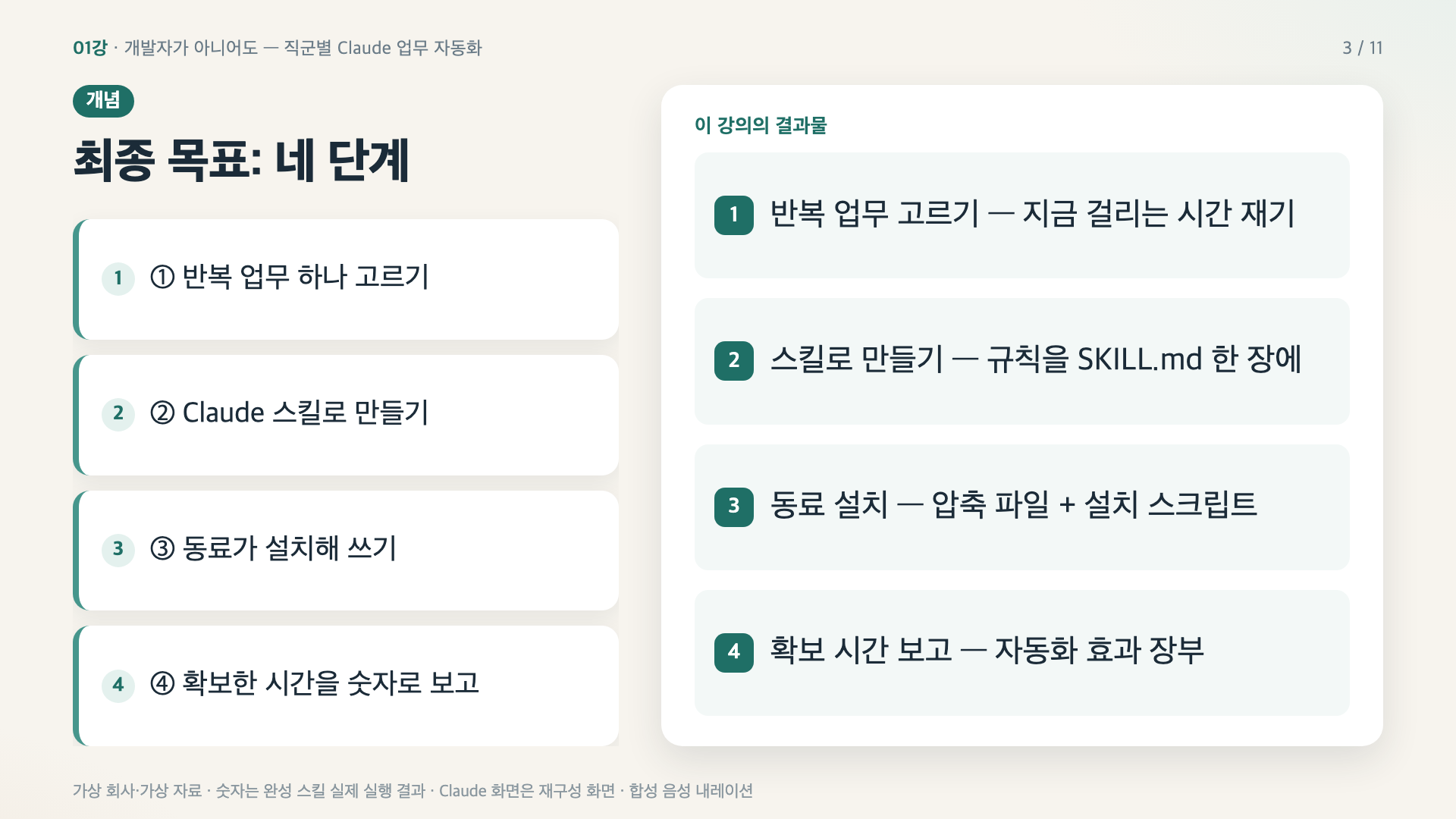
Final goal: Turn one of my repetitive tasks into a Claude skill → have a colleague install and use it → report the time saved in numbers. Without writing code, I’ll use materials from “Loop Market,” a fictional sports and outdoor marketplace, to run and review 12 role-specific skills myself, then complete one based on my own work for the capstone.

1 learners are taking this course

Level Beginner

Course period Unlimited

claude
claude
Business Productivity
Digital Marketing
Digital Marketing
prompt engineering
prompt engineering
claude
claude
Business Productivity
Digital Marketing
Digital Marketing
prompt engineering
prompt engineering

What you will gain after the course

  • Choose one of my recurring tasks, turn it into a Claude skill (SKILL.md), and make sure it passes tests with both correct and incorrect materials.

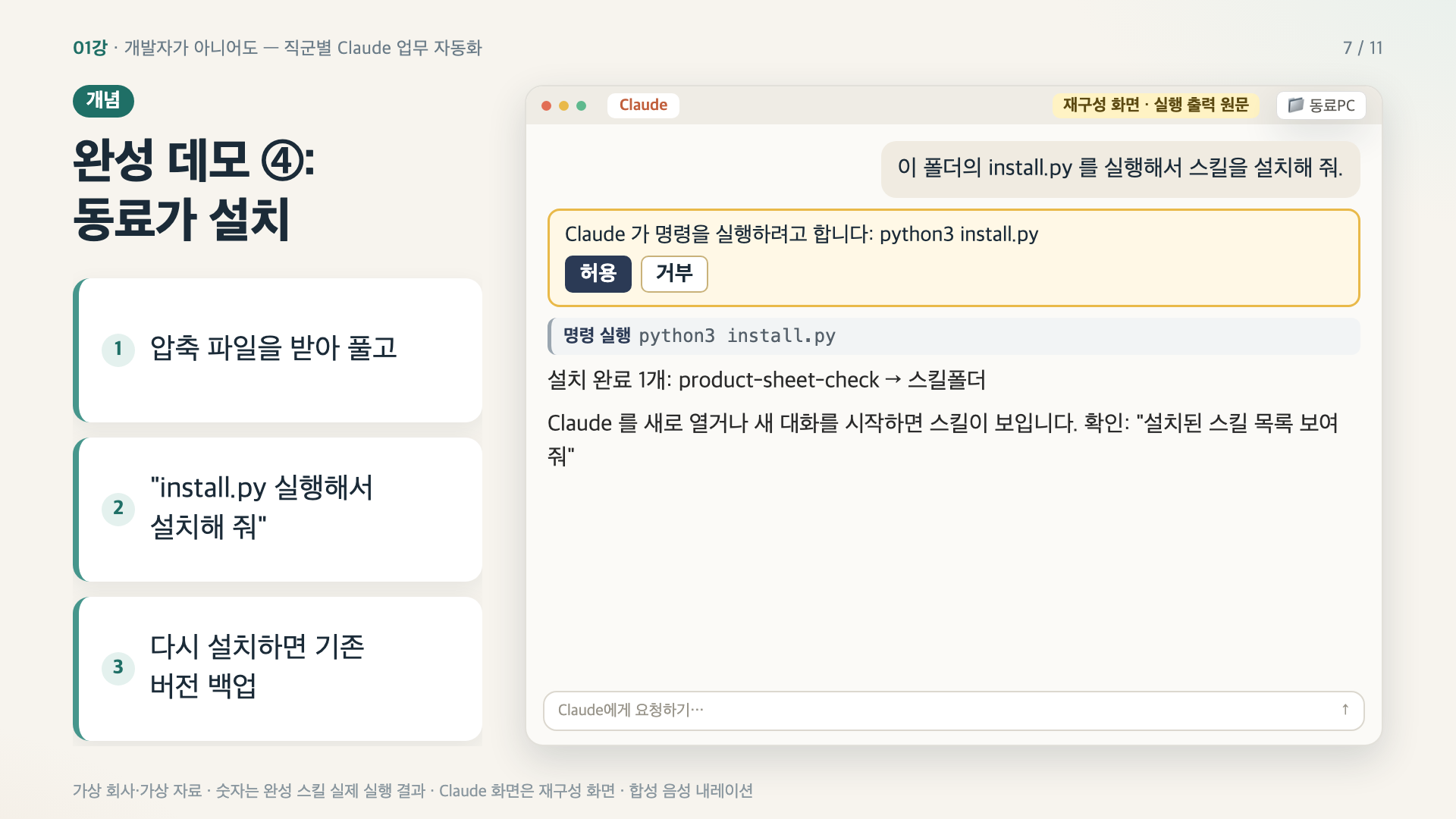
  • Package the skill as a compressed archive with an installation script so a colleague can install it just by saying, “Install it.”

  • Track the time saved through automation and the errors caught during review, and write a report without exaggeration.

  • Marketer: Assigns the review of coupon issuance requests, the notification schedule, the customer feedback digest, and the mission campaign wrap-up.

  • MD: Review the featured-products layout and product registration sheet; Designer: QA instruction sheet and key visual draft; PM: decision log, one-page brief, and automation ledger.

  • Use a single onboarding setup sheet to transfer the work environment, and build into the skill the safety rule that humans handle registration, sending, and payments.

Final goal: Turn one of my repetitive tasks into a Claude skill → have a colleague install and use it → report the time saved in numbers.

The outcome of this course is set from the start. In Lesson 1, I’ll show you the finished demo first.

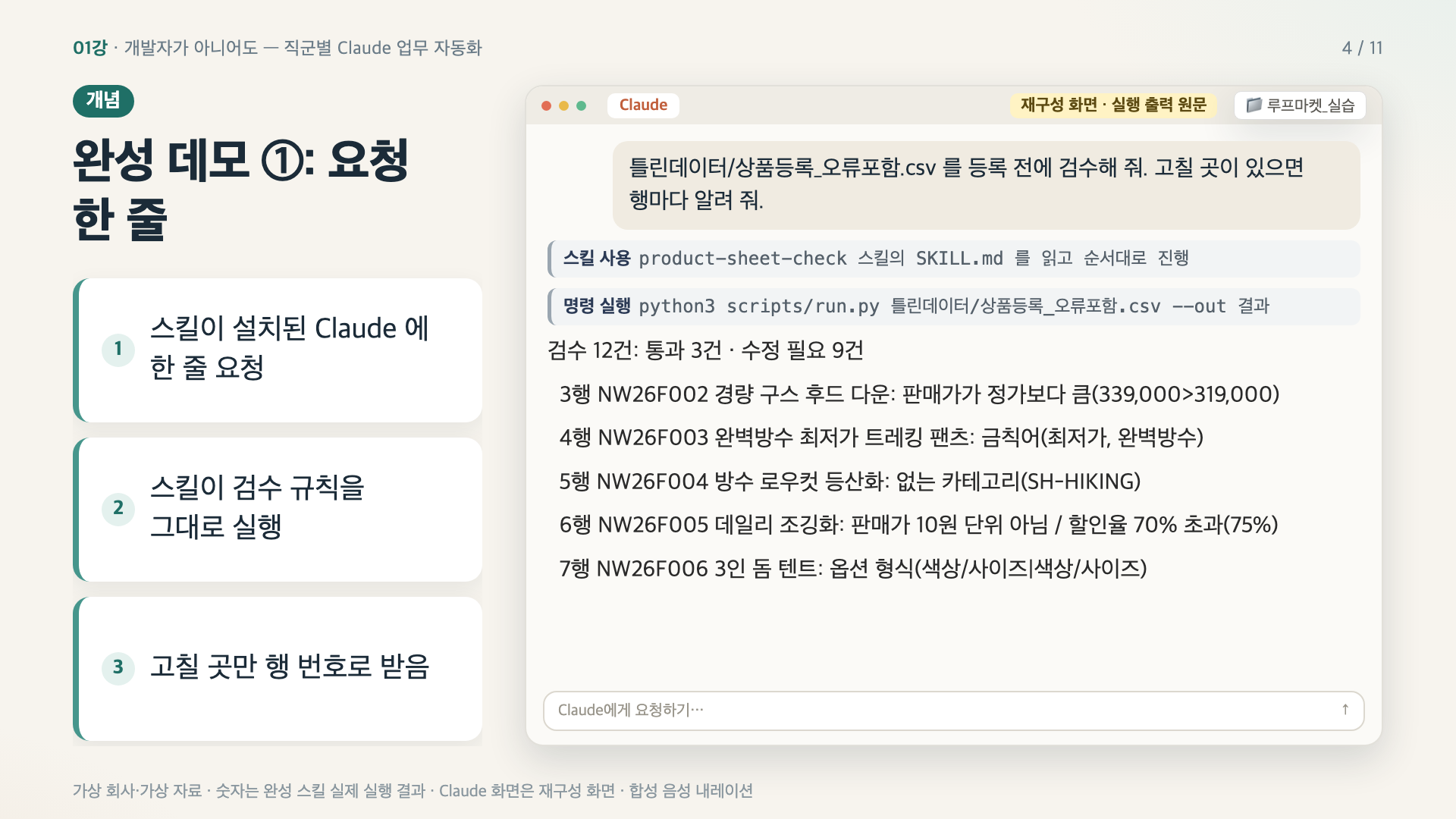
  1. “One line: ‘Review the product listing sheet’ → The skill checks it against the rules and lists 9 fixes by row number.”

  1. A colleague only has to unzip the archive and say, “Run install.py and install it,” and the installation is complete.

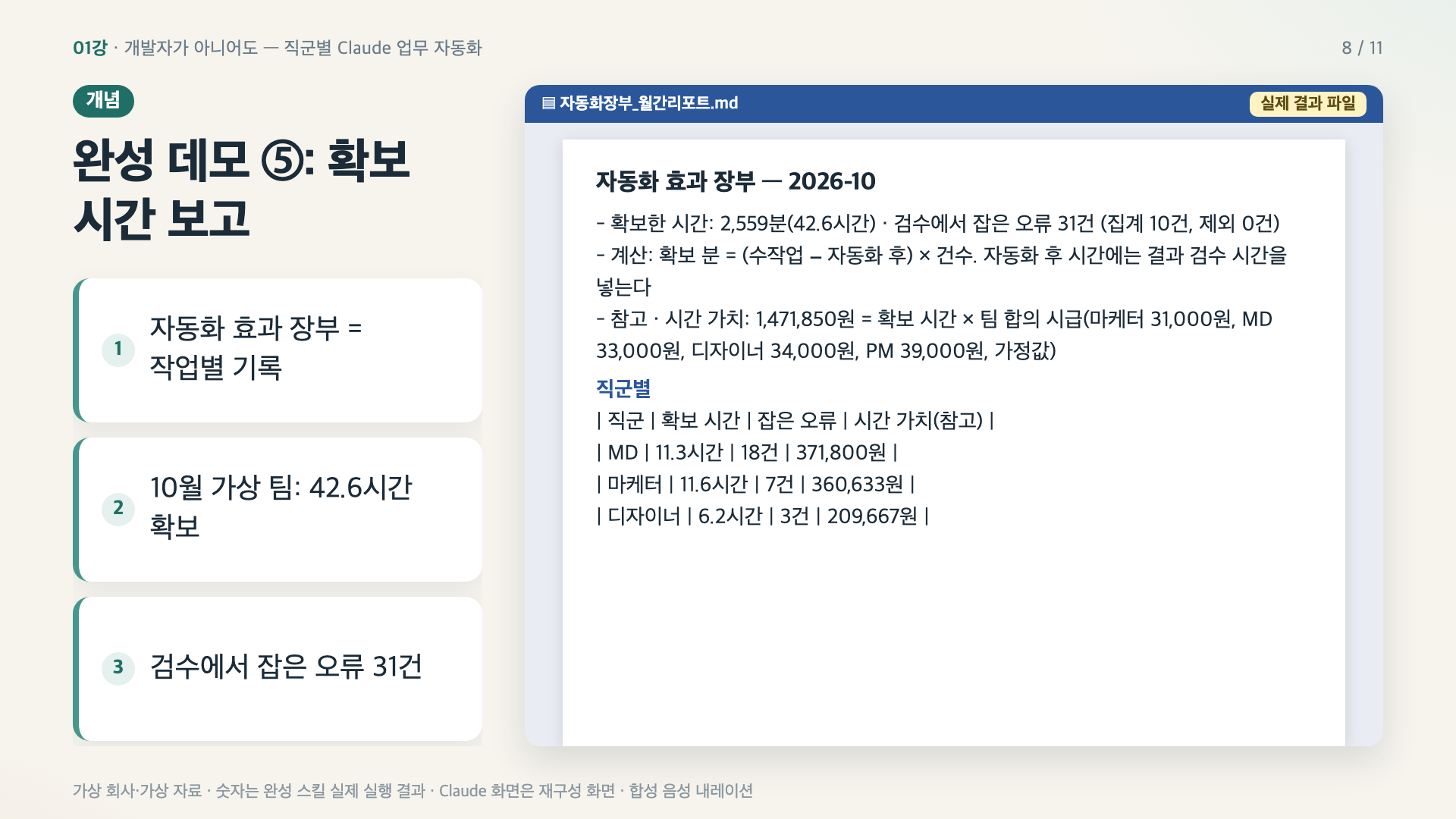
  1. In the final capstone, you’ll bring these three scenarios to life in your own work. This is for people who don’t know how to code but want to use Claude to cut down on repetitive spreadsheet checks, data entry, and reporting. Report the time saved and errors caught over a month using an automation impact log (example team, October: 42.6 hours · 31 errors).

In the final capstone, you’ll bring these three scenarios to life in your own work.

Who This Is For

  • Marketers, merchandisers, designers, and PMs who don’t know how to code but want to use Claude to reduce repetitive spreadsheet reviews, data-entry tables, and reports

  • For those who need to spread AI adoption across their team and report results in numbers.

  • For anyone unsure whether to trust Claude’s results—every exercise includes a step where you deliberately enter incorrect data.

What Will You Learn? — At Least 60% Hands-On Practice

Every lesson follows this sequence: follow along → check the result (compare it directly with the original) → deliberately enter incorrect data.

You will receive materials from Loop Market, a virtual sports and outdoor goods superstore (season-off festival coupon requests and promotion placement plans, product registration sheets, mission campaign results, sync notes, collections of customer feedback, etc.), along with deliberately incorrect materials.

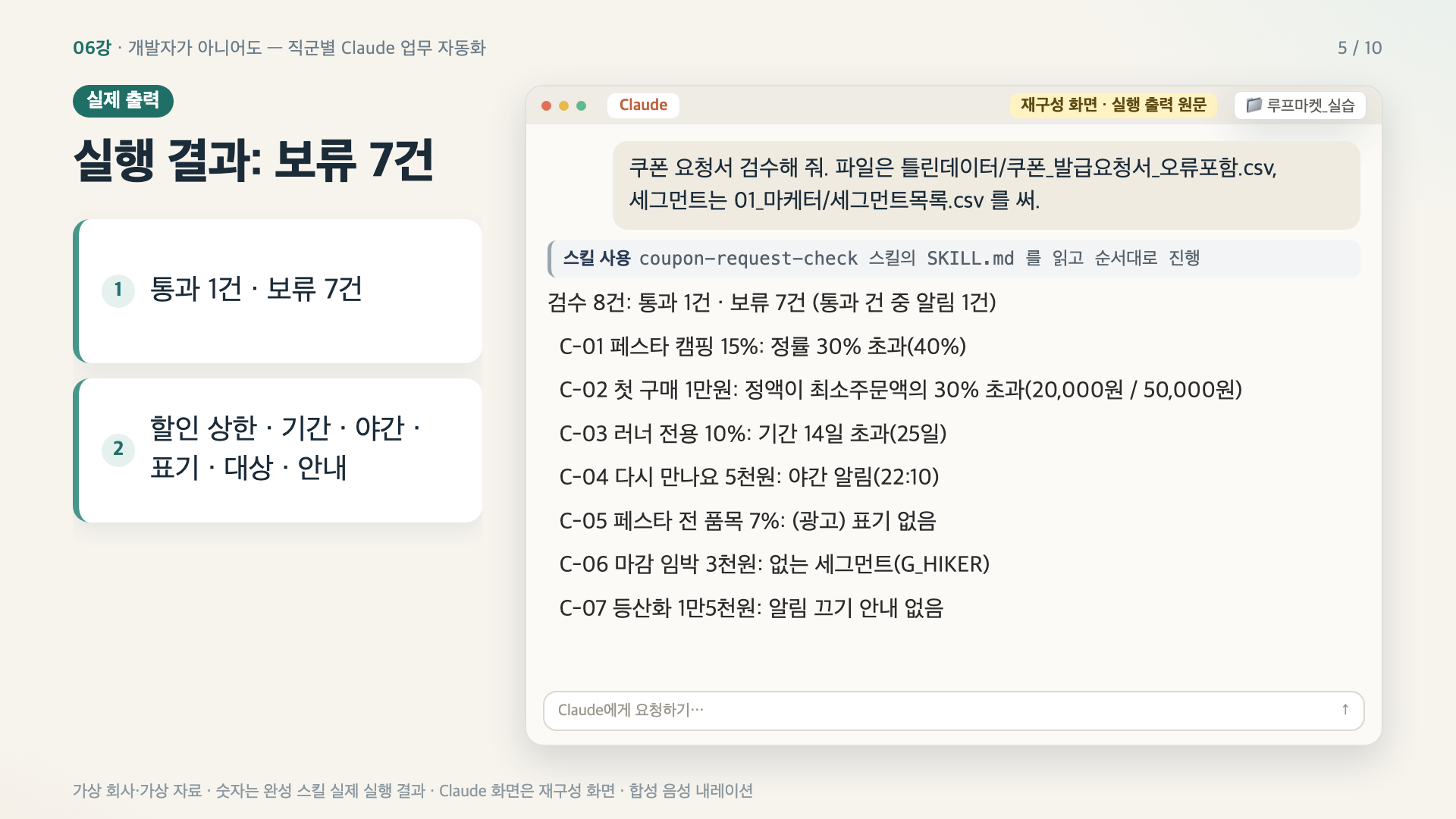
Marketer — Coupon issuance request review · notification scheduling sheet / Customer feedback digest (exclusion criteria · by topic) / Mission campaign wrap-up (start rate · completion rate · cost per completion)

MD — Review promotional event product placement sheets and display upload files / Review product registration sheets

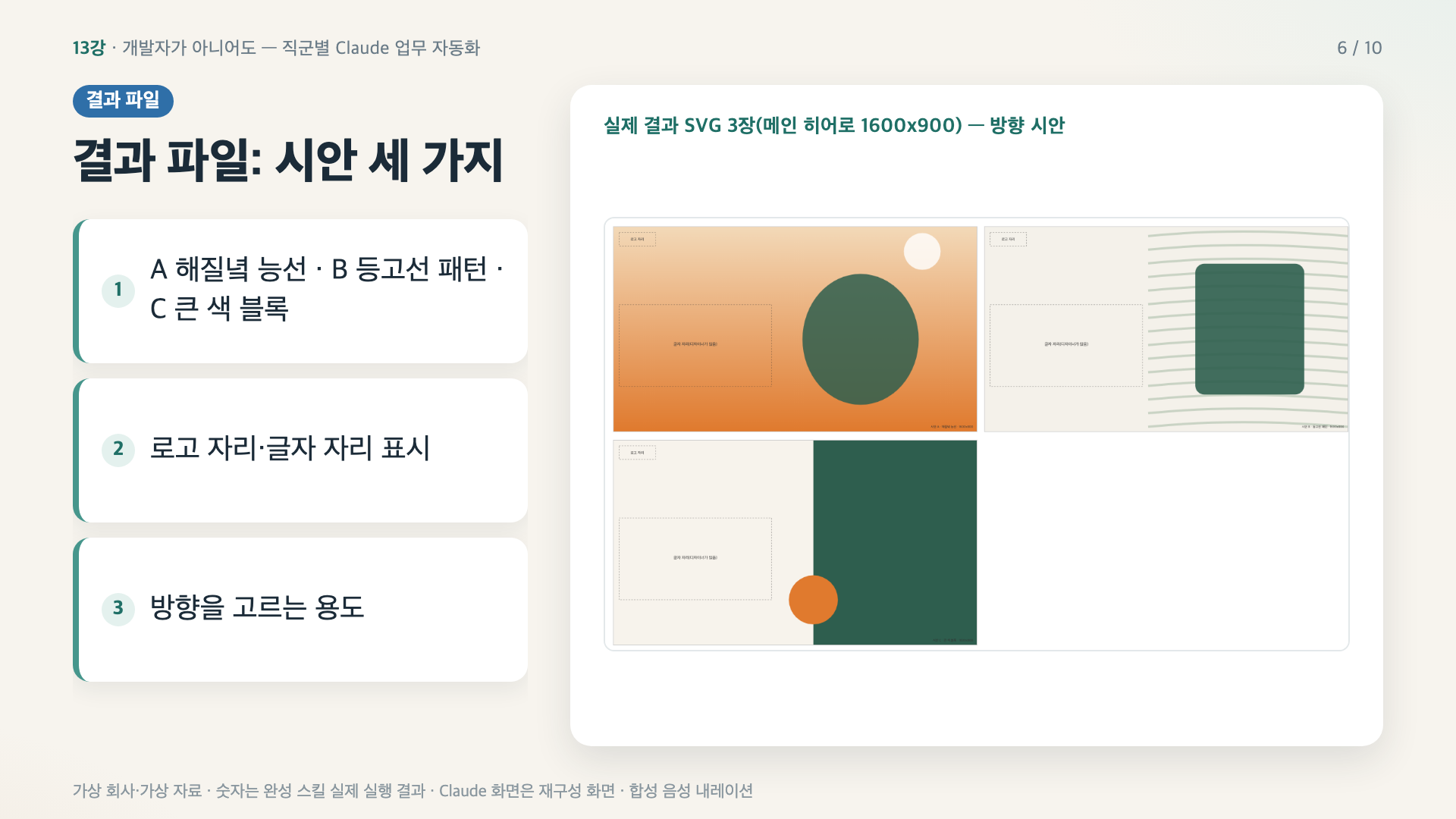
Designer — Design QA revision instructions (turn requests without specified values into questions) / 3 key visual concepts and image-generation prompts

PM — Sync notes → decision log and task cards / one-page brief (flag missing numbers as open questions) / automation impact ledger

Shared — Set up the environment with a single onboarding configuration sheet / Deploy skills (archive file + installation script)

Safety Rules from the Start

A human clicks the registration, send, and payment buttons. Hide personal information, and never write passwords in documents. Every skill in the course is built to follow these rules, and we’ll even verify that it stops when given a request that violates them.

Curriculum (24 lessons · 55 minutes)

Final Goal and Setup (Lessons 1–4) · Marketers (Lessons 5–8) · Merchandisers (Lessons 9–11) · Designers (Lessons 12–13) · PMs (Lessons 14–17) · Creating and Sharing Skills (Lessons 18–22) · Capstone (Lessons 23–24). See the Curriculum tab for lesson titles.

Please note.

  • The practice materials and all companies, people, and numbers are made up for the course and are fictional data. They are not affiliated with any real companies or services.

  • The Claude app screen is a reconstructed screen recreated from execution history, and the numbers shown are actual results from running the completed skill. App menu names may vary by version.

  • The narration uses an AI-generated voice.

  • Check your company’s AI usage policy before applying this to company materials.

Recommended for
these people

Who is this course right for?

  • Commerce marketers, merchandisers, designers, and PMs who don’t know how to code but want to cut down on repetitive tasks with Claude.

  • Leaders and operations staff who need to spread the use of AI across their teams and report its impact in numbers.

  • Anyone who was unsure whether to trust Claude’s results as-is.

Need to know before starting?

  • No coding knowledge required.

  • Claude Desktop app paid plan (with access to the Code tab for working with files or Claude Code)

  • macOS or Windows PC (development environment: macOS)

Hello
This is dorian05202988

Career Verified

A data craftsman with over 20 years of experience in databases and IT. As a DBA and manager of a DB Platform team, I work with database platforms and specialize in MySQL, PostgreSQL, Oracle, MongoDB, SQL tuning, AWS, Terraform, and Python. Drawing on experience in the gaming, finance, and IT services industries, I explain database and cloud architecture. I have published 『Oracle Practical Tuning: Learning SQL Patterns』 and 『Oracle Pro*C Practical Project Guide』, and have presented on serverless architectures, database selection, and multi-database strategies at AWS Summit 2018 and 2019 and DataYa Nolja 2020. Recently, I have been working on slow-query analysis and tuning recommendations using Bedrock LLM, automated DB specification sizing, and query workflows through a DB metadata MCP server and Slack bot. I explain database automation for developers and AI applications for non-developers through hands-on exercises tailored to the audience and objectives of each course. Rather than applying AI suggestions as-is, I teach a decision-making framework that verifies result equivalence, execution plans, and observability conditions, and defers action when the supporting evidence is insufficient. Company operational data and credentials are not included in the course materials.

More

Curriculum

All

24 lectures ∙ (55min)

Course Materials:

Lecture resources
Published: 
Last updated: 

Reviews

Not enough reviews.
Please write a valuable review that helps everyone!

dorian05202988's other courses

Check out other courses by the instructor!

Similar courses

Explore other courses in the same field!

Limited time deal

$1,275,339.00

18%

$59.40