inflearn logo

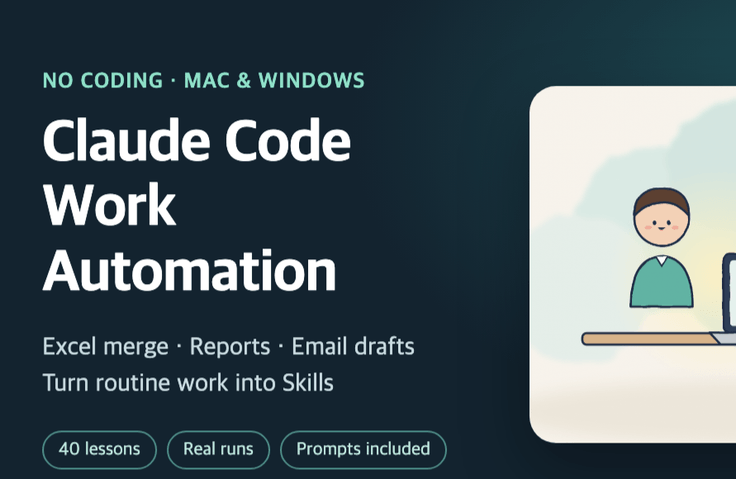
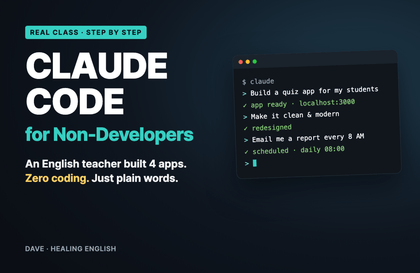
Claude Code Workflow Automation for Non-Developers: Combine Excel Files, Create Reports, and Send Emails with Skills

I hand my work folder over to Claude Code without writing any code. It pulls together 12 Excel files from our branches, completes a one-page report, drafts 20 emails, creates an ad performance table and a meeting action-items list, checks the numbers against the originals, then saves the whole process as a skill I can run again next month with a single line.

1 learners are taking this course

Level Beginner

Course period Unlimited

claude
claude
Business Productivity
Excel
Excel
prompt engineering
prompt engineering
claude
claude
Business Productivity
Excel
Excel
prompt engineering
prompt engineering

What you will gain after the course

  • How to use the Code tab in the Claude desktop app to work on a folder on your computer and get the resulting files

  • Consolidate 12 Excel and CSV files with varying formats and complete a one-page monthly report.

  • Create 20 email drafts, 12 announcements, and a table of amended clauses using the request list, templates, and contracts.

  • How to compare the number of rows and totals against the original and mark any missing figures as unverified

  • Re-run repetitive tasks next month with one line using CLAUDE.md rules and skills.

  • Understand the security and verification responsibilities required when using it at the company, and apply them to my work.

Recommended for
these people

Who is this course right for?

  • Office and operations staff who create reports by copying and pasting branch and department Excel files each month.

  • Sales support, customer service, and HR staff who spend their days replying to clients, sending announcements, and comparing contracts.

  • A marketer who compiles weekly ad performance by channel in Excel

  • An office worker who tried using Claude but couldn’t turn it into work deliverables.

Need to know before starting?

  • No coding knowledge is required. You just need to be able to open Excel and Word files.

  • A paid Claude plan (Pro, Max, Ultra, or company Team or Enterprise) is required. Claude Code isn’t available on the free plan.

  • A Mac running macOS 13 or later, or a computer running Windows 10 (1809) or later

Hello
This is dorian05202988

Career Verified

A data craftsman with over 20 years of experience in databases and IT. As a DBA and manager of a DB Platform team, I work with database platforms and specialize in MySQL, PostgreSQL, Oracle, MongoDB, SQL tuning, AWS, Terraform, and Python. Drawing on experience in the gaming, finance, and IT services industries, I explain database and cloud architecture. I have published 『Oracle Practical Tuning: Learning SQL Patterns』 and 『Oracle Pro*C Practical Project Guide』, and have presented on serverless architectures, database selection, and multi-database strategies at AWS Summit 2018 and 2019 and DataYa Nolja 2020. Recently, I have been working on slow-query analysis and tuning recommendations using Bedrock LLM, automated DB specification sizing, and query workflows through a DB metadata MCP server and Slack bot. I explain database automation for developers and AI applications for non-developers through hands-on exercises tailored to the audience and objectives of each course. Rather than applying AI suggestions as-is, I teach a decision-making framework that verifies result equivalence, execution plans, and observability conditions, and defers action when the supporting evidence is insufficient. Company operational data and credentials are not included in the course materials.

More

Curriculum

All

40 lectures ∙ (2hr 46min)

Course Materials:

Lecture resources
Published: 
Last updated: 

Reviews

Not enough reviews.
Please write a valuable review that helps everyone!

dorian05202988's other courses

Check out other courses by the instructor!

Similar courses

Explore other courses in the same field!

Limited time deal

$10,749.00

14%

$77.00