inflearn logo

Practical MySQL Execution Plans and Indexes with a Current DBA Team Lead — A Slow Query Clinic for Backend Developers

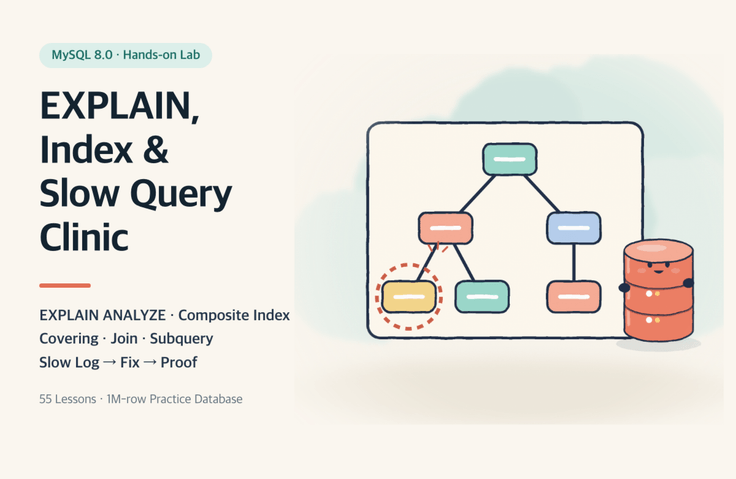
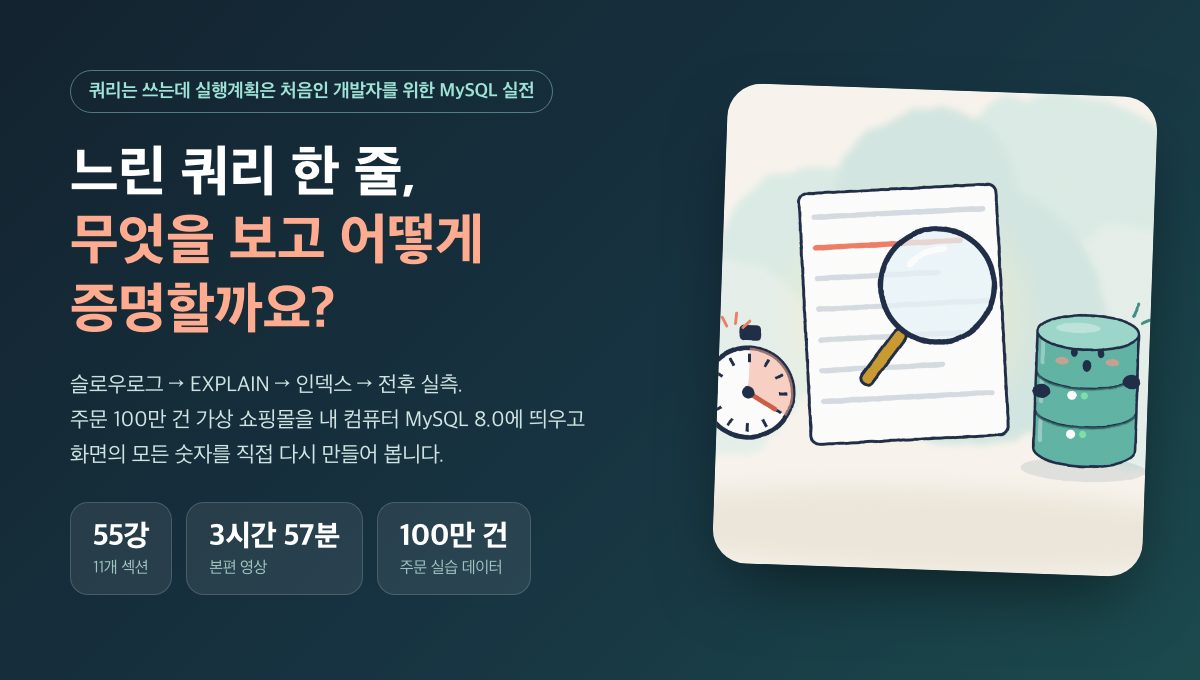
When faced with a single slow query, what should you look at, what should you fix, and how can you prove it? This hands-on, 55-lesson course teaches you by setting up a virtual online store with one million orders on your local MySQL 8.0 and working directly with EXPLAIN, EXPLAIN ANALYZE, and index design.

1 learners are taking this course

Level Basic

Course period Unlimited

SQL
SQL
MySQL
MySQL
Docker
Docker
DBMS/RDBMS
DBMS/RDBMS
SQLD
SQLD
SQL
SQL
MySQL
MySQL
Docker
Docker
DBMS/RDBMS
DBMS/RDBMS
SQLD
SQLD

What you will gain after the course

  • Read EXPLAIN’s type, key, rows, filtered, and Extra fields, as well as EXPLAIN ANALYZE’s actual time, rows, and loops, on your own.

  • Select the queries to fix first from the slow log and performance_schema digests.

  • Determine composite index order, covering, sorting, and grouping based on measured before-and-after results.

  • Explains join order, hash joins, and subquery transformations (semijoins, derived tables, and correlated subqueries) through execution plans.

  • Verify result equivalence and write costs for the revised query, and learn how to safely roll back using invisible indexes.


This course

When you get a single slow query, what should you look at, what should you fix, and how do you prove it? This 55-lesson hands-on course uses a simulated online store with one million orders running on MySQL 8.0 on your own computer, where you’ll learn by working directly with EXPLAIN, EXPLAIN ANALYZE, and index design.

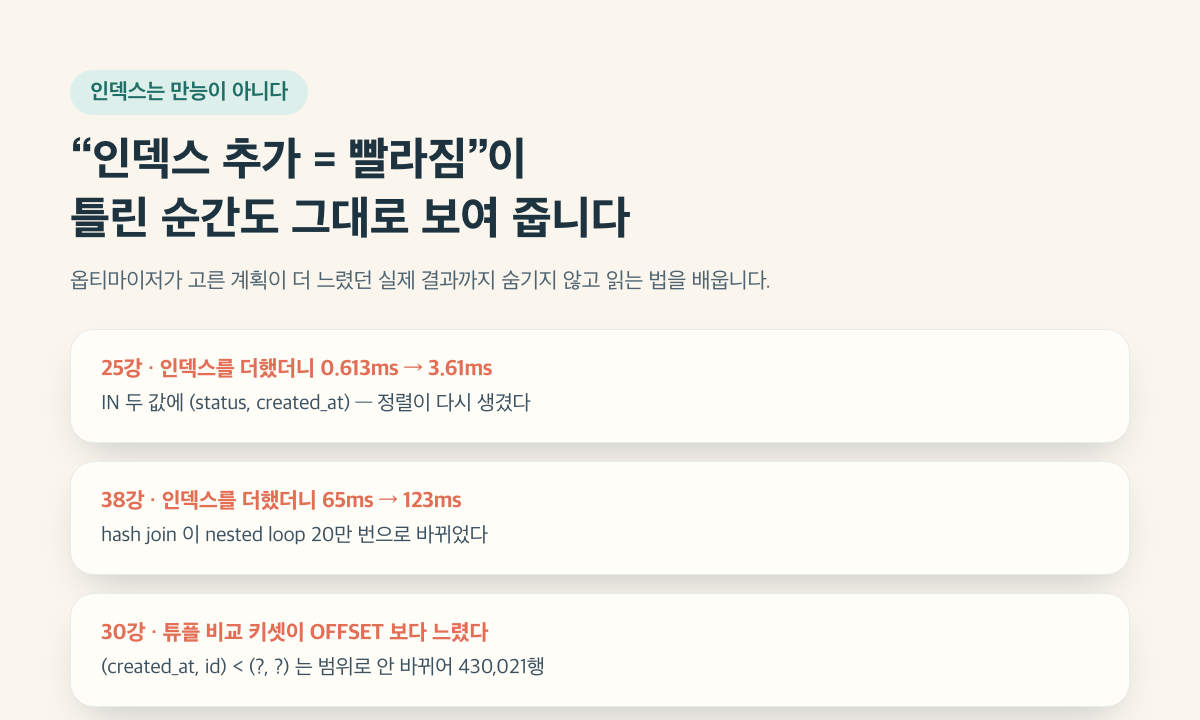
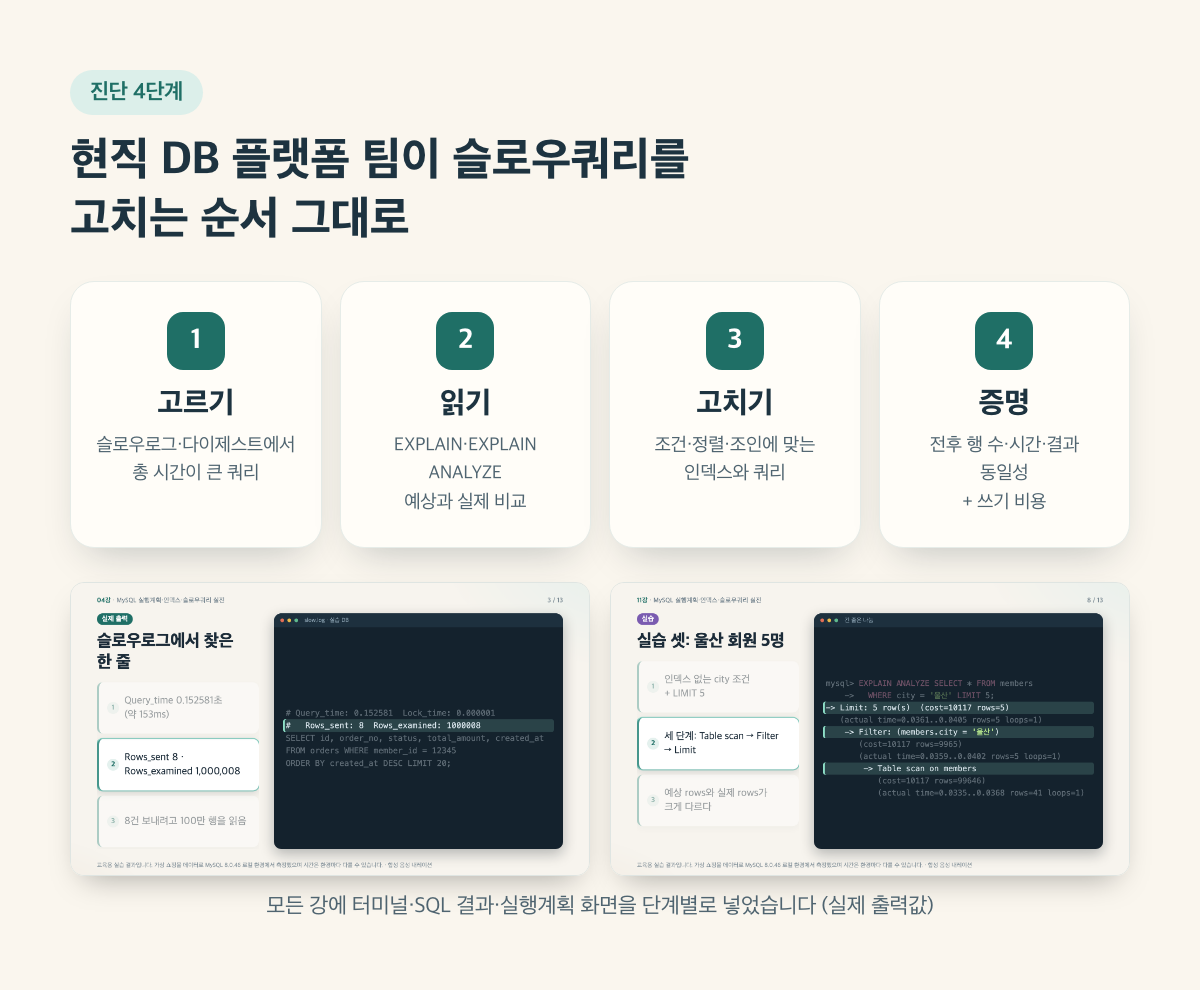
Rather than focusing on concepts, we’ve recreated with virtual data the kinds of cases a working DB platform team encounters in production, following the sequence “symptom (one line in the slow query log) → diagnosis → fix → proof.” We also cover real results where adding an index actually made things slower.


What You’ll Learn About These Things

  • Learn to interpret type, key, rows, filtered, and Extra in EXPLAIN, as well as actual time, rows, and loops in EXPLAIN ANALYZE.

  • Choose which queries to fix first from the slow log and performance_schema digests.

  • Determine composite index column order, covering, sorting, and grouping based on measured before-and-after results.

  • We explain join order, hash joins, and subquery transformations (semijoins, derived tables, and correlated subqueries) using execution plans.

  • Learn how to verify that a rewritten query returns the same results, assess its write overhead, and safely roll back using invisible indexes.

Recommended for

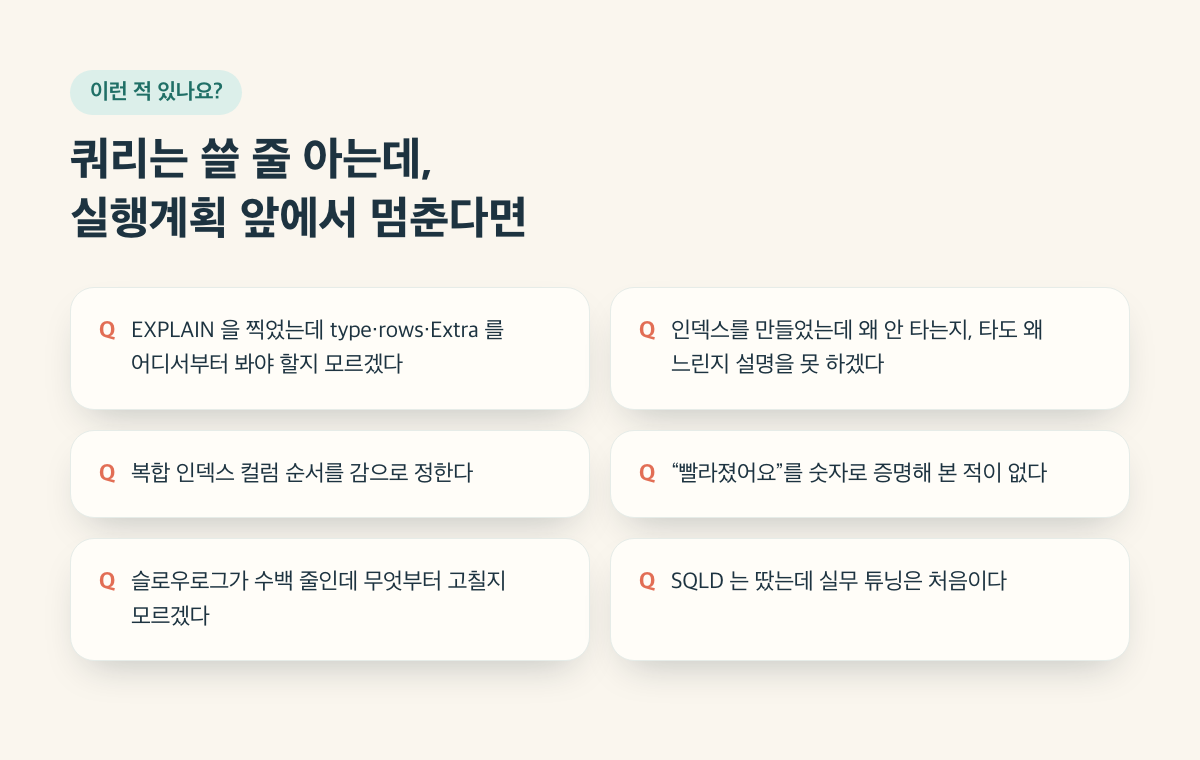
  • Backend developers who can write queries but have never read an execution plan

  • Junior developers handling slow queries for the first time.

  • Those preparing for the SQLD or who have earned it and want to start tuning queries in practice.

Prerequisites

  • Ability to read and write SELECT, WHERE, JOIN, and GROUP BY statements.

  • Installing Docker Desktop and Basic Terminal Commands

What’s Not Covered

  • Locks, deadlocks, and isolation levels (covered in a separate lesson)

  • Server parameter tuning, partitioning, and sharding

  • Aurora and cloud operations


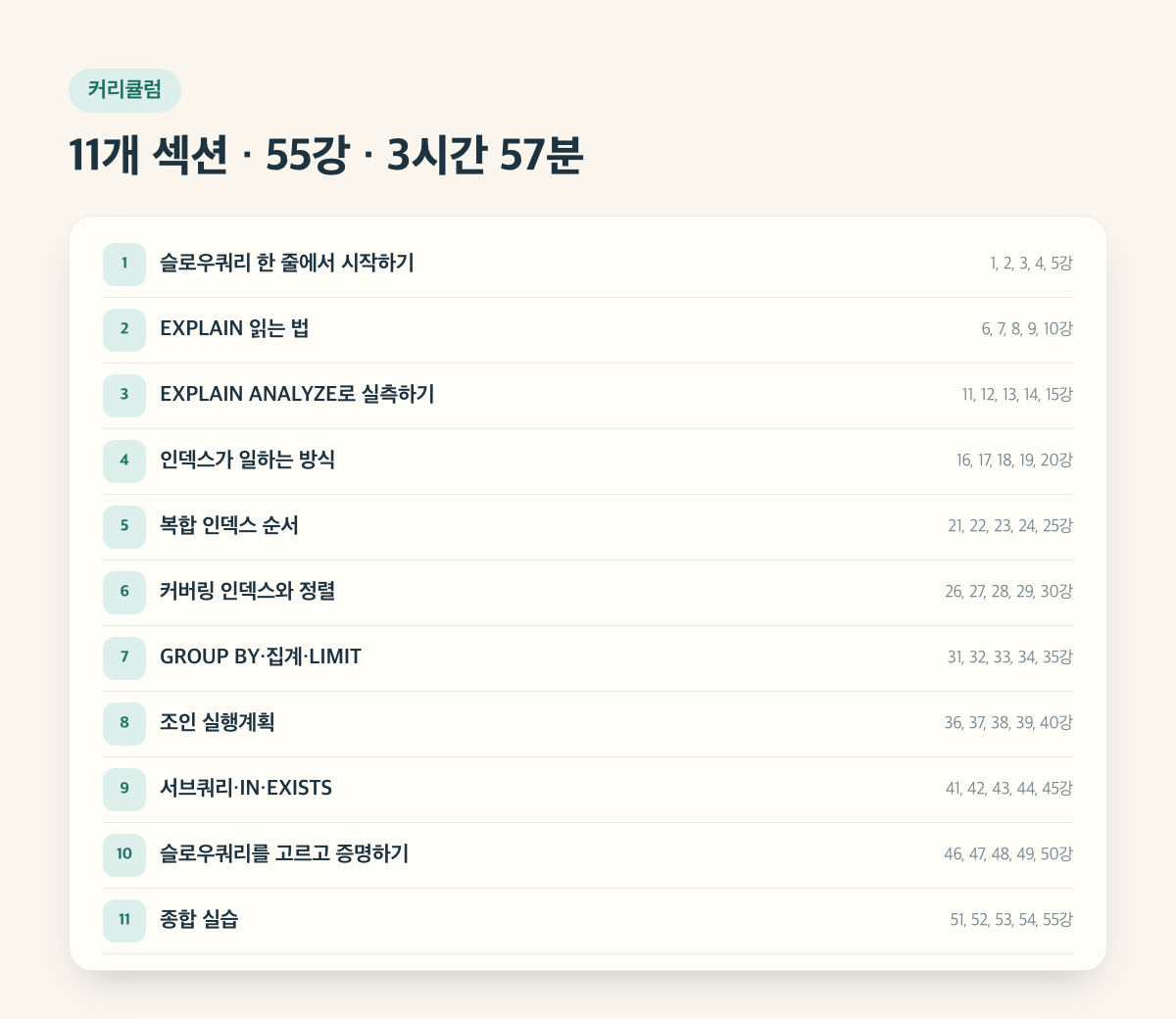
Curriculum (3 hours 57 minutes)

Section 1. Starting with a Single Slow Query

  • Lesson 01 Course Roadmap and Lab Environment (4:53) · Preview

  • Lesson 02: Exploring the Virtual Online Store Data (4:19)

  • Lecture 03: Enable the slow query log and read the first entry (4:14)

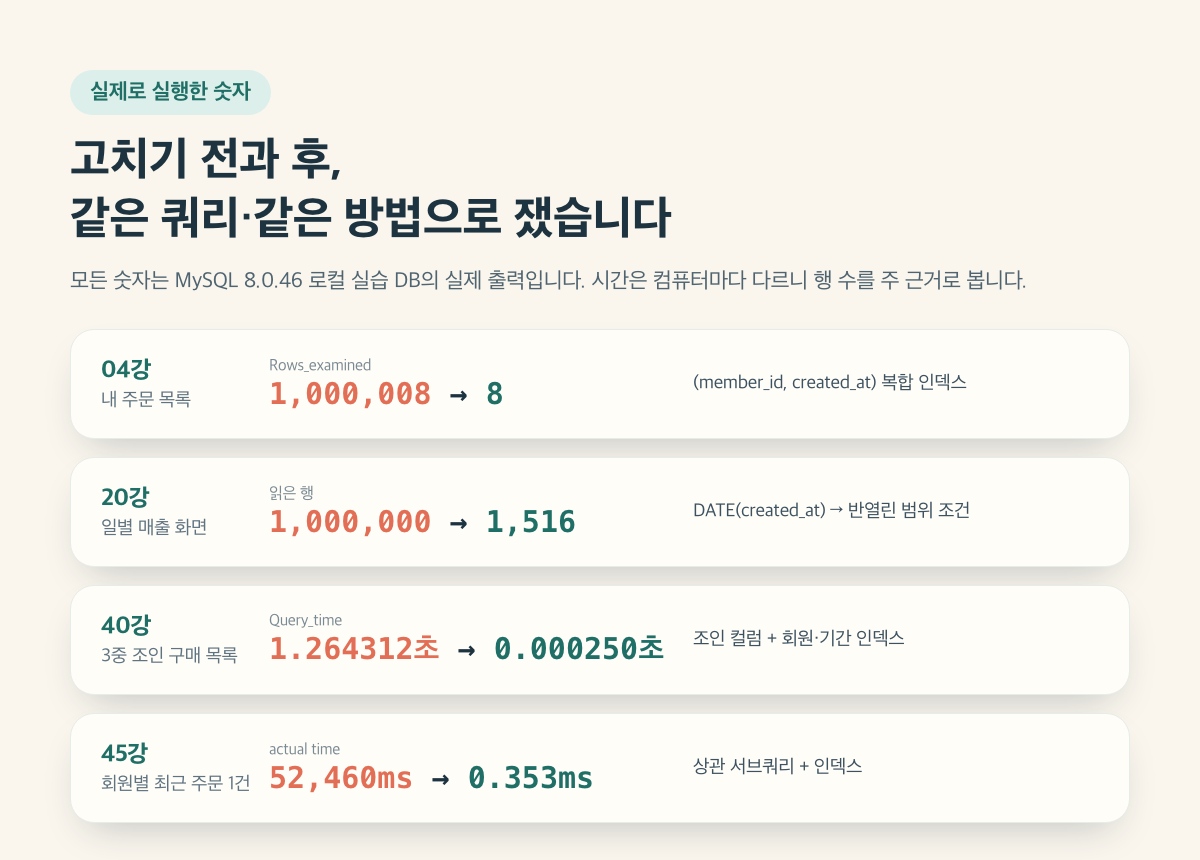
  • Lesson 04: The Order List Has Been Slow Since Yesterday (4:38) · Preview

  • Lesson 5: Four Diagnostic Steps (3:55)

Section 2. How to Read EXPLAIN

  • Lesson 06 EXPLAIN Column Map (4:01)

  • Lesson 07: The type ladder (4:07)

  • Lesson 08: rows and filtered (4:27)

  • Lesson 9: Reading Extra (4:29)

  • Lesson 10. Reading Order with FORMAT=TREE (4:21)

Section 3. Measuring with EXPLAIN ANALYZE

  • Lesson 11 EXPLAIN ANALYZE: Estimated vs. Actual (4:46)

  • Lesson 12: Multiplying actual time by loops (4:14)

  • Lesson 13: When Statistics Are Off: Histograms (3:57)

  • Lesson 14: Counting Rows Read with Handler Counters (3:41)

  • Lesson 15: Estimated 984 Rows, Actual 51,021 Rows (4:05)

Section 4. How Indexes Work

  • Lesson 16: Clustered Primary Key (3:46)

  • Lesson 17: Secondary Indexes and the Cost of Retrieval (3:54)

  • Lesson 18: Conditions That Prevent Index Use (4:01)

  • Lecture 19: Selectivity: The Same Index, Different Selectivity (3:47)

  • Lecture 20: A Full Table Scan from DATE() (4:11) · Preview

Section 5. Composite Index Order

  • Lecture 21: Equality First, Range Later (3:54)

  • Lesson 22: Reading the Columns Used by key_len (4:01)

  • Lecture 23: When the leading column is missing: skip scan (4:24)

  • Lecture 24: Four Order Experiments (4:23)

  • Lesson 25: Case Study: Adding an Index Made It Slower (5:05)

Section 6. Covering Indexes and Sorting

  • Lesson 26: What “Using index” means (4:19)

  • Lesson 27: Eliminating Table Lookups with Covering Indexes (4:22)

  • Lesson 28: ORDER BY and filesort (4:12)

  • Lecture 29: When Sort Directions Are Mixed (4:04)

  • Lesson 30: Case Study: The OFFSET Nightmare and Keyset Pagination (4:53)

Section 7. GROUP BY, Aggregation, and LIMIT

  • Lesson 31: Why “Using temporary” Occurs (4:05)

  • Lesson 32: Grouping with an Index (3:46)

  • Lesson 33: The Cost of COUNT(*) (4:20)

  • Lesson 34: When LIMIT Ends Early (4:05)

  • Lesson 35: Dashboard aggregations are slow (4:49)

Section 8. Join Execution Plans

  • Lesson 36: Driving Tables and Nested Loops (4:37)

  • Lesson 37: Whether Join Columns Have Indexes (4:23)

  • Lesson 38: Conditions Under Which a Hash Join Occurs (4:58)

  • Lecture 39: Join Order and STRAIGHT_JOIN (4:40)

  • Lesson 40: Case Study—Three-Way Join, 1.26 Seconds (4:55)

Section 9. Subqueries, IN, and EXISTS

  • Lesson 41: IN Subqueries and Semijoins (4:42)

  • Lesson 42: Comparing IN, EXISTS, and JOIN (4:26)

  • Lesson 43: Derived Tables: Merge and Materialization (4:31)

  • Lesson 44: Correlated Subqueries and Loops (4:35)

  • Lesson 45: The Most Recent Order for Each Member (4:53)

Section 10. Choosing and Proving Slow Queries

  • Lecture 46: Choosing the Top Query (4:22)

  • Lesson 47: Total Time vs. Time per Execution (4:10)

  • Lecture 48. Verifying Result Equivalence (4:06)

  • Lesson 49: The Cost of Adding an Index (3:55)

  • Lecture 50: Invisible Indexes and Hints (4:16)

Section 11. Comprehensive Practice

  • Lesson 51: Diagnosing a Slow Log for the First Time (4:01)

  • Lesson 52: Case A: Member Search Screen (4:02)

  • Lecture 53: Case B: Settlement Batch (4:27)

  • Lesson 54 Case C: Admin Order List (4:18)

  • Lesson 55: Review Checklist and What to Study Next (3:57)


Instructor Introduction

I’m Joo Kyung-ho, with over 20 years of experience in databases and IT. As a DBA and DB Platform team manager, I work with database platforms and specialize in MySQL, PostgreSQL, Oracle, MongoDB, SQL tuning, AWS, Terraform, and Python.

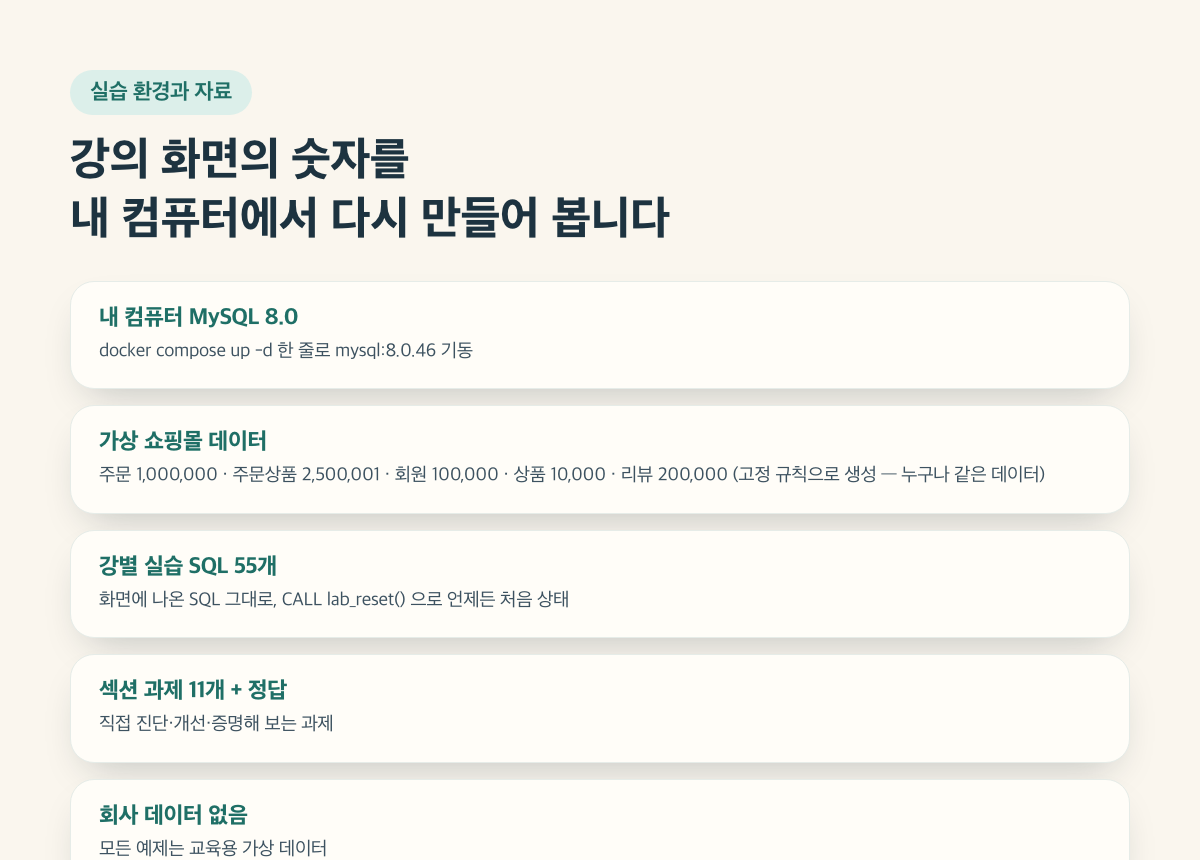
I have diagnosed slow queries daily on the DB Platform team and guided development teams on tuning approaches. For this course, I’ve rebuilt that diagnostic process using only sample data from a virtual online store and real execution output, so developers can follow it on their own. No production company data was used.

Frequently Asked Questions

Q. Can I take this course if I’m new to MySQL?
A. You should be able to read SELECT, JOIN, and GROUP BY. Execution plans are explained from the beginning.

Q. How do I set up the practice environment?
A. Install Docker Desktop and run docker compose up -d from the lab folder in the practice ZIP. MySQL 8.0 and the virtual shopping mall data will be set up in 1–3 minutes.

Q. The numbers in the course videos differ from my results.
A. Times (ms or seconds) vary by computer. Compare the row counts (rows, Rows_examined, Handler_read_*), the shape of the execution plan, and the relative values before and after. The optimizer’s estimated statistics may also differ slightly.

Q. Can I use this as-is with Aurora MySQL and RDS?
A. The principles for reading execution plans and designing indexes are the same. The course exercises were measured on local MySQL 8.0.46.

Q. Does it work on Windows too?
A. If Docker Desktop is running, you can use the same commands. The setup was tested on macOS, but Windows was not tested directly.

Q. Does the course also cover locks and deadlocks?
A. This course focuses on execution plans, indexes, and slow queries. Locks and deadlocks are covered in a separate course.

Q. Is the narration a human voice?
A. It is an AI-generated voice. The SQL, query results, and execution plans shown on screen are outputs actually produced by running them in the practice database.

The video narration is AI-generated speech. The SQL results and execution plans shown on screen are actual outputs from running them on the practice database.

Recommended for
these people

Who is this course right for?

  • A backend developer who writes queries but has never read an execution plan

  • A junior developer tackling slow queries for the first time

  • For those preparing for or who have earned the SQLD certification and want to start tuning in practice.

Need to know before starting?

  • Can read and write SELECT, WHERE, JOIN, and GROUP BY.

  • Docker Desktop Installation and Basic Terminal Commands

Hello
This is dorian05202988

Career Verified

A data craftsman with over 20 years of experience in databases and IT. As a DBA and manager of a DB Platform team, I work with database platforms and specialize in MySQL, PostgreSQL, Oracle, MongoDB, SQL tuning, AWS, Terraform, and Python. Drawing on experience in the gaming, finance, and IT services industries, I explain database and cloud architecture. I have published 『Oracle Practical Tuning: Learning SQL Patterns』 and 『Oracle Pro*C Practical Project Guide』, and have presented on serverless architectures, database selection, and multi-database strategies at AWS Summit 2018 and 2019 and DataYa Nolja 2020. Recently, I have been working on slow-query analysis and tuning recommendations using Bedrock LLM, automated DB specification sizing, and query workflows through a DB metadata MCP server and Slack bot. I explain database automation for developers and AI applications for non-developers through hands-on exercises tailored to the audience and objectives of each course. Rather than applying AI suggestions as-is, I teach a decision-making framework that verifies result equivalence, execution plans, and observability conditions, and defers action when the supporting evidence is insufficient. Company operational data and credentials are not included in the course materials.

More

Curriculum

All

55 lectures ∙ (3hr 56min)

Course Materials:

Lecture resources
Published: 
Last updated: 

Reviews

Not enough reviews.
Please write a valuable review that helps everyone!

dorian05202988's other courses

Check out other courses by the instructor!

Similar courses

Explore other courses in the same field!

Limited time deal

$61.60

20%

$77.00