

강의

멘토링

커뮤니티

Programming

/

Web Development

Figma Reference - The Complete Guide to Building a Responsive Shopping Mall Website

Do you have a foundation in HTML, CSS, and JavaScript (jQuery)? But are you unsure how to create an entire website? If so, try implementing a shopping mall's main page by referencing a design. We'll share know-how on implementing a website by referencing a completed design and understanding the planning intentions and detailed aspects of the design.

(4.8) 4 reviews

38 learners

Level Basic

Course period Unlimited

  • ezweb
반응형웹
반응형웹
Figma
Figma
HTML/CSS
HTML/CSS
JavaScript
JavaScript
jQuery
jQuery
반응형웹
반응형웹
Figma
Figma
HTML/CSS
HTML/CSS
JavaScript
JavaScript
jQuery
jQuery

Reviews from Early Learners

What you will gain after the course

  • Interpreting Figma designs and extracting images

  • Setting up initial HTML/CSS files.

  • CSS Variables and Writing Global Styles

  • Set up web fonts

  • Layout Design: Utilizing Grid and Flexbox

  • Implementing Responsive CSS with Media Queries

  • Implementing Responsive CSS with Container Queries

  • Creating a review slider using Swiper.js

  • Creating a Mobile Menu and Shopping Cart Toggle Slide with jQuery

  • Deploying a Website Using GitHub Pages

This course requires basic knowledge of HTML, CSS, Javascript, and jQuery.

Please check the links below for learning about each part.

Project Preferences

  • Install required plugins

    • Export Original Images

    • Export Styles to CSS Variables

    • Font Scanner

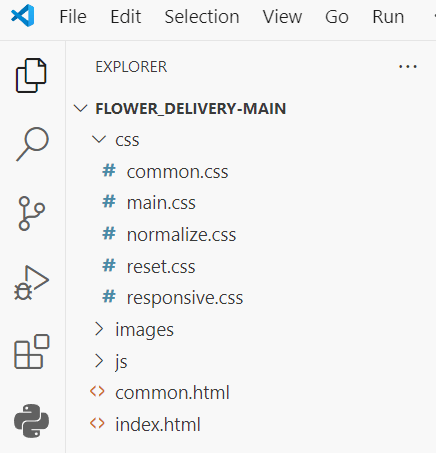
  • Organizing project files

    • Create directories: images , css , js

    • Create common HTML and CSS files: common.html , common.css

In the design, we store the images required for the website, and write commonly applied styles and tags in common.html and common.css to create a website that is consistent and easy to maintain in the future.

Organizing project files

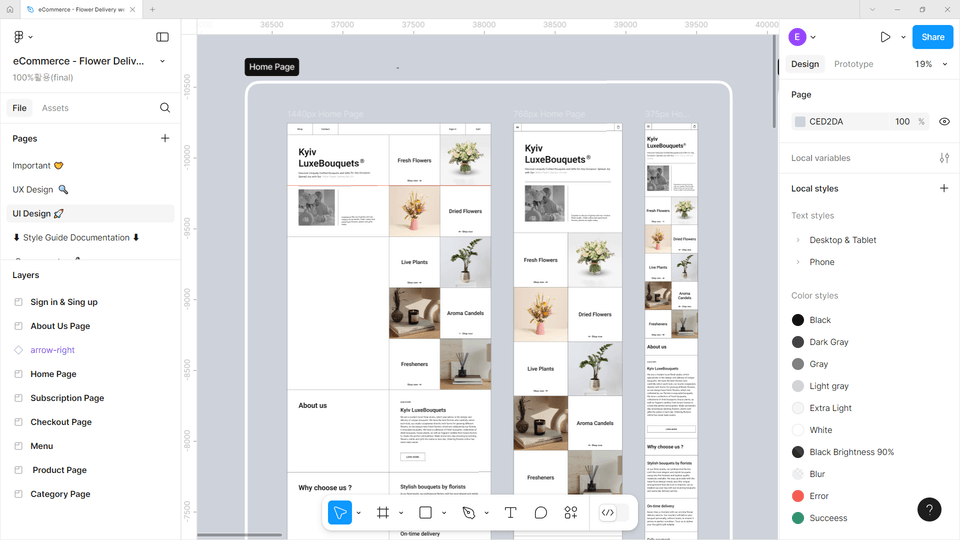
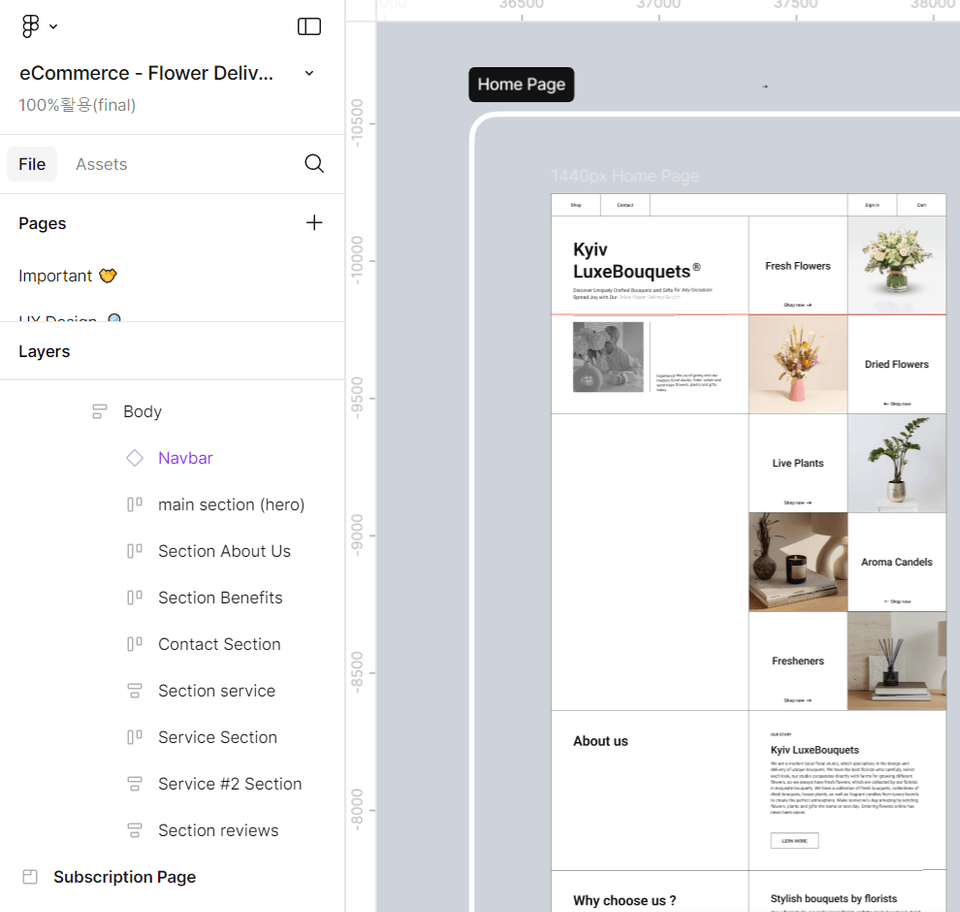
Understanding Figma Design

  • Learn how to easily import the images and styles you need into Figma.

  • Learn the basics of implementing your design vision on the web.

In this course, you will learn the know-how to create HTML structures and CSS styles by referencing the design while implementing the Home Page.

Understanding Figma Design

Configuring the basic files

  • Get a clean start with reset.css and normalize.css.

  • Let's create a folder structure and common files for efficient work.

Use reset.css to initialize the properties inherent in HTML, and use normalize.css to configure the project so that the same UI can be implemented in all browsers.

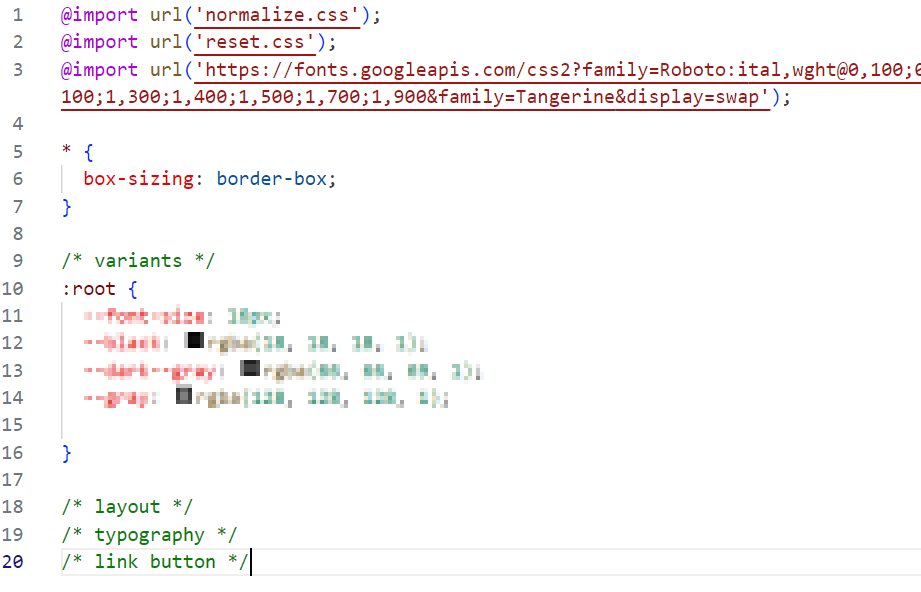
Setting style preferences

  • Set frequently used colors and font sizes as variables.

  • Apply pretty fonts with Google Fonts.

Writing Common CSS

Configuring the layout

  • Create flexible screen structures with Grid and Flexbox.

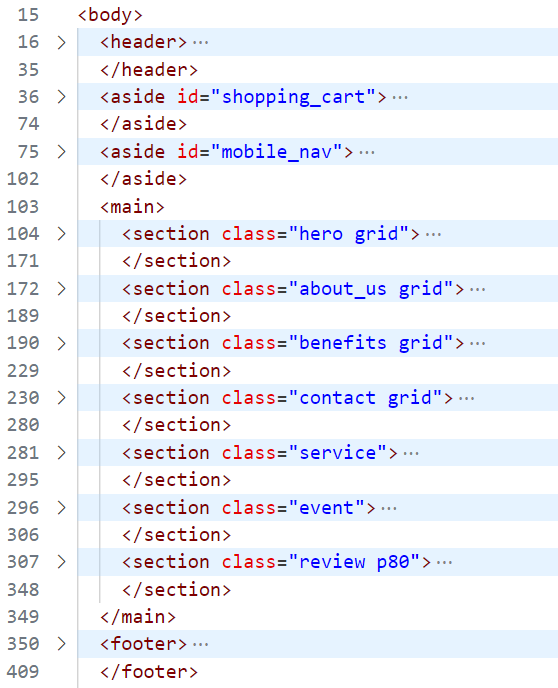
  • Design the main areas of your website.

Main Area HTML

Identifying Key Areas in Design

Scroll animation

  • Let's create a fixed effect when scrolling by using CSS properties.

  • Implemented with pure CSS without writing scripts.


Implementing an element that stays fixed when scrolling

Add some life to your buttons

  • Create cool button effects with CSS and jQuery.

  • Implement a 3D button that you want to click.

Button animation using CSS and jQuery

Button animation using CSS and jQuery

Creating a review slider

  • Implement refreshing slides with Swiper.js.

  • Create sliders that work well on all devices.

Implementing review slides using swiper.js

Implementing Interaction Features

  • Let's create a convenient cart function with jQuery.

  • Complete user-friendly cart design.

  • Let's create a mobile menu feature.

Implementing interaction features (mobile menu, shopping cart)

Completing the responsive design

  • We've refined it to work perfectly on all devices.

  • We implement convenient menus and carts even on mobile devices.

Completing a responsive design (PC, tablet, mobile)

Deploy

  • Optimize your website's performance.

  • Bring your work to the world with GitHub Pages or Netlify.

Organize repetitive codes so they can be reused, and remove unnecessary sources.

Upload your static site to GitHub Pages or Netlify and deploy it for anyone to visit.

finish

This course is not a course to implement an actual shopping mall. In order to implement an actual shopping mall, it is necessary to link with a database. For this part, please proceed with additional learning about backend languages and databases. In this course, as a web publisher, you will refer to the design and use html, css, and javascript (jQuery) to complete the screen that the end user will see.

If you have mastered this course and are interested in web development, check out the contents below and challenge yourself to become a front-end developer or back-end developer!

  • JavaScript Frameworks/Libraries

    • react, vue.js, Angular

  • Learning TypeScript

  • Understanding the backend basics

    • REST API and HTTP request/response structure

    • How to handle JSON data

  • Simple backend experience

    • Creating a simple server using Node.js and Express.js

    • Database connection (MongoDB, Firebase, MySQL, etc.)

Communication window (survey, 1:1 open chat room)

Students can provide their opinions and questions at any time through the Google survey and 1:1 open chat room introduced in the What's New section.


Recommended for
these people

Who is this course right for?

  • Learners with basic knowledge of HTML, CSS, and jQuery.

  • A junior developer with limited publishing experience but eager to complete a real-world project.

  • Someone who has no experience with design tools (Figma) but wants to learn.

  • Learners who want to learn the practical process of implementing and publishing responsive web design.

  • Someone who wants to learn the fundamental principles of web publishing and front-end development.

  • Those who have coding fundamentals but struggle to apply them comprehensively.

Need to know before starting?

  • HTML

  • CSS

  • JavaScript

  • jQuery

Hello
This is

2,658

Learners

55

Reviews

4

Answers

4.9

Rating

11

Courses

■ [현재] 그린컴퓨터아트학원 웹퍼블리싱, 프론트엔드 강의
■ [현재] 웹 퍼블리싱 유튜브 채널 'Rock's Easyweb' 운영
■ 더조은 컴퓨터아카데미 웹 퍼블리싱 강사
■ 한빛 컴퓨터아카데미 웹 퍼블리싱 강사
■ 프론트엔드 퍼블리셔, 프론트엔드 퍼블리싱 전문강사
■ UI/UX 웹 디자인 포트폴리오 강의


[ 도서 ]
2021.07.19 출간 / 웹디자인 & 웹퍼블리싱을 위한 피그마 완벽 활용서 / 비제이퍼블릭

2022.08.25 출간  / 코딩을 처음이라 with 웹 퍼블리싱  / 영진출판사

2023.10 출간 /2024 SD에듀 유선배 웹디자인기능사 실기 과외노트 / 시대고시기획

2024.11 재판 /2025 SD에듀 유선배 웹디자인기능사 실기 과외노트 / 시대고시기획


[ 수상경력 ]
2022.08 그린컴퓨터 아트 학원 종로지점 - 우수강사 2021.06 그린컴퓨터 아트 학원 종로지점 - 우수강사 2018.06 그린 컴퓨터아카데미 신촌 지점 - 우수강사 2017.05 그린 컴퓨터아카데미 신촌 지점 - 우수강사 2016.05 그린 컴퓨터아카데미 신촌 지점 - 우수강사 2015.10 그린 컴퓨터아카데미 신촌 지점 - 우수강사 


Curriculum

All

21 lectures ∙ (8hr 39min)

Course Materials:

Lecture resources
Published: 
Last updated: 

Reviews

All

4 reviews

4.8

4 reviews

  • bonggyeong9225님의 프로필 이미지
    bonggyeong9225

    Reviews 1

    Average Rating 4.0

    4

    38% enrolled

    Your attention to even the smallest details truly shows that this is a lecture from a genuine designer.

    • mrnobody님의 프로필 이미지
      mrnobody

      Reviews 7

      Average Rating 5.0

      5

      100% enrolled

      Creating a site in Figma has been very helpful. Thank you for the great lecture.

      • ezweb
        Instructor

        Glad it helped. We hope for your continued support. ^^

    • skylove62557603님의 프로필 이미지
      skylove62557603

      Reviews 10

      Average Rating 5.0

      5

      100% enrolled

      It was a class where we did publishing based on Figma, and it seems like it was a useful experience to gain practical experience. It was helpful because I was able to learn how to deploy the site to GitHub at the end. They teach you the fundamentals thoroughly!

      • ezweb
        Instructor

        Thank you for your valuable feedback. I'm glad it was helpful. Thank you!

    • pcdoomco8345님의 프로필 이미지
      pcdoomco8345

      Reviews 16

      Average Rating 5.0

      5

      19% enrolled

      I will listen carefully.

      • ezweb
        Instructor

        Thank you. If you have any questions, please leave them in the comments. ^^

    Limited time deal ends in 1 days

    $38,500.00

    30%

    $42.90

    ezweb's other courses

    Check out other courses by the instructor!

    Similar courses

    Explore other courses in the same field!