강의

멘토링

커뮤니티

NEW
Programming

/

Web Development

First Encounter with React: A Practical Guide for Publishers

React First Steps for Publishers! Learn everything from basic syntax to creating and deploying a responsive shopping mall website all at once. Rather than a collection of fragmented React examples, learn and apply the core syntax needed for actual webpage creation.
6 learners are taking this course

  • ezweb
실습 중심
리액트감잡기
react
웹퍼블리셔
프론트엔드
HTML/CSS
Responsive Web
json-parsing
react.js

What you will gain after the course

  • # Solid Understanding of React Core Concepts (Components, Props, State, Events)

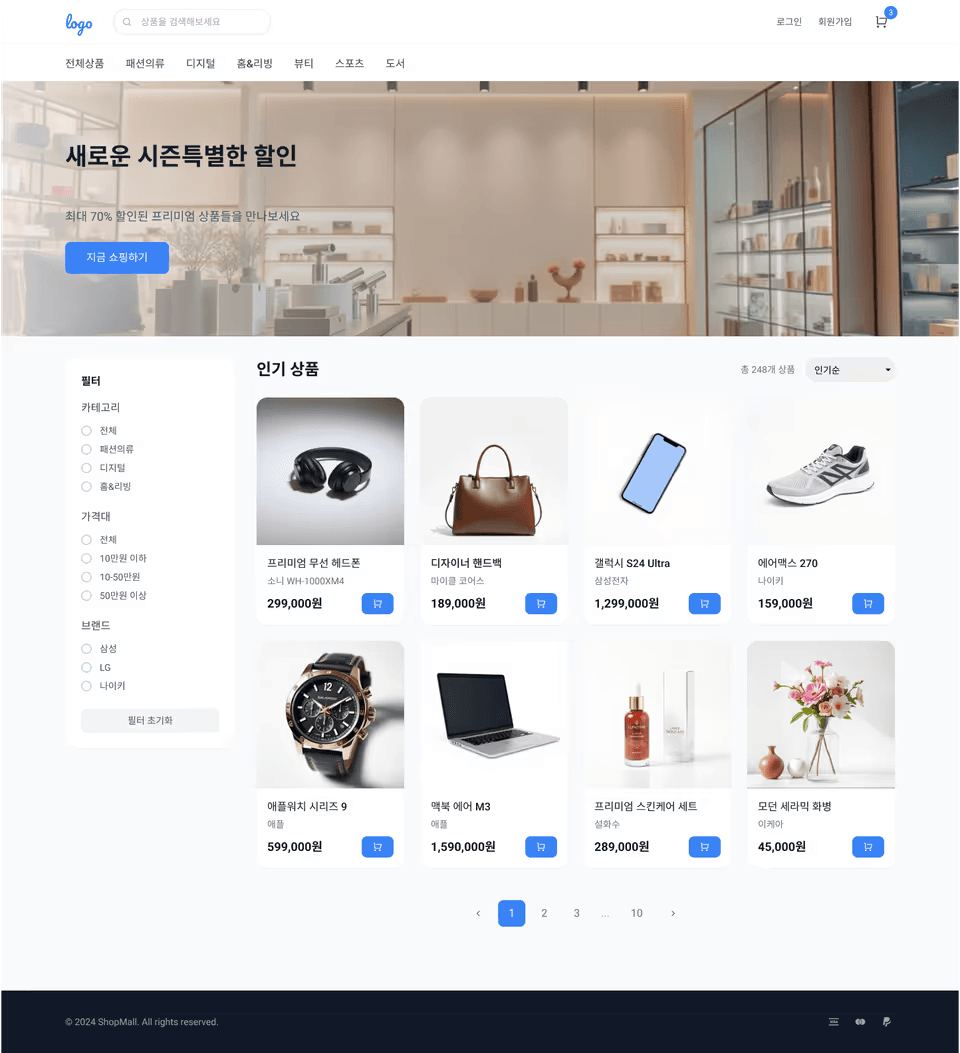
  • Complete a Card List-Centered Shopping Mall Website

  • Experience with JSON API Data Integration and Basic Understanding of Context API

  • Deploy the completed project to Vercel to obtain an actual service URL

  • Category, Brand, and Price Range Filtering

  • Pagination

Course Features ✨

  • Publisher-Friendly Explanation: Naturally connecting React concepts from existing HTML·CSS thinking

  • Hands-on Project-Focused: Master React by Building a Shopping Mall UI from Scratch

  • Portfolio Completion: Provides deliverables that can be immediately used for job applications

Shopping Mall Design Examples

Curriculum Summary 📝

Part 1. Orientation

Understand the reasons for learning React and prepare the learning environment.
Clearly identify why React is necessary from a publisher's perspective.

Key Points
React learning objectives, development tool preparation, publisher → frontend transition perspective


Part 2. React Fundamentals

Learn the core syntax and concepts for React development.
The goal is to become familiar with component-based thinking.

Key Content
Vite + React environment setup, JSX syntax, component structure, Props, State, event handling


Part 3. Publisher-Friendly Syntax

Publishers learn focusing on rendering patterns frequently used in practical work.
Naturally connect HTML/CSS experience to React.

Key Content
Conditional rendering, list rendering (map), key concept, CSS application methods (CSS Module, etc.)


Part 4. Shopping Mall Mini Project

React fundamentals are applied to actual UI implementation.
Experience the practical workflow through a shopping mall structure.

Key Content
Header/GNB configuration, product card list, shopping cart button, category filtering, responsive UI
Deployment experience using Vercel


Part 5. Conclusion

Based on the completed project, we will organize the learning content.
Then, we will present the direction for frontend learning.

Key Points
Project review, code organization tips, and frontend expansion roadmap guide

Final Product 🛒

  • Card List-Centered Shopping Mall Website

  • Responsive Support (PC / Mobile)

  • Shopping Cart Button, Category Filter Feature Implementation

  • Loading Real Data Through API Integration

  • Deployed Portfolio Project


  • Final deployment preview: https://ez-shop-three.vercel.app/

Pre-Course Preparation 🛠

  • HTML / CSS / JavaScript Basics

  • Node.js & VS Code Installation

  • GitHub Account (for deployment)

Key Learning Content and Features📚

Practical-Style Lecture Progress 📘

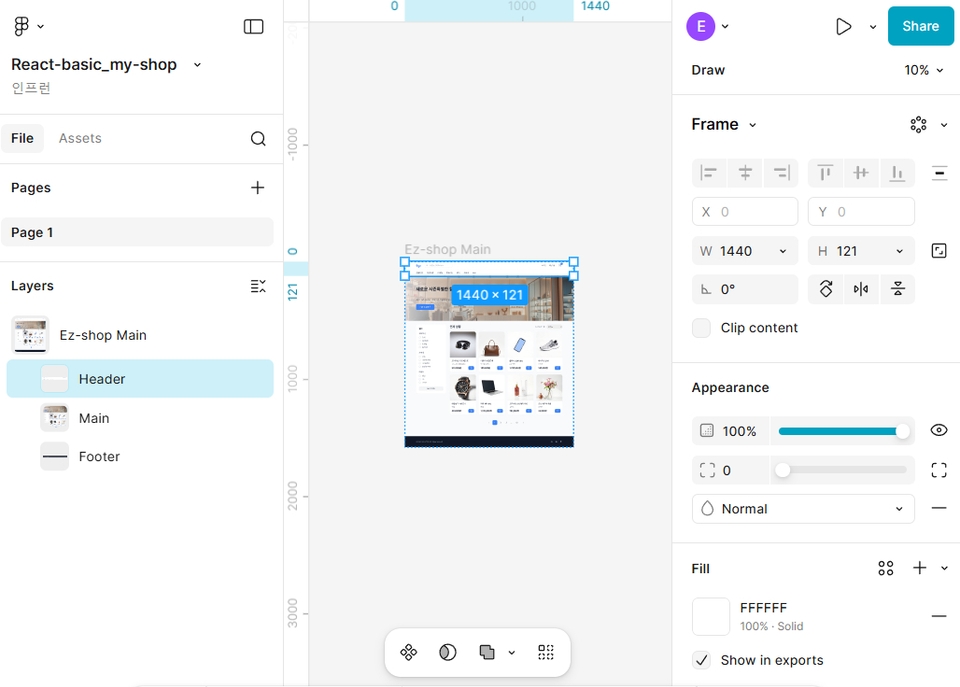
You won't just learn React syntax - you'll implement the entire main page of a website like a real project. As you build the project, you'll learn in this order: the know-how of writing HTML structure needed for project implementation by referencing the design, the styling know-how of writing CSS to match the design, and the know-how of writing scripts according to functionality.


Implement the project by referring to the design.

React Project Creation and Implementation 📘

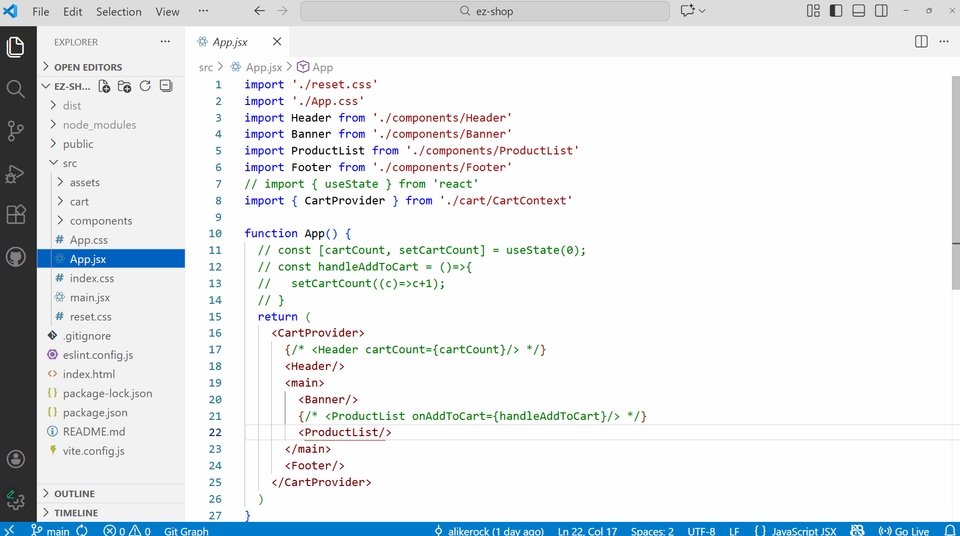
You will create a project using React and implement it using HTML, CSS, and React (JavaScript).

VS Code Development

Implementing Filtering and Sorting📘

Based on what you learned in the React basics section, you will retrieve product information and display products through list rendering (map). You will implement filtering and sorting based on conditions in the displayed product list.

filtering, sorting

Implementing Pagination 📘

From the displayed product list, output designated products based on conditions, and when a button is clicked, output the products from that page.

pagination

Responsive Implementation 📘

Using media queries, we adjust the number of products displayed to fit various device types.

responsive

Recommended for
these people

Who is this course right for?

  • # Publishers Who Have Learned HTML/CSS/JS but Find React Unfamiliar

  • Someone who wants to add a React-based project to their portfolio

  • Web Designer/Web Publisher Preparing to Expand Career into Frontend Development

Need to know before starting?

  • HTML / CSS / JavaScript Basics

  • Node.js & VS Code Installation

  • GitHub Account (for deployment)

Hello
This is

2,636

Learners

54

Reviews

4

Answers

4.9

Rating

11

Courses

■ [현재] 그린컴퓨터아트학원 웹퍼블리싱, 프론트엔드 강의
■ [현재] 웹 퍼블리싱 유튜브 채널 'Rock's Easyweb' 운영
■ 더조은 컴퓨터아카데미 웹 퍼블리싱 강사
■ 한빛 컴퓨터아카데미 웹 퍼블리싱 강사
■ 프론트엔드 퍼블리셔, 프론트엔드 퍼블리싱 전문강사
■ UI/UX 웹 디자인 포트폴리오 강의


[ 도서 ]
2021.07.19 출간 / 웹디자인 & 웹퍼블리싱을 위한 피그마 완벽 활용서 / 비제이퍼블릭

2022.08.25 출간  / 코딩을 처음이라 with 웹 퍼블리싱  / 영진출판사

2023.10 출간 /2024 SD에듀 유선배 웹디자인기능사 실기 과외노트 / 시대고시기획

2024.11 재판 /2025 SD에듀 유선배 웹디자인기능사 실기 과외노트 / 시대고시기획


[ 수상경력 ]
2022.08 그린컴퓨터 아트 학원 종로지점 - 우수강사 2021.06 그린컴퓨터 아트 학원 종로지점 - 우수강사 2018.06 그린 컴퓨터아카데미 신촌 지점 - 우수강사 2017.05 그린 컴퓨터아카데미 신촌 지점 - 우수강사 2016.05 그린 컴퓨터아카데미 신촌 지점 - 우수강사 2015.10 그린 컴퓨터아카데미 신촌 지점 - 우수강사 


Curriculum

All

33 lectures ∙ (9hr 28min)

Course Materials:

Lecture resources
Published: 
Last updated: 

Reviews

Not enough reviews.
Please write a valuable review that helps everyone!

Limited time deal

$38,500.00

50%

$59.40

ezweb's other courses

Check out other courses by the instructor!

Similar courses

Explore other courses in the same field!