inflearn logo

My First Time Coding: From CSS Basics to Responsive Web Design with Web Publishing

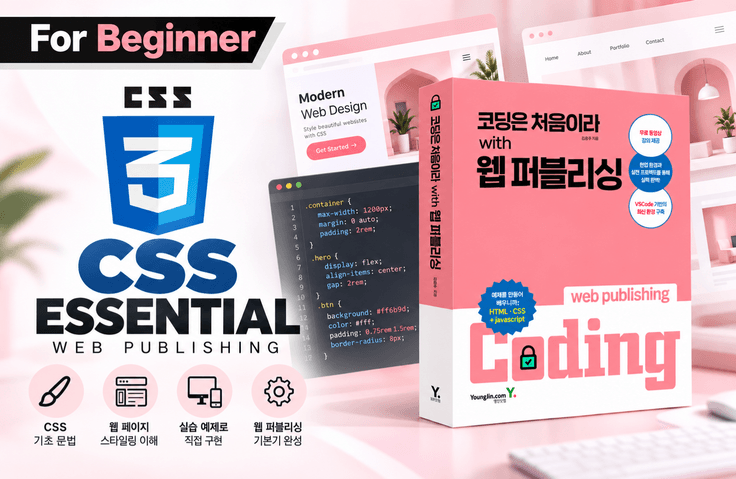
Even in the AI era, you need a solid foundation in CSS to create the web designs you want. Learn step by step, from basic CSS syntax to layouts, Flexbox, and responsive web design, and build the practical skills needed for employment along with the ability to understand and modify AI-generated code.

(5.0) 22 reviews

1,241 learners

Level Beginner

Course period Unlimited

HTML/CSS
HTML/CSS
HTML/CSS
HTML/CSS
Thumbnail

Reviews from Early Learners

5.0

5.0

정조윤

79% enrolled

I studied the CSS lecture following the HTML lecture. I think it is a really useful, wonderful, and excellent lecture. I learned a lot. Thank you.

5.0

longde129177

61% enrolled

The detailed explanation really helps it sink in easily.

5.0

아라레

6% enrolled

Thank you for the great lecture.

What you will gain after the course

  • CSS selector

  • CSS font text style

  • CSS Layout - float, position

  • CSS Layout - Flexbox

  • CSS animation, responsive

🎨 In an era when AI designs, why should we learn CSS?

New to Coding! Web Design Starts with CSS

If AI can build websites for you, do you still need to learn CSS?

With the advancement of AI tools like ChatGPT, Claude Code, and Figma Make, you can now generate web pages and CSS code simply by describing the design.

But what should you do if the website created by AI is slightly different from the design you want?

  • What if the text size and spacing look awkward?

  • What if images or buttons are not placed where you want them?

  • What if it looks fine on a PC but the layout breaks on mobile?

  • What if you need to directly modify a button’s movement or animation?

You could repeatedly ask AI to make revisions, but if you understand CSS, you can identify the cause of the problem and write more specific revision requests.

The more we enter an era where AI writes code for us, the more important it is to understand the generated results and modify them as desired.

CSS is not merely a language for making webpages look attractive. It is a core technology for designing layouts, adapting to various screen sizes, and completing the visual experience of the website users see.

In this course, you will systematically learn everything from the basic syntax of CSS to layouts, animations, and responsive web design.

At the end, you’ll complete the webpage’s CSS yourself by referencing an actual design.

💼 If you’re preparing for employment, CSS fundamentals are not optional.

What matters to frontend developers and web publishers is not simply completing the screen.

In real-world work, you need to analyze designs and implement them, read and modify existing CSS code, accommodate various screen sizes, and solve unexpected layout problems.

Therefore, along with the ability to quickly create code using AI, it is important to have an understanding of fundamental principles such as CSS selectors, the box model, layouts, Flexbox, Position, and responsive web design.

Not someone who simply uses the CSS written by AI,

Someone who understands why it was written this way and can independently assess and fix problems when they arise.

This is the web development foundation needed in the age of AI.

In this course, you will learn step by step, from the basic syntax of CSS to layouts, Flexbox, animations, and responsive web design, building a solid foundation in CSS that won’t waver even when developing with AI.

✔️ Experience a course taught directly by the book's author!

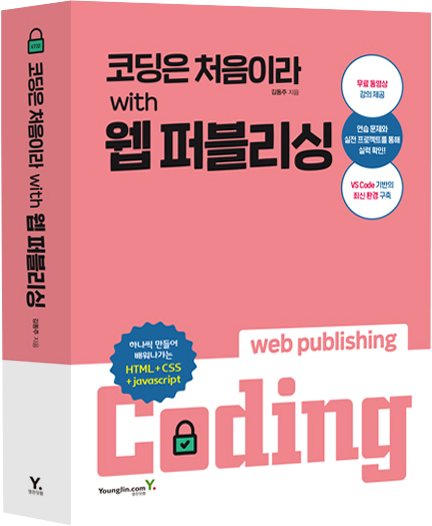
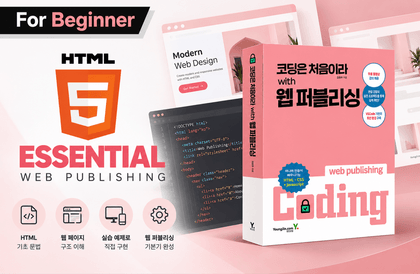
  • This course is taught by the author of Youngjin.com’s book <Coding Is My First Time with Web Publishing>, based on the book’s content. Studying alongside the book will help you learn more effectively.

  • After completing the course 'Coding Is New to Me with Web Publishing - HTML Basics,' please continue your studies with this course.

  • If you need supplementary learning, check out additional lessons on the author's YouTube channel.


🚀 What makes this course different?

Rather than simply memorizing CSS properties, this course focuses on understanding and applying the role each property plays on actual webpages.

First, you will learn the basic principles of CSS.

You will learn the key concepts for creating styles, from CSS selectors and specificity to fonts, backgrounds, and the box model.

Second, learn layouts used in real-world work.

Use Float, Position, and Flexbox to place elements where you want and structure the layout of a webpage.

Third, create dynamic web pages.

Using Transition, Transform, and Animation, you will implement various visual effects without JavaScript.

Fourth, you will experience responsive web design and a real-world project.

Learn responsive layouts that adapt to screen size, and complete a webpage’s CSS by referencing real-world designs.

📚 What will you learn?

STEP 01. Mastering Basic CSS Syntax and Selectors

We’ll start with the basic syntax needed to write CSS styles.

  • CSS Basics and Colors

  • Various CSS units, such as px and rem

  • Tag, ID, class, and relationship selectors

  • Attributes, pseudo-classes, and structural selectors

  • CSS Selector Specificity

Learn how to use CSS selectors to apply styles precisely to the desired HTML elements.

In particular, understanding selector specificity helps identify issues where styles are not applied as expected.

STEP 02. Styling Text and Backgrounds

Learn various CSS properties that enhance the visual quality of web pages.

  • Loading and Applying Web Fonts

  • Text size, weight, decoration, and alignment

  • Letter spacing and indentation

  • Controlling the Content Display Area Using Overflow

  • Setting Background Colors and Images

  • Adjusting the position and size of background images

Learn the fundamentals of creating webpages that closely resemble design mockups by applying CSS to text and images.

STEP 03. The Essentials of Web Layout! Box Model and Flexbox

Learn the layout properties that determine the size and position of elements on a webpage.

  • CSS Box Model

  • Layouts Using Float

  • Positioning elements using Relative and Absolute

  • Fixed, Sticky, and z-index

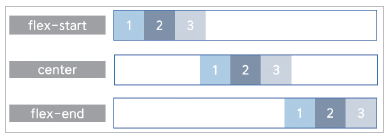
  • Flexbox Direction, Wrapping, and Alignment

  • Arranging elements using the order and flex properties

Learn the role of each layout property and how to use it appropriately for different situations.

STEP 04. Animations Implemented with CSS Only

Add various visual effects to web pages using only CSS properties, without JavaScript.

  • text-shadow and box-shadow

  • CSS Gradient

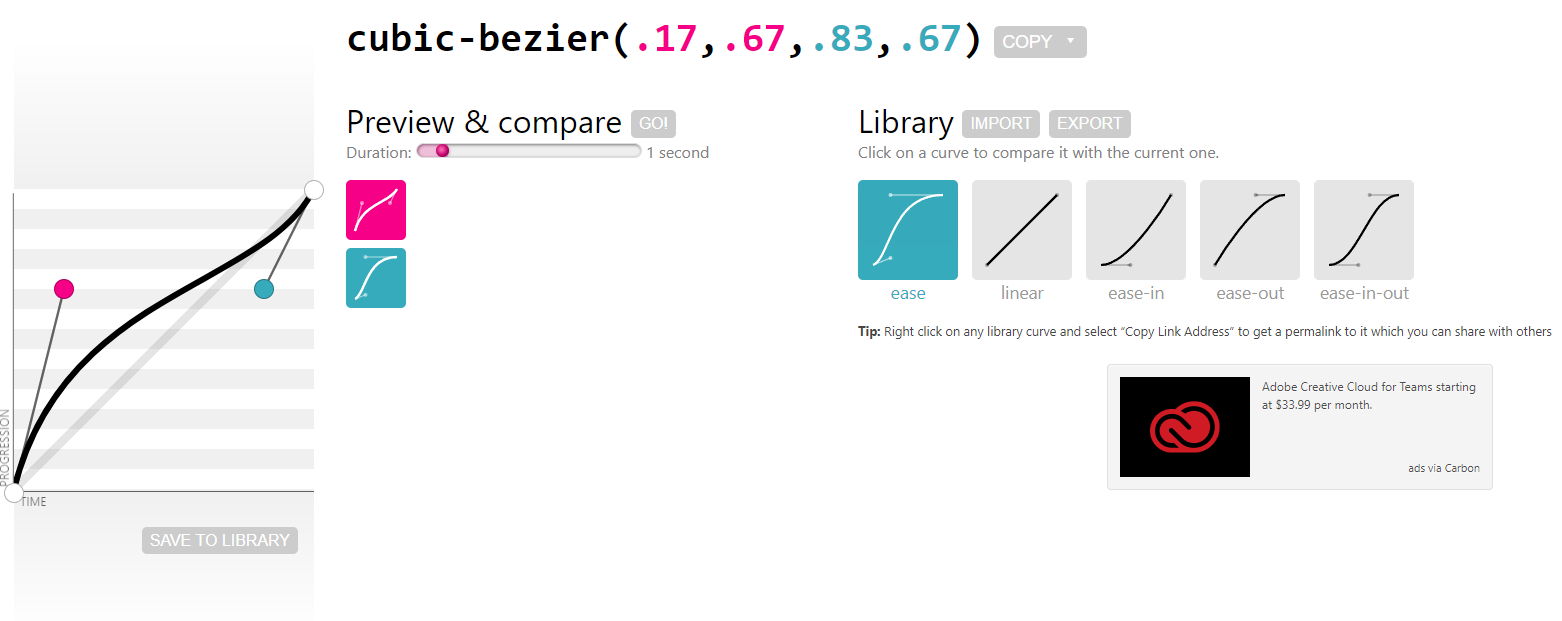
  • Smooth state changes using Transition

  • Implementing Motion Using Animation

  • Translate and Scale

  • Rotate and Skew

Create a UI that provides users with visual feedback beyond simple style changes.

STEP 05. From PC to Mobile! Implementing Responsive Web Design

Learn the basic concepts of responsive web design, where the layout changes according to the screen size.

  • Basic Principles of Responsive Web Design

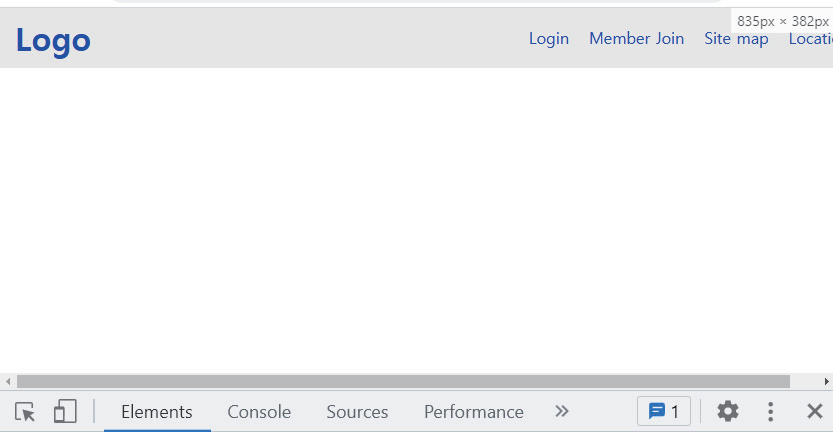
  • Layout changes based on screen size

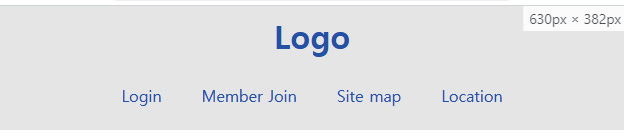
  • Implementing a Responsive Header

  • Caption Animation and Aside Navigation Practice

Develop the ability to use CSS to accommodate various screen environments.

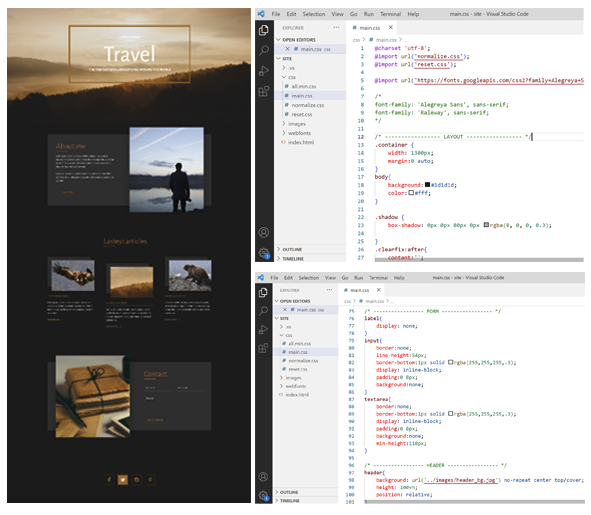
STEP 06. Practical Project! Complete the Design as an Actual Webpage

This is the final step of applying the CSS you have learned so far to the creation of an actual web page.

Using the design as a reference, directly implement the styles for the following sections.

  • CSS Reset and Applying Google Web Fonts

  • Writing Common Styles for a Web Page

  • Styling the Header Area

  • Implement the About Me section

  • Implement the Latest Articles section

  • Complete the Contact and Footer sections

Experience the workflow of actual web publishing by applying the CSS properties learned over several sessions together on a single webpage.

1) Learn CSS selectors thoroughly. CSS begins with accurately selecting the target.


2) Learn typography-related styles.


3) Learn the essential properties related to layout.


4) Learn all the properties related to backgrounds.


5) Learn flex, the core of flexible layouts, to easily create a wider variety of layouts.


6) Learn the basics of animation.


7) Learn and practice the fundamentals of responsive design thoroughly.


Desktop screen


Tablet screen


Mobile screen


8) Implement the HTML web page created in the previous lecture using CSS. 

🎯 Recommended for those who:

1. For those who have completed learning HTML and are just starting CSS

It is suitable for those who can create the structure of a webpage with HTML but are not yet familiar with applying design and layouts.

2. Those who want to learn web design and web publishing

Recommended for those who want to develop the ability to analyze designs, apply styles to HTML elements, and build real web pages.

3. For those who have learned CSS but struggle to implement layouts

It will help those who want to clearly understand concepts such as Flexbox, positioning, and the box model, and apply them to actual web pages.

4. Those who want to use AI and vibe coding

Suitable for those who want to understand AI-generated CSS code and develop the foundational skills needed to directly modify designs or responsive layouts.

5. Those preparing for frontend development with React or similar technologies

You can build a solid foundation in CSS for applying styles to components and creating web interfaces that adapt to various screen sizes.

✅ After completing the course, you will be able to do the following.

  • You can understand and use the basic syntax and selectors of CSS.

  • You can understand how styles are applied according to selector specificity.

  • You can style various elements, such as text, images, and backgrounds, according to your desired design.

  • You can create webpage layouts using the box model, Position, and Flexbox.

  • You can implement visual effects using CSS Transitions and Animations.

  • You can create responsive web pages that adapt to screen sizes.

  • You can complete the CSS styling of a webpage by referring to a design.

  • You can understand the role of CSS code generated by AI and modify basic styles and layouts.

The knowledge gained in this course can also be applied when learning JavaScript and React later on.

🤖 In the Age of AI, What Difference Does Knowing CSS Make?

There is a difference between simply asking AI, "Make the website look pretty," and giving it specific modification instructions while understanding the basic concepts of CSS.


For example, you could make a request like this.

Situation 1. Layout modification

"The cards are currently arranged vertically. Use Flexbox to arrange them horizontally, and set the spacing between the cards to 20px."

Situation 2. Improve the responsive web design

"On PC, arrange the menu horizontally, and when the screen width is 768px or less, change it to a mobile menu layout."

Situation 3. Add an animation

"Apply a CSS transition so that the background color changes smoothly when hovering over the button."

Situation 4. Resolving CSS Errors


"I want to position the child element relative to the parent element. Modify the code to use relative and absolute, and explain the issues with the existing code as well."

By understanding CSS in this way, you can communicate your requirements more clearly to AI.

Even when problems occur in AI-generated code, rather than simply regenerating it, you can determine which properties need to be modified.


AI reduces the time it takes to create code, while an understanding of CSS helps you assess and improve the quality of the result.


※ This course is designed to teach CSS itself. It does not include writing AI prompts or vibe coding exercises; the content above is an example of how they can be used after learning CSS.

🎓 If you’ve mastered the basics of CSS, it’s time to move on to the next step!


If you’ve learned HTML and CSS, now use JavaScript to add movement to your web pages.


STEP 01. Bring Web Pages to Life with JavaScript

Learn the core syntax of JavaScript, including variables, functions, conditional statements, and loops, and learn how to create dynamic web pages using DOM manipulation and events.

The crown jewel of web programming! JavaScript basics


STEP 02. Getting Started with Front-End Development Using React

Based on the fundamentals of HTML, CSS, and JavaScript, learn the core concepts of React and build a real website.

Your First Encounter with React: A Practical Guide for Publishers


Even in an era when AI generates designs and code, the ability to understand and complete the design you want remains important.

Learn CSS to build a solid foundation in web design and create a basis for using AI more effectively.

Recommended for
these people

Who is this course right for?

  • Someone who has learned HTML

  • Those who find implementing responsive design difficult

  • Those who lack the basics of animation

Need to know before starting?

  • HTML

  • Photoshop

Hello
This is ezweb

Career Verified

3,004

Learners

78

Reviews

4

Answers

4.9

Rating

15

Courses

I am a frontend specialist instructor who teaches everything from web publishing to practical JavaScript and React, as well as AI-assisted development.

I have taught non-majors, beginners, and job seekers at ESTSOFT KDT and Green Computer Academy, among others. I break down complex concepts into small hands-on exercises and favor project-based classes in which learners complete the deliverables themselves.

Key Educational Areas

  • HTML/CSS Web Publishing

  • JavaScript Basics and Web Interactions

  • React-based frontend development

  • Implementing Web Services Using Firebase

  • Figma UI design and development integration

  • Web Development with Generative AI

  • Web Design Technician Practical Exam

Corporate and institutional training

I conduct training for corporate practitioners, KDT courses, and special lectures at universities and academies.

We develop curricula and hands-on projects tailored to the learners, their prior knowledge, the training duration, and the intended outcomes. We offer in-person instruction, live online classes, and recorded educational content production.

Online Educational Content Production

We handle the following online educational content production tasks.

  • Lecture curriculum and learning objective design

  • Creation of course materials and presentations

  • Step-by-step practice code and example project setup

  • Writing lecture scripts for recording

  • Lecture filming and content delivery

Main Activities

  • ESTSOFT KDT Frontend Course

  • Green Computer Academy Web Publishing & Front-End Course

  • Operating the web publishing YouTube channel ‘ezweb’

  • Authored books in the fields of web publishing and web design

Publications

We accept inquiries about delivering courses for companies and institutions and producing online educational content.

Inquiries: ezwebpub@gmail.com

More

Curriculum

All

34 lectures ∙ (9hr 16min)

Course Materials:

Lecture resources
Published: 
Last updated: 

Reviews

All

22 reviews

5.0

22 reviews

  • hesshes2407님의 프로필 이미지
    hesshes2407

    Reviews 2

    ∙

    Average Rating 5.0

    5

    39% enrolled

    Simple and easy explanation for beginners

    • ezweb
      Instructor

      A new Pigma Design Reference Coding class has been opened. Check out the class ^^ https://inf.run/CZ1az

  • jjhgwx님의 프로필 이미지
    jjhgwx

    Reviews 1,205

    ∙

    Average Rating 4.9

    5

    15% enrolled

    Thank you for the great lecture!

    • wlghsp3420님의 프로필 이미지
      wlghsp3420

      Reviews 236

      ∙

      Average Rating 5.0

      5

      6% enrolled

      Thank you for the great lecture.

      • mrnobody님의 프로필 이미지
        mrnobody

        Reviews 8

        ∙

        Average Rating 5.0

        5

        100% enrolled

        Thank you for the great lecture. _(__)_

        • ezweb
          Instructor

          Thank you as well. Please try other courses too ^^

      • longde1291770911님의 프로필 이미지
        longde1291770911

        Reviews 1

        ∙

        Average Rating 5.0

        5

        61% enrolled

        The detailed explanation really helps it sink in easily.

        • ezweb
          Instructor

          Thank you for your valuable review.

      ezweb's other courses

      Check out other courses by the instructor!

      Similar courses

      Explore other courses in the same field!

      Free