Introduction to UI design using Figma, from A to Z
This is a class called "UI Design with Figma A to Z" prepared for non-majors who have never studied design, students who have just started studying UX design, and UX and UI design job seekers. Even those who do not know any other tools such as Photoshop can become UI design experts by using only Figma, from basic to advanced functions.
You can develop your UI design theory and practical skills.
We will go through the practical UI design process from start to finish.
Learn the Figma features needed to design UI.
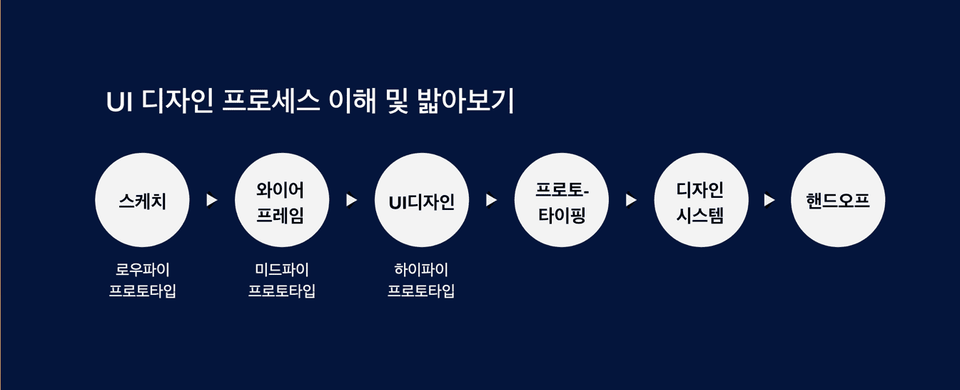
We will show you how to make prototypes from low-fi to high-fi.
Learn the basics of Figma prototyping for user testing and communication.
Learn how to create a Figma/Zeplin handover, the final output of the development stage.
Even beginners and non-majors can gradually develop UI design skills step by step.
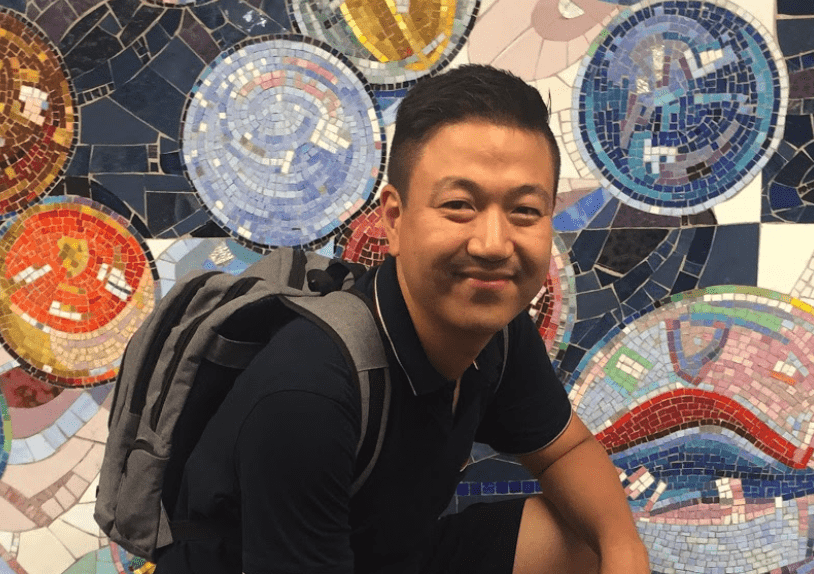
Hello. I'm Eric, working as a product designer in New York. 👋
To describe what I do as a product designer, I start with user research work where I learn about users and gather their feedback, then move on to UX design such as creating wireframes and information architecture based on user understanding, and finally handle UI design where I create design systems and produce the final UI design deliverables that actual users will interact with. As a product designer, while I now have ownership over nearly all parts of the UX process - both UX and UI - it wasn't like this from the beginning.
"How I, who only did planning work, acquired UI design skills in just 3 months"
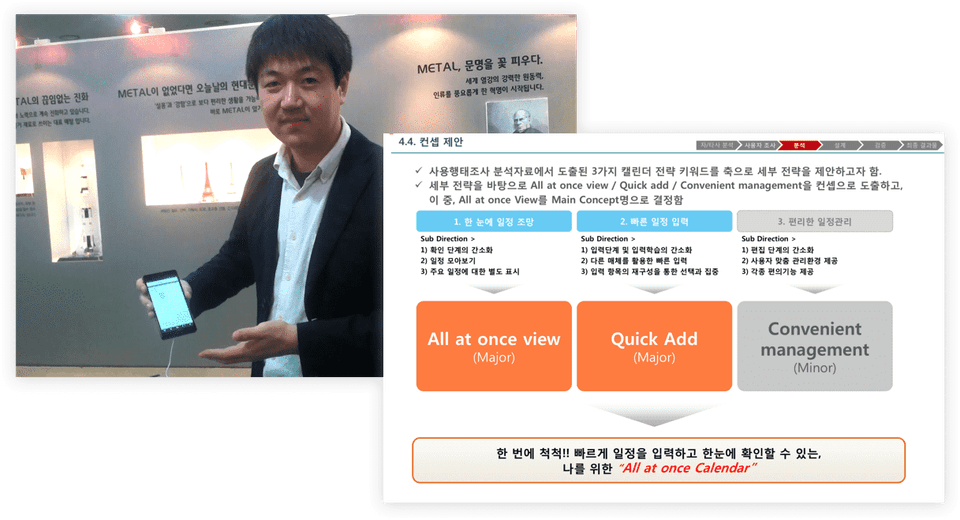
I worked as a planner in Seoul for several years before coming to New York. The work I did at that time mainly involved creating wireframes, or UI specifications, using PowerPoint and conducting user research. Creating wireframes with PowerPoint didn't require visual perfection, so I had no difficulty getting started. However, I thought UI design was not a field I could handle. While I had opportunities to collaborate with UI designers, I never did UI design directly myself.
👉 My appearance when I was working in planning in Seoul and part of the planning documents
I used to think that UI design was only possible for people who were naturally gifted with visual sense or exceptional design abilities. The barrier to acquiring this ability seemed too high for me. However, I came to realize that I needed to become a product designer who handles user research, planning, and UI design all together in order to upgrade my career. To do that, I had to develop UI design skills, which was the biggest challenge for me. Even when I decided to start, I didn't know where or how to begin learning. Still, since I had set a goal, I started looking for ways to achieve it. Fortunately, while searching for methods, I was able to meet great mentors and learn about good approaches.
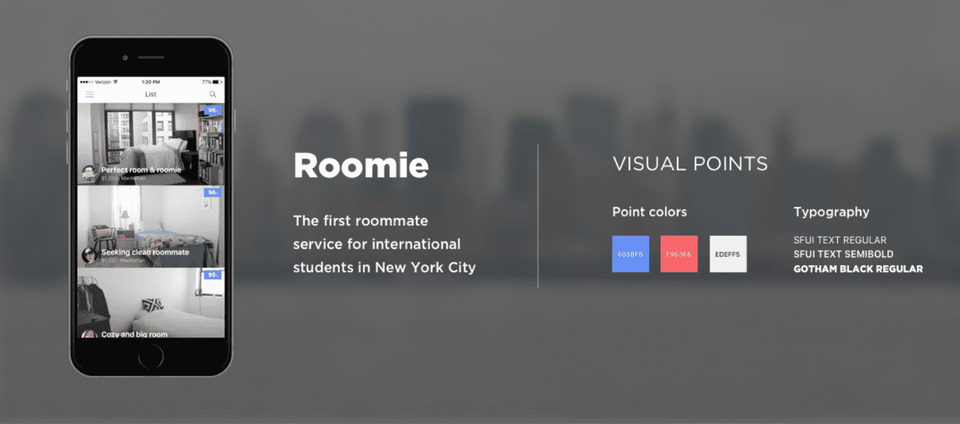
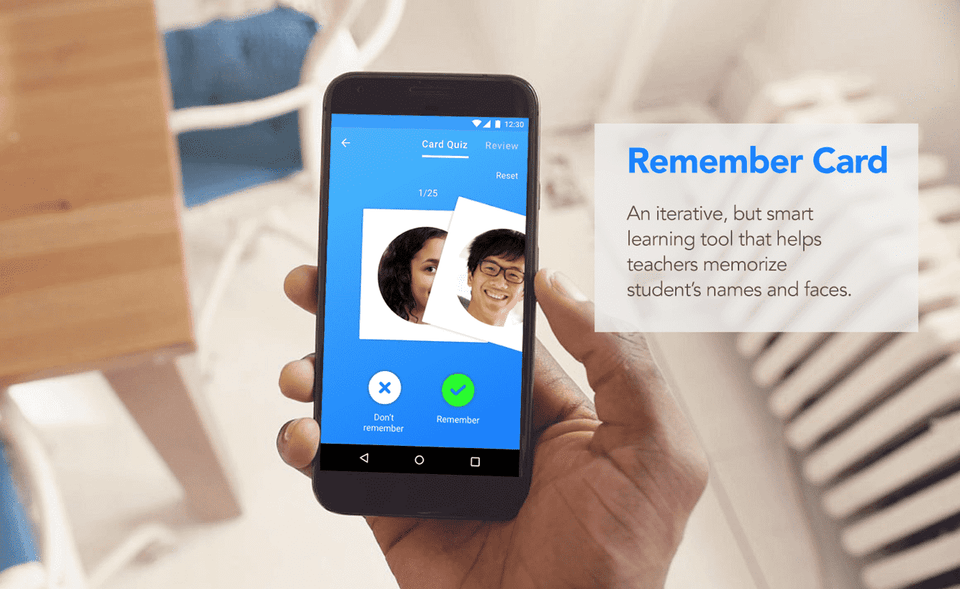
And once I learned this method, I gained the confidence that 'developing UI design skills is not impossible for me'. Just 3 months after starting to study UI design, I completed my first UI design project, which played a crucial role in landing my first job as a product designer.
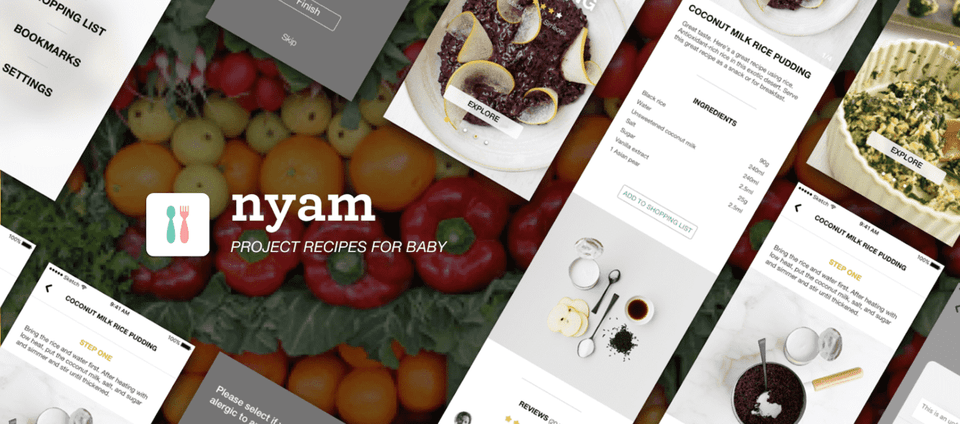
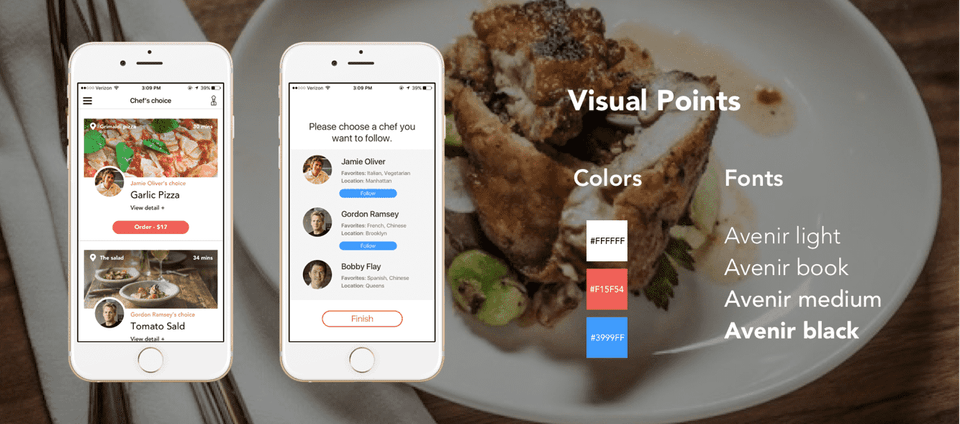
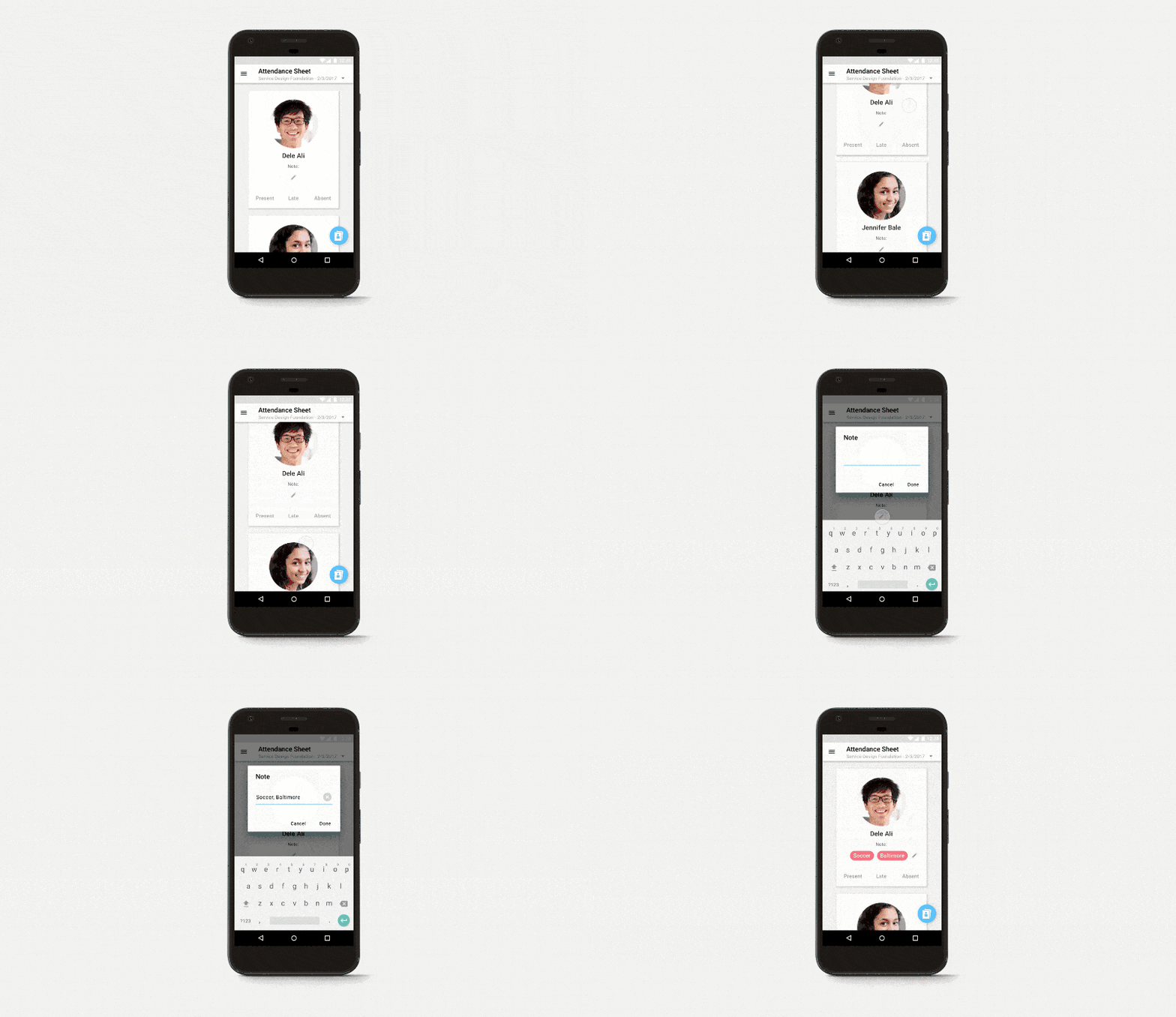
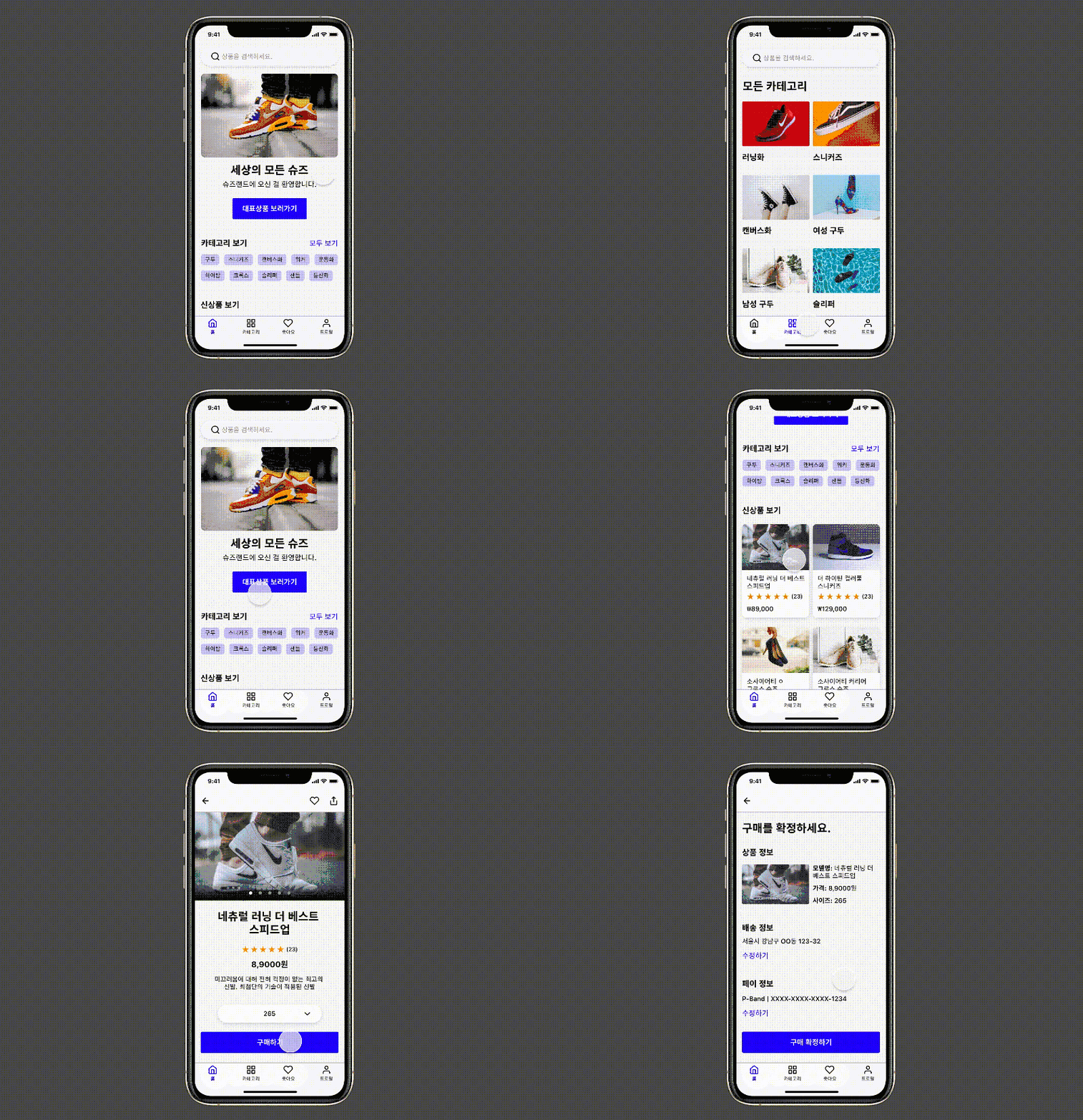
👉 UI projects I worked on as a late starter in learning
Through this learning and training process, I discovered that if you know the right methods, even people who don't have exceptional visual sense or haven't majored in design can fully develop UI design skills.
Through this class, I will share the challenges I had to overcome to quickly develop UI design skills and the secrets that helped me overcome them. So I will guide those of you who have similar difficulties to develop UI design capabilities using the Figma tool.
1. What can you gain from this course? 🙌
① Understanding the UI Design Process and Making It Your Own
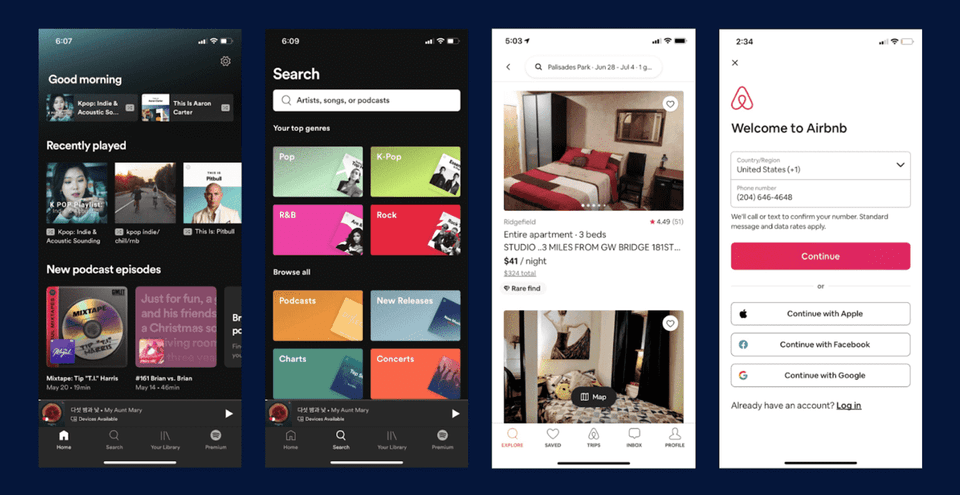
I'd like to ask you one question. 🙋 What you're looking at right now are representative screens from very famous apps. These are beautifully designed screens. What process do you think the designer went through to create these screens? Did they open Figma or Sketch and draw them out in one go?
Image source: Spotify, Airbnb
To share my thoughts on this, most UX/UI design projects go through many processes and considerations before these screens come to fruition, and they are continuously updated to provide better services to users. UI design can be seen as a process of finding solutions to problems within the bigger picture of UX/UI design. In this class, I will teach you about the processes and activities that need to be followed for UI design.
There are reasons for going through these processes. To do UI design well, you shouldn't just jump straight into drawing cool and sharp final UI design screens, but rather go through each step to effectively communicate with team members or clients and ultimately provide the best experience for users. You need to understand why you go through each step and be able to take each step yourself. Through this course, I've prepared lessons so that you can develop the ability to go through each step using Figma and make this process your own, that is, to develop expertise in UI design.
👉 The UI design process I follow when working
② Build practical UI design skills through design practice
Earlier, I mentioned that to do UI design well, you need to follow the UI design process. The purpose of this course is to make this process your own through the lessons. What's most important for this is to actually go through the stages of UI design by following along with the practical chapters and real-world examples in this course through hands-on practice. So let me show you through examples what deliverables you'll create at each stage.
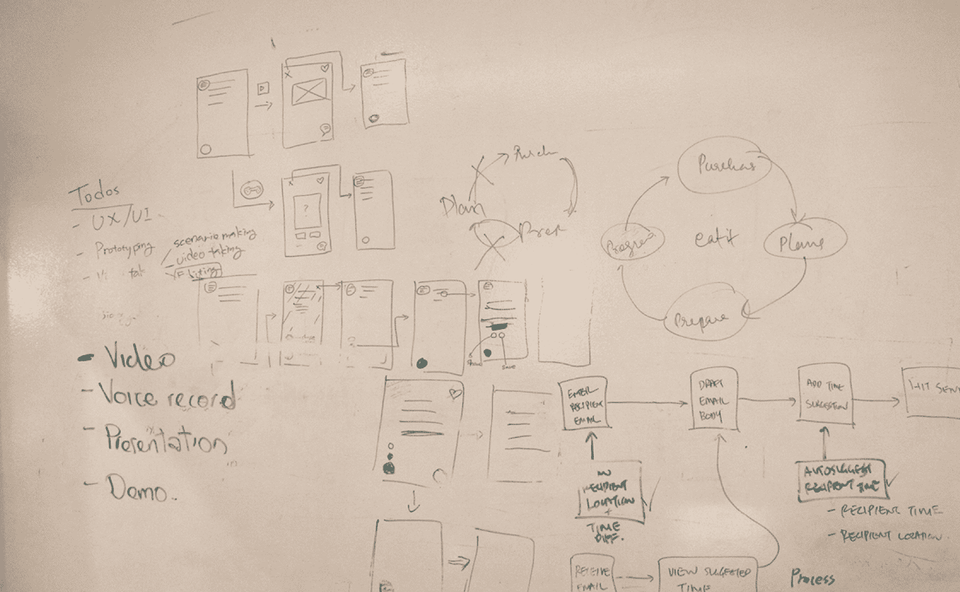
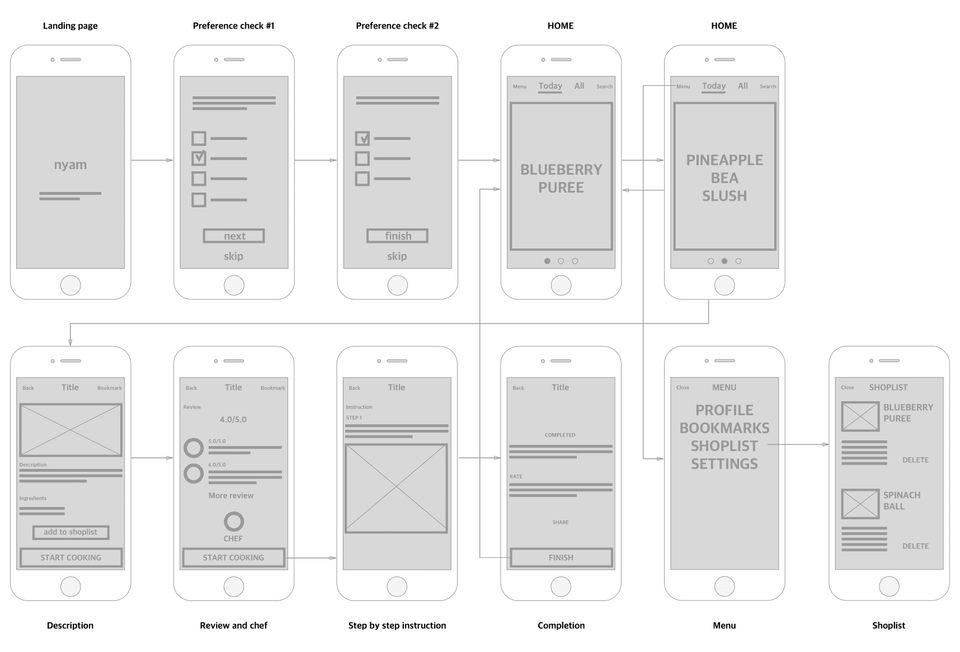
▪️ Ability to create and utilize hand sketches and wireframes
Hand sketching is about thinking of ideas that can solve a given problem and roughly drawing them out. The advantage of sketching is that you can easily modify ideas in a short amount of time. As ideas develop into later stages, the visual completeness increases, which takes more time to make modifications.
Wireframe further refines ideas that come from sketches and defines the functions for each screen and the screens themselves. It also connects the flow between screens. Wireframes can be considered the framework for moving to the UI design stage. When UI planners and UI designers have completely separate roles, wireframes are sometimes handled by UI planners. However, product designers or UX/UI designers should also know how to create wireframes.
👉 This is a sketch I drew that looks like it was drawn with my feet😊😊 But in practice and real work, sketches like this can be incredibly powerful!
👉 Wireframe with defined screens, screen flow diagrams, etc.
▪️ Ability to create and utilize UI design and prototyping
Also called a Hi-Fi Prototype, UI design creates visually polished screens based on the wireframes mentioned earlier. At this stage, fonts, colors, icons, and other visual elements reach the level that actual users will experience. In this stage as well, it's important to thoroughly consider what the most suitable experience for users would be. In this lecture, we'll cover design principles you need to know to keep users at the center. If you build practical skills on top of theory, you can become a designer with solid fundamentals! 👍
Prototyping connects each screen created this way, making it appear to users as if it's actually functioning.
👉 The stage of enhancing visual completeness, UI Design
👉 Screens that work without coding through prototyping
▪️ The ability to create design systems and handoffs
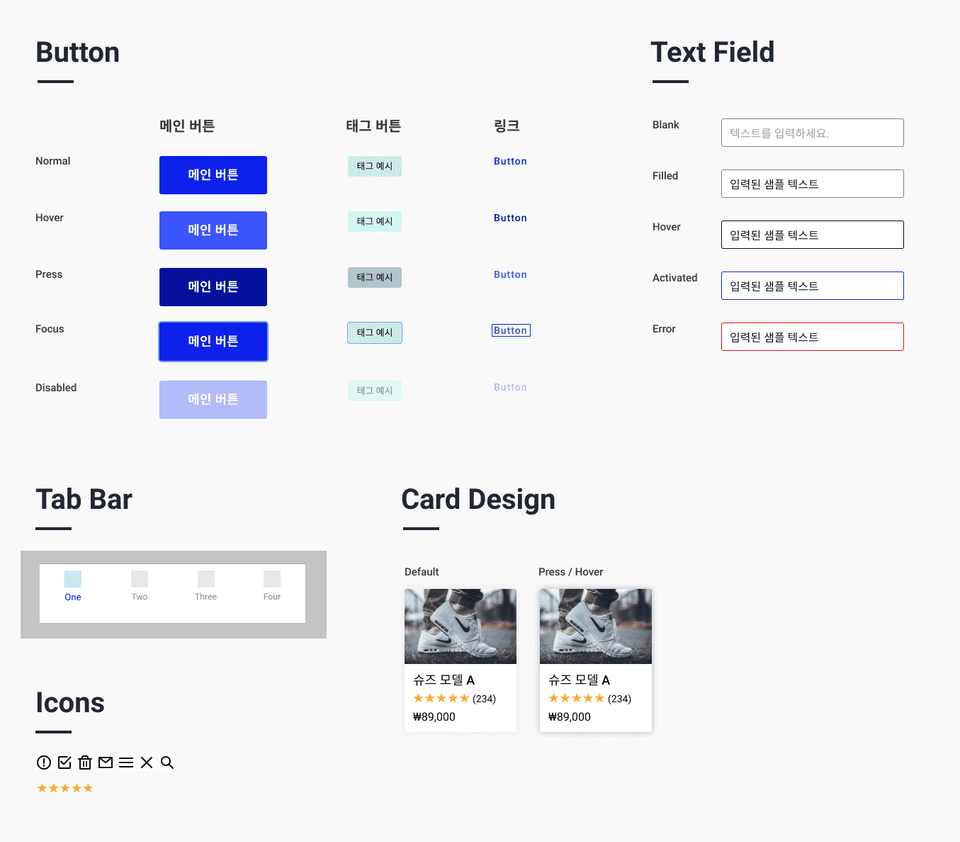
Based on the final UI design, I'll show you how to create a design system including style guides and components. Having a design system provides users with a consistent user experience and interface, while allowing designers and developers to work efficiently on design and development, saving time, which makes it extremely powerful in practice. 💪
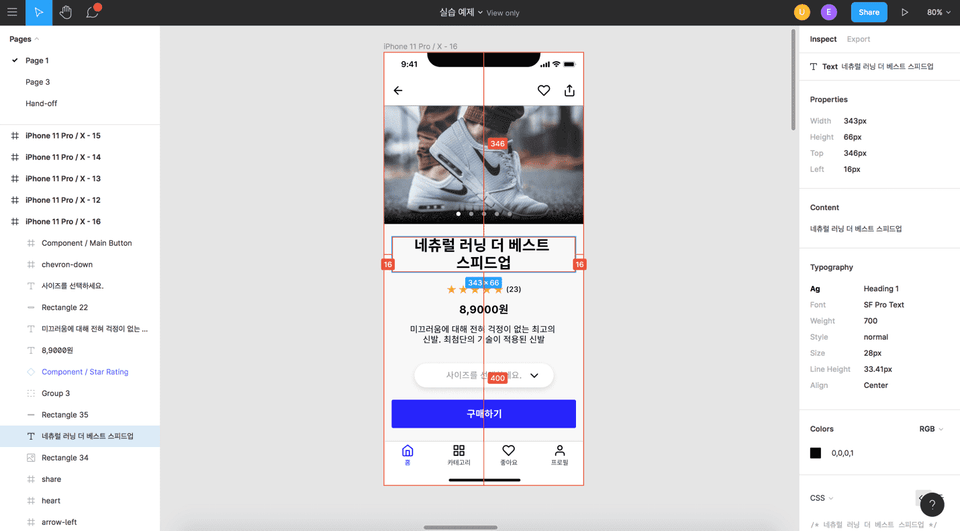
Finally, hand-off (Hand-Off, HO), which can be considered the final stage of UI design, is the stage where detailed elements such as the pixel size of text or buttons are specifically defined and handed over to developers so that actual development can take place.
👉 Components, a crucial element of design systems
👉 Design deliverables and handoffs created for development
③ Honey Tips for UI Design Revealed! 🍯
Reference materials for studying design and many useful tips to help beginners gain the skills they want more quickly and easily. I'll share the knowledge and information I've gained from working in UX and UI design for several years. I'll also cover questions that people who learned UI design from me frequently ask. If you have any other questions, please leave them in the comments section^^
④ Career Planning and Roadmap 🚀
After taking the class, once you have acquired UI design skills, you'll be able to create a specific plan for what to do next to achieve your target career, such as becoming a UX/UI designer or product designer. I will provide recommendations and tips on what activities you should engage in to achieve your goals.
2. Who should take this class? 🧑🏻👩🏻
✔️ Beginner in product design, UX/UI design
First, there are beginners who dream of becoming product designers, UX/UI designers, or UI designers. This includes those without a design background, of course. To achieve this career goal, it's essential to have the ability to do UI design. If you follow this class well, you'll be equipped with basic knowledge, theory, and practical skills, allowing you to accelerate and achieve your desired goals.
✔️ Those who want to become UX/UI designers but think they lack visual skills
Earlier, I mentioned that I felt I lacked visual abilities. I'll share the secrets of how I overcame this so that you too can develop UI design skills. To become a designer, you need to understand the UI design process well and know how to create deliverables for each stage and how to use the tools. After taking this class, you'll be able to achieve this goal.
✔️ Those who want to master Figma
In this course, we'll gradually progress step by step from Figma's very basic functions like creating shapes and text, all the way to advanced features like UI design and handoff. I've designed the class so that beginners can master Figma and ultimately develop professional UI design skills. In particular, I tried to provide many practical examples through this course. If you follow along with these parts especially diligently, it will be very helpful.
✔️ Those who want to solidify the fundamentals of UI design
The core of UX and UI design is following and repeating the design process (iteration) until users are satisfied or until the problems users face are resolved. By following the process I mentioned earlier, you can create much more robust apps or services that consider many more aspects for users. After taking this class, you'll become a designer who not only has the ability to design beautiful apps, but also thinks about how to utilize each stage of the process and ultimately how to provide better experiences for users. Learning Figma is to support the technical capabilities and expertise needed to execute each stage.
3. Why Figma? 🤔
✔️ Figma, the All-in-one tool that can do everything! 👌
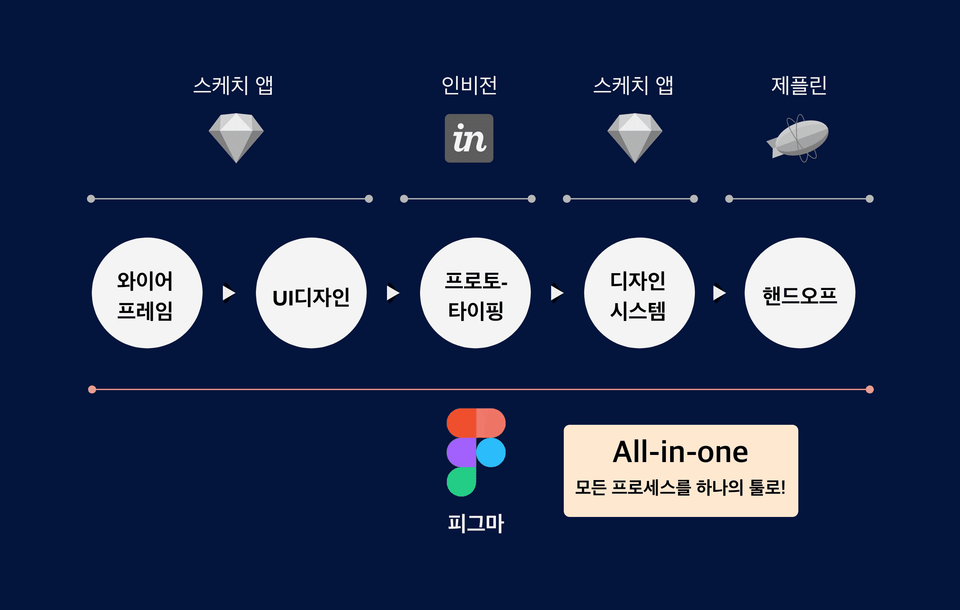
There are various tools available for each stage of the UI design process. These include Adobe XD, Sketch, Figma, and others. Among them, there doesn't seem to be any app that supports all the activities needed for UI design as comprehensively as Figma does. You can complete almost the entire process with just one app.
When using the Sketch app, you need to use Invision together for the prototyping stage to efficiently share with team members. While the Sketch app does have its own prototyping features, it's an offline-based tool, so there are limitations in effectively sharing online with team members or clients. And for handoff, you need to use Zeplin.
However, with Figma, you can handle everything from wireframing to handoff in a single app. I originally used Sketch but switched to Figma, and I was able to work more effectively and save a tremendous amount of time.
👉 "Figma = Sketch + InVision + Zeplin"
✔️ Available on both Windows and MacBook 👏
Statistically, Sketch, one of the most widely used UI design tools, cannot be used on Windows. However, since Figma is an online-based tool, it can be used with just a browser like Safari or Chrome. It can be used regardless of which OS you're using, whether Windows or macOS.
✔️ Online-based design tool optimized for collaboration
Figma is an online-based tool that's really great for real-time collaboration and communication with team members or clients. You can work on design projects in real-time with designers, and it has convenient features for sharing design work with developers, product managers, and others, as well as writing and sharing comments about the work.
👉 Real-time collaboration with team members is really convenient.
✔️ Free plugins and templates that boost design work productivity 😀
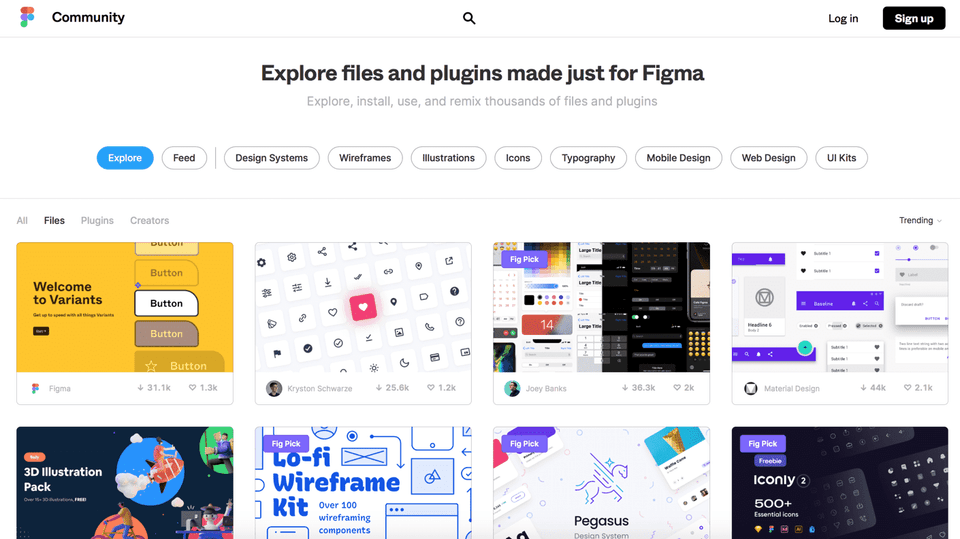
Figma has many free design templates and plugins created by third parties. By utilizing these effectively, you can increase your design productivity by several times to several dozen times or more. In this course, I will teach you how to use templates and plugins, and especially recommend highly useful templates and plugins to help you develop your UI design skills more easily and quickly.
👉 Figma Plugins and Templates
Question Q&A 🙋🏻♂️
Q. Do I need to know how to use other tools like Sketch app, Zeplin, or InVision before taking this course?
A. You don't need to know them at all. Figma contains almost all the features needed for UI design. Everything you can achieve through Sketch, InVision, and Zeplin can be done if you master Figma well. In other words, you can create design deliverables by going through all stages such as UI design, prototyping, and handoff (final deliverables for developers) using Figma.
Q. Can non-majors also take this course?
A. Yes, this course is designed for beginners and non-majors. We'll guide you step by step from basic knowledge for UI design to Figma's basic functions, and even advanced knowledge and advanced features. So even if you've been working in a field completely unrelated to design or are a non-major, after taking this course, you'll be able to acquire professional UI design skills.
Q. Are there any prerequisite courses I need to take in advance?
A. If you're someone who knows absolutely nothing about UX and UI design, I think it would be good to first take my "Introduction to UX Design for Beginners" class that I've opened on Inflearn. After taking this class, you'll be able to build overall knowledge of UX and UI design. Most importantly, you'll be able to better understand why you should take this UI design class. If you already have basic knowledge about UX and UI design, it's fine to take this class directly.
See you in class! 👋
Recommended for these people
Who is this course right for?
Product Design, UX/UI Design Beginner
Those who want to become a UX/UI designer but think they lack visual skills
For those who want to master Figma
For those who want to build a solid foundation in UI design
Need to know before starting?
If you are a beginner, I recommend taking Inflearn's Introduction to UX Design course. Course link: https://inf.run/UmHh
You don't need to know anything about other tools like Photoshop or Sketch apps.😊
Hello This is
5,056
Learners
683
Reviews
306
Answers
4.8
Rating
7
Courses
현재 뉴욕의 글로벌 테크 회사 The Knot Worldwide에서 시니어 프로덕트 디자이너로 일하고 있습니다.
뉴욕에 오기 전에는 서울에서 UI기획자로 일을 했습니다.
브런치 매거진 "디자인, 그리고 프러덕트"와 UX, UI 지식과 정보를 공유하는 "뉴욕 UX디자이너"인스타그램과 페이스북을 운영하며 디자이너 및 예비 디자이너들과 소통하고 있습니다.
개인적으로는 세 아이👶의 아빠이며 요리🍲, 교육🏫에 관심이 많습니다.
집필 및 강의
• "뉴욕 프로덕트 디자이너가 알려주는 UX디자인 입문 A to Z" 책 출간 (링크: Yes24, 알라딘, 교보문고)
Tôi là một lập trình viên chủ yếu làm việc về web backend. Tôi tham gia khóa học vì tò mò về Figma, nó đang trở thành xu hướng trong lĩnh vực thiết kế UX/UI, có thể được coi là cốt lõi của công việc front-end và muốn thử sử dụng nó.
Sau khi hoàn thành khóa học, tôi muốn viết một bài đánh giá trung thực về ấn tượng cá nhân của mình.
● Điều gì đáng thất vọng
- Hơi thất vọng một chút là ví dụ thực tế sử dụng Figma chỉ có trên dịch vụ di động. Tôi nghĩ sẽ rất tuyệt nếu có một số ví dụ thực tế về dịch vụ web. Ngoài điều này ra, tôi hầu như không cảm thấy hối tiếc về nội dung khóa học.
- Chỉ có một bài giảng kéo dài hơn 30 phút và cần phải thở quá dài, có lúc tôi nghĩ nếu chia thành khoảng 15 phút sẽ tốt hơn. Với trường hợp bài giảng trực tuyến, bạn phải theo dõi bài giảng đã được ghi sẵn và sắp xếp những phần không hiểu hoặc muốn nghe lại nhưng có vẻ hơi khó theo dõi nếu bài giảng dài.
- Mặc dù hiếm khi xảy ra trong suốt buổi học, nhưng những phần bạn phải lặp lại hoặc lắp bắp vì không nói nên lời có vẻ như khiến bạn mất tập trung, nên tôi tự hỏi nếu những phần đó không còn nữa thì sẽ thế nào đã được chỉnh sửa. Điều này là không thể tránh khỏi trong thời gian thực, nhưng tôi hơi tiếc rằng điều đó có thể không thực hiện được nếu đó là một bài giảng trực tiếp phát các bài giảng được ghi âm.
● Điều gì là tốt
- Trước hết, người hướng dẫn đã vượt qua sự thất vọng mà anh ấy gặp phải trong công việc liên quan đến thiết kế và lập kế hoạch trước đây và hiện đang đảm nhận vai trò phụ trách và quản lý toàn bộ quy trình thiết kế sản phẩm, bao gồm cả UX/UI, vì vậy vui lòng lưu ý đến cảm nhận của người mới bắt đầu và dạy cẩn thận, tôi nghĩ họ chọn lọc và dạy tốt. Những bài giảng hay đến từ câu chuyện thành công của những người tài năng, nhưng ở góc nhìn của người mới bắt đầu, hầu hết những bài giảng hay đều đến từ những người chăm chỉ, giàu kinh nghiệm, đã trải qua và vượt qua nhiều khúc quanh, khó khăn.
- Vì anh ấy có giọng nói điềm tĩnh và ấm áp nên bạn có cảm giác như thể anh ấy đang ngồi trước máy tính và giảng dạy ngay cạnh bạn chứ không phải là ai đó đang giảng bài trên bục giảng. Vì đang ở nước ngoài nên tôi sẽ không có cơ hội đó, nhưng theo kinh nghiệm của mình, tôi nghĩ sẽ rất tuyệt nếu được làm việc với một người điềm tĩnh và ân cần như vậy.
- Ngoài kiến thức sâu rộng về bản thân thiết kế, xuyên suốt bài giảng tôi còn liên tục bộc lộ rằng giảng viên rất thích công việc thiết kế nên dù là người học tôi vẫn có thể tận hưởng được nguồn năng lượng vui vẻ và theo đuổi.
- Tôi nghĩ rằng bản thân bài giảng đã được cấu trúc chặt chẽ với các yếu tố kể chuyện, giúp bạn theo sát bài học một cách tự nhiên, điều này giúp bạn có sức mạnh để hoàn thành khóa học.
● Kết luận
- Cá nhân tôi không cảm thấy khóa học này là lãng phí tiền bạc chút nào.
- Tôi nghĩ khóa học này rất đáng giá cho những ai muốn gia nhập ngành hoặc quan tâm đến nó.
- Có lẽ nhờ sự phổ biến của Figma, những bài giảng hay cũng như nhiều tài liệu và sách khác nhau để học Figma sẽ tiếp tục được phát hành tại Hàn Quốc trong tương lai, nhưng tôi nghĩ rằng bài giảng Figma của người hướng dẫn Eric sẽ vẫn là tài liệu hướng dẫn tốt cho người mới bắt đầu.
Cảm ơn bạn đã làm việc chăm chỉ trong bài giảng và thật vinh dự khi có được một bài giảng hay giúp mở rộng tầm nhìn của tôi với tư cách là một lập trình viên back-end. Tôi mong bạn luôn khỏe mạnh trong thời điểm Corona khó khăn này và chúc gia đình bạn luôn khỏe mạnh và hạnh phúc. Cảm ơn
[2021-2-24]
Jihoon, cảm ơn bạn đã đánh giá chân thành và chi tiết. Tôi xin phản hồi lại một số ý kiến phản hồi mà bạn đã cung cấp. ^^
Thất vọng/điểm cần cải thiện:
Chúng tôi xin lỗi vì bất kỳ sự bất tiện nào gây ra bởi việc nói lắp hoặc lặp lại từ ngữ. Về vấn đề này, chúng tôi hiện đang nỗ lực cải thiện các video bài giảng nói chung và âm thanh nói riêng (ví dụ: chỉnh sửa những phần khiến mọi người nói lắp, lặp lại cùng một nội dung nhiều lần, v.v.) bằng cách phản ánh những phản hồi mà bạn nhận được. Xin lưu ý rằng các bản cập nhật sẽ sớm được hoàn thành cho khoảng 1/3 tổng số bài giảng. Chúng tôi cũng có kế hoạch cập nhật dần dần các phần còn lại. Chúng tôi tin rằng điều quan trọng là sinh viên phải học tập trong một môi trường thoải mái hơn và chúng tôi xin cảm ơn một lần nữa vì phản hồi tốt của bạn.
Những phần mà một chương có thời lượng vượt quá 30 phút cũng sẽ được đưa vào phần cải tiến của video bài giảng trên.
Ngoài ra, cảm ơn bạn đã phản hồi tốt về việc tập trung vào thiết kế giao diện người dùng cho màn hình web. Tôi sẽ sử dụng nó làm tài liệu tham khảo cho việc cải thiện và phát triển bài giảng trong tương lai ^^
Về những điểm tốt và kết luận:
Tôi rất vinh dự khi có thể cung cấp một số trợ giúp cho những người mới làm quen với Figma và đang làm việc về thiết kế giao diện người dùng. Tôi rất tự hào và biết ơn vì bạn đã cho tôi biết rằng bạn đang giảng dạy từ góc độ của người mới bắt đầu. Khi tôi tạo khóa học này lần đầu tiên, tôi đã nghĩ đến phần đó, nhưng tôi sẽ ghi nhớ nó một lần nữa và làm việc chăm chỉ để giúp đỡ những người mới bắt đầu từ quan điểm của họ.
Cảm ơn bạn một lần nữa vì đánh giá chân thành của bạn. Tôi sẽ hỗ trợ bạn sâu sắc để bạn luôn khỏe mạnh và đạt được mọi việc bạn làm và dự định trong tương lai.
[2021-03-23]
Quá trình hoàn thiện video bài giảng nêu trên hiện đã hoàn thành được khoảng 50%. Những cải tiến đang được tiến hành ở các khu vực còn lại và chúng tôi sẽ chia sẻ chúng ngay khi chúng được cập nhật ^^
Tôi là một nhà lập kế hoạch CNTT cấp dưới. Đó là thời điểm tuyệt vời để tìm hiểu cách thiết kế UX của những người đương nhiệm.
Điều tuyệt vời nhất khi nghe bài giảng là họ đã dạy tôi hầu hết cách sử dụng Figma và nhấn mạnh những kỹ năng được sử dụng nhiều nhất. Sau khi tham gia bài giảng, tôi đã tự tin sử dụng công cụ này.
Điều tôi muốn thấy được cải thiện là phương pháp nói. Điều đáng thất vọng là có rất ít điểm mạnh và điểm yếu trong bài phát biểu và có nhiều khoảng dừng ở giữa bài phát biểu.
Tuy nhiên, đó là một bài giảng hay đã bù đắp được những thiếu sót của nó.
Một trong những mục tiêu của tôi là kiếm được công việc lập kế hoạch UX ở Hoa Kỳ và tôi sẽ cố gắng xem các bài đăng về bữa sáng muộn và Instagram như một hình mẫu.
Tôi rất vui khi biết rằng việc chia sẻ những kỹ năng được sử dụng thường xuyên rất hữu ích. Tôi cảm thấy mình còn thiếu sót trong việc nói và nghỉ giữa các lời nói. Tôi sẽ sử dụng nó làm tài liệu tham khảo để cải thiện và phát triển bài giảng của mình. Cảm ơn bạn rất nhiều vì những phản hồi tuyệt vời.
Nếu bạn có bất kỳ câu hỏi nào về mục tiêu tìm việc làm ở Hoa Kỳ với tư cách là người lập kế hoạch UX hoặc nếu tôi có thể giúp gì cho bạn, vui lòng liên hệ với chúng tôi thông qua KakaoTalk 1:1 mở. Để bạn tham khảo, tôi là người Hàn Quốc bản địa, đã học đại học và làm việc tại Hàn Quốc trước khi học cao học ở Mỹ và sau đó kiếm được việc làm. ^^
Sau khi nghe “Giới thiệu về Thiết kế UX cho người mới bắt đầu”, tôi cũng đang tham gia khóa học này. Từ kiến thức cơ bản về thiết kế UX đến các bài giảng về cách sử dụng công cụ Figma và cách thực sự tiến hành thiết kế, tôi đã gặp rất nhiều khó khăn khi mới bắt đầu học không chuyên, nhưng những lời giải thích chi tiết rất hữu ích.
Cảm ơn bạn đã phản hồi tuyệt vời, punky94. Khi tôi tạo khóa học này, những người tôi nghĩ đến nhiều nhất là những người mới bắt đầu, bao gồm cả những người không chuyên ngành và mục tiêu của tôi là giúp những người đó làm quen với thiết kế giao diện người dùng và phát triển các kỹ năng thực tế của họ. Thật không thể bổ ích hơn khi biết được điều đó. nó rất hữu ích. Tôi sẽ cổ vũ bạn để bạn đạt được tất cả các mục tiêu của mình!
Xin chào. Tôi là một nhà thiết kế sản phẩm cấp dưới. Thật tuyệt vời khi có thể học được các khái niệm và kỹ năng của Figma trong một khoảng thời gian ngắn. (+Khái niệm về tư duy và UX là một phần thưởng) Thực ra tôi chỉ biết sử dụng Adobe XD. Tuy nhiên, khi tìm việc, tôi thấy nhiều nơi yêu cầu Figma hoặc Sketch. Vì vậy, đây là bài giảng tôi đã tham gia! Nhờ bạn mà tôi hiện đang sử dụng Figma rất tốt trong công việc của mình :)
Tôi rất biết ơn và vui mừng khi có thể cung cấp một số trợ giúp cho bạn khi bạn đã học được các kỹ năng thông qua khóa học này và đang sử dụng chúng trong thực tế. Tôi sẽ cổ vũ bạn để bạn có thể đạt được mọi điều bạn muốn làm trong tương lai!




.gif)




![[Cập nhật UI3] Xây dựng hệ thống thiết kế bằng biến Figma강의 썸네일](https://cdn.inflearn.com/public/courses/332289/cover/5b65a944-ebb3-44a7-96b2-60ca5b0cd0ea/332289-eng.png?f=avif&w=420)


![Thiết kế dựa trên dữ liệu mà không cần chuyên gia phân tích dữ liệu [Xem lại hội thảo Datarian | Tháng 11 năm 2025]강의 썸네일](https://cdn.inflearn.com/public/files/courses/339608/cover/01kbpcbn9gv7ysm630hkz313gd?f=avif&w=420)


