UI Design from Beginner to Advanced A to Z Using Figma
This is a "UI Design with Figma A to Z" course prepared for non-majors who have never studied design, students who are just starting to learn UX design, and job seekers in UX and UI design. Even if you don't know other tools like Photoshop at all, I'll teach you everything from basics to advanced features so you can become a UI design expert using only Figma.
I am a programmer who mainly works on web backend tasks. I took the course because I was curious about Figma, which is becoming a trend in the UX/UI design work area that can be considered the core of frontend work, and wanted to try it out.
After completing the course, I will write an honest review of my personal thoughts.
● What was disappointing
- It was a bit disappointing that the practical examples using Figma were only provided as mobile services. I thought it would have been better if there were practical examples for web services. Other than this, I didn't feel any shortcomings in the lecture content itself.
- There was one lecture that was too long, exceeding 30 minutes, so I thought it would have been better if it had been divided into 15-minute segments. In the case of online lectures, you have to follow the recorded lecture content and organize the parts you don't understand or want to listen to again, but it seems that it was a bit difficult to follow if one lecture was too long.
- It is a very rare occurrence in the entire lecture, but the parts where you stutter or stammer because you have difficulty speaking are quite distracting, so I wonder if those parts could have been edited out. If it were real-time, it would have been unavoidable, but I wish it had been possible if it were an Infraon lecture that plays recorded lectures.
● Good points
- First of all, the instructor overcame the frustration he experienced in the past through design and planning work, and is now in charge of and manages the entire product design process including UX/UI, so I think he understands the minds of beginners well and teaches them carefully and carefully. Good lectures come from the success stories of talented people, but from the perspective of a beginner, most good lectures come from experienced people who have experienced many twists and turns and overcome difficulties.
- Since the instructor has a calm and warm voice, you get the feeling that he is not teaching from the podium, but sitting in front of the computer with you and teaching right next to you. Since you are abroad, I may not have the opportunity to do so, but based on my experience, I thought it would be nice to work with such a calm and considerate person.
- In addition to his extensive knowledge of design itself, there were many instances in the lecture where I felt that the instructor himself enjoyed design work, so as a learner, I was able to receive that joyful energy and follow along happily.
- The lecture itself is well-organized with storytelling elements, so I think it naturally helps me learn and gives me strength to complete the course.
● Conclusion
- I personally do not feel that this lecture was a waste of money at all.
- I think it is a lecture worth more than its price for those who are hoping to enter the industry or are interested in it.
- Perhaps due to the popularity of Figma, good lectures, materials, and books for learning Figma will continue to be released in Korea in the future, but I think that Instructor Eric's Figma lecture will remain as a good guide for beginners.
Thank you for your hard work in the lecture. It was an honor to take such a great lecture that broadened my horizons as a backend programmer. I hope you stay healthy during these difficult times of Corona, and I hope your family is always healthy and happy. Thank you.
5.0
HoneyPlan
72% enrolled
I am an IT junior planner. It was a good time to learn how current employees design UX.
The best part of the lecture was that it mostly taught me how to use Figma and emphasized the skills I use the most. After listening to the lecture, I became more confident in using the tool.
The part that I would like to see improved is the speech style. It was disappointing that there was little emphasis on the words and there were many pauses in the middle of the speech.
However, it was a good lecture that made up for the shortcomings.
One of my goals is to get a job in the US as a UX planner, so I will try to use Brunch and Instagram posts as role models.
5.0
punky94
76% enrolled
I have taken the "Introduction to UX Design for Beginners" course and am currently taking this course. As a non-major, I had a lot of difficulties when I first started, from the basic knowledge of UX design to how to handle the Figma tool and how to actually proceed with the design, but the detailed explanations were really helpful.
What you will gain after the course
You can develop both UI design theory and practical skills.
We'll go through the practical UI design process steps from start to finish.
Learn the Figma features needed for UI design.
We'll show you how to create prototypes from low-fidelity to high-fidelity.
Learn Figma prototyping features for user testing and communication.
I'll show you how to create a Figma/Zeplin handoff, which is the final deliverable of the development stage.
Even beginners and non-majors can gradually build up their UI design skills. Hello, I'm Eric, a product designer working in New York. 👋 My...
Even beginners and non-majors can gradually develop UI design skills.
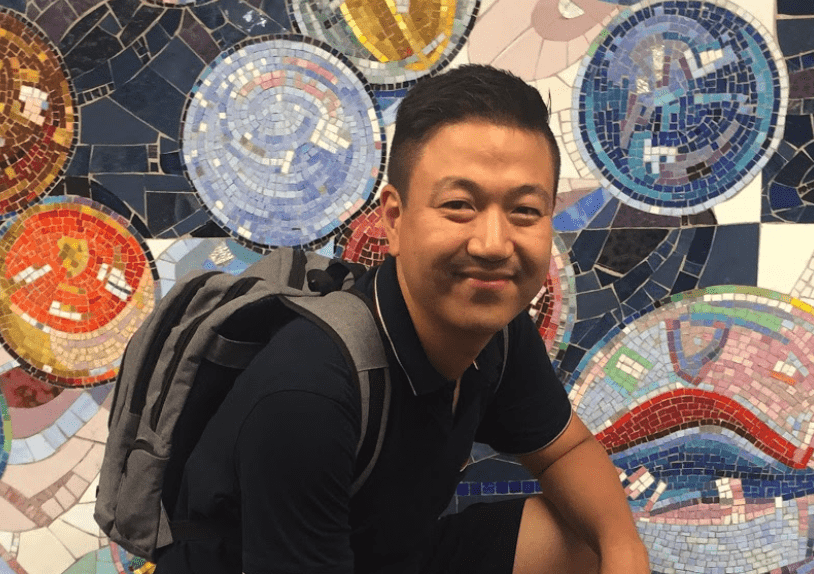
Hello. I'm Eric, working as a product designer in New York. 👋
To describe what I do as a product designer, I handle everything from user research—learning about users and gathering their feedback—to UX design such as creating wireframes and information architecture based on user understanding, to UI design where I create design systems and produce the final UI design deliverables that actual users will interact with. As a product designer, while I now have ownership over nearly all aspects of the UX process—both UX and UI—it wasn't like this from the beginning.
I handle it. As a product designer, I have ownership over almost all parts of UX and UI, that is, the UX process, but it wasn't like that from the beginning.
"How I gained UI design skills in just 3 months after only doing planning work"
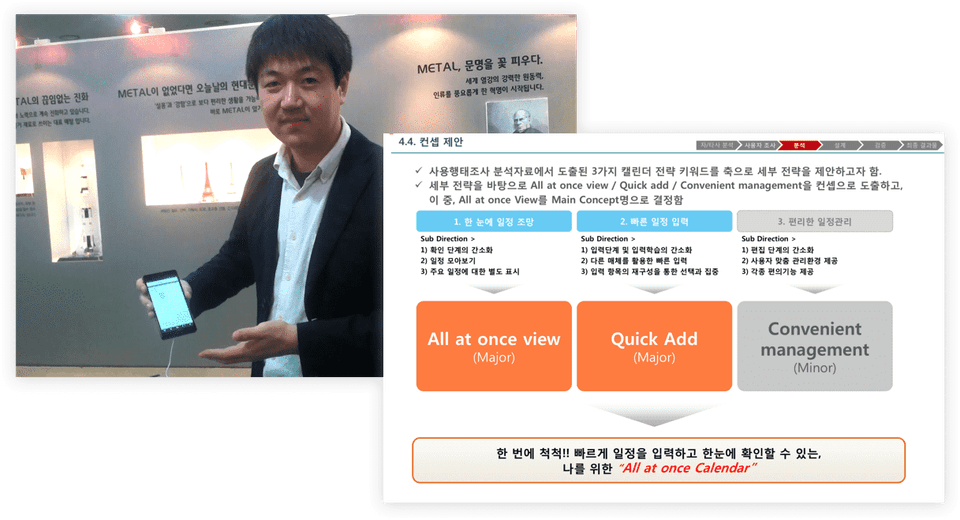
Before coming to New York, I worked as a planner in Seoul for several years. At that time, my main work involved creating wireframes in PowerPoint - essentially UI specifications - and conducting user research. Creating wireframes in PowerPoint didn't require visual polish, so I had no difficulty getting started. However, I thought UI design was not something I could do. While I had opportunities to collaborate with UI designers, I never did UI design myself.
👉 A glimpse of my days working in planning in Seoul and part of a planning document
I thought about it. I had opportunities to collaborate with UI designers, but I didn't do UI design myself. 👉 My appearance during my planning work days in Seoul and part of a planning document
I thought UI design was only possible for people with innate visual sense or exceptional design abilities. The barrier to acquiring this skill seemed too high for me. However, I came to think that I needed to become a product designer who handles user research, planning, and UI design all together to upgrade my career. To do that, I needed to develop UI design skills, which was the biggest challenge for me. Even if I were to start, I didn't know where or how to begin learning. Still, since I had a goal, I started looking for ways to achieve it. While searching for methods, I was fortunate enough to meet good mentors and learn about good approaches.
I started looking for ways to do it since I had a goal. While searching for methods, I was fortunate to meet good mentors and learned good approaches.
And once I learned these methods, I gained confidence that 'acquiring UI design skills is not impossible for me'. Just 3 months after starting to study UI design, I completed my first UI design project, and this played an important role in landing my first job as a product designer.
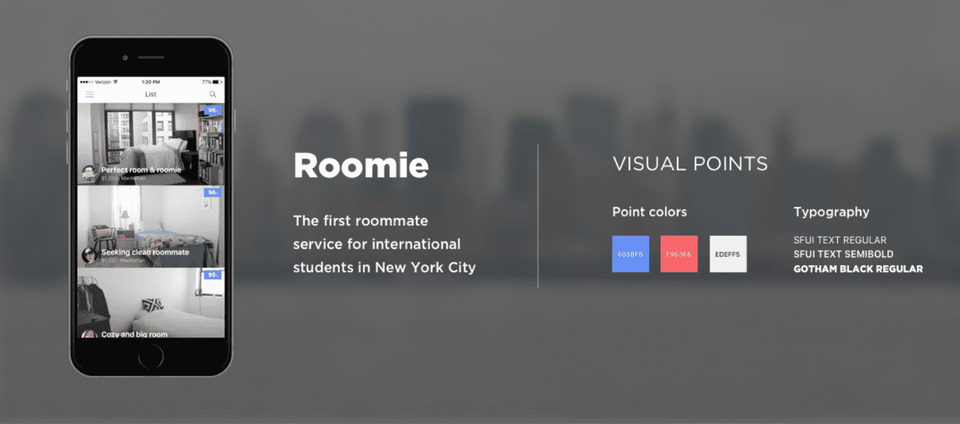
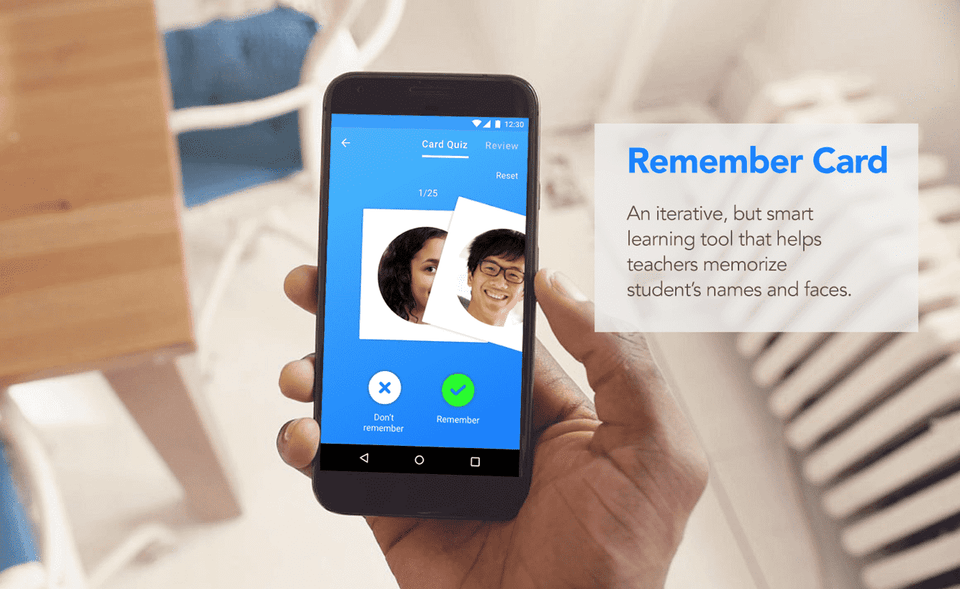
👉 UI projects I worked on as a late starter
I completed several design projects, and this played an important role in landing my first job as a product designer. 👉 UI projects I worked on as a late learner
Through this learning and training process, I discovered that with the right approach, even people without exceptional visual sense or a design background can fully develop UI design skills.
I realized that if you know the right methods, even people without special visual sense or a design background can fully develop UI design skills.
Through this class, I'll share the obstacles I had to overcome to quickly acquire UI design skills and the secrets that helped me overcome them. So, I'll guide those of you facing similar challenges to develop UI design capabilities using the Figma tool.
1. What can you gain from this course? 🙌
① Understanding the UI design process and making it your own
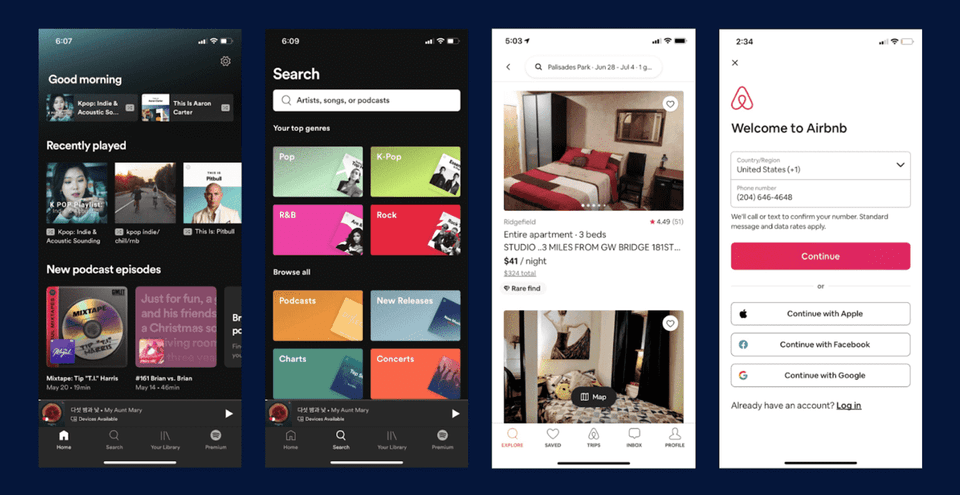
Let me ask you one question. 🙋 What you're looking at right now are representative screens from very famous apps. These are beautifully designed screens. What process did the designer go through to create these screens? Did they open Figma or Sketch and draw them out in one go?
Image source: Spotify, Airbnb
What process did the designer go through before this screen came out? Did they open Figma or Sketch app and draw it all at once? Image source: Spotify, Airbnb
To share my thoughts on this: most UX/UI design projects go through many processes and considerations before reaching these screens, and they continue to be updated to provide better services to users. UI design can be seen as a process of finding solutions to problems within the bigger picture of UX/UI design. In this class, I'll teach you about the processes and activities you need to follow for UI design.
There's a reason for going through these processes. To do UI design well, you don't just jump straight into drawing a cool and flashy final UI design screen, but rather each step
There's a reason for going through these steps. To do UI design well, you shouldn't just jump straight into drawing a fancy, polished final UI design screen. Instead, through each stage, you need to effectively communicate with team members or clients and ultimately provide the best experience for users. You need to understand why you go through each stage and be able to go through each step yourself. Through this course, I've prepared lessons so that you can develop the ability to go through each stage using Figma, making this process your own—in other words, so you can build expertise in UI design.
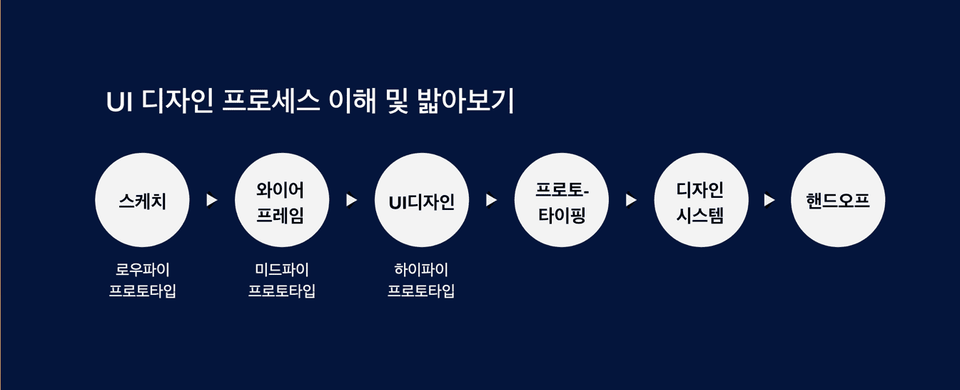
👉 The UI design process I follow when I work
I prepared this course so that this process can become yours, meaning you can develop expertise in UI design. 👉 The UI design process I follow when I work
② Build practical UI design skills through design exercises
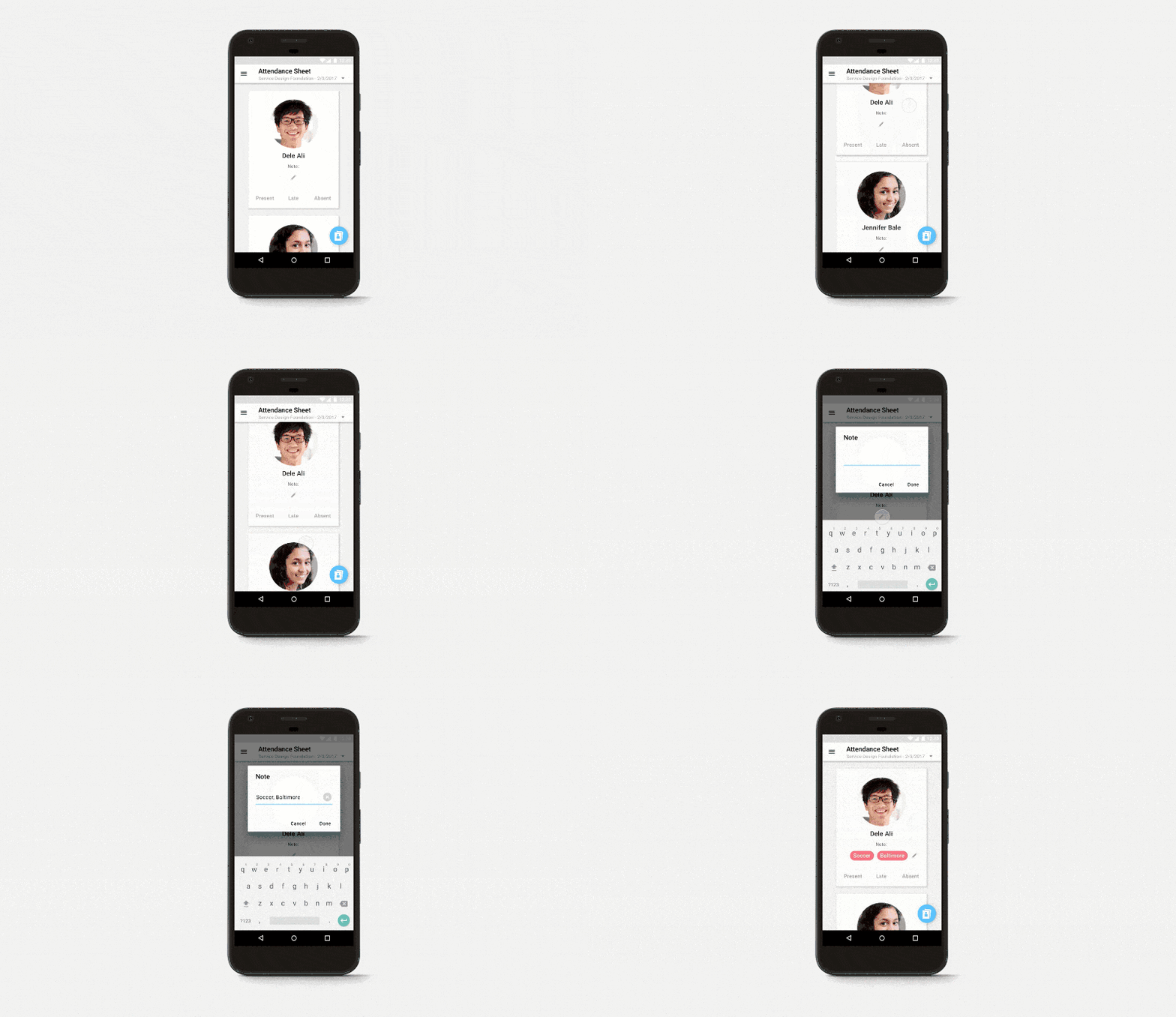
I mentioned earlier that to do UI design well, you need to follow the UI design process. The purpose of this class is to make this process your own. To achieve this, the most important thing is to actually go through the stages of UI design by following along with the practical work in each chapter and real-world examples through hands-on practice. So let me show you through examples what deliverables you'll create at each stage.
Hand sketches and wireframes
▪️ Ability to create and utilize hand sketches and wireframes
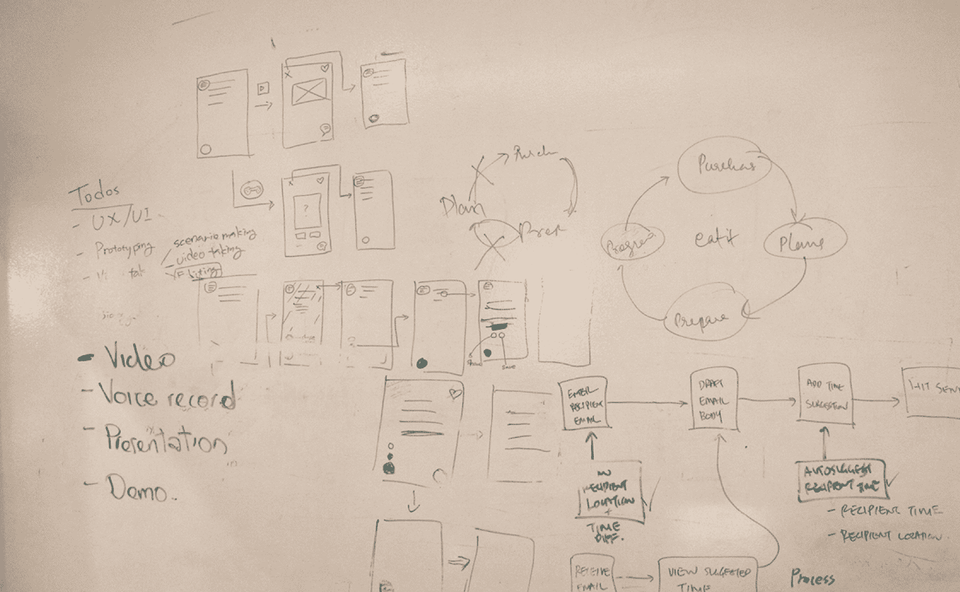
Hand sketches are about thinking of ideas that can solve a given problem and drawing them out roughly. The advantage of sketching is that you can easily modify ideas in a short amount of time. As ideas develop into later stages, the visual completeness increases, which takes more time to make revisions.
The idea can be easily modified. As the idea develops into later stages, the visual completeness increases, which takes more time to revise.
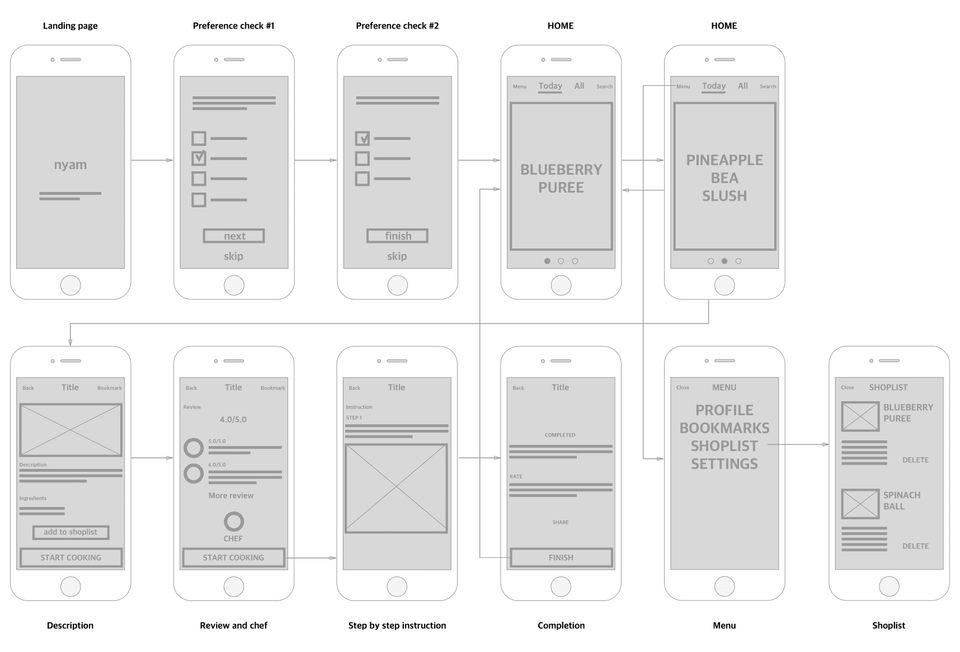
Wireframe further refines the ideas that come from sketches, defining the screens and the functions for each screen. It also connects the flow between screens. Wireframes can be considered the skeleton for moving to the UI design stage. When UI planning and UI design work are completely separated, wireframes are sometimes handled by UI planners. However, product designers or UX/UI designers need to know how to create wireframes as well.
👉 This is a sketch I drew that looks like it was drawn with my feet haha. But in practice and in the field, sketches like this can be extremely powerful!
I notice that the `<translate>` tags are empty - there is no Korean text between them to translate.
The surrounding context shows:
- **Before**: Text about sketches and how rough sketches can be powerful in practical work
- **After**: Text about wireframes with defined screens and screen flows, and abilities related to UI design and prototyping with Hi-Fi Prototypes
However, since there is no actual content between the `<translate>` tags to translate, I cannot provide a translation. Please provide the Korean text you'd like translated.</translate></translate>
👉 Wireframes with defined screens, screen flows, etc.
I notice that the text to translate between the `<translate>` tags appears to be empty or contains only whitespace.
Based on the surrounding context provided, if you'd like me to translate the Korean text shown in the "Before" and "After" sections, here they are:
**Before:** This is a sketch I drew haha. But in practical work and the field, sketches like this can be extremely powerful! 👉 Wireframes with defined screens, screen flows, etc.
**After:** ▪️ The ability to create and utilize UI design and prototyping UI design, also called Hi-Fi Prototype (High-Fidelity Prototype), takes the previously mentioned wireframes and...
However, if you have specific text you'd like translated, please provide it between the `<translate>` tags and I'll be happy to help.</translate></translate>
▪️ The ability to create and utilize UI design and prototyping
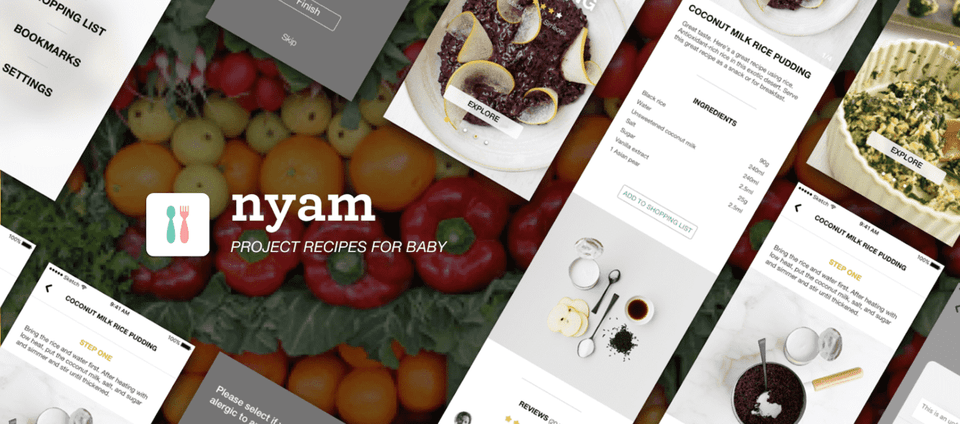
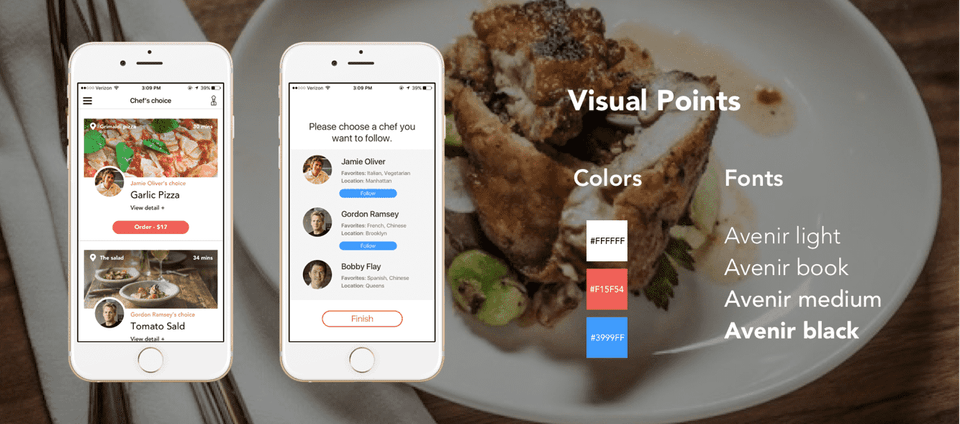
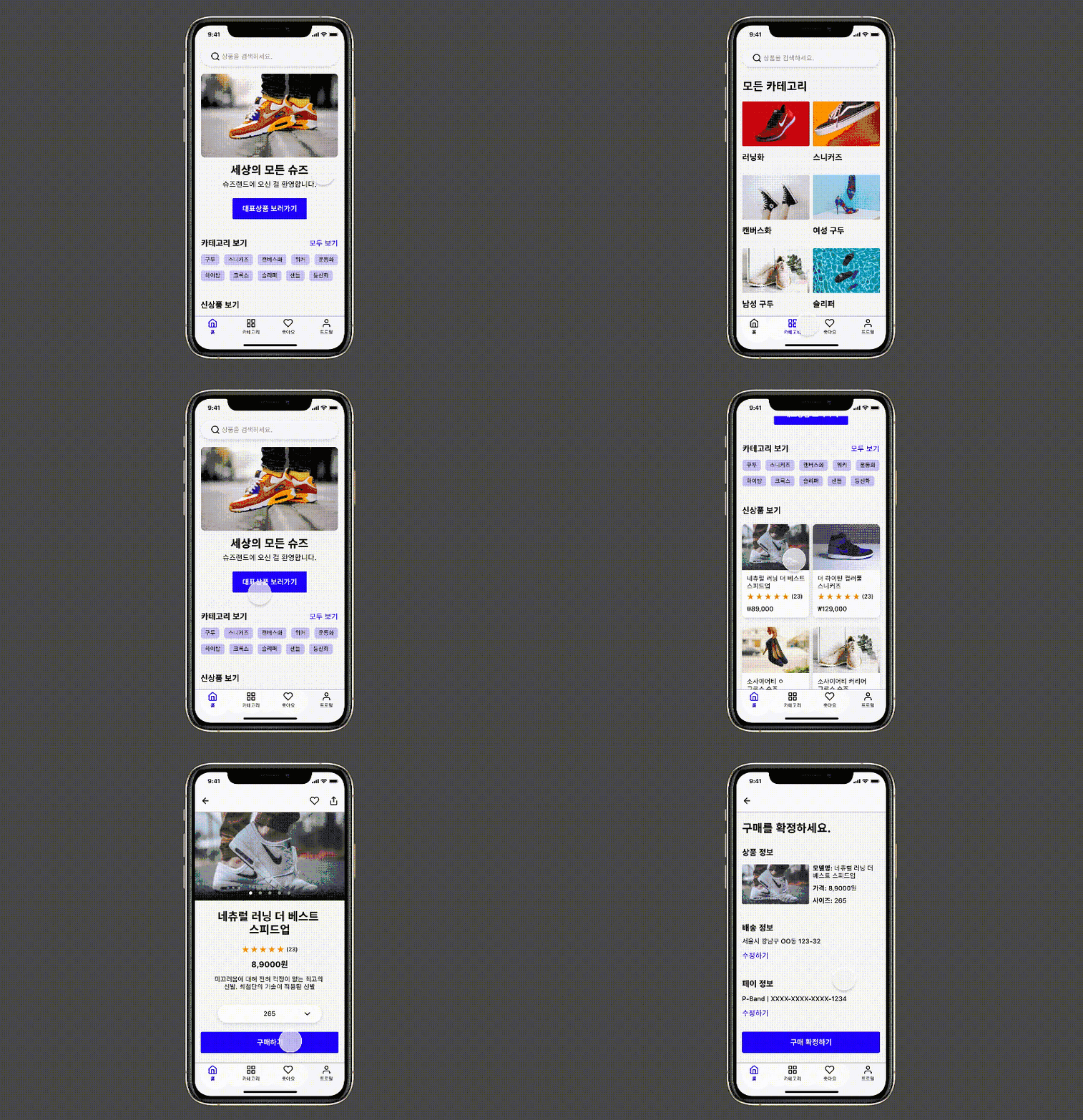
UI design, also called Hi-Fi Prototype (High-Fidelity Prototype), creates visually polished screens based on the wireframes mentioned earlier. At this stage, fonts, colors, icons, and other visuals at the level that actual users will experience are produced. In this stage as well, it's important to thoroughly consider what the most suitable experience is for users. In this course, we'll cover design principles you need to know to keep users at the center. If you build practical skills on top of theory, you can become a designer with solid fundamentals! 👍
I notice that the `<translate>` tags are empty - there is no Korean text between them to translate.
The surrounding context shows:
- **Before**: Text about design principles and building practical skills on theory
- **After**: Text about prototyping connecting screens to simulate functionality
However, since there is no content between the `<translate>` tags, there is nothing for me to translate. Could you please provide the Korean text you'd like translated?</translate></translate>
Prototyping connects each screen created this way, making it appear to users as if it's actually functioning.
👉 The stage of enhancing visual completeness, UI Design
By connecting each screen that was created, it makes it appear to users as if it's actually functioning. 👉 The stage of enhancing visual completeness, UI Design
👉 Screens that work without coding through prototyping
I notice that the `<translate>` tags are empty - there is no Korean text between them to translate.
The surrounding context shows:
- Before: Text about prototyping and UI design
- After: Text about design systems and handoffs
However, there is no actual content to translate between the `<translate>` tags. Could you please provide the Korean text you'd like me to translate?</translate></translate>
▪️ Ability to create design systems and handoffs
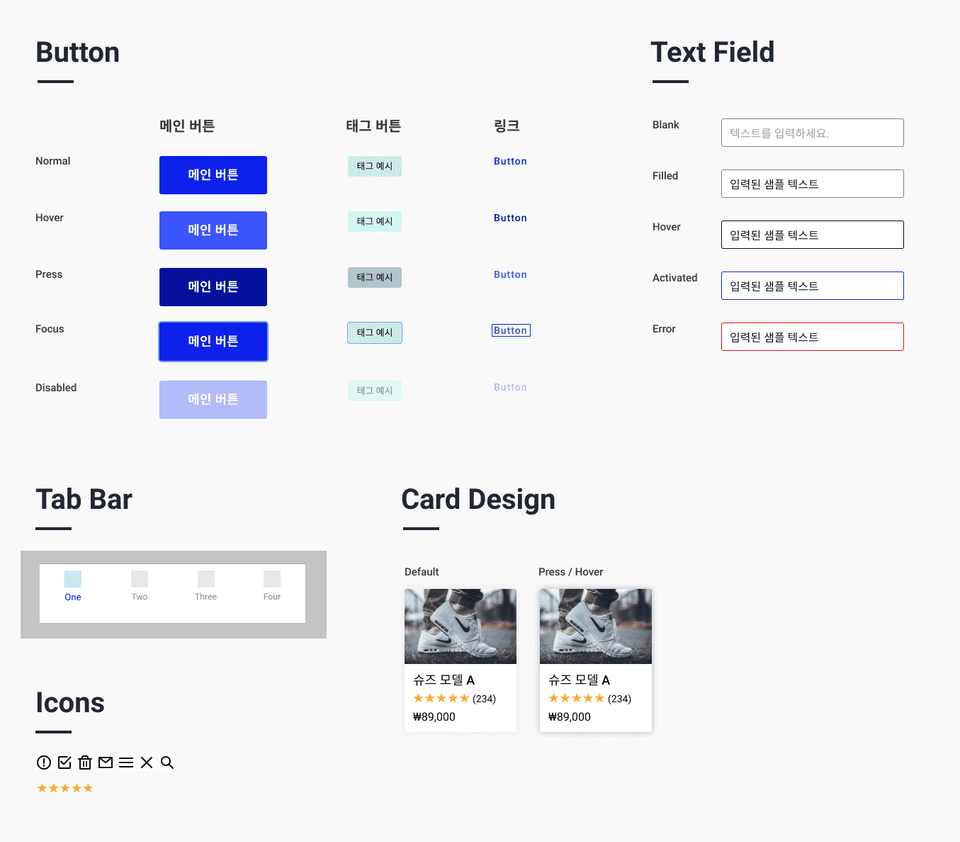
Based on the finalized UI design, I'll show you how to create a design system including style guides, components, and more. Having a design system is extremely powerful in practice because it provides users with a consistent user experience and interface, while allowing designers and developers to work efficiently and save time in design and development. 💪
I notice that the `<translate>` tags are empty - there is no Korean text between them to translate.
The "surrounding" context shows:
- Before: Text about providing pace/interface and how designers and developers can work efficiently
- After: Text about hand-off (HO) being the final stage of UI design
However, there is no actual content between the `<translate>` tags for me to translate. Could you please provide the Korean text you'd like me to translate?</translate></translate>
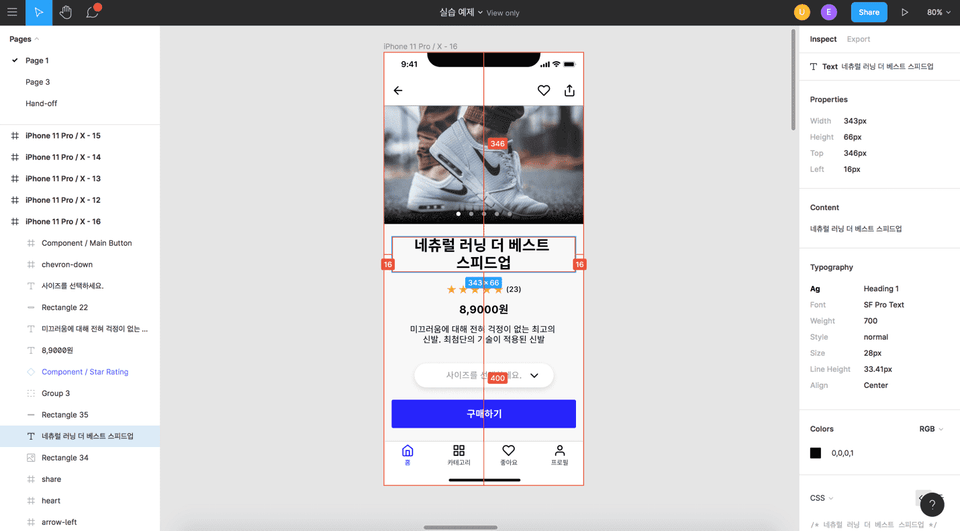
Finally, Hand-Off (HO), which can be considered the final stage of UI design, is the step where detailed elements—such as the exact pixel size of text or buttons—are specifically defined and handed over to developers so that actual development can take place.
👉 Components, a crucial element of design systems
I notice the text to translate appears to be empty or contains only whitespace between the `<translate>` tags.
Could you please provide the Korean text you'd like me to translate?</translate>
👉 Design deliverables for development, Handoff
I notice that the `<translate>` tags are empty - there is no Korean text between them to translate.
The surrounding context shows:
- Before: Text about defining components and handoff to developers, design systems, and design deliverables
- After: Text about UI design tips, reference materials for studying design, and helping beginners gain skills faster
However, there is no actual content between the `<translate>` tags for me to translate. Could you please provide the Korean text you'd like me to translate?</translate></translate>
I notice that the `<translate>` tags are empty - there is no Korean text between them to translate.
The surrounding context shows:
- Before: Text about defining components and handoff to developers, design systems, and design deliverables
- After: Text about UI design tips, reference materials for studying design, and helping beginners gain skills faster
However, there is no actual content to translate between the `<translate>` tags. Could you please provide the Korean text that needs to be translated?</translate></translate>
③ Tons of great tips for UI design! 🍯
I'll share lots of valuable tips including design reference materials for studying, so that beginners can gain the skills they want more quickly and easily. I'll share the knowledge and information I've gained from working in UX and UI design for several years. I'll also cover questions that people who learned UI design from me frequently ask. If you have any other questions, please leave them in the Q&A section^^
I notice that the `<translate>` tags are empty - there is no Korean text between them to translate.
However, I can see Korean text in the `<surrounding>` section. If you'd like me to translate those parts:
**Before:** I will. And I'll also cover questions that people who learned UI design from me frequently ask. If you have more questions, please leave them in the question section^^
**After:** ④ Career Design and Roadmap 🚀 After taking the class, once you've acquired UI design skills, you'll be able to pursue your target career such as becoming a UX/UI designer or product designer
Please provide the Korean text you'd like translated between the `<translate>` tags if you need a different section translated.</translate></surrounding></translate>
④ Career Planning and Roadmap 🚀
After completing this course, once you've acquired UI design skills, you'll be able to create a concrete plan for what to do next to achieve your career goals, such as becoming a UX/UI designer or product designer. I will provide recommendations and tips on what activities you should pursue to reach your goals.
2. Who should take this class? 🧑🏻👩🏻
✔️ Beginners in product design and UX/UI design
First, this is for beginners who dream of becoming product designers, UX/UI designers, or UI designers. Of course, this includes those without a design background. To achieve this career goal, having the ability to do UI design is essential. If you follow this class well, you'll be equipped with foundational knowledge, theory, and even practical skills, allowing you to achieve your desired goals sooner.
I notice that the `<translate>` tags are empty - there is no Korean text between them to translate.
The surrounding context shows:
- Before: Text about following a class to achieve goals with foundational knowledge and practical skills
- After: Text about people who want to become UX/UI designers but think they lack visual abilities
However, there is no content between the `<translate>` tags for me to translate. Could you please provide the Korean text you'd like me to translate?</translate></translate>
✔️ Those who want to become a UX/UI designer but think they lack visual skills
I mentioned earlier that I felt I lacked visual skills. I'll share the secrets of how I overcame this so that you too can develop UI design abilities. To become a designer, you need to understand the UI design process well and know how to create deliverables for each stage and how to use the tools. After taking this class, you'll be able to achieve this goal.
You need to understand well and know how to create deliverables for each stage and how to use the tools. After taking this class, you'll be able to achieve this goal.
✔️ Those who want to master Figma
In this course, we'll take it step by step, starting from the very basics of Figma like creating shapes and text, all the way to advanced features like UI design and handoff. I've designed the course so that beginners can master Figma and ultimately develop professional UI design skills. In particular, I've tried to provide many practical examples through this course. If you follow along with these parts especially diligently, it will be very helpful.
I designed it. In particular, I tried to provide many practical examples through this course. If you follow along with this part especially diligently, it will be very helpful.
✔️ Those who want to build a solid foundation in UI design basics
The core of UX and UI design is following and repeating the design process (iteration) until users are satisfied or until their problems are solved. By following the process I mentioned earlier, you can create a solid app or service that considers much more for the users. After taking this class, you'll become a designer who not only has the ability to design beautiful apps, but also thinks about how to utilize each stage of the process and ultimately how to provide better experiences for users. Learning Figma is to support the technical capabilities and expertise needed to execute each stage.
3. Why Figma? 🤔
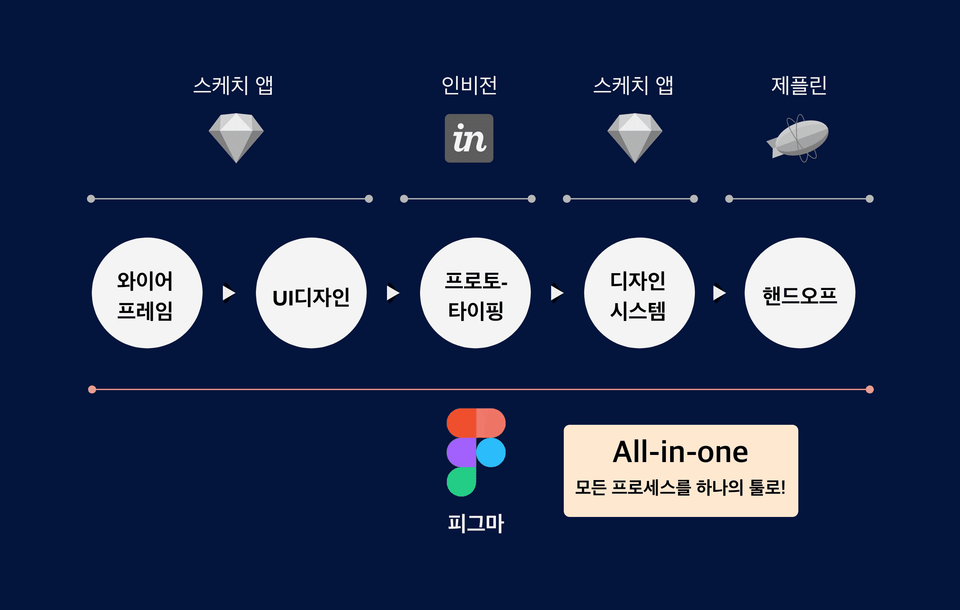
✔️ Figma, the all-in-one tool that does everything! 👌
There are various tools available for each stage of the UI design process, such as Adobe XD, Sketch, and Figma. Among them, there doesn't seem to be any app that supports all the activities needed for UI design as comprehensively as Figma does. You can complete almost the entire process with just one app.
I don't see any text to translate between the `<translate>` tags. The tags appear to be empty.
If you'd like me to translate the surrounding text, here it is:
Before: Among them, there doesn't seem to be any app that supports all the activities needed for UI design as well as Figma does. You can complete almost the entire process with just one app.
After: When using the Sketch app, for the prototyping stage you need to use Invision together to efficiently share with team members. Sketch app itself for prototyp</translate>
When using Sketch, you need to use Invision together for the prototyping stage to efficiently share with team members. While Sketch does have its own prototyping features, since it's an offline-based tool, there are limitations in effectively sharing online with team members or clients. And for handoff, you need to use Zeplin.
However, if you use Figma, you can handle everything from wireframing to handoff in a single app.
But with Figma, you can handle everything from wireframing to handoff in a single app. I originally used Sketch but switched to Figma, and I was able to work more effectively and save a tremendous amount of time.
👉 "Figma = Sketch + InVision + Zeplin"
I switched to Figma, and I was able to work more effectively and save a tremendous amount of time. 👉 "Figma = Sketch + InVision + Zeplin"
I switched to Figma, and I was able to work more effectively and save a lot of time. 👉 "Figma = Sketch + InVision + Zeplin"
✔️ Available on both Windows and Mac 👏
Statistically, Sketch app, one of the most commonly used UI design tools, cannot be used on Windows. However, since Figma is an online-based tool, it can be used with just a browser like Safari or Chrome. This means it can be used regardless of which OS you're using, whether Windows or Mac OS.
Since it's a web-based tool, you can use it with just a browser like Safari or Chrome. You can use it regardless of which OS you're using, whether it's Windows or Mac OS.
✔️ An online-based design tool optimized for collaboration
Since Figma is an online-based tool, it's really great for real-time collaboration and communication with team members or clients. You can work on designs together in real-time with designers, and it has convenient features for sharing design work with developers, product managers, and others, as well as commenting and sharing feedback on them.
👉 Real-time collaboration with team members is really convenient.
I notice that the `<translate>` tags are empty - there is no Korean text between them to translate.
Based on the surrounding context provided, if you'd like me to translate those sections:
**Before:** "...and design work can be shared, and features for commenting and sharing are conveniently available. 👉 Real-time collaboration with team members is really convenient."
**After:** "✔️ Free plugins and templates that boost design work productivity 😀 Figma has many free design templates and plugins created by third parties."
However, since there's no content between the `<translate>` tags, there is nothing for me to translate. Please provide the Korean text you'd like translated.</translate></translate>
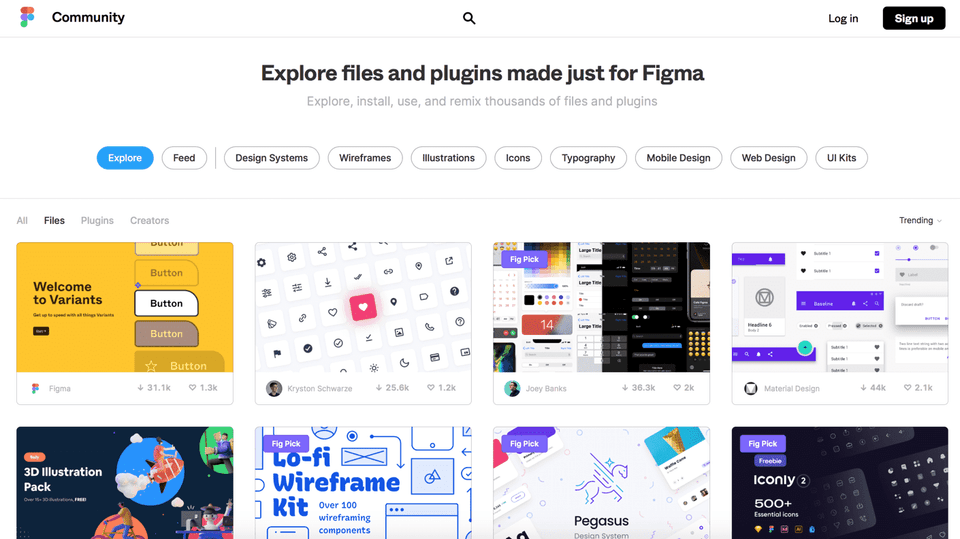
✔️ Free plugins and templates that boost design productivity 😀
Figma has many free design templates and plugins created by third parties. If you utilize these well, you can increase your design productivity by several times to even dozens of times. In this course, I will teach you how to use templates and plugins, and recommend particularly useful templates and plugins to help you develop your UI design skills more easily and quickly.
👉 Figma's Plugins and Templates
Questions Q&A 🙋🏻♂️
I don't see any Korean text to translate between the `<translate>` tags. The tags appear to be empty.
Could you please provide the Korean text you'd like me to translate?</translate>
I notice that the `<translate>` tags are empty - there is no Korean text between them to translate.
Based on the surrounding context, it appears there should be content between those tags. Could you please provide the Korean text that needs to be translated?</translate>
Q. Do I need to know how to use other tools like Sketch app, Zeplin, or InVision before taking this course?
A. You don't need to know them at all. Figma contains almost all the features needed for UI design. Everything you can achieve through Sketch, InVision, and Zeplin can be done if you master Figma alone. In other words, you can create design deliverables by going through all stages—UI design, prototyping, handoff (final deliverables for developers)—using Figma.
In other words, you can create design deliverables by going through all stages via Figma, including UI design, prototyping, and handoff (final deliverables for developers).
Q. Can non-majors take this course?
A. Yes, this course is designed for beginners and non-majors. I'll guide you step by step from basic knowledge for UI design and Figma's basic functions to advanced knowledge and advanced features. So even if you've been working in a field completely unrelated to design or are a non-major, after taking this course, you'll be equipped with professional UI design skills.
I'll teach you step by step. So even if you've worked in a field completely unrelated to design or are a non-major, after taking this class, you'll be equipped with professional UI design skills.
Q. Are there any prerequisites I need to take first?
A. If you're completely new to UX and UI design, I recommend taking my "Introduction to UX Design for Beginners" course on Inflearn first. After taking that course, you'll be able to build overall knowledge of UX and UI design. Most importantly, you'll better understand why you should take this UI design course. If you already have basic knowledge of UX and UI design, you can take this course right away.
I'll be happy to help translate, but I notice the `<translate>` tags are empty. There's no Korean text between them to translate.
Based on the surrounding context you provided:
- Before: "You'll be able to better understand why you should take this UI design class. If you already have basic knowledge of UX and UI design, it's fine to take this class right away."
- After: "See you in class! 👋"
If you provide the Korean text that should appear between the `<translate>` tags, I'll translate it for you following the rules you've specified.</translate></translate>
See you in class! 👋
Recommended for these people
Who is this course right for?
Product design, UX/UI design beginner
For those who want to become a UX/UI designer but think they lack visual skills
People who want to master Figma
For those who want to solidify their fundamentals in UI design
Need to know before starting?
If you're a beginner, I recommend taking my UX Design Introduction course on Inflearn. Course link: https://inf.run/UmHh
You don't need to know other tools like Photoshop, Sketch app, etc. at all.😊
I am currently working as a Senior Product Designer in New York.
Before coming to New York, I worked as a UI Planner in Seoul.
Brunch Magazine "Design, and Product" and the "New York UX Designer"Instagram and Facebook accounts, where I share UX/UI knowledge and information while communicating with designers and aspiring designers.
Personally, I am a father of three children 👶 and have a great interest in cooking 🍲 and education 🏫.
Writing and Lectures
• Published the book "Introduction to UX Design A to Z from a New York Product Designer" (Links: Yes24, Aladin, Kyobo Book Centre)
Hello. I am a junior product designer. It was great to be able to learn the concepts and skills of Figma in a short period of time. (+Mindset and UX concepts as a bonus) Actually, I only knew how to use Adobe XD. However, when I was looking for a job, many places required Figma or Sketch. That's why I took this course! Thanks to this, I am now using Figma well in my work :)
I am grateful and happy that I could be of some help to you through this lecture, as you have acquired the skills and are now using them in your work. I will support you in achieving all that you want to do in the future~!
I have taken the "Introduction to UX Design for Beginners" course and am currently taking this course. As a non-major, I had a lot of difficulties when I first started, from the basic knowledge of UX design to how to handle the Figma tool and how to actually proceed with the design, but the detailed explanations were really helpful.
Punky94, thank you so much for your great feedback. When I was making this course, the people I thought about the most were beginners, including non-majors, and my goal was to help them get started with UI design and develop practical skills. I couldn't be more grateful if you found it helpful. I hope you achieve all your goals~!
I am an IT junior planner. It was a good time to learn how current employees design UX.
The best part of the lecture was that it mostly taught me how to use Figma and emphasized the skills I use the most. After listening to the lecture, I became more confident in using the tool.
The part that I would like to see improved is the speech style. It was disappointing that there was little emphasis on the words and there were many pauses in the middle of the speech.
However, it was a good lecture that made up for the shortcomings.
One of my goals is to get a job in the US as a UX planner, so I will try to use Brunch and Instagram posts as role models.
I am glad that the part where I taught you frequently used skills was helpful. I felt my shortcomings in the part where I paused in the middle of speech and speech. I will use it as a reference to improve and develop the lecture. Thank you so much for the great feedback.
If you have any questions about the part where you aim to get a job in the US as a UX planner or if there is anything I can help you with, please contact me through 1:1 Open KakaoTalk. For your information, I am a native Korean who received education up to college in Korea and worked there before coming to the US for graduate school and getting a job. ^^
I am a programmer who mainly works on web backend tasks. I took the course because I was curious about Figma, which is becoming a trend in the UX/UI design work area that can be considered the core of frontend work, and wanted to try it out.
After completing the course, I will write an honest review of my personal thoughts.
● What was disappointing
- It was a bit disappointing that the practical examples using Figma were only provided as mobile services. I thought it would have been better if there were practical examples for web services. Other than this, I didn't feel any shortcomings in the lecture content itself.
- There was one lecture that was too long, exceeding 30 minutes, so I thought it would have been better if it had been divided into 15-minute segments. In the case of online lectures, you have to follow the recorded lecture content and organize the parts you don't understand or want to listen to again, but it seems that it was a bit difficult to follow if one lecture was too long.
- It is a very rare occurrence in the entire lecture, but the parts where you stutter or stammer because you have difficulty speaking are quite distracting, so I wonder if those parts could have been edited out. If it were real-time, it would have been unavoidable, but I wish it had been possible if it were an Infraon lecture that plays recorded lectures.
● Good points
- First of all, the instructor overcame the frustration he experienced in the past through design and planning work, and is now in charge of and manages the entire product design process including UX/UI, so I think he understands the minds of beginners well and teaches them carefully and carefully. Good lectures come from the success stories of talented people, but from the perspective of a beginner, most good lectures come from experienced people who have experienced many twists and turns and overcome difficulties.
- Since the instructor has a calm and warm voice, you get the feeling that he is not teaching from the podium, but sitting in front of the computer with you and teaching right next to you. Since you are abroad, I may not have the opportunity to do so, but based on my experience, I thought it would be nice to work with such a calm and considerate person.
- In addition to his extensive knowledge of design itself, there were many instances in the lecture where I felt that the instructor himself enjoyed design work, so as a learner, I was able to receive that joyful energy and follow along happily.
- The lecture itself is well-organized with storytelling elements, so I think it naturally helps me learn and gives me strength to complete the course.
● Conclusion
- I personally do not feel that this lecture was a waste of money at all.
- I think it is a lecture worth more than its price for those who are hoping to enter the industry or are interested in it.
- Perhaps due to the popularity of Figma, good lectures, materials, and books for learning Figma will continue to be released in Korea in the future, but I think that Instructor Eric's Figma lecture will remain as a good guide for beginners.
Thank you for your hard work in the lecture. It was an honor to take such a great lecture that broadened my horizons as a backend programmer. I hope you stay healthy during these difficult times of Corona, and I hope your family is always healthy and happy. Thank you.
[2021-2-24]
Jihoon, thank you for your sincere and detailed review. I will respond to some of your feedback.^^
Regarding regrets/improvement points:
I apologize for the inconvenience caused by the stuttering and repetition. Regarding this, we are currently working on improving the overall lecture video, especially the voice, by reflecting your feedback (for example, editing the parts where you stutter, and the parts where you say the same thing repeatedly). For reference, about 1/3 of the entire lecture will be updated soon. We will gradually update the rest. I think it is important for students to learn in a slightly more comfortable environment, and I would like to thank you again for your good feedback.
The parts where one chapter is over 30 minutes will also be included in the improvement work for the above lecture video.
I would also like to thank you for your good feedback on focusing on UI design for the web screen. I will use it as a reference for future lecture improvement and development^^
Good points and conclusion:
I am honored to be able to help you a little bit in getting started with Figma and doing UI design. I am so proud and grateful that you said that I will teach from a beginner's perspective. When I first created this lecture, there was a part that I made with that in mind, so I will keep that in mind once again and work hard to help from a beginner's perspective.
Thank you again for your sincere review. I hope you stay healthy and achieve all your future plans and goals.
[2021-03-23]
About 50 percent of the lecture video improvements I mentioned above have been completed. The remaining parts are also being improved, and I will share them as they are updated^^




.gif?w=960)















![[NEW August '26] Figma Practical Class for Marketers & Aspiring MarketersCourse Thumbnail](https://cdn.inflearn.com/public/files/courses/343605/cover/01kz91ybsrg164xhzmxqhzdt4h?w=420)