강의

멘토링

커뮤니티

Design

/

UI/UX

Mastering Responsive UI Design with Figma

Do you want to master responsive design by effectively utilizing Figma's Auto Layout, Grid, and Constraints features? In this lecture, you will gradually develop the skills to create responsive designs, from small UI elements to cards, tables, components, and web and app screens. Learn how to use Figma immediately for job preparation and practical work, and master the ability to design responsive interfaces optimized for various devices!

(4.9) 17 reviews

96 learners

Level Beginner

Course period 36 months

  • uxeric
Figma
Figma
Responsive Web
Responsive Web
ui
ui
ux
ux
get a job
get a job
Figma
Figma
Responsive Web
Responsive Web
ui
ui
ux
ux
get a job
get a job

Reviews from Early Learners

Reviews from Early Learners

4.9

5.0

김연진

30% enrolled

Thank you for creating the necessary lectures.

5.0

Joy J

75% enrolled

I'm working on frontend development at a startup, but I'm also handling design tasks. Until now, I've been fumbling through design by searching for YouTube materials only when needed, but this time I had to learn responsive design quickly. Since the course is practice-oriented, I can follow along step by step or try first and then check, which seems effective for learning responsive design in a short period! The part where you explained the principles of constraints was especially helpful, and when alignment wasn't working, you pointed out why, which helped me understand aspects I had previously missed. Also, although I had difficulties with files during the course, I was grateful that you provided quick feedback despite the time difference...! This time, instead of the tedious way of manually adjusting values stitch by stitch like before, I want to work efficiently by properly applying what I learned in the course. Thank you so, so much 😭😭! I'll keep fighting until the end and complete the course!

5.0

고하경

50% enrolled

I'm someone for whom understanding 'why' something needs to be done serves as a very important motivator. Actually, even if you know many features, if you don't know how to apply them or they're not practical, the utility of the information you have would decrease and the meaning of learning those features would also fade significantly. However, what I liked most about this course was that it felt like it was created not through a learning -> practical application route, but rather through a practical difficulties -> learning -> overcoming difficulties route. The way you actually explained things was also structured as why this feature is important in practice -> how to apply it + actual case examples, so it stuck in my head much better. And because you explained things in an easy way, I was able to completely break down the burden I felt about parts I had vaguely thought were difficult features. Also, as a job seeker, you told us throughout the course 'why' these are frequently used in practice, so even while learning, I found myself thinking I should remember this and looking at it once more. Thanks to this, my vague fear and burden about practical work has also decreased! Thank you :)

What you will gain after the course

  • Equip with skills from responsive design concepts to practical application.

  • Master Figma's gem, "Auto Layout," for responsive design.

  • Figma's Auto Layout, Grid, and Constraints will make small UI elements, cards, and components responsive.

  • Can design both web and app responsively.

  • You will gain "responsive" design capabilities, enabling flexible adaptation to diverse device environments with a single design.

  • You can more effectively deliver design handoffs to developers and stakeholders.

띠배너

2 Reasons Why Beginners/Job Seekers "Must" Master Responsive Design🤔


First reason. Because it's an important skill that practitioners/interviewers consider crucial. An essential competency for employment(!)

As a product design practitioner and interviewer in the industry, and through UX coaching for beginners, I've gained one key insight: "If you want to get hired, you need to demonstrate the skills that interviewers want to see, not the skills you want to show off." This might seem as obvious and simple as understanding the test maker's intent on the college entrance exam, but in reality, many applicants don't properly consider this, so while gaining experience, the answer is


Second reason. Tremendous improvement in work productivity and better user experience design

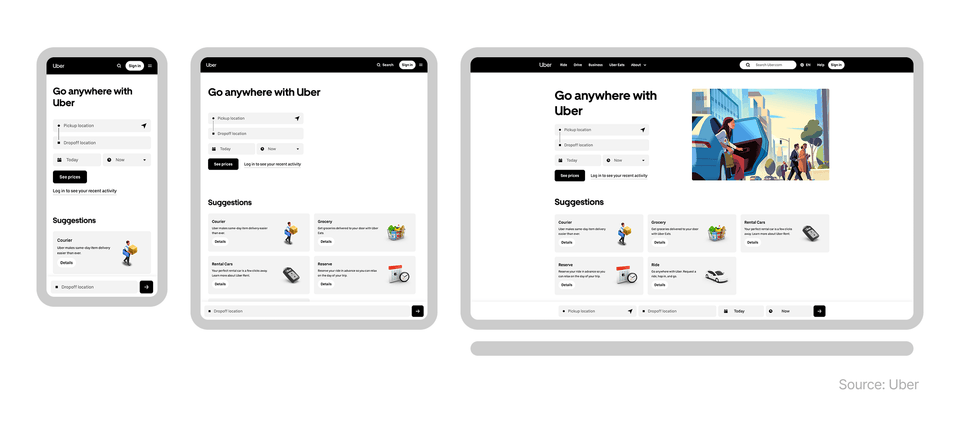
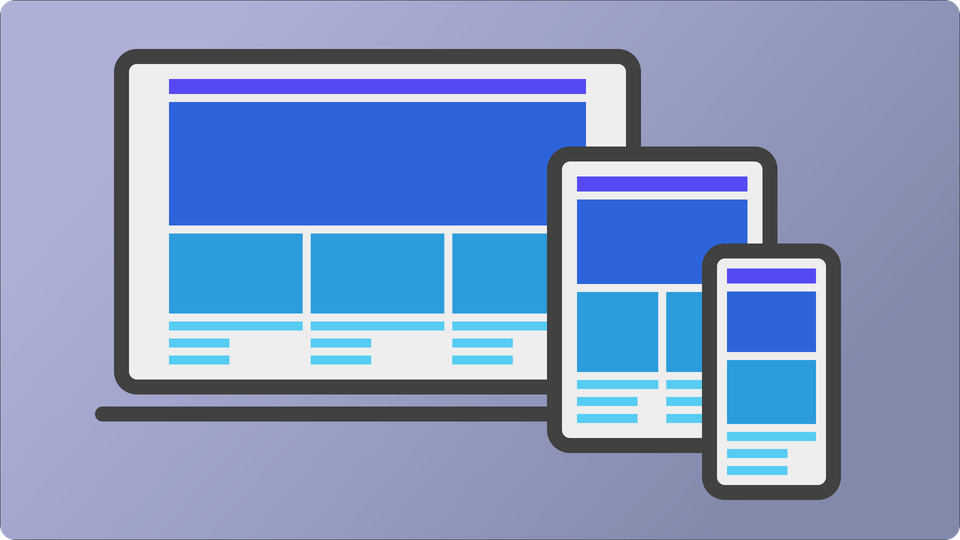
Today, users don't just use a single device, but navigate across devices with various screen sizes such as smartphones, tablets, and laptops when using websites or apps. In this environment, designers must create designs that allow users to naturally use services without inconvenience on any screen size.

Looking at the Uber case above, we can see that when using the same service across various devices, while the interface structure and information layout may differ, it maintains an overall consistent user experience. This ability to provide users with a unified experience across different screens is exactly what responsive design enables.

If you understand responsive design and can utilize it properly, your work productivity will improve tremendously. When you design and structure from the beginning to flexibly respond to screen sizes, you reduce the need to repeatedly create separate designs for each device, and by reusing designs, your work speed becomes several times or even dozens of times faster. Additionally, in collaboration with developers, unnecessary modifications and communication costs are reduced, making the design-development connection much more efficient.

As a result, responsive design goes beyond the technology of simply creating "good-looking screens" and is a core practical competency that provides a more consistent experience with less effort.

Hello. I'm Eric, a product designer. 👋

I am currently working as a senior product designer in the tech industry in New York, USA. I am responsible for practical work that encompasses all aspects of UX/UI, from UX research to UI design, design system construction and management, and as an interviewer, I also take on the role of reviewing and evaluating applicants' portfolios. Therefore, I have a good understanding of what capabilities are actually needed for beginners or those preparing for employment. I have also written a book for UX design beginners called "Design thinking for beginners," which became an Amazon bestseller.


The reason I decided to create this course is because after I properly mastered responsive design and Figma's core features for it in my actual work, I experienced a several-fold improvement in design productivity and efficiency. At the core of this was a systematic screen design approach utilizing Figma's auto layout, grid, and constraints features.

Previously, it took too much time to create and modify designs for different screen sizes with the same design approach. But now, I can build responsive UI designs that flexibly adapt to various devices with a single design, which has reduced repetitive work and made collaboration between designers and developers much smoother. Based on my experience, knowledge, and practical know-how, I will help beginners/job seekers significantly increase their employment opportunities through responsive design, and help current designers who don't know responsive design greatly improve their work productivity. Take this opportunity to properly learn responsive design and create opportunities for career growth.

What will you learn in this course? 🧑‍🏫

Understanding the Concepts and Principles of Responsive Design Properly

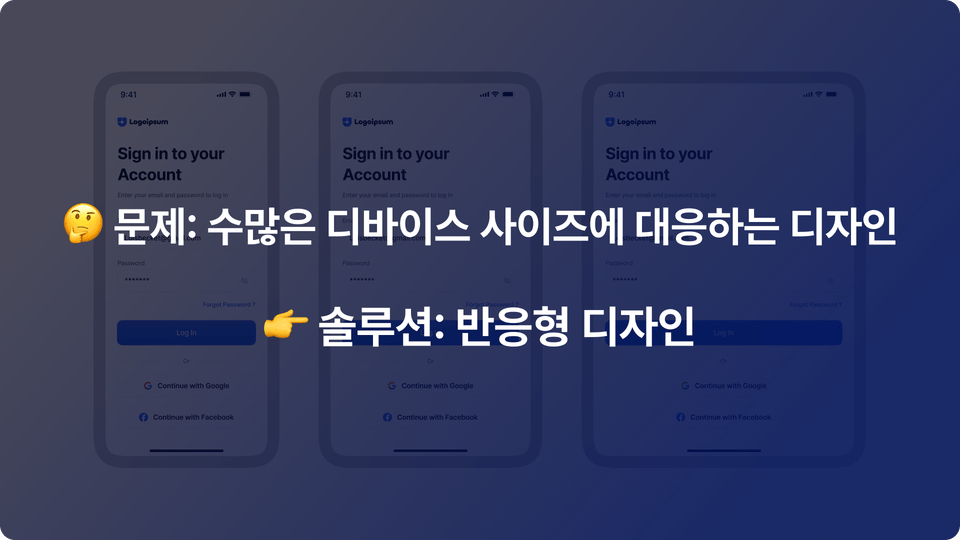
We'll theoretically examine why responsive design is necessary and what problems it solves, building a solid foundation. You'll understand the differences in user experience across devices and clearly learn the core concepts that will serve as the basis for future hands-on practice.

"Auto Layout and Resizing Options", Mastering Figma's Core Weapons for Responsive Design

The real power of Figma lies in Auto Layout and resizing options. By creating components and screens frequently used in practice, you'll learn the principles of automatic alignment and flexible layout arrangement through real-world examples.

Complete Mastery of Grid Systems

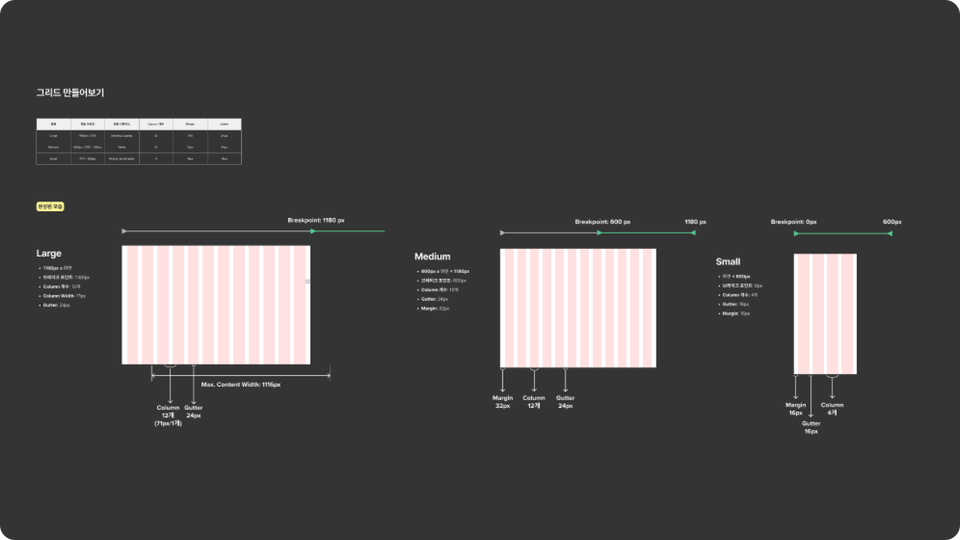
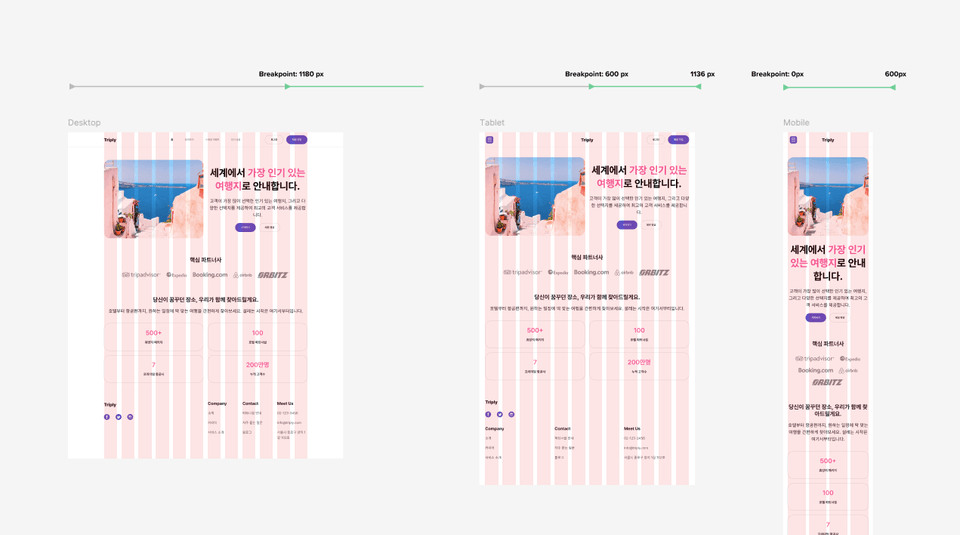
Grid is the hidden blueprint of responsive design. You'll systematically learn the principles of grid and practical application methods to create consistent UI across various screen sizes.

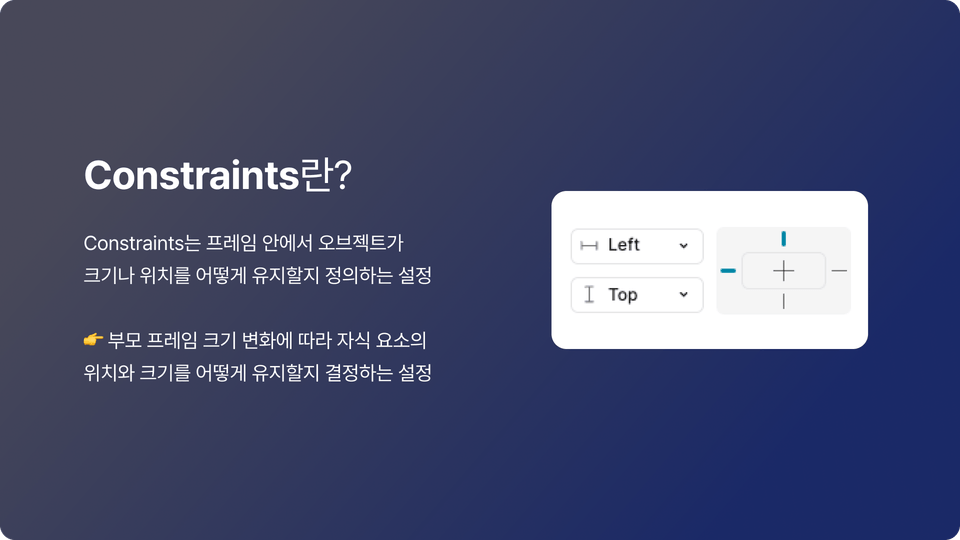
Creating Flexible Responsive Objects with Constraints

The secret to layouts that don't break when the screen shrinks or expands is Constraints. Learn how to create flexible object compositions that respond to various device sizes through hands-on practice.

Learning Responsive Design Through Real-World Case Studies

Theory alone is not enough. Develop responsive design skills that you can apply to your work right now through various real UI examples.

Honey Tips for UI Design🍯 Big Release

In the lectures, I generously share the plugins and resources that I actually use in real-world projects. To make responsive work that seemed overwhelming much easier, practical tips that can be applied immediately are included.

What will you build through this course? 📐

Design and implement responsive UI optimized for web and app environments. Create practical layouts that naturally adapt to various devices.

Designing "Apps" Responsively

Learn how mobile app UI should respond to various screen sizes and resolutions, and implement actual app screens in a responsive manner.

Creating Responsive "Web" Design

Learn how to build responsive UI in web environments and directly design layouts that naturally scale from desktop to mobile.

Creating Responsive Cards

Design content cards containing images and text to naturally adapt across various screen widths.

Creating Tables

Build responsive table UI that can handle various situations such as alignment, width, and cell configuration, and develop practical design skills.

Creating Responsive UI Components

Learn to design commonly used UI components such as buttons and input fields responsively for practical use, mastering reusable structures that can adapt to various screen sizes.

Practice with various other cases

Practice various UI situations frequently encountered in real work to expand your responsive design sense. Through repetitive practice, develop the ability to flexibly respond to complex layouts.

This is recommended for these people 🧭

🎯 Beginner / Job Seeker

I recommend this for design beginners or job seekers who want to learn the core concepts and practical skills of responsive design. You'll be able to master Figma usage that can be immediately applied in practice and develop responsive UI creation skills that will strongly appeal in your portfolio.


💻 Current Designer

I recommend this for designers who want to master core responsive features like grid and auto layout to enhance their practical work completion. You'll be able to develop UI design capabilities optimized for various screens.


🧩 Planner / PM / PO

This is suitable for planners, PMs, and POs who want to create wireframes efficiently and collaborate smoothly with designers. Understanding Figma's layout features makes both screen design and communication much easier.


🛠Developer

If you're a frontend developer, you can gain an opportunity to understand designers' working methods and improve collaboration efficiency. Even when handling design directly, you can confidently prepare for the design phase before development by learning the structure and principles of responsive UI.

Frequently Asked Questions 📌

Q. Can non-majors also take this course?

A.Yes, this course is designed for beginners and non-majors. However, I recommend that you come with prerequisite knowledge including conceptual basics of UX design, foundational knowledge for UI design, and familiarity with Figma's basic functions. If you're just starting with UX/UI design, taking my courses on Inflearn first - UX Design Introduction for Beginners and UI Design Course Using Figma - will help you master responsive design several times faster through this course.


Q. How can I quickly master responsive design?

A. If you've learned the basic principles of responsive design and how to use Figma tools, I think the most important thing is to "directly" practice with numerous examples. In this course, we've prepared everything from fundamentals to various real-world cases, and we'll guide you so you can master them by following along. However, the most important thing is that you don't just watch the lectures, but "directly" follow along and practice.


Q. Is it possible to study on both Windows and Mac?

A.Yes, it's possible. This course is created based on the Figma tool. Since Figma is internet browser-based software, it can run on both Windows and Mac, and I will provide you with the shortcuts I use in this course for both Windows and Mac respectively.


Q. Can I take the course with the free version of Figma?

A. Yes, the content taught in this course can be accessed with the free version of Figma as well.

Learning Materials

  • We provide organized Figma files so you can directly practice all the examples covered in the lectures.

Recommended for
these people

Who is this course right for?

  • UX/UI design beginners & job seekers wanting quicker employment

  • Developer who collaborates with UX/UI designers, or directly designs.

  • PM/PO/Service Planners looking to boost work productivity in proposal creation using Auto Layout/Grid, etc.

  • Junior or incumbent designers unfamiliar with responsive design or Auto Layout/Constraints usage

Need to know before starting?

  • Figma: Basic Knowledge and How to Use

  • Basic concepts of UX/UI design

Hello
This is

5,145

Learners

703

Reviews

306

Answers

4.8

Rating

7

Courses

I am currently working as a Senior Product Designer at The Knot Worldwide, a global tech company in New York.

Before coming to New York, I worked as a UI Planner in Seoul.

I communicate with designers and aspiring designers by managing the Brunch magazine "Design, and Product" and the "New York UX Designer" Instagram and Facebook accounts, where I share UX and UI knowledge and information.

Personally, I am a father of three children 👶 and have a great interest in cooking 🍲 and education 🏫.

Writing and Lecturing • Published the book "Introduction to UX Design A to Z from a New York Product Designer" (Links: Yes24, Aladin, Kyobo Book Centre) • PUBLY Article "The First Impression of a Service"

Writing and Lectures

• Published the book "Introduction to UX Design A to Z by a New York Product Designer" (Link: Yes24, Aladdin, Kyobo Book)

• Published Publy article "The 3 Seconds That Determine a Service's First Impression: 4 Principles of Landing Page UX"

• Samsung SW Academy for Youth (SSAFY) UX/UI Design and Figma Instructor

• Conducted 1:1 mentoring and corporate lectures (Topics: UX, UI design, UX facilitation, UX/UI portfolio creation and publishing)

Experience & Career

• (Current) Senior Product Designer at The Knot Worldwide, New York

(Former) Mobile App UI Planner at Pantech, Seoul

• Conducted UX/UI consulting projects with numerous New York-based startups

• Graduated from School of Visual Arts (SVA) in New York, MFA / Major: Interaction Design

• Handong Global University Undergraduate Graduate / Major: Industrial Design
Curriculum

All

40 lectures ∙ (5hr 10min)

Published: 
Last updated: 

Reviews

All

17 reviews

4.9

17 reviews

  • stumire9262님의 프로필 이미지
    stumire9262

    Reviews 1

    Average Rating 5.0

    5

    30% enrolled

    Thank you for creating the necessary lectures.

    • uxeric
      Instructor

      Thank you for the feedback. I'm so happy that I was able to help you through the course. I'll be cheering for all your future plans to go well~!

  • goodrain2626님의 프로필 이미지
    goodrain2626

    Reviews 1

    Average Rating 5.0

    Edited

    5

    75% enrolled

    I'm working on frontend development at a startup, but I'm also handling design tasks. Until now, I've been fumbling through design by searching for YouTube materials only when needed, but this time I had to learn responsive design quickly. Since the course is practice-oriented, I can follow along step by step or try first and then check, which seems effective for learning responsive design in a short period! The part where you explained the principles of constraints was especially helpful, and when alignment wasn't working, you pointed out why, which helped me understand aspects I had previously missed. Also, although I had difficulties with files during the course, I was grateful that you provided quick feedback despite the time difference...! This time, instead of the tedious way of manually adjusting values stitch by stitch like before, I want to work efficiently by properly applying what I learned in the course. Thank you so, so much 😭😭! I'll keep fighting until the end and complete the course!



    • uxeric
      Instructor

      I'm delighted to be able to help through the responsive design course. I also remember the times when I didn't use auto layout or constraints and had to do a lot of manual work stitch by stitch. I can say that productivity has increased dozens of times now. I believe that if Joy applies the course content to practical work, it will enhance work efficiency. Thank you for your valuable feedback, and I'll be cheering for you to achieve all the things you're planning ahead.

  • ko98329025님의 프로필 이미지
    ko98329025

    Reviews 1

    Average Rating 5.0

    5

    50% enrolled

    I'm someone for whom understanding 'why' something needs to be done serves as a very important motivator. Actually, even if you know many features, if you don't know how to apply them or they're not practical, the utility of the information you have would decrease and the meaning of learning those features would also fade significantly. However, what I liked most about this course was that it felt like it was created not through a learning -> practical application route, but rather through a practical difficulties -> learning -> overcoming difficulties route. The way you actually explained things was also structured as why this feature is important in practice -> how to apply it + actual case examples, so it stuck in my head much better. And because you explained things in an easy way, I was able to completely break down the burden I felt about parts I had vaguely thought were difficult features. Also, as a job seeker, you told us throughout the course 'why' these are frequently used in practice, so even while learning, I found myself thinking I should remember this and looking at it once more. Thanks to this, my vague fear and burden about practical work has also decreased! Thank you :)

    • uxeric
      Instructor

      Thank you for your thoughtful review. I also remember feeling frustrated when I first learned and studied responsive design, especially auto layout, not knowing how to apply it in actual work. In other words, I didn't want to learn just for the sake of learning the feature itself, but I wanted to learn how to solve the problem of responsive design, and I remember that wasn't easy. So while creating this course, I tried to structure the curriculum and content by thinking about how students, especially beginners or those preparing for employment, could more easily understand and acquire skills applicable to real work. In other words, I set the goal of creating a course so that after taking this course and mastering responsive design, an applicant would make an interviewer think, "This person is ready with responsive design skills." Hearing that this course has reduced the vague and fearful burden of real work (!!) makes me incredibly happy and gives me great satisfaction in creating this course :) Once again, thank you for leaving such valuable reviews and feedback, and I deeply support all your future career plans.

  • jm0park님의 프로필 이미지
    jm0park

    Reviews 2

    Average Rating 5.0

    5

    80% enrolled

    Thank you so much for such a valuable lecture! Sharing the Figma files made it great to practice along directly. However, I didn't quickly realize the materials were available at first, so I went searching for them during the lecture😊😊 Your intuitive explanations using comparisons, examples, analogies, etc. made it easy for beginners to understand, and it was wonderful to learn about the effects and applications of even the less noticeable Figma features! Plus, the quizzes at the end of each section helped me review and recall the content from each cycle, making the learning process enjoyable.

    • juliepj673691님의 프로필 이미지
      juliepj673691

      Reviews 1

      Average Rating 5.0

      5

      30% enrolled

      Even though these are basics I already know, you explain the fundamentals thoroughly and easily as a reminder, making it easy to understand! You show real-world examples while explaining, and I think it's great that I can find similar cases on my own to compare and study!!!

      • uxeric
        Instructor

        Thank you. I designed the course with the goal of making it easy for students to understand and follow along, so I'm absolutely delighted to hear that it was helpful. I'll be cheering you on to achieve all the things you're planning in the future.

    $77.00

    uxeric's other courses

    Check out other courses by the instructor!

    Similar courses

    Explore other courses in the same field!