inflearn logo

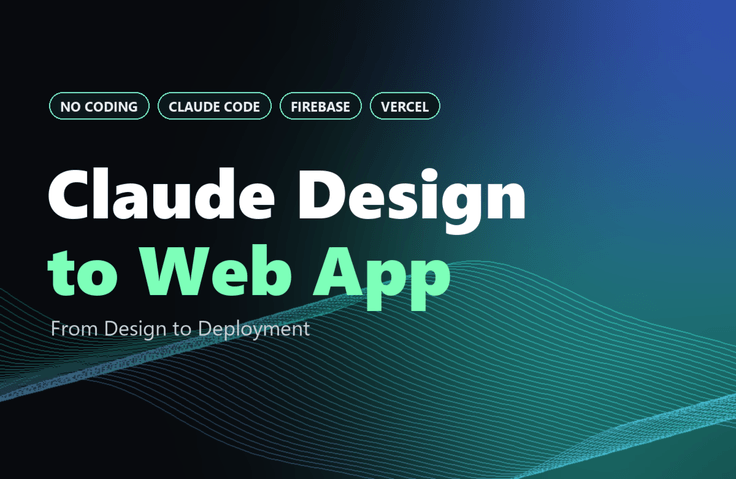
No coding experience? No problem! From design to deployment with Claude Design: My First Web App

Experience the entire process—from planning and design to development and deployment—using Claude Design and Claude Code. Complete “My Bookshelf,” a reading-tracker web app, without any coding knowledge, and learn how to create and share a working URL. In a single learning experience, you’ll gain the skills to turn your own ideas into web apps.

1 learners are taking this course

Level Beginner

Course period Unlimited

Prototyping
Prototyping
No-code
No-code
vercel
vercel
prompt engineering
prompt engineering
claude
claude
Prototyping
Prototyping
No-code
No-code
vercel
vercel
prompt engineering
prompt engineering
claude
claude

What you will gain after the course

  • Create a prototype with Claude Design, then hand it off to Claude Code to build a fully functional web app.

  • Mastering an AI collaboration workflow through Mobbin-based design references and step-by-step prompt writing

  • Complete the web app deployment and debugging process using GitHub and Vercel.

1. What You’ll Learn (What You’ll Gain from the Course)

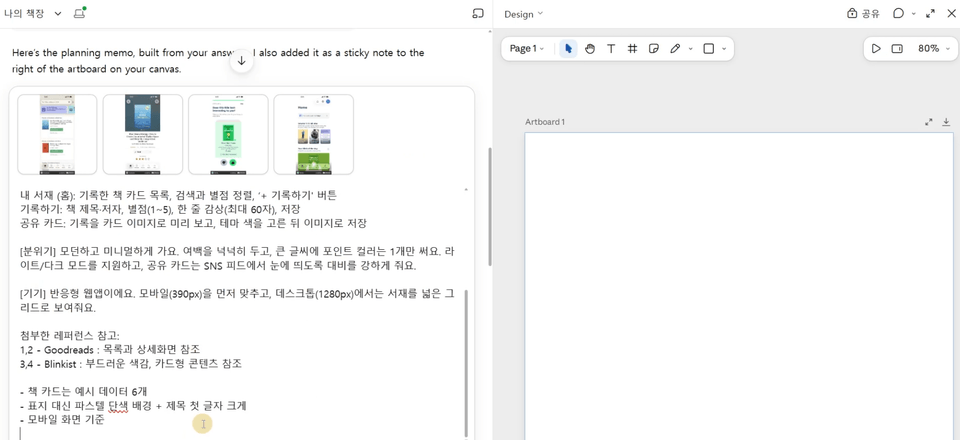
  • How to use Claude Chat as a planning assistant to create a planning memo for an app with three screens.

  • How to find real app screens on Mobbin and use them as design references

  • How to write prompts in Claude Design to finalize the first screen and establish design guidelines

  • Chat, inline comments, direct editing, and canvas adjustments: four ways to make changes depending on the situation

  • Create an interactive prototype that links screens together with clicks.

  • Pass the design intent and structure directly to code implementation with Hand off to Claude Code.

  • Build a functional web app using a three-part prompt covering technical requirements, features, and verification requests.

  • Add Google sign-in and sign-up with Firebase Authentication.

  • Store my data in a Firestore collection and load it for each logged-in user.

  • How to describe bugs accurately to AI and deploy your app URL with GitHub + Vercel

2. Course Overview

It’s okay if you don’t know how to code or use design tools.
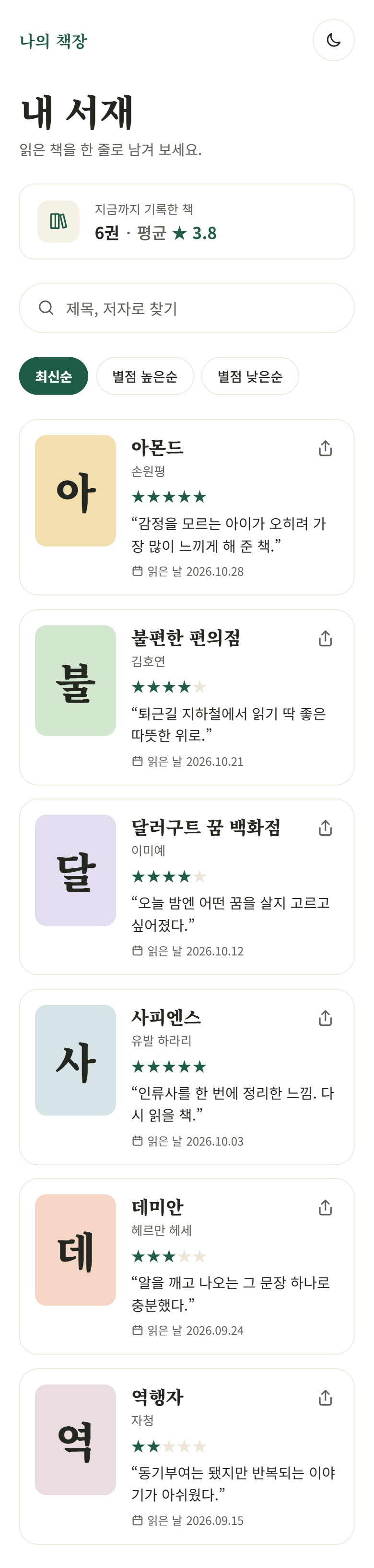
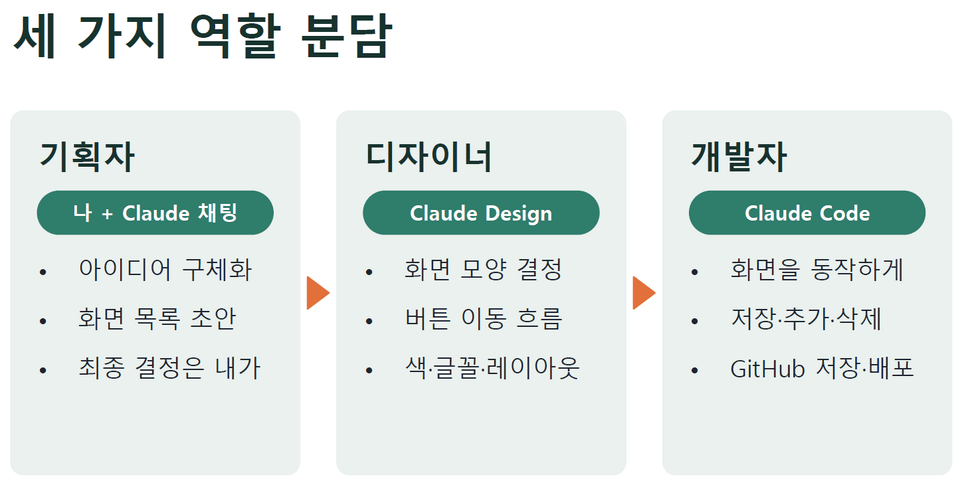
In this course, I handle the planning with Claude chat, Claude Design handles the design, and Claude Code handles the development—with these three roles, we’ll build a reading journal web app called "My Bookshelf"from start to finish.
The goal isn’t just to design screens. We’ll also add Google login and sign-up with Firebase, save your data to a Firestore collection, and create a URL that works for real and opens on your phone.
Once you learn this workflow, you can use the same approach to bring your own ideas to life, whether it’s a restaurant journal, a workout tracker, or a vocabulary list.


Check it out directly in the finished version.


Preview the finished version

3. Key Learning Points by Section

Section 1. Designing with Claude Design—from Planning to Clickable Prototypes

① The Three Roles and Getting Started with Claude Design (Lessons 1–2)

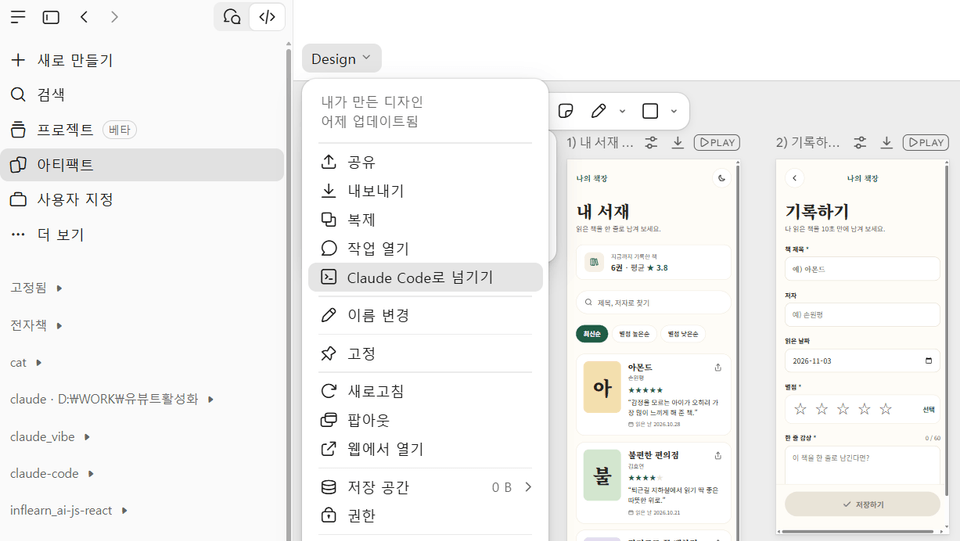
Divide the roles among the planner (me + Claude chat), designer (Claude Design), and developer (Claude Code), and learn the Claude Design workspace and how to make requests efficiently to conserve usage.


② Plan with Claude Chat and gather references on Mobbin (Lesson 3)

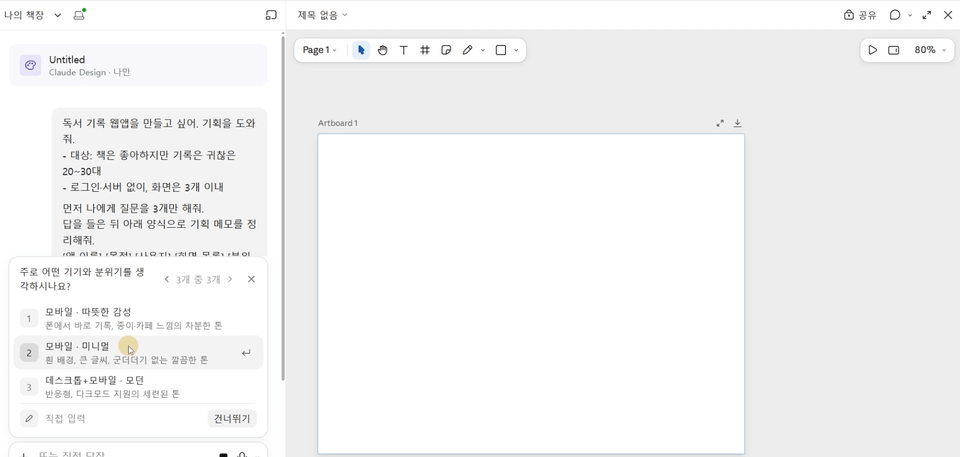
"First, ask me only 3 questions." Complete your planning notes by chatting with Claude.
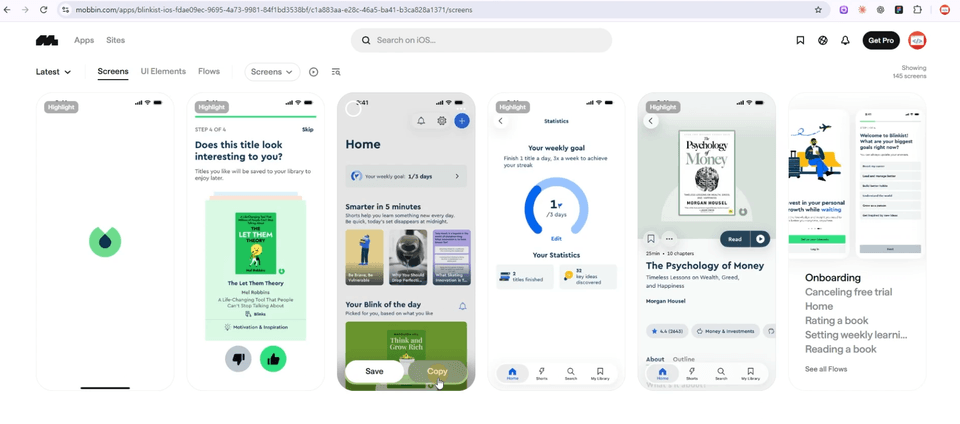
Find real app screens from Goodreads, Apple Books, Blinkist, and others on Mobbin, and make a note of "what to take inspiration from."


③ Finalizing the First Screen and Four Ways to Refine (Lessons 4–5)

First, finalize the colors, fonts, and overall feel using a single list screen, then improve the result by choosing when to use chat, inline comments, direct editing, and canvas adjustments.
Name elements like BookCard and StarRating so design and code speak the same language.


④ Prototype Connections and Pre-Handoff Review (Lessons 6–7)

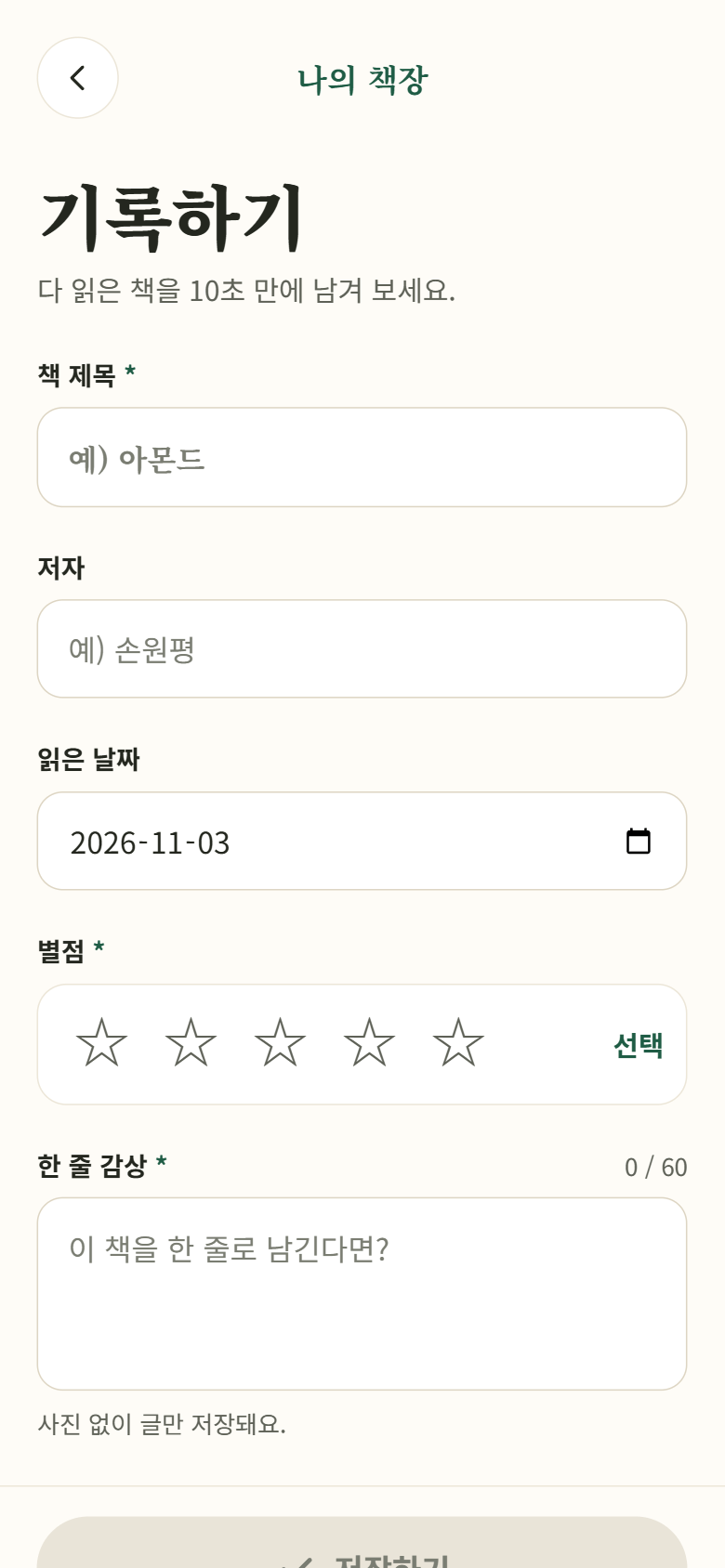
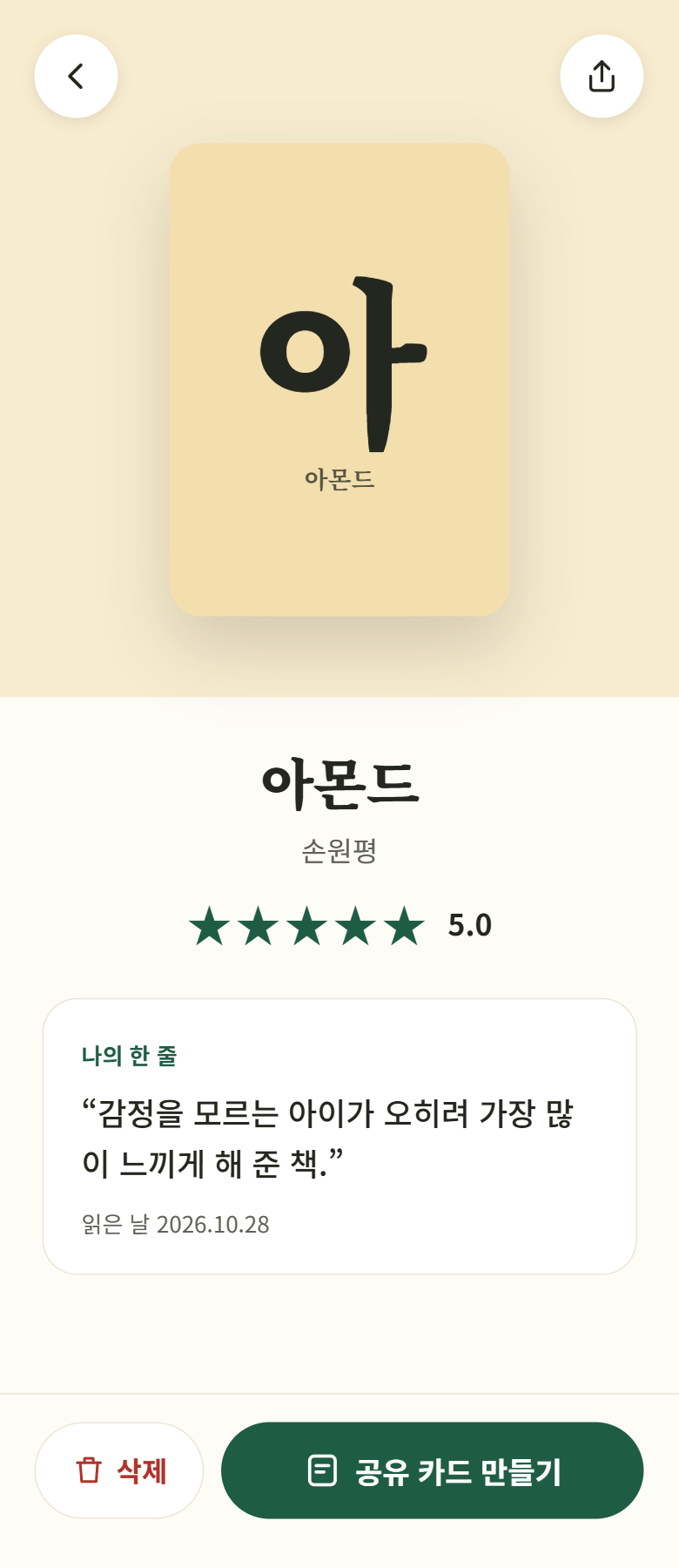
Create additional and detail screens with a simple “use the same style” request, then complete a prototype where you can move between screens by clicking.
Check easy-to-miss empty states and desktop screens, too.


Check the design

Check the responsive design

Section 2. Build and Deploy with Claude Code — From Handoff to Sharing Your App URL


⑤ Handoff and a Three-Part Implementation Request (Lessons 8–9)

Export → Hand off to Claude Code to pass the design to Claude Code Web, then start implementing the list screen with a prompt divided into technical requirements, features, and verification requests.


Firebase Integration - Google Sign-In

⑥ Firebase Integration and Debugging (Lessons 10–11)

Create a Firebase project and connect it to the app, then add Google login and email sign-up.
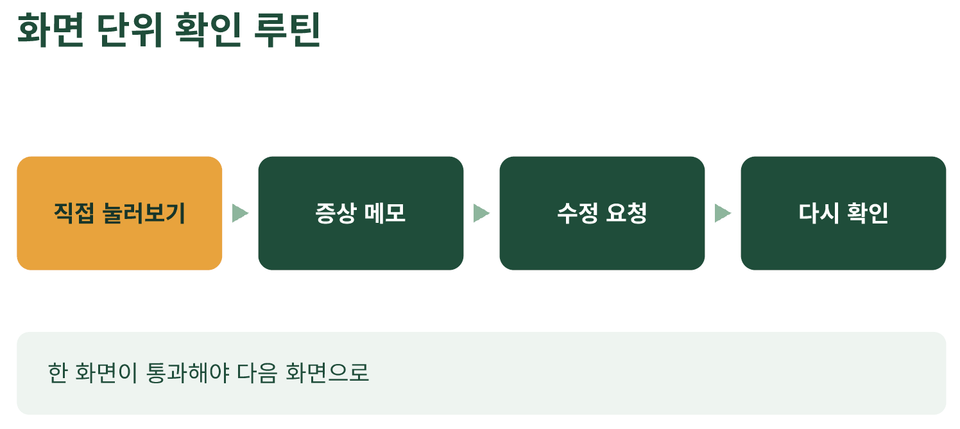
Store book information in a Firestore collection and verify, screen by screen, that each logged-in user can add, view details, and delete books, and that the data persists after refreshing.
Learn to describe bugs in terms of what you did, what you saw, and what you wanted instead of saying "It doesn't work."


⑦ Deployment and Revision Loop (Lessons 12–13)

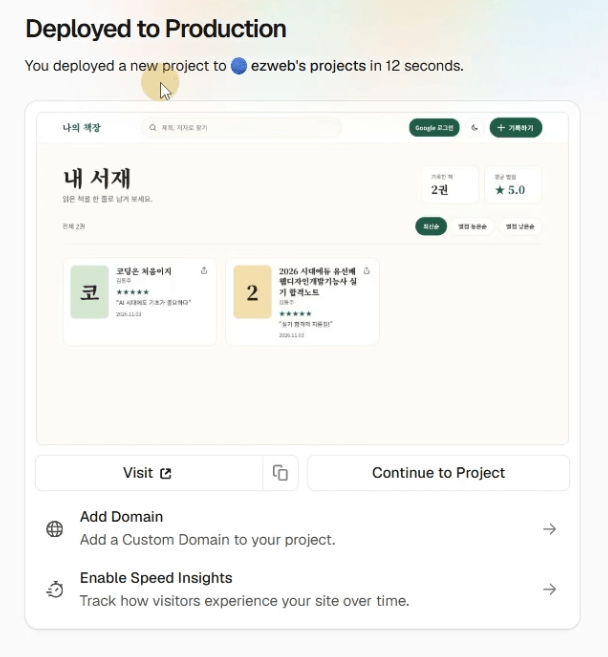
Upload it to GitHub, deploy it with Vercel, then register the deployment URL in Firebase and open your app on your phone to make sure Google sign-in works.
Finally, add a “date read” feature and complete one full revision loop: update the design → hand it off again → apply the changes in code → automatically redeploy.


4. Why You Should Take This Course


🧭 1. Planning → Design → Development → Deployment, the entire process in one go

This isn’t a demo that stops at making the screen look pretty. It takes you from planning notes all the way to sharing the URL of a fully functional app.


🤝 2. Delegate roles and make the most of AI

Chatting with me and Claude is for planning, Claude Design is for design, and Claude Code is for development. Learn to assign each tool the work it’s suited for, and the quality of the results will change.


🎨 3. Design with references, not guesswork.

Follow a practical workflow that finds real app screens validated on Mobbin, clarifies “what to reference,” and incorporates it into the prompt.


🧩 4. Prompts You Can Copy and Use As-Is

It provides step-by-step prompts for planning, the first screen, revisions, prototyping, implementation, and debugging. Just swap out a few words to use them right away in your own project.


⏱️ 5. 13 concise, focused lessons, each 10–15 minutes long

Each lesson builds on the last, so you can listen to one on your commute without losing track of the flow.

These are the people who can put what they learn to use right away.

  • Planners, marketers, and founders who want to validate ideas through prototypes themselves, without a developer.

  • Designers who want to turn design mockups into working screens right away.


5. Things to Note Before Enrolling


📌 A paid Claude plan is required.

Claude Design and Claude Code are available on paid Claude plans (Pro or higher). Usage counts toward the same limit as chat and Claude Code, so follow the habit taught in the course: "bundle your requests and be specific."


📌 Claude Design is frequently updated.

Claude Design is in the research preview stage, so menu names or locations may differ slightly from those shown in the course. If there are any major changes, we’ll let you know via [Course Updates / Supplementary Videos].


📌 Course Materials Provided

  • Lecture slides (PDF) for each lesson

  • Step-by-step prompt collection

  • List of Recommended Mobbin Reference Links


📌 We’ll use the free Firebase plan (Spark) for the exercises.

You can get started with Firebase for free with just a Google account, and no billing information is needed for the scale of these exercises. However, the Firebase Console screens may change, so we can provide additional guidance if needed.


📌 A free Mobbin account is enough.

Free accounts limit the number of screens you can view for each app, but they’re sufficient for the exercises.

6. Practice Environment

  • Operating system: Windows, macOS (a browser is all you need)

  • Browser: Chrome recommended

  • AI tools: Claude (Pro or higher) — Claude Chat, Claude Design, Claude Code Web

  • Reference: Free Mobbin account

  • Code storage and deployment: GitHub account, Vercel account (signing up with GitHub is recommended)

  • Backend: Firebase (Google account) — Authentication, Firestore

  • Installer: Node.js (LTS) — required for GitHub integration and Firebase setup


7. Who This Is For / Prerequisites


Who This Is For

  • Those who are new to coding but want to turn their ideas into apps.

  • For anyone curious about Claude Design but unsure where to start

  • Designers who want to go beyond design mockups and build screens that actually work.

  • Planners and founders who want to quickly build and validate prototypes without a developer.

  • For anyone who wants to experience the entire process of building a web app with AI.

Prerequisites

  • No prior knowledge is needed. If you know how to use a web browser, that’s enough.

  • Knowing a little HTML/CSS will help you understand the code created in Lessons 9–10.


Recommended for
these people

Who is this course right for?

  • A non-developer who wants to turn an idea into a web app without coding experience

  • Planners and designers seeking rapid prototyping and practical applications using AI tools.

  • A beginner looking to start a personal project using a no-code/low-code approach

Need to know before starting?

  • Experience using a Claude AI account and basic chat interface

  • Basic computer skills for using online tools in a web browser and internet environment.

  • The ability to clearly express simple planning ideas in writing.

Hello
This is ezweb

Career Verified

3,037

Learners

80

Reviews

4

Answers

4.9

Rating

17

Courses

I am a frontend instructor specializing in teaching everything from web publishing to practical JavaScript and React, as well as AI-assisted development.

I have taught non-majors, beginners, and job seekers at ESTSOFT KDT and Green Computer Academy, among others. I break down complex concepts into small hands-on exercises and focus on project-based classes in which learners complete the final product themselves.

Key Areas of Education

  • HTML/CSS Web Publishing

  • JavaScript Fundamentals and Web Interactions

  • React-based frontend development

  • Implementing web services using Firebase

  • Figma UI Design and Development Integration

  • Web Development with Generative AI

  • Web Design Technician Practical Exam

Corporate & Institutional Training

We provide training for corporate practitioners, KDT programs, and special lectures at universities and academies.

We structure the curriculum and hands-on projects according to the target audience’s prior knowledge, instructional hours, and desired outcomes. We offer in-person classes, live online instruction, and recorded educational content production.

Online Educational Content Production

We carry out the following online educational content production tasks.

  • Lecture curriculum and learning objective design

  • Creation of course materials and presentations

  • Organizing step-by-step practice code and example projects

  • Writing lecture scripts for filming

  • Lecture filming and content delivery

Key Activities

  • ESTSOFT KDT Front-End Course

  • Green Computer Academy Web Publishing and Front-End Course

  • Operates the web publishing YouTube channel ‘ezweb’

  • Authored books in web publishing and web design

Books Authored

We accept inquiries about delivering lectures at companies and institutions, as well as producing online educational content.

Inquiries: ezwebpub@gmail.com

More

Curriculum
All

13 lectures ∙ (1hr 58min)

Course Materials:

Lecture resources
Published: 
Last updated: 

Reviews

Not enough reviews.
Please write a valuable review that helps everyone!

ezweb's other courses

Check out other courses by the instructor!

Similar courses

Explore other courses in the same field!

Limited time deal

$13,200.00

40%

$17.60