


Excel Craftsman's Macro
xlwhy
For Excel 2007, 2010, 2013, 2016, 2019, and 365 users, we will show you the power of Excel macros and the techniques and functions that can automate simple repetitive tasks without VBA coding.

초급
Excel, MS-Office
Even if you are an Excel beginner, we will upgrade your Excel skills to the level of a job seeker. You can also secure an Excel portfolio for employment.

Reviews from Early Learners
5.0
khyna7
I saw it on a blog and signed up for the course. It was a really good decision. Thank you. I will work even harder.
5.0
lboram
I like it because there are so many practical things to do.
5.0
윤정은
I heard it well^^
The concept of macros and various techniques for utilizing macros
An efficient way to design complex structured Excel documents
How to write a functional formula by combining multiple functions
How to manage a list of frequently added and deleted data
How to dynamically extract the data you need and obtain statistics
How to automatically process data for long-term storage
How to create a dynamic document using form controls such as scroll bars and option buttons.
How to package related Excel documents for work to increase efficiency
How to download the Excel document you need from the Internet and use it in your documents
Basic concepts of VBA code and how to use it for automation
Excel beginners gather around!
I'll show you how to package and automate Excel documents. 🤖
"I have a general understanding of Excel's functions, but I'm not confident in practical applications."
"I don't know many functions, and writing functional formulas is especially difficult."
"I feel like I'm always hovering around the level of a beginner in Excel."
Many people use Excel like a word processor, using only a small portion of its features. This guide will help these novice users maximize Excel's capabilities to create automated, practical documents.
Unique features of this course ✨
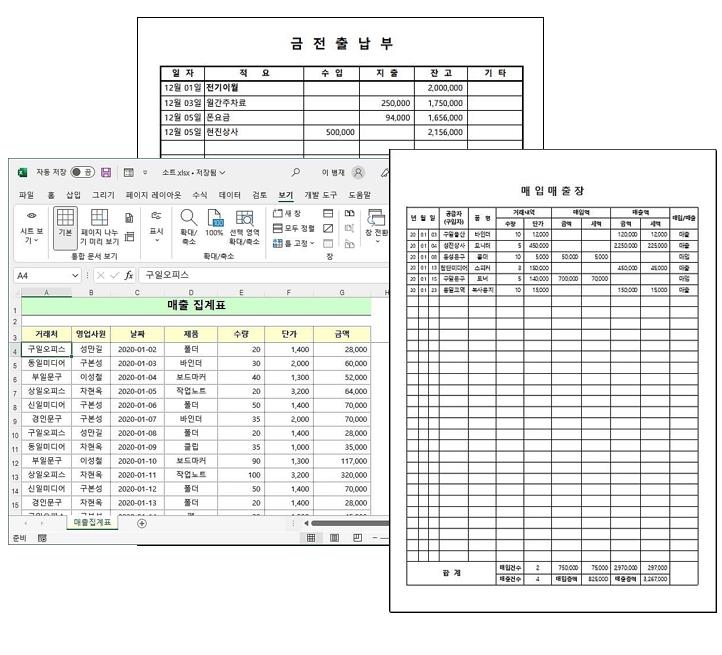
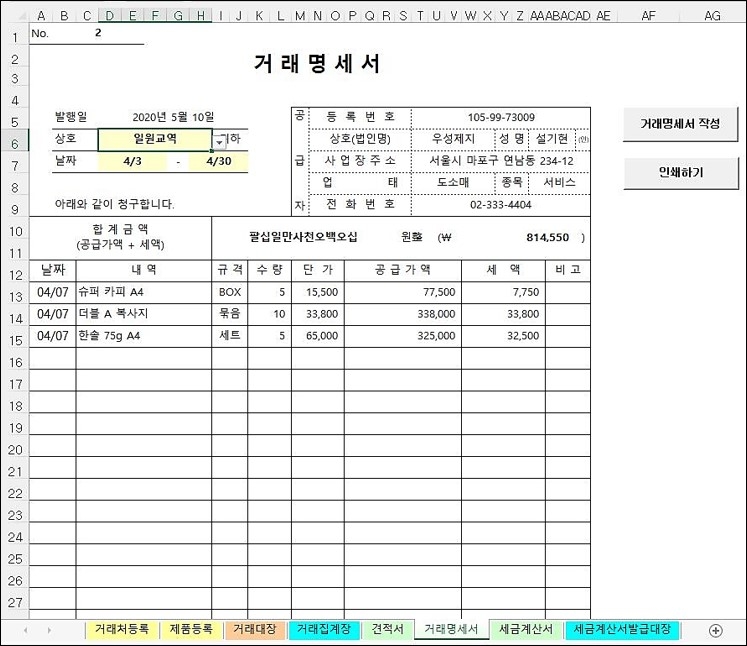
You'll learn how to create and package four practical documents required for sales management into a single file. You'll learn how to efficiently manage data modifications, additions, and deletions by establishing shared information among related documents. You'll also learn how to write complex functional formulas for automation. You'll also learn techniques for automatically managing data due daily, weekly, and monthly.
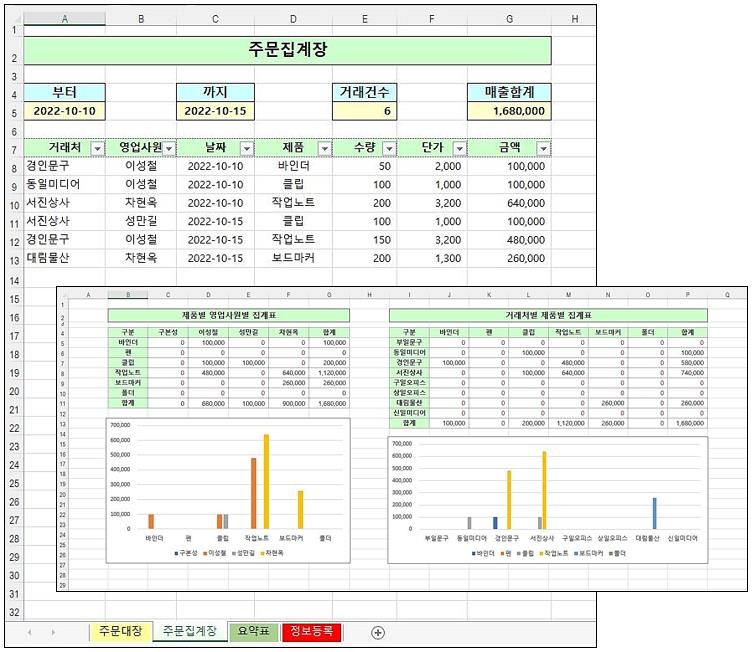
We'll automate the process of displaying simple statistics during the order entry process for the order book, accumulating and storing daily closing data separately, and dynamically creating charts and summary tables based on this accumulated data. This process uses simple VBA code and provides detailed guidance on its use.
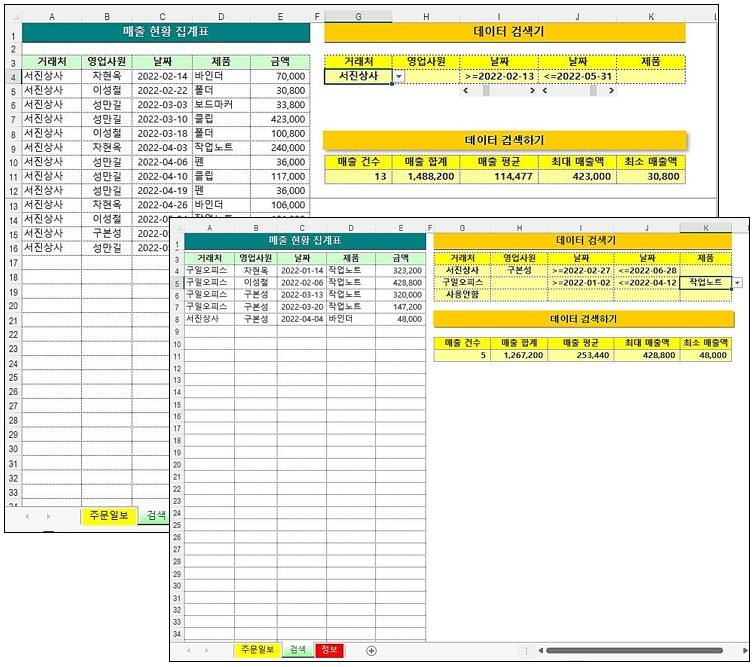
Learn how to quickly extract only the data you want from a large amount of data and obtain statistical values. You can set conditions for every item in the data, and you'll learn how to use the scroll bar to precisely specify numbers like dates. You'll also learn techniques for extracting data with complex conditions using multiple AND conditions.
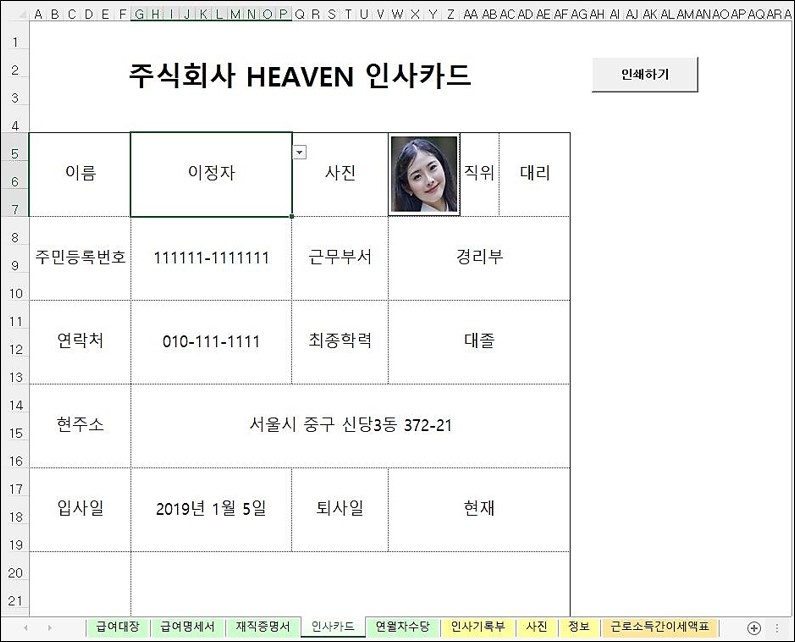
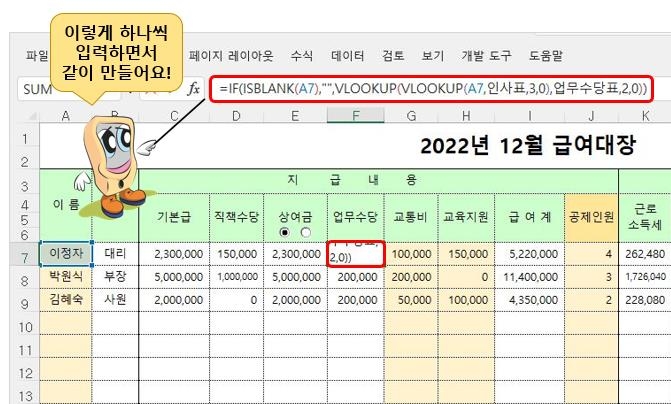
Learn how to package and create documents required for HR and payroll tasks. Based on the HR ledger, you'll learn how to share necessary data between documents, how to use option buttons to process bonuses, how to select images like photos using combo boxes, and how to write functions to calculate various taxes and annual leave allowances related to payroll.
Q. Which version of Excel should I use?
You can work with all versions of Excel starting from Excel 2007.
Q. I haven't learned Excel in a long time and don't know much. Will I be able to understand it?
If you can remember the IF function, that's possible. This lecture is geared towards those who are familiar with it.
Q. I'm preparing for employment and need practical experience.
The documents used in this course were written, distributed, and used by the instructor at the request of surrounding businesses while running his own business. By taking the course, you will gain hands-on experience in the field.
Who is this course right for?
For those who are beginners and are not familiar with Excel menus and want to advance to intermediate level
People who want to get an office job
People who are in charge of Excel work but are having difficulties
Those who use Excel as if it were Word by obtaining various Excel formats
Need to know before starting?
It will be easy if you know something about Excel's IF function.

As a former programmer who majored in computer science, I have gained diverse IT-related experience through lecturing, serving as an editor-in-chief for a computer magazine, and running a small business.
I am active as a Naver blogger and influencer under the nickname "Damdam," primarily posting about Excel formulas and programming languages such as Python and C.
Although I spend my daily life with computers, I am also a naturalist who enjoys fishing and taking quiet walks along forest paths.
All
20 lectures ∙ (9hr 35min)
Course Materials:
All
3 reviews
5.0
3 reviews

Reviews 1
∙
Average Rating 5.0
Reviews 1
∙
Average Rating 5.0
5
I like it because there are so many practical things to do.
I'm glad you're satisfied.
Reviews 1
∙
Average Rating 5.0
5
I saw it on a blog and signed up for the course. It was a really good decision. Thank you. I will work even harder.
I hope this helps.
Explore other courses in the same field!
![Do you want to quit your job? If so, you should take the [Excel Function Dictionary] course.강의 썸네일](https://cdn.inflearn.com/public/courses/328591/cover/e6c500ab-3346-48df-84a8-b7c0876eea16/함수사전(인프런).jpg?f=avif&w=420)
![Easy and fun [Data visualization] with over 80 examples강의 썸네일](https://cdn.inflearn.com/wp-content/uploads/data-visual.png?f=avif&w=420)

![[Template Provided] Mastering Google Sheets in Practice: Completing Automation with Real-Time Connectivity강의 썸네일](https://cdn.inflearn.com/public/files/courses/341571/cover/01kmhbqpxzb2tt0exy2n89vd99?f=avif&w=420)


![[Pass ITQ Excel A in One Go] in 3 days강의 썸네일](https://cdn.inflearn.com/public/courses/329652/cover/b44e11b6-a47e-4993-86ea-a85da9836bb5/329652-eng.png?f=avif&w=420)

