
Efficiency 100x UP! The practical Excel of a hard worker
studypie
This course is for those who are new to Excel or want to upgrade from basic to advanced level.

Beginner
Excel


Excel beginners gather around!
I'll show you how to package and automate Excel documents. 🤖
"I have a general understanding of Excel's functions, but I'm not confident in practical applications."
"I don't know many functions, and writing functional formulas is especially difficult."
"I feel like I'm always hovering around the level of a beginner in Excel."
Many people use Excel like a word processor, using only a small portion of its features. This guide will help these novice users maximize Excel's capabilities to create automated, practical documents.
Unique features of this course ✨
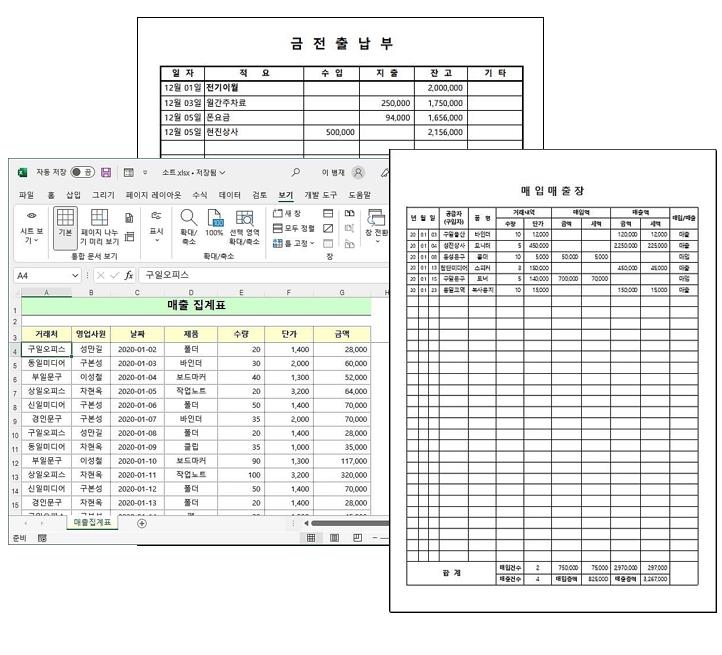
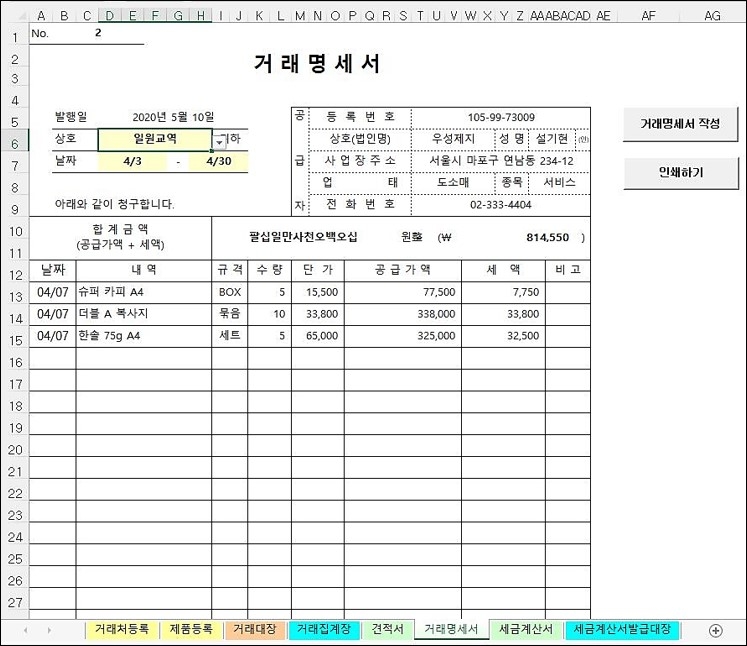
You'll learn how to create and package four practical documents required for sales management into a single file. You'll learn how to efficiently manage data modifications, additions, and deletions by establishing shared information among related documents. You'll also learn how to write complex functional formulas for automation. You'll also learn techniques for automatically managing data due daily, weekly, and monthly.
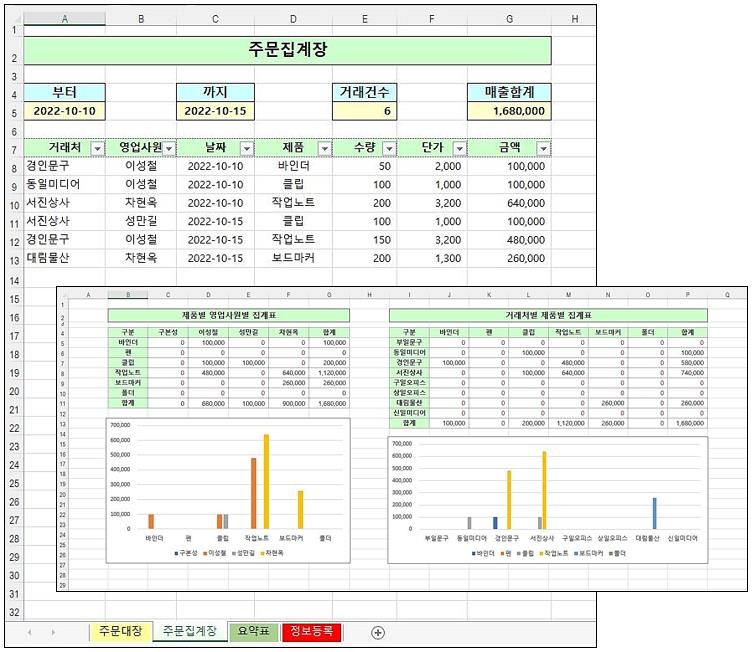
We'll automate the process of displaying simple statistics during the order entry process for the order book, accumulating and storing daily closing data separately, and dynamically creating charts and summary tables based on this accumulated data. This process uses simple VBA code and provides detailed guidance on its use.
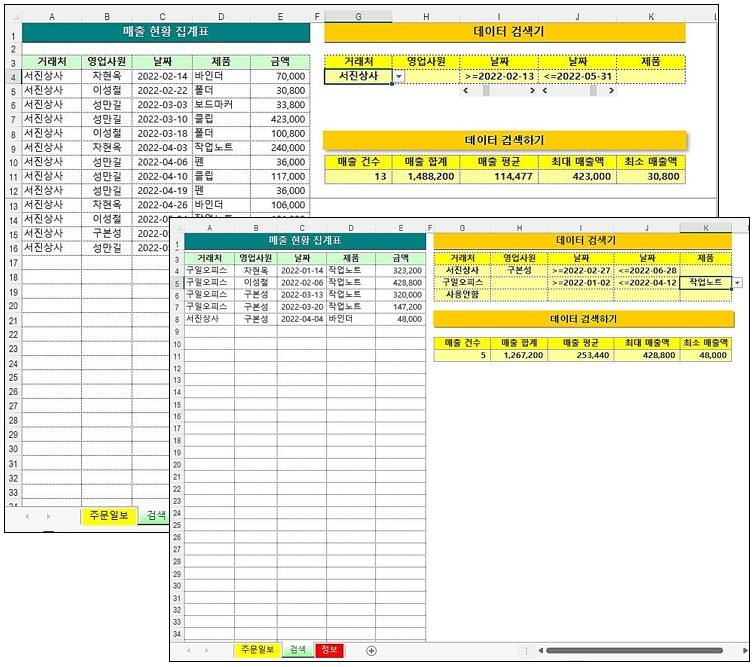
Learn how to quickly extract only the data you want from a large amount of data and obtain statistical values. You can set conditions for every item in the data, and you'll learn how to use the scroll bar to precisely specify numbers like dates. You'll also learn techniques for extracting data with complex conditions using multiple AND conditions.
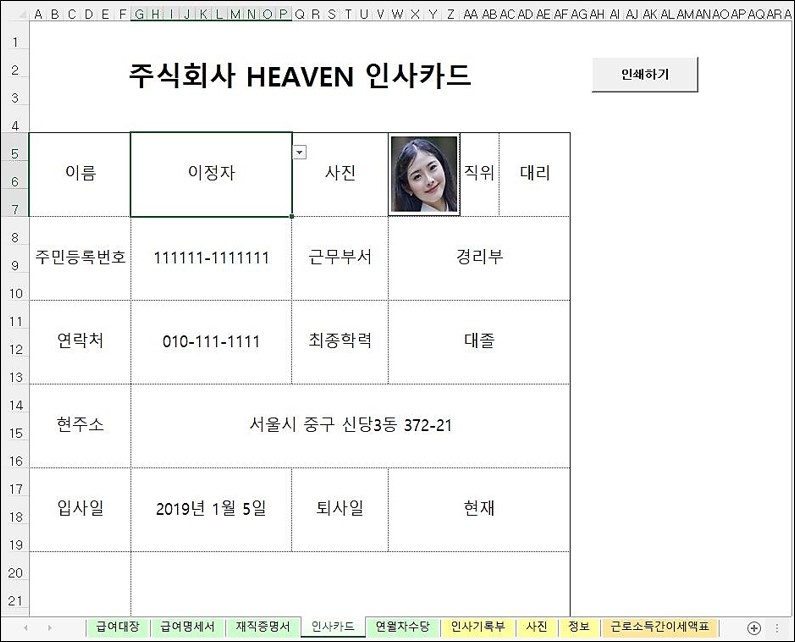
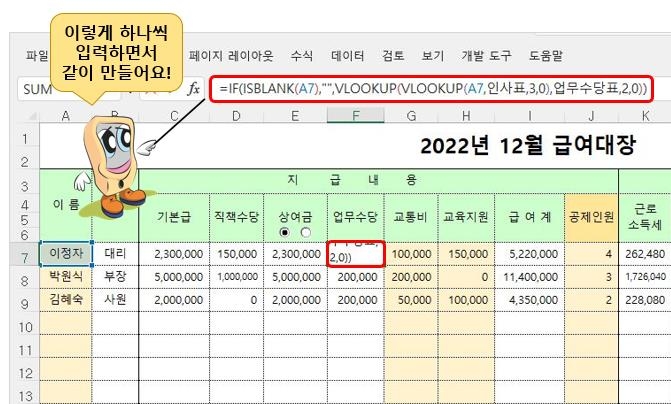
Learn how to package and create documents required for HR and payroll tasks. Based on the HR ledger, you'll learn how to share necessary data between documents, how to use option buttons to process bonuses, how to select images like photos using combo boxes, and how to write functions to calculate various taxes and annual leave allowances related to payroll.
Q. Which version of Excel should I use?
You can work with all versions of Excel starting from Excel 2007.
Q. I haven't learned Excel in a long time and don't know much. Will I be able to understand it?
If you can remember the IF function, that's possible. This lecture is geared towards those who are familiar with it.
Q. I'm preparing for employment and need practical experience.
The documents used in this course were written, distributed, and used by the instructor at the request of surrounding businesses while running his own business. By taking the course, you will gain hands-on experience in the field.



![[Pass ITQ Excel A in One Go] in 3 daysCourse Thumbnail](https://cdn.inflearn.com/public/courses/329652/cover/b44e11b6-a47e-4993-86ea-a85da9836bb5/329652-eng.png?f=avif&w=420)


![[Star Instructor Teacher Choi] The Standard for Passing Quickly|ITQ Excel MasterCourse Thumbnail](https://cdn.inflearn.com/public/files/courses/343264/cover/01kxzse3ftyrhrd3te3b03e3ch?f=avif&w=420)
