
inflearn logo

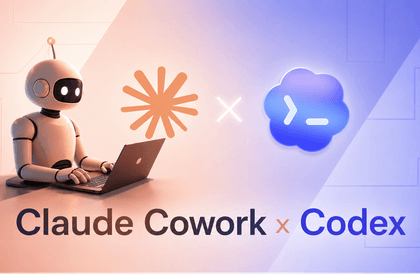
Complete Practical Guide to the AI Coding Agent Codex — Prompts, Permission Design, and Automation

This course is a 37-lesson, approximately 14-hour program that covers OpenAI’s AI coding agent, Codex, from start to finish. AI coding tools are now commonplace. However, most users remain at the level of accepting autocomplete suggestions or asking questions in a chat window. Agentic tools like Codex can do much more than that. They can read an entire project, modify multiple files simultaneously, run tests, and find and fix errors on their own. The problem is that they require an equivalent level of control. If you do not know what to allow and what to block, or how to teach the tool your project’s rules, you will end up cleaning up the code it creates afterward. This course focuses on how to establish that control. In the beginner section, you will learn installation and your first conversations, file editing and session management, and slash commands, while building a foundation in prompt writing. Through hands-on practice, you will internalize three principles: making clear requests, breaking down tasks, and verifying the results. The intermediate section is where the main content begins. You will configure behavior with config.toml, teach project rules with AGENTS.md, and manage memories with Memories. You will design safety boundaries yourself by combining the sandbox with four types of approval policies. The course then covers thread separation and parallel work, planning mode, connecting MCP servers, and creating custom skills based on SKILL.md. Finally, after covering web searches and Git automation, VS Code and Cursor integration, and hands-on FastAPI practice, you will examine Codex’s internal protocol, the SQ/EQ queue model. Understanding how the tool works changes how you respond when problems arise. The entire course follows the process of building a single service called TaskFlow. Rather than learning each feature in isolation, you will experience, in sequence, when and why each one is needed in a real project.

1 learners are taking this course

Level Beginner

Course period Unlimited

Git
Git
Coding Test
Coding Test
FastAPI
FastAPI
codex
codex
prompt engineering
prompt engineering
Git
Git
Coding Test
Coding Test
FastAPI
FastAPI
codex
codex
prompt engineering
prompt engineering

What you will gain after the course

  • Codex Installation and Basic Usage - Learn installation and execution, your first conversation, file editing, session management, and slash commands.

  • config . toml configuration management - Customize Codex’s behavior as desired by distinguishing between user settings and project settings.

  • Sandbox and approval policy design - Create a safe work environment by combining four types of approval policies with sandbox modes.

  • MCP Server Connection and Custom Skills - Connect an MCP server and create your own skills with SKILL . md.

  • Understanding the Core Protocol - Gain insight into how the Codex engine works internally through the SQ/EQ queue model.

  • Effective Prompt Writing - Get AI to work properly by following the principles of clear requests, task decomposition, and verification.

  • Teaching Project Rules with AGENTS.md — Design Rules Hierarchically and Understand the Difference from Memories

  • Thread separation and parallel work - Divide threads by area of concern and work concurrently without file conflicts.

  • IDE Integration and Hands-On Development – Use Codex in VS Code and Cursor, and work on a FastAPI project.

OpenAI Codex in Practice: How to Properly Use an AI Coding Agent

Learn how to use the AI coding agent from the initial installation of OpenAI Codex through understanding an entire project, modifying code, and performing testing and validation.

Beyond simple code completion, you will learn step by step how to write prompts, configure config.toml, use AGENTS.md project rules, Memories, sandbox and approval policies, parallel tasks, plan mode, MCP servers, and custom SKILL.md files.

Learn how to use Codex in real development projects through VS Code and Cursor integration, Git automation, web searches, and hands-on Python and FastAPI exercises. As you complete a TaskFlow project, you’ll learn in a practical, hands-on way when and how to use each feature.

This course is suitable for developers using AI coding tools, development teams looking to introduce AI agents into their projects, and planners and founders who want to leverage AI to build real-world services.

What You’ll Learn

Section: Core Keywords

1. Understanding AI and Codex and Getting Started

Understand the concept of AI coding agents and the relationship between GPT models and Codex, and learn how to install and run Codex. You will also practice initiating your first conversation and generating code firsthand.

2. File Editing and Session Management

Learn how to modify and manage project files using Codex. Get familiar with Codex’s basic workflows, including session management, slash commands, and image use.

3. Writing Effective Prompts

Learn how to write prompts that accurately communicate your desired results to AI. Practice making clear requests, providing sufficient context, breaking down tasks, and verifying the results.

4. Codex Configuration and Project Rules

Learn how to configure user and project settings using config.toml, and how to communicate the development rules and work instructions required for your project to Codex through AGENTS.md. You will also explore the hierarchy of AGENTS.md files and how they differ from Memories.

5. Sandboxes and Approval Policies

Learn about the sandbox and approval policies that control the scope of tasks Codex can perform. Design a safe AI work environment by combining various approval policies and permission profiles.

6. Parallel Tasks and Advanced Workflows

Learn how to separate threads to efficiently manage multiple tasks and perform parallel work. Use Goal mode and Plan mode to execute complex tasks step by step and review the results.

7. MCP and Custom Skills

Understand the concept of MCP and its purposes, and learn how to connect and manage MCP servers. You will also use SKILL.md to create custom skills for Codex and apply them to real-world projects.

8. Practical Development Environments and Automation

Learn how to use Codex’s web search feature and verify sources, and automate Git tasks. Master how to use Codex in VS Code and Cursor while practicing with real-world Python and FastAPI projects.

9. Troubleshooting and the Codex Core Protocol

We organize ways to solve common mistakes that occur at the intermediate level and principles for designing safe AI agents. Finally, we understand Codex’s internal task-processing structure and operating principles through the SQ/EQ queue model.

Before You Enroll

Prerequisites and Preparation

It is helpful to have a basic understanding of programming concepts. In particular, a basic understanding of variables, functions, and file and project structures will help you follow the course.

The hands-on exercises are based on Python and FastAPI, so familiarity with Python’s basic syntax is recommended. Experience using a terminal or command line, along with a basic understanding of Git (commits, branches, etc.), will also help you learn more smoothly.

You may need a paid ChatGPT plan or an OpenAI API key to use Codex, and you can use VS Code or Cursor for the IDE integration exercises in the latter part.

Learning Method

Rather than simply watching the content explained in the course, we recommend running Codex yourself and following the same exercises. In particular, you can deepen your understanding by configuring and testing the prompt writing, AGENTS.md setup, sandbox and approval policies, MCP connections, and custom skill creation yourself.

Since the course is structured around building an actual TaskFlow project step by step, it is recommended that you complete each exercise in order.

Questions and Learning Support

If you have any questions about the course content or hands-on exercises, you can ask them through the course’s questions and comments feature. When asking a question, include the error message, commands you ran, and your current progress to receive a more accurate answer.

Features related to Codex and OpenAI may be continuously updated, so the features or screens used in the course may change afterward. If there are major feature changes or changes to the hands-on practice environment, you can review the course content and reflect the necessary updates.

Recommended for
these people

Who is this course right for?

  • A developer who uses AI coding tools only for autocomplete.

  • People who have installed Codex but don’t know how to control it.

  • A practitioner who spends their time cleaning up code written by agents every time.

  • Those who want to properly understand concepts such as AGENTS . md, MCP, and custom skills

  • A team lead who needs design principles for safely delegating authority to AI

  • Planners and founders with little coding experience who want to build a service using AI

  • Instructors and education professionals preparing AI coding training courses

Need to know before starting?

  • Basic programming knowledge (understanding of variables, functions, and file structure)

  • Basic Python syntax (the hands-on project is based on Python and FastAPI)

  • Experience using terminals and command lines (the course covers the basics, but prior familiarity will make things easier)

  • ChatGPT paid plan or OpenAI API key (required to use Codex)

  • VS Code or Cursor (used for the IDE integration practice in the latter part)

  • Basic Git usage (commits and branches should be sufficient)

Hello
This is it learner

IT training programs led by hands-on experts and professional instructors in various IT fields, offering practical, hands-on courses in programming, software development, data analysis, artificial intelligence, networking, information technology, and more. Through educational content that reflects the latest IT technologies and industry trends, these programs help learners acquire both theoretical knowledge and practical skills while adapting to the rapidly changing IT environment.

More

Curriculum

All

37 lectures ∙ (14hr 2min)

Course Materials:

Lecture resources
Published: 
Last updated: 

Reviews

Not enough reviews.
Please write a valuable review that helps everyone!

it learner's other courses

Check out other courses by the instructor!

Similar courses

Explore other courses in the same field!

Limited time deal ends in 6 days

$51,480.00

10%

$44.00