강의

멘토링

커뮤니티

Game Dev

/

etc. (Game)

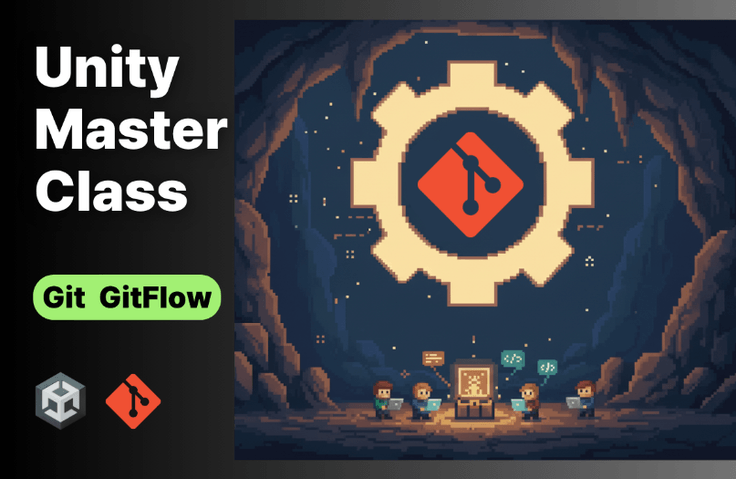
# The Ultimate Guide! Unity - Git Collaboration Masterclass for Unity Developers

For those who have hesitated to adopt Git and Github for collaboration or have given up for various reasons, this introduces Git basics and the GitFlow branching strategy. It's structured to help you learn Git and Github tailored to the specific characteristics of Unity projects.

(5.0) 8 reviews

56 learners

Level Beginner

Course period Unlimited

  • indiegamemaker
Unity
Unity
Git
Git
GitHub
GitHub
git-commands
git-commands
Unity
Unity
Git
Git
GitHub
GitHub
git-commands
git-commands

Reviews from Early Learners

Reviews from Early Learners

5.0

5.0

김진

100% enrolled

This was a really helpful lecture. Thank you.

5.0

Park JiEun

100% enrolled

I liked how you explained Git from the basics to advanced applications in an easy-to-understand way. The explanation of how to use Git specifically for Unity development was especially great. Thank you for the great lecture.

5.0

재균

32% enrolled

The tips throughout are so good :)

What you will gain after the course

  • Basic Git Commands in CLI Environment

  • # Using Git with Visual Studio and Rider

  • # Unity Project Git Setup and Initialization

  • # Hands-on Practice with GitFlow Methodology for Collaboration

  • Managing Large Files with Git-LFS

  • Resolving Conflicts and Recovering Deleted Commits

  • # PR (Pull Request) and main Branch Ruleset Configuration


Are you still struggling with Unity Git collaboration?

No more fear of complex Git commands and conflict resolution.
This course covers everything from basic Git commands to GitHub collaboration strategies optimized for Unity projects,
systematically guiding you through using both CLI environments and GUI tools.

Were you unable to even start a team project that you couldn't dare attempt alone because you were afraid of Git conflicts?

Have you ever felt frustrated by recurring conflicts and eventually given up?

When you've only used GUI tools and faced a problem, those overwhelming moments of not knowing where to start are now over.


No matter which GUI tool you use, the core is Git fundamentals.

You may have ambitiously started with "We're going to manage our source code with Git and Github now" only to blow up the project shortly after. Most of the time, this is a completely natural phenomenon that comes from either not being familiar with Git's basic concepts or lacking diverse experience with aspects that need to be considered during collaboration.


What is the most fundamental learning method?


My recommended approach to learning Git is to learn Git commands in a CLI environment (terminal). There are many beautiful and convenient GUI tools (Github Desktop, Source Tree, etc.). However, there are countless situations where you'll find yourself in a critical moment that can only be resolved with terminal commands, or you'll be at a loss about where to fix tangled issues.


Before solving through GPT or search


At this point, when you encounter Git commands through ChatGPT or Google search, if you execute them without knowing whether they are appropriate commands, it often becomes a cause of making the situation worse. Therefore, you need to know the exact meaning of the commands you are using.


I'm a client developer, and in this day and age, terminal commands

Do I need to learn this?


My answer is "You should know 100%". If you're familiar with terminal commands, you can perform not only Git operations but also various other tasks more efficiently and quickly. These days, popular tools like Claude Code, Codex, and Gemini CLI are all running in terminal environments, and you can conveniently perform countless tasks through the terminal, such as checking if a server is alive, launching a test HTTP daemon, quickly finding or deleting unnecessary files, installing and removing necessary programs, and much more.


# Git Curriculum Specialized for Unity Projects

  • GitFlow branch strategy is practiced step-by-step through Git commands and diagrams.

Detailed Course Curriculum

Section 1

Git Environment Setup and Building Foundations

Git installation, terminal environment setup, user information configuration, etc. - we'll build the basic environment needed to use Git. After that, we'll learn shell commands and Git's core concepts to understand how Git works.


Section 2

Git Basic Commands Practice and Conflict Resolution

Learn essential Git commands through hands-on practice and how to resolve potential Git conflict situations. Set up your Git environment using VSCode, Visual Studio, and Rider, and configure .gitignore files.


Section 3

Using Git in Unity Projects

Starting with creating a new Unity project and initializing it with Git, we'll practice Git commands applied to Unity projects, including commit conventions, branch merging, and reverting to previous commits.


Section 4

GitHub Integration and Large File Management

Learn how to create and connect a Unity project repository on GitHub. Discover how to implement Git LFS to efficiently manage large asset files in Unity projects, and explore common mistakes and their solutions.


Section 5

Git Flow Strategy for Collaboration

Learn the concept of Git Flow branching strategy and how to apply it to Unity projects. Master collaborator settings for teamwork, repository cloning, work sharing simulation, and conflict resolution methods when modifying the same scene.


Section 6

Handling Unity Project Collaboration Scenarios

You will practice the Pull Request and merge approval process, and learn how to configure GitHub settings to restrict Push access. Additionally, you will learn how to handle various problem situations that can occur in real collaborative environments, such as recovering deleted commits using Git reset and revert.

These are the concerns
we can help solve!

📌

Unity Junior Developer

I know the basic Git commands, but I'm having difficulty with my work progress due to frequent conflicts when applying them to actual Unity projects

📌

Junior developers with limited team project experience

When collaborating, you feel overwhelmed about how to establish a Git branch strategy,
and show a passive attitude during code conflicts and merge processes with other team members

📌

A leader starting a new game development project

Anyone hesitating to adopt a version control system,
or wanting to establish a Git/GitHub collaboration process that considers the characteristics of Unity projects

Points to Note Before Enrollment


Practice Environment

  • Windows, macOS

  • You need a GitHub account. Please create one in advance.


  • Unity, Visual Studio 2022, or Rider must be installed.


Prerequisites and Important Notes

  • You should know the basic fundamentals of Unity usage.

  • (Optional) For smooth practice of collaboration simulation, use VirtualBox or similar


    A virtual machine environment is required.


Recommended for
these people

Who is this course right for?

  • # Developer Learning Git Commands from the Basics

  • # Developers Who Are Always Afraid of Git Conflicts

  • # Unity Developers Need Efficient Git Branch Strategies for Team Projects <budget:token_budget>199976</budget:token_budget>

Need to know before starting?

  • # Unity Basic Usage <budget:token_budget>199992</budget:token_budget>

Hello
This is

599

Learners

57

Reviews

59

Answers

4.9

Rating

8

Courses

Hello, I'm Jae-hyun Lee.

I started teaching myself Unity with the dream of becoming a solo game developer, and from 2009 to 2012, I released about 10 mobile games as a solo developer. I published Absolute Course! Unity and conducted offline lectures. Through teaching, I realize every time that knowing something well is different from teaching it well. Based on these experiences, I am always striving to convey my knowledge to you more effectively. và tiến hành các bài giảng trực tiếp. Trong quá trình giảng dạy, tôi luôn nhận ra rằng việc am hiểu kiến thức và việc truyền dạy tốt là hai điều hoàn toàn khác nhau. Dựa trên những kinh nghiệm này, tôi luôn nỗ lực để truyền đạt kiến thức của mình đến các bạn một cách hiệu quả nhất.

I hope this lecture serves as a great starting point for you and provides a little help as you move forward into the enjoyable world of game development. ~


Major Teaching Experience

  • NC Soft Special Lecture

  • NHN Entertainment

  • Netmarble Game Academy

  • Fast Campus - Unity Camp 1st ~ 8th Cohort

  • Team Sparta Online Tutor

  • T Academy

  • ETRI (Electronics and Telecommunications Research Institute)

  • KOCCA, GCA, Seongnam Industry Promotion Agency

  • Special lectures at KAIST, Sogang University, Chung-Ang University, Hansung University, and Dankook University

Key Activities

  • Author of Absolute Course! Unity (Published in Japan and China)

  • Unity UNITE 2014 Session Lecture

  • Unity UNITE 2018 Hands-on Session Special Lecture

  • Unity Industry 2022 Hands-on Session Special Lecture

  • Served as a Unity Korea Official Master from the 2nd to the 5th term

    Special Lecture at Unity UNITE 2014 Session Special Lecture at Unity UNITE 2018 Hands-on Session Special Lecture at Unity Industry 2022 Hands-on Session Active as a Unity Korea Certified Master from the 2nd to 5th terms

Unity UNITE 2014 Special Session Lecture Unity UNITE 2018 Hands-on Session Lecture Unity Industry 2022 Hands-on Session Lecture Active as a Unity Korea Certified Master from the 2nd to 5th terms

Curriculum

All

34 lectures ∙ (5hr 21min)

Course Materials:

Lecture resources
Published: 
Last updated: 

Reviews

All

8 reviews

5.0

8 reviews

  • aimi98006800님의 프로필 이미지
    aimi98006800

    Reviews 2

    Average Rating 5.0

    5

    32% enrolled

    • saakhanjordy9898님의 프로필 이미지
      saakhanjordy9898

      Reviews 2

      Average Rating 5.0

      5

      100% enrolled

      I liked how you explained Git from the basics to advanced applications in an easy-to-understand way. The explanation of how to use Git specifically for Unity development was especially great. Thank you for the great lecture.

      • indiegamemaker
        Instructor

        Thank you for your valuable review. ~

    • wls61891548님의 프로필 이미지
      wls61891548

      Reviews 1

      Average Rating 5.0

      5

      100% enrolled

      This was a really helpful lecture. Thank you.

    • dlwornr0919님의 프로필 이미지
      dlwornr0919

      Reviews 2

      Average Rating 5.0

      5

      32% enrolled

      You can gain an accurate understanding of git.

      • indiegamemaker
        Instructor

        I'm glad I could help. I'm rooting for you to complete the course all the way to the end.~

    • karabiner1107님의 프로필 이미지
      karabiner1107

      Reviews 12

      Average Rating 4.9

      5

      100% enrolled

      Thank you for the great lecture.

    $26.40

    indiegamemaker's other courses

    Check out other courses by the instructor!

    Similar courses

    Explore other courses in the same field!