

inflearn logo
inflearn logo

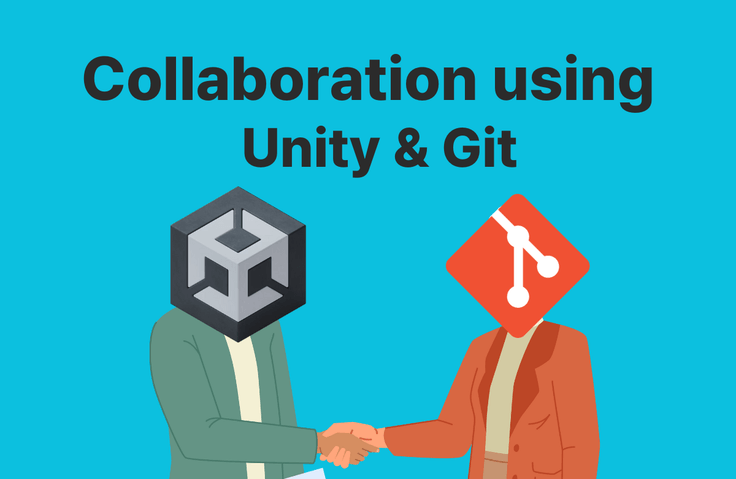
Guide to Collaboration Using Unity and Git

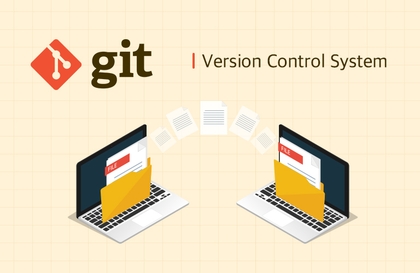
Learn the basics of collaboration that you can use in your Unity collaborative projects. We will use Git Bash instead of Github Desktop to work directly with Git. If you don't understand something, please ask!

(4.8) 23 reviews

916 learners

Level Beginner

Course period Unlimited

Git
Git
GitHub
GitHub
Unity
Unity
Git
Git
GitHub
GitHub
Unity
Unity
Thumbnail

Reviews from Early Learners

Reviews from Early Learners

4.8

5.0

장재웅

100% enrolled

I am really grateful that I can take this course for free. You taught me good development tools and solved many of my questions. In particular, you explained the principles and examples of gitFlow, which is used in the field, in detail, so I think I was able to study more vividly. Thank you again for the great course.

5.0

이대형

61% enrolled

Thank you for explaining it so clearly and concisely!

5.0

권민주

67% enrolled

The basics of git and github were well organized, and the explanation of how to use GitHub in Unity was excellent. The fact that there were multiple short lectures made it easy to listen to without feeling overwhelmed.

What you will gain after the course

  • Unity Project Collaboration Guide

  • github, git working method

Unity and Git Collaboration Guide: Unity Project Management Using Git Bash

  • Learn how to effectively use Git in Unity projects and master how to solve problems that can arise in collaboration using Git Bash.

  • You can practice more efficient version management methods by integrating VS Code and Git Bash, and learn practical Git collaboration methods by utilizing Git's basic commands and features.

  • Since the content is not long, I recommend taking all the content. After that, if you become familiar with Section 4), it will be helpful when you proceed with your work.

You'll learn this kind of content

Section 1) Git and Initial Setup

In this section, we will cover theory and practice to help you understand Git's basic concepts and GitHub. Students will learn from initial project setup using Git to mastering basic Git commands (clone, add, commit, push, etc.) and the process of integrating with GitHub.

Section 2) GitHub and VS Code Integration

In this section, you will learn how to manage Git more efficiently using VS Code. Through terminal command practice, you will learn how to use Git commands within VS Code and how to seamlessly integrate Git and VS Code through hands-on exercises.

Section 3) Unity and Git Work

In this section, you will learn how to use Git in Unity projects. Through hands-on practice with Git commands related to large file handling and project recovery, we help you solve problems that may arise in real Unity collaboration scenarios.

Section 4) Collaborating on Unity Projects with Git

In the final section, we cover collaboration with team members through Git. You'll learn how team leaders set up initial configurations and what team members should be careful about during collaboration, and you can establish an efficient collaboration process through Git Flow strategies.

Pre-enrollment Reference Information

Practice Environment

  • Unity

  • Git, GitHub

  • Git Bash

Recommended for
these people

Who is this course right for?

  • People who have experience with Unity projects but have had difficulty collaborating

  • People who have only done solo development and are afraid of collaborating on GitHub

  • Anyone who has ever blown away a project file while using git

Hello
This is sonyrainy

916

Learners

23

Reviews

4.8

Rating

1

Course

Curriculum

All

18 lectures ∙ (36min)

Course Materials:

Lecture resources
Published: 
Last updated: 

Reviews

All

23 reviews

4.8

23 reviews

  • hongkey님의 프로필 이미지
    hongkey

    Reviews 6

    Average Rating 5.0

    5

    61% enrolled

    • jao63645915님의 프로필 이미지
      jao63645915

      Reviews 1

      Average Rating 5.0

      5

      100% enrolled

      I am really grateful that I can take this course for free. You taught me good development tools and solved many of my questions. In particular, you explained the principles and examples of gitFlow, which is used in the field, in detail, so I think I was able to study more vividly. Thank you again for the great course.

      • sonyrainy
        Instructor

        I hope it was helpful for your development. Thank you for taking the course!

    • a010726377059955님의 프로필 이미지
      a010726377059955

      Reviews 1

      Average Rating 5.0

      5

      100% enrolled

      • datbang93001243님의 프로필 이미지
        datbang93001243

        Reviews 2

        Average Rating 4.0

        5

        61% enrolled

        Thank you for explaining it so clearly and concisely!

        • sonyrainy
          Instructor

          Thank you for taking the course!

      • dmswn21905655님의 프로필 이미지
        dmswn21905655

        Reviews 2

        Average Rating 5.0

        5

        100% enrolled

        Similar courses

        Explore other courses in the same field!

        Free