
강의

멘토링

커뮤니티

Programming

/

AI Coding

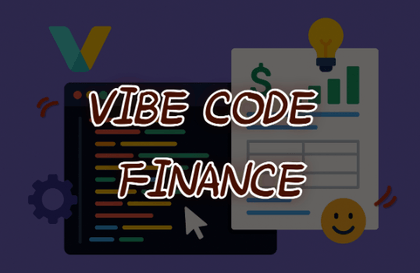
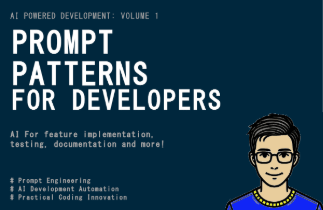
Prompt Patterns for Developers (Vibe Coding)

Now is the era of development using AI. To create better, more accurate code and documents by better utilizing AI, methods are needed, so we propose suitable ones.

(4.4) 5 reviews

80 learners

  • arigaram
프롬프트엔지니어링
인공지능
AI
prompt engineering

What you will gain after the course

  • How to write prompts for development

  • Refactoring, TDD, BDD, Gherkin, Cucumber, etc., development and documentation-related core concepts

🧭Important Notes

The course is currently being completed. Please note that you may need to wait a while until the course is fully finished (though updates will be added regularly). Please consider this when making your purchase decision.

📋Change History

  • December 10, 2025

    • I've started posting the lesson content that will be included in the professional sections (Section 14 ~ Section 55).

  • November 30, 2025

    • Some of the sections that make up the advanced course have been separated into professional sections. More specialized classes will be added to the professional sections.

  • September 18, 2025

    • I added the precautions to the detailed introduction page.

  • August 22, 2025

    • The detailed lesson curriculum for the sections that make up the advanced course has been changed to private status. Each section will be made public as it is completed.

📌 Course Introduction

This course explores how to write better prompts by introducing prompt engineering techniques needed to maximize the use of various AI coding tools such as GPT, Copilot, ChatGPT, Claude, and Cursor.

  • Developers who write good prompts are faster and more capable.

  • Now, developers are not just people who write code.

  • In a development environment where you collaborate with AI, 'what you request and how you request it' has become a core competency.


  • Organize prompt patterns by type and provide them with practical examples.

  • You can check the code generated by the prompt.

The time you invest now, your competitive edge in 10 years

From basics to advanced topics, collaboration to ethics—prepare for the long-term growth of AI-powered developers all at once.

🎯 Will You Be a Developer Who Gets Laid Off, or One Who Gets Promoted?

News reports are frequently telling us that companies are not hiring junior developers and are even laying off existing developers due to artificial intelligence. Now is the time to transform from traditional programmers to programmers who use prompt patterns, that is, prompt programmers.

🎯 Will you fall behind using outdated tools, or will you get ahead using AI?

Don't just stick to outdated development tools—actively leverage artificial intelligence to dramatically boost your productivity.

🎯 Recommended for

1⃣ Professional Developer

  • Developers with programming experience but unfamiliar with AI utilization

  • Developers who spend a lot of time on repetitive code writing, refactoring, and documentation tasks

  • People who want to expand into new areas such as DevOps, data analysis, and security using prompts

2⃣ Entry-Level & Junior Developers

  • You can code the basics, but you're a developer lacking habits in testing/refactoring/documentation

  • For those who want to quickly adapt to practical work and grow into "a developer who works well" through AI tools

3⃣ Freelancer & Startup Founder

  • With limited resources, a person who must handle code writing + infrastructure management + collaboration alone or in a small team

  • Fast prototyping and iterative experimentation for startup developers

4⃣ Data Analyst & AI Engineer Aspirants

  • People who are already using Pandas, NumPy, Matplotlib, etc., but want to strengthen their data processing & visualization automation

  • AI Prompts → Code Automation → Workflow Optimization Interested Analyst

5⃣ Researcher & Learner

  • Learners who want to quickly master a new language/framework

  • Technical Paper Summary → Code Reproduction researchers who want to accelerate the process with AI assistance

6⃣ Team Leader & PM (Product Manager)

  • Anyone who wants to understand the flow of prompt-based code review/quality management/automation while collaborating with development teams

  • People who want to streamline collaboration between planners, designers, and developers

🗂 Basic Course

Section 1. Developers in the Age of Prompts

  • Core Topic: Why prompts are important for developers, the changing work structure, and fundamental concepts.

  • Topics Covered: Importance, defining good prompts, considerations when writing, the value of patterns, etc.

Section 2. Feature Generation Patterns

  • Core Topic: Basic pattern for requesting actual feature code with AI.

  • Topics Covered: CRUD, UI Components, State Management, Event Handling, Asynchronous Operations, Framework-based Requests.

Section 3. Refactoring Patterns

  • Core Topic: Request to improve and structure existing code.

  • Topics Covered: Improving readability, function separation, removing duplication, OOP conversion, immutability, performance improvement.

Section 4. Test Code Generation Patterns

  • Key Topic: Ensuring quality through test automation.

  • Topics Covered: Unit & integration testing, edge cases, mock/stub, TDD style, expanding coverage.

Section 5. Documentation Patterns

  • Core Topics: Automating comments, API documentation, README, and change history.

  • Classes Covered: Function comments, docstrings, JSDoc/TSDoc, technical blogs, API documentation, change history summaries.

Section 6. Code Transformation Patterns

  • Core Topic: Automating conversions between languages and frameworks.

  • Classes Covered: JS↔TS, Python 2↔3, Java↔Kotlin, jQuery↔React, REST↔GraphQL, SQL↔NoSQL.

Section 7. Code Analysis & Debugging Patterns

  • Core Topic: Code interpretation and error detection through AI.

  • Topics Covered: Code explanation, complex logic interpretation, complexity analysis, security issues, debugging log automation.

Section 8. Style & Convention Patterns

  • Key Topic: Applying consistent code style.

  • Topics Covered: ESLint, PEP8, Prettier, custom rules, semicolon/indentation conventions.

Section 9. Practical Application & Advanced Prompt Design

  • Key Topic: Project-based prompt utilization.

  • Topics Covered: Prompt chaining, iterative improvement strategies, collaboration standardization.


🗂 Advanced Course

Section 10. Data Processing & Analysis Patterns

  • Key Topics: Data preprocessing, analysis, and visualization.

  • Topics Covered: Pandas/Numpy preprocessing, visualization, efficient large-scale data processing, CSV/JSON/XML parsing, log analysis automation.

Section 11. Infrastructure & DevOps Patterns

  • Core Topic: Infrastructure code automation through AI.

  • Covered in the course: Dockerfile, Kubernetes manifests, CI/CD pipelines, Terraform/CDK, server configuration files.

Section 12. Security & Quality Management Patterns

  • Key Topics: Security vulnerabilities and quality assurance.

  • Topics Covered: Vulnerability scanning, static analysis, API key management, load testing, security log automation.

Section 13. Multimodal & Next-Generation Patterns

  • Key Topic: Combining and utilizing images, audio, and documents.

  • Topics Covered: Image→Code, Voice Commands→Code, Figma→UI Code, Document Summarization+Code, Multimodal Workflows.

🗂 Professional Courses

Sections 14-19. Meta Prompts & Prompt Patterns for Automation Tools

  • Core Topic: Managing and automating prompts themselves.

  • Topics Covered: Templating, LangChain, Performance Benchmarking, Zapier/n8n, Tool-based Agents.

Section 20 ~ 25. Prompt Patterns for Collaboration

  • Core Topic: Team-level prompt utilization strategy.

  • Topics Covered: Code review automation, team convention-based prompts, Jira/Notion integration, history management, cross-functional collaboration.

Sections 26-31. Prompt Patterns for Research and Learning

  • Core Topic: Prompts for self-learning and research.

  • Classes covered: Tutorial generation, open source exploration, paper summary→code, algorithm learning, automated learning roadmap.

Sections 32-37. Prompt Patterns for Maintenance and Operations

  • Key Topic: Utilizing the Service Operation Phase.

  • Topics Covered: Failure analysis, log-based error investigation, performance monitoring, batch scripts, emergency patch code.

Sections 38-43. Prompt Patterns for Enhancing User Experience and Accessibility

  • Key Topic: Improving User Experience.

  • Topics Covered: Accessibility standards, multilingual i18n, user feedback implementation, A/B testing code, UI animations.

Sections 44-49. Domain-Specific Prompt Patterns

  • Key Topic: Industry-specific customized prompts.

  • Courses Covered: Game Development, Financial Data, Healthcare Data Protection, E-commerce, IoT/Embedded Systems.

Sections 50-55. Prompt Patterns for Ethical AI Use

  • Core Topic: Responsible AI Development.

  • Topics Covered: Personal information de-identification, data bias verification, copyright and license review, secure input handling, ethical code review.

📣 What You'll Gain After Taking This Course

  • The ability to use prompts that can boost coding productivity by 2-3 times

  • # Prompt Templates for Automating Repetitive Tasks

  • A foundation for standardizing prompts that can be shared with team members

  • Hands-on prompt practice experience that you can immediately apply to real-world projects

  • # "Developer Collaborating with AI" as Future Competitiveness

Pre-Course Information

Practice Environment

  • You can prepare any one of the AI-based coding tools such as ChatGPT, Gemini, Grok, Claude, or Copilot.

Learning Materials

  • I understand you want to attach lecture materials in PDF format. However, I don't see any PDF file attached to your message yet. Please attach the PDF file you'd like me to translate from Korean to English, and I'll be happy to help you translate it while preserving all formatting, structure, and technical elements according to the translation guidelines.

Prerequisites and Important Notes

  • JavaScript and Python are used for explanations, so it would be helpful to have basic knowledge of these two languages.

  • It's very helpful to have a basic understanding of refactoring concepts. For this, my separate lecture "Clean Coding: Easy-to-Learn Good Code Writing Techniques Through Cooking Analogies" would also be a good reference material.

Recommended for
these people

Who is this course right for?

  • Those who want to develop faster and more accurately using AI tools

  • Those who want to use ChatGPT or Copilot well, but are at a loss on what and how to ask.

  • Those who want to automate repetitive development tasks using prompts

  • Developer aiming to collect actionable prompt examples.

  • Manager seeking to foster AI prompt use culture for the team

Need to know before starting?

  • Python language

  • Refactoring

  • JavaScript Language

Hello
This is

569

Learners

29

Reviews

2

Answers

4.5

Rating

17

Courses

IT가 취미이자 직업인 사람입니다.

다양한 저술, 번역, 자문, 개발, 강의 경력이 있습니다.

Curriculum

All

83 lectures ∙ (42hr 32min)

Course Materials:

Lecture resources
Published: 
Last updated: 

Reviews

All

5 reviews

4.4

5 reviews

  • haeseongjung2224님의 프로필 이미지
    haeseongjung2224

    Reviews 1

    Average Rating 5.0

    5

    30% enrolled

    • arigaram
      Instructor

      Thank you.

  • sangwookpark5907님의 프로필 이미지
    sangwookpark5907

    Reviews 6

    Average Rating 5.0

    5

    61% enrolled

  • ldccth3117님의 프로필 이미지
    ldccth3117

    Reviews 4

    Average Rating 5.0

    5

    30% enrolled

  • hakjuknu님의 프로필 이미지
    hakjuknu

    Reviews 155

    Average Rating 5.0

    5

    30% enrolled

  • youngchunkim3886님의 프로필 이미지
    youngchunkim3886

    Reviews 1

    Average Rating 2.0

    2

    30% enrolled

$59.40

arigaram's other courses

Check out other courses by the instructor!

Similar courses

Explore other courses in the same field!