
강의

멘토링

커뮤니티

Programming

/

AI Coding

AI-Based Full-Stack Development Practical Track for Juniors: Understand in One Day

By enabling junior developers to understand the entire development process from planning to code writing, deployment, and verification using artificial intelligence as a development tool, it helps them survive and thrive by acquiring the full-spectrum capabilities needed in the AI era.

(4.0) 1 reviews

45 learners

Level Basic

Course period Unlimited

  • arigaram
AI 활용법
AI 활용법
AI 코딩
AI 코딩
토이프로젝트
토이프로젝트
백엔드이해하기
백엔드이해하기
Prototyping
Prototyping
crud
crud
AI 활용법
AI 활용법
AI 코딩
AI 코딩
토이프로젝트
토이프로젝트
백엔드이해하기
백엔드이해하기
Prototyping
Prototyping
crud
crud

What you will gain after the course

  • Full-Stack Programming with Artificial Intelligence

  • Creating Prototypes Using Artificial Intelligence

  • CRUD Skeleton Generation Using Artificial Intelligence

  • Cloud Deployment

  • Verification of AI-generated code, security enhancement, and ethics review

🧭Important Notes

This course is currently being completed. Please note that you may have to wait a long time until the course is fully finished (though updates will be added regularly). Please consider this when making your purchase decision.

📋Change History

  • October 19, 2025

    • I have confirmed there is a recording quality issue (background noise problem) and announced that I will re-record from Section 1 to Section 6. As of now, the remaining sections that have not yet been recorded will be recorded with the new microphone from the start.

  • September 18, 2025

    • Added precautions.

    • I completed the course on August 29th, but it became incomplete again due to adding supplementary lessons.

  • August 9, 2025

    • I have completed the course.

📋AI-Powered Full-Stack Development Practical Track in One Day (For Juniors)

"Generate code with Copilot and deploy to Vercel — understand the practical workflow in just one day!"

Junior developers will experience the complete cycle from prototype creation → code writing → deployment → validation by immediately applying AI assistance tools in practical work, while also developing inspection, security, and ethics habits. In this process, they will learn all at once how to use AI assistance tools like Copilot and ChatGPT for rapid prototyping, CRUD skeleton generation, cloud deployment, and validation, security, and ethics checking methods.

📋With the changes in the development field due to AI adoption, developers' roles must evolve.

Strengthening full-stack and AI-integrated roles.

McKinsey analyzes that "the traditional division of labor model will shift to focus on full-stack engineers (who handle AI, strategy, and development all together)." This includes planning, prototyping, and writing code frameworks.

McKinsey & Company (https://www.mckinsey.com.br/en/capabilities/mckinsey-digital/our-insights/enterprise-technologys-next-chapter-four-gen-ai-shifts-that-will-reshape-business-technology?utm_source=chatgpt.com)

Prompt engineering and agent supervision.

As AI replaces simple coding and testing tasks, developers (especially senior-level or middle managers) are expected to take on supervisory roles such as validating 'Agent' performance, conducting ethics and security checks, reviewing AI output samples, and optimizing AI utilization.

Deloitte (https://www.deloitte.com/us/en/insights/topics/talent/human-capital-trends/2025/future-of-the-middle-manager.html?utm_source=chatgpt.com)

📋Now is the era that requires full-spectrum developers

As you can see from the previous article, developers now need to go beyond just 'programming' and become developers who encompass AI utilization planning, strategy, and verification capabilities. While there are various ways to describe such developers, I propose the term 'full-spectrum developer'.

  • AI Flagship Engineer

    • Meaning: Emphasizes the 'flagship (representative)' role of leading the entire process of AI planning, development, and operations


  • AI Full-Spectrum Engineer

    • Meaning: Covers the entire 'spectrum' from planning → prototyping → development → validation


  • T-Shaped AI Engineer

    • Meaning: Possesses both deep AI and coding capabilities (vertical axis) and broad strategic and communication competencies (horizontal axis) simultaneously


  • AI-Augmented Developer

    • Meaning: Emphasizes 'augmenting' one's capabilities through collaboration with AI


  • AI Product Engineer

    • Meaning: Designing the entire lifecycle of AI-based products (planning → deployment → monitoring), not just writing code

📋 Skills Required for Full-Spectrum Developers

As developers become capable of building with artificial intelligence, the scope of a developer's competencies has greatly expanded. The skills required for the full-spectrum developers we examined earlier must encompass nearly every aspect of the development process.

  • 1. Planning and Strategy Formulation Capabilities

    • Learn how to understand the value of projects and integrate AI into organizational strategy

    • Product planning, market analysis, roadmap design, and overall product strategy development

  • 2. Prototyping, UX, and Design Capabilities

    • Design thinking to discover user needs and create rapid prototypes

    • Wireframe creation, interaction design, user testing methodologies

  • 3. AI Model Development and Prompt Engineering Skills

    • Learning core models from basic deep learning theory to CNN, RNN, and Transformers

    • Techniques for effectively designing and tuning generative AI and conversational agents

  • 4. Full-Stack Development Skills

    • Building web applications using React, Node.js, Express, and MongoDB

    • Microservice design, Docker/Kubernetes deployment, automated pipeline construction

  • 5. Deployment, Operations, and MLOps Capabilities

    • Model serving, monitoring, scaling, reproducibility assurance, and operational automation

    • AWS-based CI/CD implementation, Infrastructure as Code

  • 6. Validation, Ethics, and Security Capabilities

    • Ethical design of AI systems, data privacy and fairness verification

    • Cloud security best practices, IAM and network security design

Each topic covered here is a field that requires considerable knowledge. That's why we've prepared this. We've condensed the essential content that junior programmers must know from these topics, allowing you to comprehensively understand them in just one day and practice everything on your own within 2 hours. This course organizes these six major topics into sections and delivers core knowledge related to each subtopic. Through this, you will be able to enter the world of full-spectrum development.

Target Audience

📋 Key Learning Objectives (Expected Outcomes After Completion)

  • You can quickly generate prototypes and CRUD skeletons using AI assistance tools.

  • You can secure basic reliability of Copilot/ChatGPT outputs through a 60-90 second verification routine.

  • I can understand the basic flow of Docker, Vercel, and GitHub Actions, and perform simple deployments myself.

  • You can apply minimum checks from security, license, and ethics perspectives to code, tests, and prompt outputs.


📋 Prerequisites

  • 1. JavaScript Basic Syntax

    • Variables/functions/conditionals/loops, array/object manipulation, basic asynchronous concepts (async/Promise).

    • Validation method: Able to write simple functions (e.g., array filter/map).

  • 2. HTML·CSS (Basics)

    • Basic tag structure, form elements, simple styling (using classes), etc.

    • Validation method: Create a simple static page.

  • 3. Basic Git·GitHub Usage

    • Understanding how to commit, branch, push/pull, and create PRs (basic).

    • Validation method: Create repository → Commit → Push to GitHub.

  • 4. Terminal (Command Line) Basics

    • Navigate directories, create/delete files, execute simple commands (e.g., node, npm).

    • Verification method: Run a simple script locally with node.

  • 5. HTTP/REST Basic Concepts

    • Understanding the meaning of GET/POST/PUT/DELETE, requests and responses (status codes, JSON).

    • Verification method: Try making a simple API call with curl or a browser.

📋 Recommended Prerequisites (Enhances lecture practice and effectiveness)

  • 6. Node.js·npm usage experience (basic)

    • Understanding the flow of npm init, npm install, node app.js.


  • 7. Basic React fundamentals (optional)

    • Basic concepts of components, state, and event handling (not required but helpful for hands-on practice).

    • Verification method: Create a small component using create-react-app or CodeSandbox.

  • 8. Understanding Basic Backend Concepts (Express, etc.) (Optional)

    • Basic understanding of routes and middleware roles (though this will be covered in the course).

    • Verification method: Run a simple express server locally.

  • 9. Basic Testing Concepts

    • Understanding the purpose of unit testing and awareness of testing frameworks (e.g., jest, pytest).

    • Verification method: Run one existing test.

  • 10. Understanding environment variables, .env concept, and .gitignore usage habits

    • Understanding the practice of not putting secrets in code.

    • Verification method: Create a simple .env file and register it in .gitignore.

📋 Good to Know Prerequisites (Helpful for Advanced Topics/Faster Adaptation)

  • 11. Basic Docker concepts (image vs container) — Improves hands-on convenience↑

  • 12. Basic CI/CD concepts (understanding GitHub Actions workflows)

  • 13. Experience creating cloud deployment accounts (Vercel, etc.) — Makes it easier to follow deployment demos

  • 14. Basic security and authentication concepts (tokens, OAuth, API keys) — Makes validation and operations sections easier

  • 15. Experience using AI tools (ChatGPT, GitHub Copilot, etc.) — Not required

📋 Recommended 'Instant Verification' Tasks

Spend 1 to 5 minutes on each item below to check your skills. If you can follow these items, you're ready to take this course. If you find it difficult to follow along, ask an AI like ChatGPT. Then review the 'Prerequisites Summary' content below.

  • JS: Write a simple map/filter function and run it with Node (1-3 minutes).

  • Git: Modify a file locally → commit → push to GitHub (3-5 minutes).

  • HTTP: Make a request with curl to a simple public API (e.g., https://jsonplaceholder.typicode.com/todos/1) (1 minute).

  • React (optional): Run an example in CodeSandbox where clicking a button changes text (3-5 minutes).

  • Node/Express (optional): npm init → npm i express → run a simple / route (5~10 min).

📋Summary of Prerequisites

1) Goal in One Line

This guide is designed to quickly check your basic environment and concepts (JS fundamentals, terminal·Git, HTTP, Node/npm) before taking the course. (Total time: approximately 10 minutes)


2) JavaScript Basics (approx. 3 min)

  • Core Concepts: Understanding variables, functions, arrays/objects, and basic asynchronous operations (Promise/async).

  • Try it now (code) — Create file test.js:

// test.js const nums = [1,2,3,4]; const doubled = nums.map(n => n * 2); console.log(doubled); // [2,4,6,8] async function foo(){ return "hello"; } foo().then(console.log);
  • Execution command:

node test.js
  • Verification: If [2,4,6,8] and hello are printed to the console, it's OK.


3) Terminal (Command Line) Basics (about 1 minute)

  • Key Commands:

    • Directory navigation/viewing: pwd, ls (or dir on Windows), cd folder_name

    • File creation/deletion: touch file, rm file (Windows: echo > file)

    • Command execution example: node test.js

  • Verification: If you can see your current location and files with pwd/ls, you've completed the basic understanding.


4) Git & GitHub Basics (about 2 minutes)

  • Core Concept: Local repository → Commit → Push to remote (GitHub)

  • Immediate Hands-On (Minimal Flow):

``` git init git add . git commit -m "initial" # Create remote repo on GitHub and replace with URL below git remote add origin https://github.com/USERNAME/REPO.git git branch -M main git push -u origin main
```
  • Verification: Success if files are uploaded to the GitHub repo.


5) HTTP/REST Basics (about 1 minute)

  • Core Concepts: GET/POST etc., sending and receiving JSON data, status codes (200/201/400/404 etc.)

  • Immediate Test (Example):

curl https://jsonplaceholder.typicode.com/todos/1
  • Verification: If a JSON format response is output, it's OK.


6) Node.js + npm (basic workflow, about 2 minutes)

  • Key Concepts: Execute JS with node, install packages and manage scripts with npm

  • Configuration/Command Examples:

node -v # Check Node version npm -v # Check npm version # New project mkdir myapp && cd myapp npm init -y npm install express
  • Simple server implementation (file name: app.js):

const express = require('express'); const app = express(); app.get('/', (req,res) => res.send('Hello Express')); app.listen(3000, () => console.log('http://localhost:3000'));
  • Run/Verify:

node app.js # In another terminal curl http://localhost:3000 # Verify "Hello Express" output
  • Note: The recommended Node version (e.g., v18) may vary depending on the situation.


7) (Optional) Quick React Experience — Fast Method (about 1 minute)

  • Recommended (web-based): Use CodeSandbox / StackBlitz — no separate installation required

  • Local Start (Optional):

npx create-react-app my-ui # (takes time) cd my-ui npm start
  • Verification: Open http://localhost:3000 in your browser to see the default React screen.


8) Checklist — 1-Minute Check Before Class

  • Did you run node test.js and get results? ✅

  • Have you tried committing with git → pushing to GitHub? ✅

  • Did you try calling an external API with a simple curl request? ✅

  • (Optional) Have you tried accessing your local express server with curl? ✅


9) Troubleshooting Tips

  • command not found → Node/npm/git not installed or PATH issue

  • Port conflict (EADDRINUSE) → Another process is using port 3000 → Change port or terminate the process

  • Git push permission issue → GitHub authentication (token) setup required


10) Conclusion

If you go through the above items in order within 10 minutes, it will be sufficient to follow along with the lecture exercises.

📋 Post-Course Action Checklist (Line by Line)

  • Practice once a day with 'template-based' prompts in Copilot/ChatGPT

  • Apply the 60-second verification routine as soon as you receive the output

  • Apply .env + gitignore policies to personal repos and run secret scanning once a week


"Sign up now and understand the AI-powered development process in just 2 hours."

Recommended for
these people

Who is this course right for?

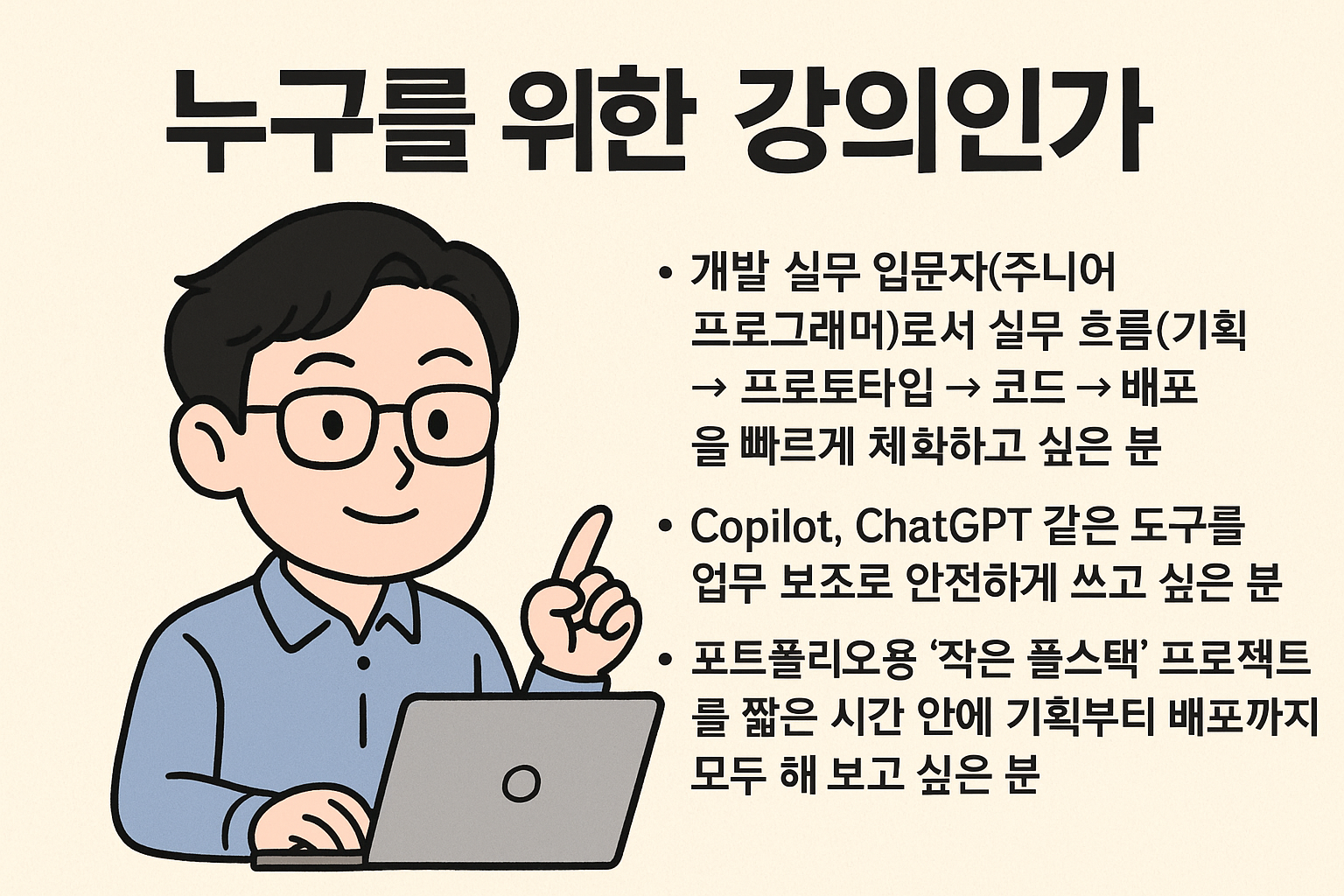
  • Those who want to quickly internalize the practical workflow (planning → prototype → code → deployment → verification) as a beginner developer (junior programmer) entering the field

  • Those who want to safely use AI tools like Copilot and ChatGPT as development work assistants

  • People who want to create a small full-stack project for their portfolio in a short amount of time

Need to know before starting?

  • 1. JavaScript Basic Syntax

  • 2. HTML·CSS (Basics)

  • 3. Git·GitHub Basic Usage

  • 4. Terminal (Command Line) Basics

  • 5. HTTP/REST Basic Concepts

Hello
This is

608

Learners

31

Reviews

2

Answers

4.5

Rating

18

Courses

IT가 취미이자 직업인 사람입니다.

다양한 저술, 번역, 자문, 개발, 강의 경력이 있습니다.

Curriculum

All

51 lectures ∙ (11hr 5min)

Course Materials:

Lecture resources
Published: 
Last updated: 

Reviews

All

1 reviews

4.0

1 reviews

  • outofmtx119님의 프로필 이미지
    outofmtx119

    Reviews 5

    Average Rating 4.8

    Edited

    4

    50% enrolled

    First, thank you for the excellent lecture, and I'm waiting for the next lecture to be uploaded. I'd like to provide some feedback on a few disappointing aspects. 1. Audio quality (my ears get tired due to subtle machine noise in the background..) 2. It's quite disappointing that you don't actually run the code to demonstrate code explanations and practice content, but only convey it verbally (this is the first time I've encountered lectures with so little code execution), and the somewhat chaotic slide composition is also a bit disappointing. 3. When creating the latter part of the lectures, I hope you'll consider the time efficiency of students. Since it's a rapidly changing period, I hope for lectures that are more compressed and refined rather than precious nagging-like lectures from a senior. Although I've shared many disappointing comments overall, I took the course expecting valuable know-how from a senior developer, and it's definitely a good lecture, so I plan to continue referring to other lectures as well. I look forward to it.

    • arigaram
      Instructor

      Thank you.

$26.40

arigaram's other courses

Check out other courses by the instructor!