2. You can learn skills that can increase processing speed.
3. Error handling
4. I can draw a picture of what modules and macros I can use to create the automation pg I want.
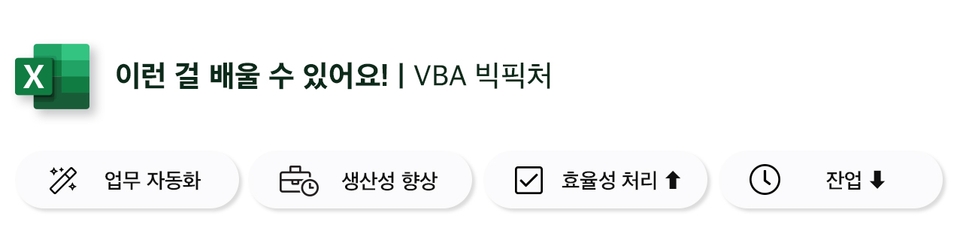
• Automation of daily repetitive tasks • Various skills that can increase productivity • Efficient handling of complex modifications • How to reduce overtime and leave work on time
Learn how to create macros with an efficient structure by organizing VBA concepts through practice.
Why should I learn?
What do we do when we go to a place we are visiting for the first time? Are you just walking without knowing your destination?
There will be an order to your actions to move effectively!
1. Open the map app 2. Select the transportation you want to use 3. After entering the destination 4. Take action by figuring out the route, time, etc.!
The same goes for developing macros with VBA. If you focus too much on grammar, The code is also a mess and you will encounter numerous errors.
Therefore, this course will teach you concepts and methods that can efficiently structure VBA that you have never encountered before.
What you will learn in this course
I can now see at a glance which modules and macros can be used to create the automation program I want to develop.
Lecture Features
1. You can learn easily using examples even if you don't know basic grammar. 2. You can practice and learn through simple and easy examples. The example code is quite simple, as it clearly distills complex concepts into simple concepts.
Section Introduction
1. How to best configure VBE = How to use multiple windows smartly
2. Which modules and macros can I use to implement my PG's logic? = How to use hybrid macros
3. How should we structure our procedures to create an efficient one? = Data type in declaration
4. 10 Ways to Increase Processing Speed
5. Understanding and applying arrays and new collections that boast fast processing
6. Should I use the phrase 'Option Base 1' or not?
7. Essential skills for debugging
8. How should we handle the inevitable errors that we encounter?
🛠 Tools covered here
Excel 2010 or later
🙋🏻♂️ QnA
Q. What are the benefits of taking the 'VBA Big Picture' course? A. Is it possible to develop the Excel task you want to automate using VBA? You will be able to decide which modules and macros to develop. Also, during development, how can we structure it efficiently, You can learn what coding skills can help you increase your processing speed. Additionally, skills for handling errors are clearly outlined.
Recommended for these people
Who is this course right for?
1. Those who studied VBA on their own
2. For those who are starting to study VBA
3. Those who are not sure about the overall structure of VBA
Junhyung, thank you (✿◡‿◡)
If you are not a professional VBA developer, just learn the essential VBA grammar,
and get help from AI (Copilot, ChatGPT) to generate the code you need for your work. You will be able to automate data much more efficiently.
If you add the help of AI, I think you will be able to create excellent macro results that are just as good as those of professional developers. Good luck (∩^o^)⊃━☆







![[First in Korea] ChatGPT × Word Practical Application: Document Automation Made Easy for Everyone강의 썸네일](https://cdn.inflearn.com/public/files/courses/338227/cover/01k0rxg0k0xk9q6vefywa4qnbn?f=avif&w=420)


![[AI Literacy Author's Direct Course] All-in-One AI Utilization Methods That Every Working Professional Can Use강의 썸네일](https://cdn.inflearn.com/public/files/courses/338197/cover/01k30vvgtew284qc05vpv5azx4?f=avif&w=420)


![[Pass ITQ Excel A in One Go] in 3 days강의 썸네일](https://cdn.inflearn.com/public/courses/329652/cover/b44e11b6-a47e-4993-86ea-a85da9836bb5/329652-eng.png?f=avif&w=420)
![[Episode] Excel + Python (Basic)강의 썸네일](https://cdn.inflearn.com/public/courses/332174/cover/4bff11a1-9859-43f4-8e17-6374ee50e6d6/332174-eng.png?f=avif&w=420)


