Understanding Microsoft 365 Collaboration Services
Understanding Teams
Differences between free and paid Teams and installation
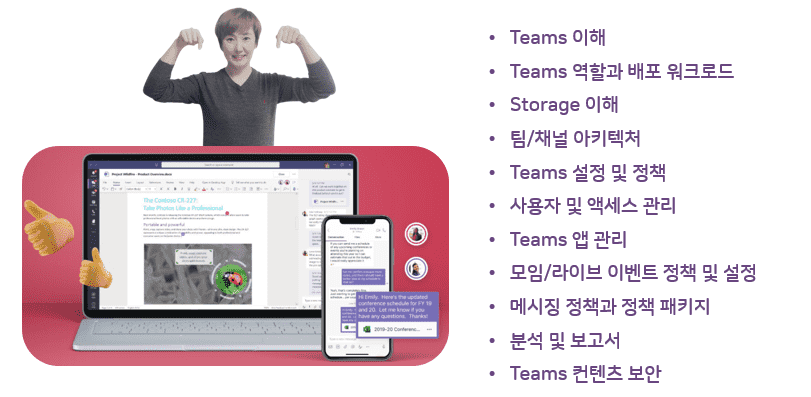
Teams Roles and Deployment Workloads
Understanding Teams Storage
Architecture of teams and channels
Teams Key Elements
Teams Team Termination and Privacy Levels
Overview of administrator roles and assignment of privileges
Teams Settings and Policies
User and Access Management
Manage Teams apps
Meeting/Live Event Policies and Settings
Messaging Policies and Policy Packages
Teams Analytics and Reports
Teams Content Security
Work Less, Do More! Collaborate smarter with Teams 💪
Teams Admin 👩🔧
Microsoft Teams Policy setting, operation, and management
I am an administrator of Teams, Feeling overwhelmed by policy setting and management? 📖
Teams is meant to be used for chat, team collaboration, and video conferencing, but what if you suddenly find yourself in charge of the admin role? Don't you feel overwhelmed by how to set and manage policies?
Microsoft Teams provides more effective communication for various types of teams and projects, increases collaboration efficiency, provides workspace customization for each team or project, and supports administrator features, security, and compliance!
If you've become familiar with the basic features of Microsoft Teams through previous lectures, this lecture will teach you how to configure policies and set up the environment for use by your company, organization, and teams as an administrator .
Lecture Topic 🧩
Microsoft Teams Welcome to the lecture!
The Microsoft Teams course is divided into three chapters: Teams Utilization, Teams Meetings, and Teams Admin, allowing you to take the courses you need according to your role.
The first course launched was “Using Teams.”The existing lectures are divided into Teams for Administrators (team setup and configuration), Teams for Users (how to use Teams), etc., so this lecture is organized into Teams utilization so that you can cover everything from the basics to utilization .
The second course launched is "Teams Meetings."With the recent enhancements to Teams meeting functionality and the addition of webinars, this course focuses on understanding the different types and features of meetings and how to utilize them effectively.
#3.Current lecture
Teams Admin
The third course launched is “Teams Admin.”It actually consists of understanding the main management menu of the administrator , setting up policies, organizations and meetings, and utilizing security and management, analytics and reports.
Learn things like this📚
As an administrator, you'll learn how to manage Teams, master the key menus in the Teams admin center, and set policies, organization, and meeting policies. You'll also learn in detail about security and management, analytics, and reporting, enabling you to effectively manage Teams within your company.
Teams paid license (included with Microsoft 365 Business Basic license or higher)
Teams Free License and Education License X
Microsoft 365 Business or Enterprise trial license with Teams included O
Microsoft 365 global administrator rights or Teams administrator rights
PC with internet access
headset or speakers
Preview Q&A 💬
Q. Do I need to purchase a license to attend the lecture?
No, you can practice with a free license (Business Standard trial or higher). If you're worried about setting up an actual company account, you can try setting up various settings with a trial version first and then apply it to your company!
Q. Do I need any prior knowledge to take the course?
The course begins with understanding Teams, so no prior knowledge is required. However, if you're already using Teams, you'll understand the setup process much faster. Therefore, taking Teams user training would be helpful!
Q. Can I take the course with a free Teams license or an educational license?
Yes, it is possible, but the lecture content is for business use, so the menu and content may be different.
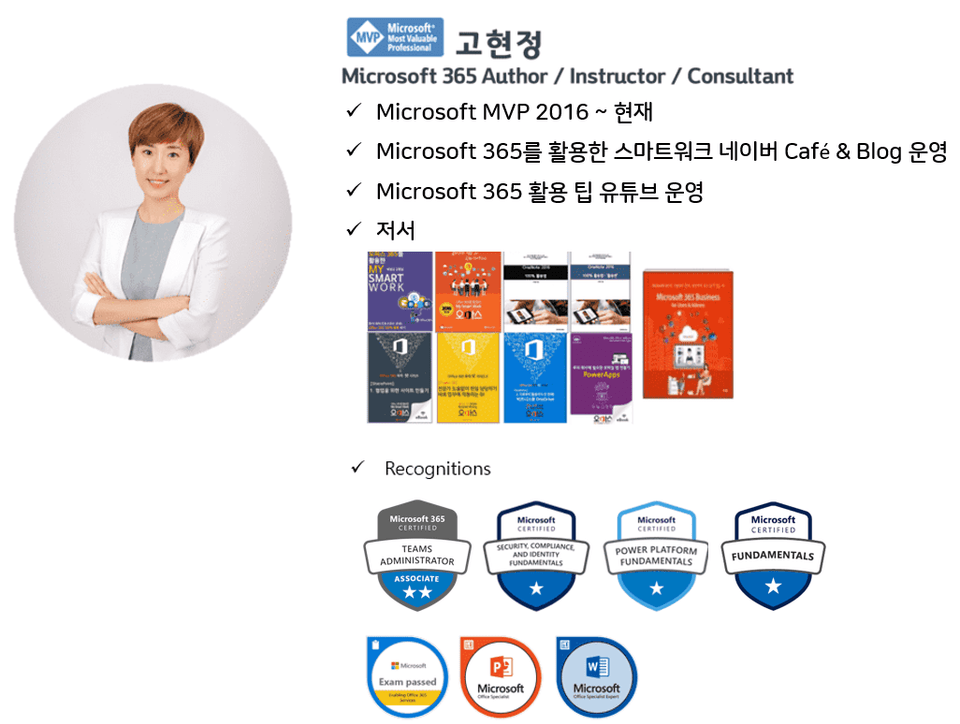
Introducing the knowledge sharer 🙋♀️
Recommended for these people
Who is this course right for?
Someone who will establish and set policies related to Teams in the company.
Teams Administrator
Microsoft 365 Administrator
Need to know before starting?
Understanding Teams
Hello This is
2,519
Learners
277
Reviews
164
Answers
4.5
Rating
45
Courses
반갑습니다! Microsoft 365 전문가 "오마스"입니다. Microsoft 365 전문가가 여러분이 보다 쉽게 스마트하게 업무를 할 수 있도록 돕겠습니다.
오마스의 강사를 소개합니다!!
고현정 강사 Microsoft MVP (Microsoft 365 Apps&Services, 2016 ~ 현재)
I wanted to know about the integration between Teams and Outlook,
but you only gave a lecture on the policy decision process of Teams...
Still, the level and content of the lecture are fine.
However, it seems like more target setting is needed for those who are essential when selecting lectures.
Thank you for the course review! What exactly do you mean by "interoperability"? Admin settings don't have separate Outlook integration. It's automatic; all notifications are linked for Teams mentions (@), Planner task assignments, and calendar invites. If you could clarify what you meant, we'll reflect it in future lectures. Thank you!
Thank you first.
I sincerely appreciate your quick reply message.
It was even better to read your conviction and confidence in your lectures in the reply.





![[Work Automation Using Free MS RPA] Power Automate Desktop - Automate Repetitive Tasks강의 썸네일](https://cdn.inflearn.com/public/courses/332826/cover/fd9d8667-48a8-4d2e-b27d-1154f66df679/332826.png?f=avif&w=420)


![[Work Automation Using Free MS RPA] Power Automate Desktop Essentials강의 썸네일](https://cdn.inflearn.com/public/courses/329655/cover/8364da63-535b-4613-9b02-3dcdfc21791d/329655-eng.png?f=avif&w=420)


![[Latest version update] Project and task management to become a pro at planning - MS Planner강의 썸네일](https://cdn.inflearn.com/public/courses/336001/cover/9368db08-c64b-42ca-8ad1-e7a872bffc0e/336001.jpg?f=avif&w=420)


![[Work Automation Using Free MS RPA] Power Automate Desktop - Excel Automation강의 썸네일](https://cdn.inflearn.com/public/courses/330201/cover/8adc841c-39de-4770-98d3-2439ed8881a3/330201-eng.png?f=avif&w=420)

![[Work Automation Using Free MS RPA] Power Automate Desktop Basic강의 썸네일](https://cdn.inflearn.com/public/courses/329047/cover/35cb417d-cd84-47f8-a20f-653724b03a77/329047-eng.png?f=avif&w=420)


![[Pass ITQ Excel A in One Go] in 3 days강의 썸네일](https://cdn.inflearn.com/public/courses/329652/cover/b44e11b6-a47e-4993-86ea-a85da9836bb5/329652-eng.png?f=avif&w=420)


![[For Beginners] Data Visualization with Power BI강의 썸네일](https://cdn.inflearn.com/public/courses/327055/cover/455b54c1-3e63-439b-9b60-5d12e12bc303/PowerBI-001)