MS Document/Email Security - AIP (Azure Information Protection)
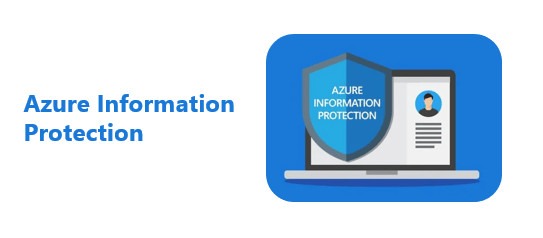
Learn about Microsoft Azure Information Protection (AIP), which allows you to control and protect important data, documents, and emails within your company, and to enhance data protection from classification and permissions to wherever it is stored and with whomever it is shared.
Thank you for creating a lecture on such a great topic and distributing it on Inflearn. However, one disappointing point is that even with the resolution set to 1080P, the image quality of the recorded video itself is poor, resulting in a lack of clarity. If you have the time, it would be great if you could recreate and upload the videos; if that is difficult, I kindly ask that you produce your next course with high-quality video settings. Your voice was calm, clear, and the pace was appropriate. I look forward to seeing you again in the next lecture. Thank you.
5.0
ParkJisu
100% enrolled
A lecture that provides sufficient understanding of the basics
5.0
into the wind
100% enrolled
Even without prior knowledge, I was able to understand AIP security for files and emails well. (Click options related to Teams, Sharepoint, and Power BI were briefly explained and passed over due to the topic of the lecture)
What you will gain after the course
Azure Information Protection?
Azure Information Protection licensing
Data breach examples
Past Security and Present Complexity
Components of corporate security
Design examples and application stages
Permissions and Labels
Create sensitivity labels
Create label policy
Email and document security settings
Document Tracking and Termination
Work Less, Do More! Protect your sensitive information more effectively, anytime, anywhere 🤖
Security is the most important thing The most important thing 🔐
In your company, work-related, How do you secure the countless documents and emails you create?
The average damage amount per case of a small business industry confidentiality leak is 1.02 billion won. In the case of small businesses, if information is leaked, the existence of the business is even more threatened. However, it is not easy to do so if you do not have a security expert on how to secure it and what to introduce.
In the past, firewalls served as a security perimeter.The main security was to build a firewall around the company's borders and prevent anyone from leaving.Commonly known document security solutions, such as DRM and DLP, fall into this category. However, since companies are currently using a huge number of cloud services, firewalls are not enough to prevent information leaks. How should we respond in this rapidly changing, connected world?
Microsoft Purview Information Protection🧐
The official name is Microsoft Purview Information Protection In the past, sensitivity labels within solutions This service was called Azure Information Protection (AIP).
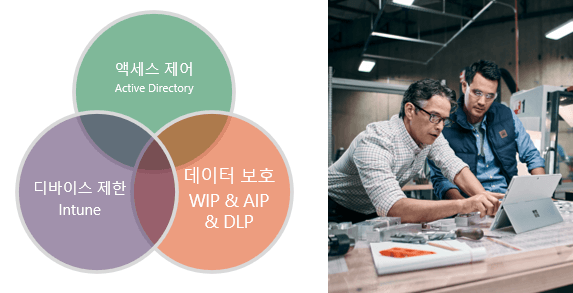
Microsoft continues to think about how to strengthen security between services that are connected to the changing world. It provides comprehensive security services that build corporate security from complex external risks, such as access control that protects accounts, Intune that enrolls and controls various devices, and WIP, MIP, and LDP that protect data.
What you will learn in this lectureSensitivity labelsallow you to classify, search, and control details of your company's documents and emails.
Learn things like this📚
Microosft Purview Information Protection (MIP) Overview
Design examples and application steps
Permissions and Labels Examples
Generate sensitivity labels
Create a label policy
Mail/Document Security Settings
Document Tracking and Termination
What you need for class✒️
Microsoft 365 Apps for Enterprise
Azure Information Protection Plan 1
Microsoft 365 Business Premium license or higher (free trial available)
A PC with internet access
Headset or speakers
Preview Q&A 💬
Q. Do I need to purchase a license to attend the lecture?
To attend the lecture and set up the settings for our company directly,you need a Microsoft 365 App for Enterprise and Azure Information Protection Plan 1 license. If you want to experience and test it in advance, you can apply for a trial version of Microsoft 365 Business Premium license without a separate purchase.
Q. Do I need any prior knowledge to take the course?
We will teach from the beginning, from product introduction to installation method, so that no prior knowledge is required.
Q. Is it possible to do this without knowing anything about coding or development?
Yes, the lectures are structured so that you can do it if you follow along slowly, one by one.
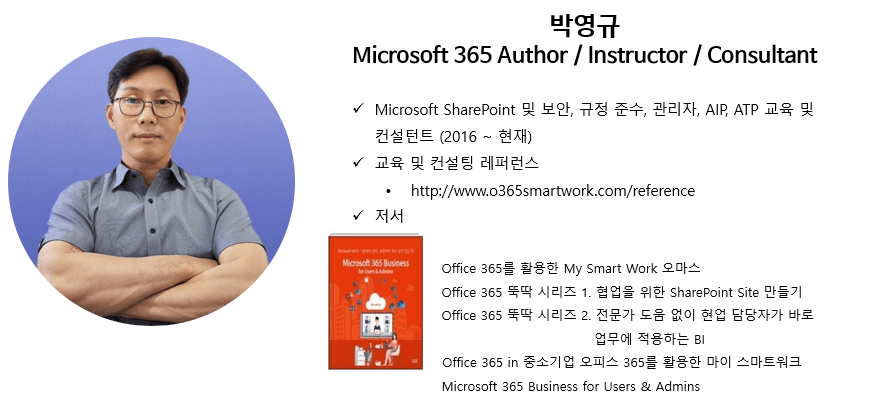
Introducing the knowledge sharer 🙋♀️
Recommended for these people
Who is this course right for?
For those who are curious about MS document/email security solutions
Those who want to protect documents/emails with AIP
Anyone who wants to create an AIP policy
Anyone who wants to understand and apply AIP
A company administrator who needs to implement email and document security
Need to know before starting?
Basic Understanding of MIP (Microsoft Information Protection)
Even without prior knowledge, I was able to understand AIP security for files and emails well. (Click options related to Teams, Sharepoint, and Power BI were briefly explained and passed over due to the topic of the lecture)
Thank you for creating a lecture on such a great topic and distributing it on Inflearn. However, one disappointing point is that even with the resolution set to 1080P, the image quality of the recorded video itself is poor, resulting in a lack of clarity. If you have the time, it would be great if you could recreate and upload the videos; if that is difficult, I kindly ask that you produce your next course with high-quality video settings. Your voice was calm, clear, and the pace was appropriate. I look forward to seeing you again in the next lecture. Thank you.

























.png?w=420)