강의

멘토링

커뮤니티

Productivity

/

Office

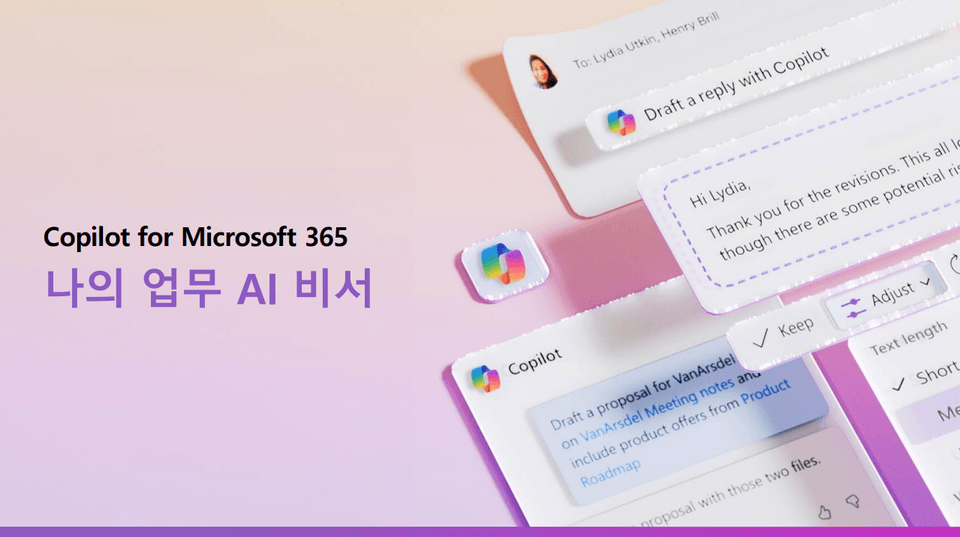
Basics of using M365 Copilot, the AI assistant for my work

Artificial intelligence is no longer an option, but a necessity. Learn to understand and utilize M365 Copilot, the smart AI assistant for your work.

(4.8) 8 reviews

57 learners

Level Beginner

Course period 3 months

  • omas
RPA
RPA
MS-Office
MS-Office
AI
AI
microsoft365
microsoft365
RPA
RPA
MS-Office
MS-Office
AI
AI
microsoft365
microsoft365

What you will gain after the course

  • Introduction to Artificial Intelligence AI and Understanding Change

  • Understanding the Copilot Family

  • Expected effects of co-pilot by business field

  • Differences between Chat GPT and Free Copilot

  • Copilot Readiness Assessment

  • Understanding, Subscribing, and Assigning Copilot Licenses

  • Copilot Effect and Key App Usage Examples

  • Copilot use cases by business area

  • How to use the copilot prompt

  • How to use Copilot by major business app

  • How to Use Copilot Lab

  • Activate and verify the Copilot Dashboard

Are you worried about not having enough time and too much work? 🤔

Can't someone read, summarize, and reply to my countless emails so I can just check them and send them off?
With so many Teams meetings, can someone summarize the key points for me and provide a to-do list?
Gathering and gathering data to write a proposal... Can't someone organize this for me so I can focus on my work?
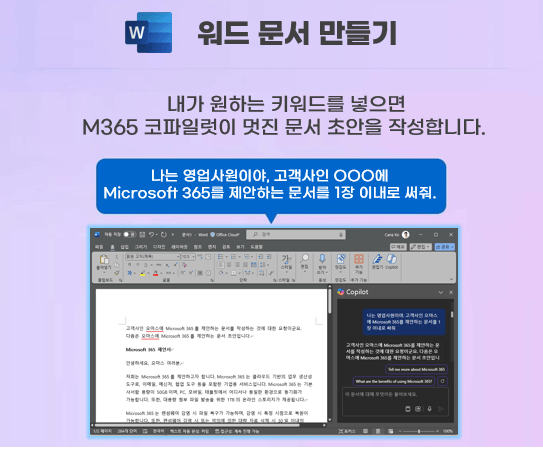
I've been wondering how to start with a blank Word document for hours... I wish someone would just give me a starting point.
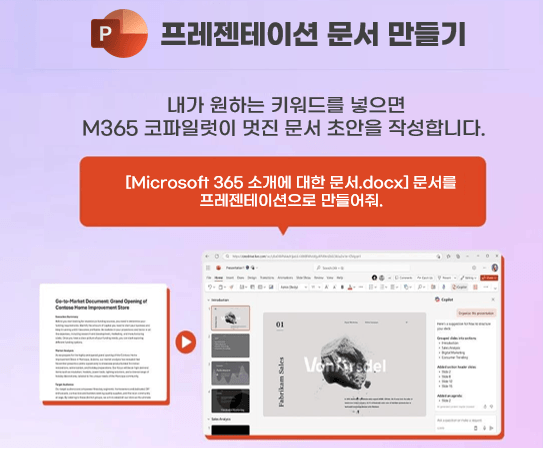
Where on earth should I start and how should I create a presentation ? Can someone help me with the content and design?
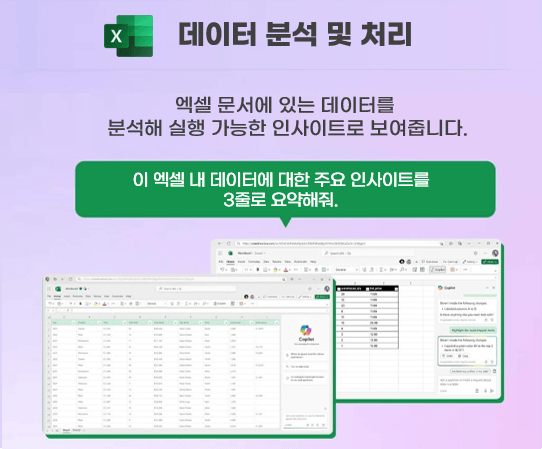
Excel is hard, it's too hard... Why can't I just say, "Hey, do this for me," and someone else do it for me?

💡 Did you just imagine this? It's not just imagination anymore.
M365 Copilot, the smart AI assistant for my work, will do all these things for me!
Now, with M365 Copilot, you can boost your productivity and creativity so you can focus on what really matters!

In the AI era, start a new way of working with M365 Copilot!

Features of this course 💡

📌 AI is difficult, so for those who are unsure of how to use it, we provide a basic introduction.

📌 We will also guide you through how to prepare in advance and how to subscribe and assign licenses.

📌 We provide field-specific use cases, app-specific use cases, and frequently used use cases that many people are curious about.

📌 We'll show you through demos how it can be practically utilized in your work.

📌 We provide prompts for you to practice on your own.

📌 This course is for beginners. Anyone can take it and start using M365 Copilot right away. 😊

Stop worrying about how to make a "good" report, document, presentation, chart, or email!

Now, M365 Copilot is faster and more efficient than anyone else.
It's time to learn and master "how to use it well" to achieve great results.

I recommend this to these people

I want to work efficiently.
Collect and analyze various data
I need to create a report, but it takes ages just to collect and analyze data.

I'm tired of coming up with ideas.
What is the strategy for this marketing?
Should I write it... How do I write the SNS message... What about the image...?

I want to be good at using MS Office.
I think it would be easier to work if you were good at Excel, Word, PowerPoint, and Outlook.
I can't even use 10% of the full functionality...

💡
In addition, I learned M365 Copilot, which acts as a smart secretary, and I can manage all my work.
I recommend it to anyone who wants to use it.

After class

  • Outlook: Save time managing emails and stay focused by summarizing important information.

  • PowerPoint: Enhance your presentations and efficiently create visually appealing slides.

  • Excel: Simplify complex data analysis and create reports for easy data processing.

  • Word: Create content easily with insights and references that help you draft more efficiently and elevate your documents.

  • Teams: Centralize diverse data, summarize meetings, and quickly identify tasks that need to be done.

💡 This course will help you work more conveniently across your entire business with M365 Copilot.

Learn this stuff. 👇

👉 After understanding the main features of M365 Copilot and learning the basic usage, you can apply it directly to actual work through practical examples.

Instructor Koh Hyun-jung

Things to note before taking the course

What you need for the lecture

  • You must subscribe to M365 Copilot to practice.

  • PC with internet access

  • Headset or speakers for listening to lectures

Learning Materials

  • We provide prompts for practice in PDF format.

Player Knowledge and Precautions

  • No! Take your time and learn from the basics~

Recommended for
these people

Who is this course right for?

  • For those who want to use MS Office efficiently through Copilot

  • For those who want to understand copilot

  • Anyone who wants to work faster and more efficiently than anyone else

  • Anyone who wants to understand and utilize M365 Copilot

  • Anyone who wants to make their work easier with an AI secretary

  • Anyone who wants to work through M365 Copilot

Hello
This is

2,625

Learners

290

Reviews

165

Answers

4.6

Rating

46

Courses

Nice to meet you! We are "Omas", Microsoft 365 experts.
As Microsoft 365 experts, we will help you work more easily and smartly.

Introducing Omas's instructors!!

Instructor Hyunjung Ko
Microsoft MVP (Microsoft 365 Apps & Services, 2016 – Present)


Official Blog & Café


YouTube


Books 

  • Microsoft 365 Business for Users & Admins

  • OMAS: My Smart Work using Office 365

  • Office 365 Quick Guide Series 1. Creating a SharePoint Site for Collaboration

  • Office 365 Quick & Easy Series 2. BI that business users can apply to work immediately without expert help

  • Office 365 Quick & Easy Series 3. From Basics to Advanced All at Once! OneDrive for Business

  • Office 365 Quick Series 4. Creating mobile apps your company needs: PowerApps

  • Office 365 in SMBs: My Smart Work using Office 365

  • Using OneNote 2016! - Basic Edition

  • OneNote 2016 Utilization! - Advanced Guide

  • Female office workers, never do this! A cheerful look at how to succeed in your professional life by thinking outside the box.


Recognitions

  • MS-102 - Microsoft 365 Certified: Administrator Expert

  • MS-100 - Microsoft 365 Identity and Services

  • Teams Meetings and Meeting Rooms Technical Assessment

  • MS-700 - Microsoft 365 Certified: Teams Administrator Associate

  • MS-900 - Microsoft 365 Certified: Fundamentals

  • AZ-104 - MS Azure Administrator Associate

  • AZ-900 - Microsoft Certified: Azure Fundamentals

  • SC-900 - Microsoft Certified: Security, Compliance, and Identity Fundamentals

  • PL-900 - Microsoft Certified: Power Platform Fundamentals

  • Exam 347: Enabling Office 365 Services

  • Microsoft Office Specialist Word 2016 Expert

  • Microsoft Office Specialist PowerPoint 2016 Core

  • Certificate of Qualification. Presentation Speech 1st  Level

Other Qualifications

  • Presentation Speech Level 1 (Korea Vocational Skills Certification Association, Ministry of Employment and Labor)

  • CS Instructor Level 1 (Korea Vocational Competency Assessment Association, Ministry of Trade, Industry and Energy)

  • e-Learning Senior Consultant (Korea U-Learning Association)

  • e-Learning Instructor Level 2 (Korea U-Learning Association)

  • Computer Science Teacher Certificate (Minister of Education)

  • Lifelong Education Specialist Level 2 (Seoul University of Buddhism and Culture)

Curriculum

All

15 lectures ∙ (3hr 11min)

Course Materials:

Lecture resources
Published: 
Last updated: 

Reviews

All

8 reviews

4.8

8 reviews

  • hylee6770님의 프로필 이미지
    hylee6770

    Reviews 5

    Average Rating 5.0

    5

    33% enrolled

    • nureong1024님의 프로필 이미지
      nureong1024

      Reviews 2

      Average Rating 5.0

      5

      60% enrolled

      • wnghks42952894님의 프로필 이미지
        wnghks42952894

        Reviews 1

        Average Rating 5.0

        5

        100% enrolled

        • kalypse012065님의 프로필 이미지
          kalypse012065

          Reviews 3

          Average Rating 5.0

          5

          33% enrolled

          • smw05110316님의 프로필 이미지
            smw05110316

            Reviews 1

            Average Rating 5.0

            5

            33% enrolled

            $42.90

            omas's other courses

            Check out other courses by the instructor!

            Similar courses

            Explore other courses in the same field!