강의

멘토링

커뮤니티

Design

/

3D Modeling

AutoCAD 2021 Beginner's Guide to Learning Commands (Korean Version)

The best in architecture, design, and interior design programs! Easily learn the commands of AutoCAD 2021 program with installation.

(5.0) 2 reviews

21 learners

Level Beginner

Course period 3 months

  • comt
AutoCAD
AutoCAD
CAD
CAD
AutoCAD
AutoCAD
CAD
CAD

What you will gain after the course

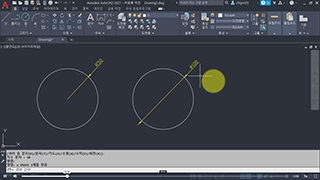
  • AutoCAD Commands

  • How to install AutoCAD

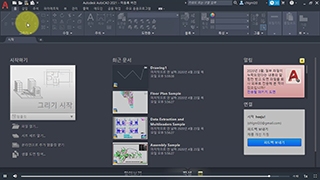
  • AutoCAD screen layout

Create 2D/3D drawings in one go with AutoCAD!

Autodesk AutoCAD ® ?

AutoCAD® is a software program used by architects, engineers, and construction professionals.
Used to create precise 2D and 3D drawings.
It is CAD (Computer-Aided Design) software .

AutoCAD is a program that accurately creates, stores, and maintains various drawing elements through input devices such as a computer or graphic display, and performs optimal design, modification, analysis, and drafting.

What can I do?

With solid, surface and mesh objects
2D shapes and 3D models
You can write, edit, and annotate.

Compare drawings, aggregate, add blocks,
Making a list
, etc.
You can automate tasks.

With add-on apps and APIs
It can be customized .


Learning CAD programs
Easier and more efficient!

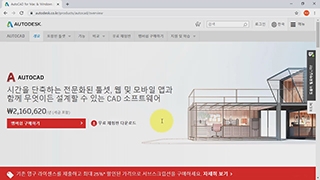
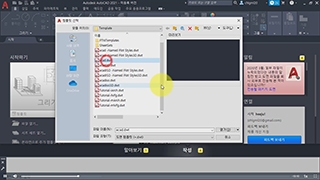
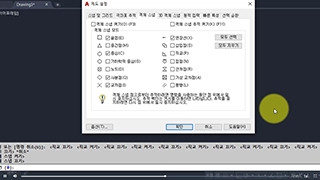
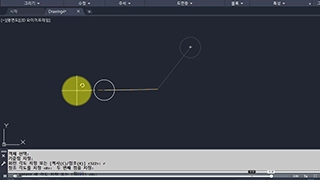
Autodesk AutoCAD site and main screen layout


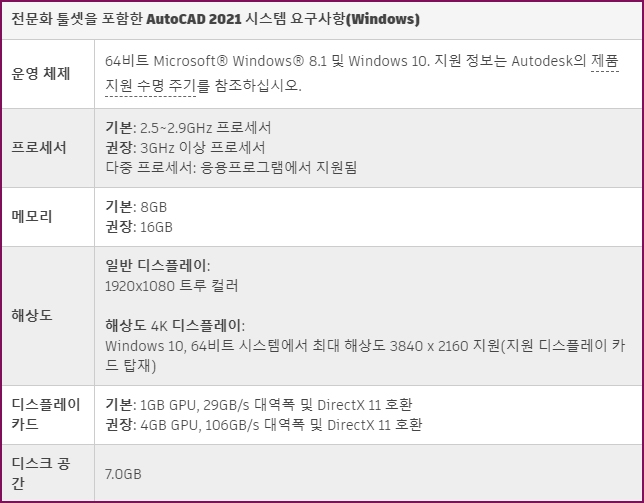
System requirements
Please check.

Recommended System Requirements for AutoCAD 2021 (Windows only)


Lecture materials
Provides.

We provide a PDF file of the main content of the lecture. You can download the material from [Section 0] - [Line (L) - Command to draw a straight line, Erase (E) - Command to erase an object, Absolute Coordinates (X, Y)] .

Also, for [Section 1], you can download the source file (working file) from [Line (L) - command to draw a straight line, Erase (E) - command to erase an object, absolute coordinates (X, Y)] .

Recommended for
these people

Who is this course right for?

  • For those interested in architecture and design

  • For those who need AutoCAD certification

  • For those who want to learn 2D/3D programs

  • Architect, construction professional

Need to know before starting?

  • But... it would be good to know the basics of Photoshop

Hello
This is

1,619

Learners

140

Reviews

4

Answers

4.7

Rating

33

Courses

Back when Apple's MAC computers made it possible to design even better.

It's already been well over 25 years since I first started teaching Adobe Photoshop and Illustrator at the academy~~^^

I remember the days when, instead of calling the instructors Teacher Eom, Teacher Ha, and Teacher Gu, we used to call them Eom-T and Gu-T.

Together with those teachers, we started using ComTee as an abbreviation for Computer Teacher!

I will continue to be a "Computer Teacher" who works hard to share knowledge for all those who are learning.

Thank you!!

Thank you!!

Together with everyone, we've come to use "Com-T" as a shorthand for Computer Teacher! We will continue to be a Computer Teacher that works hard to share knowledge for all learners. Thank you!!

Together with everyone, we've come to use "Com-T" as a shorthand for Computer Teacher! We will continue to be a Computer Teacher that works hard to share knowledge for all learners. Thank you!!
Curriculum

All

21 lectures ∙ (8hr 40min)

Course Materials:

Lecture resources
Published: 
Last updated: 

Reviews

All

2 reviews

5.0

2 reviews

  • oddd12님의 프로필 이미지
    oddd12

    Reviews 5

    Average Rating 5.0

    5

    100% enrolled

    Through the AutoCAD introductory course, I was able to easily understand how to use the program.

    • comt
      Instructor

      Yes yes Thank you for listening to me too Starting is half the battle. I will update the intermediate level soon.

  • rkdqudrn15262442님의 프로필 이미지
    rkdqudrn15262442

    Reviews 1

    Average Rating 5.0

    5

    100% enrolled

    I heard it well

    • comt
      Instructor

      I couldn't reply right away. Thank you so much for listening. Keep practicing!

Limited time deal ends in 07:07:16

$22,280.00

24%

$23.10

comt's other courses

Check out other courses by the instructor!