
강의

멘토링

커뮤니티

NEW
Applied AI

/

AI for Work

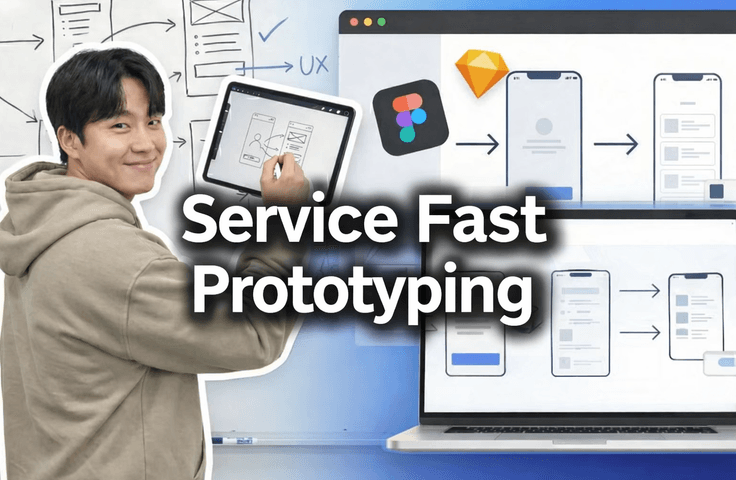
[Public for New Employee Onboarding] How to Prototype Figma UX Flow Even Without Knowing Figma or Having a Designer

We're releasing our 'actual work methodology' and 'onboarding video' for planners and developers joining our company. We'll show you how to design service screens without a designer, create screen UX flows even without knowing Figma, and build prototypes. Our company rapidly prototypes during service planning to enable quick decision-making and feature finalization, which can then be used for frontend development, maximizing productivity in our work. If the response is good, we'll upload other "real-world methodology" tutorials as well.

3 learners are taking this course

Level Beginner

Course period Unlimited

  • macro
AI 활용법
AI 활용법
서비스기획
서비스기획
프로토타이핑
프로토타이핑
풀스택
풀스택
fullstack
fullstack
Prototyping
Prototyping
Service Planning
Service Planning
frontend
frontend
UX Planning
UX Planning
Generative AI
Generative AI
AI 활용법
AI 활용법
서비스기획
서비스기획
프로토타이핑
프로토타이핑
풀스택
풀스택
fullstack
fullstack
Prototyping
Prototyping
Service Planning
Service Planning
frontend
frontend
UX Planning
UX Planning
Generative AI
Generative AI

What you will gain after the course

  • Even if you don't know Figma, you can prototype the service you want to create in Figma in just 10 minutes

  • I quickly prototype it and get praised by the boss.

  • You can create screen specifications without a designer

  • You can create UX Flow even if you don't know Figma well

  • You can make decisions quickly when planning services

  • Can quickly fix core service features

  • I can leave work early

🔥 Without a designer, even if you don't know Figma,

Create service screens in under 30 minutes

How to get decisions made right in meetings

You'll be able to create quality Figma prototypes without a designer, just like this!
You'll be able to create quality Figma prototypes.

This course
reveals the actual service planning & prototyping methods we use in our company,
sharing the exact onboarding videos for new planners and developers.

Even without a designer,
even if you don't know Figma well,
even with "just an idea"

👉 I'll show you how to create screens immediately, present them right away, and make decisions on the spot.


At companies, the planning team, design team, front-end team, and back-end team collaborate using Figma. That's why Figma Prototype is important in the field.

That's why it's used for new employee onboarding.


Here's what you'll learn

  • How to create everything from service screen planning → UX Flow → prototype at once without a designer

  • Even if you're not familiar with Figma, a mindset for structuring screens centered on UX Flow

  • How to create visible results that let you say "This is what I wanted to make" within 30 minutes

  • With rapid prototyping

    • Quickly fix the core features of your service and

    • Reduce unnecessary discussions and

    • Real-world methods that accelerate decision-making

  • Practical planning deliverable structure that frontend developers can immediately understand and use


What you'll gain from this course

  • You can prototype the service you want to create in just 30 minutes

  • You can immediately show "visible results" to your boss / team leader / colleagues

  • You can create screen specifications on your own without a designer

  • Even without deep knowledge of Figma, UX Flow-centered design becomes possible

  • Quick decision-making becomes possible during service planning

  • You can accurately fix the core features of your service early on


We recommend this for

  • Those who want to turn their ideas into a prototype right now

  • For those who need to show the planned service visually right now

  • You need to plan a service but
    👉 You don't have a designer,
    👉 You're not familiar with Figma,
    👉 You feel lost about where to start

  • People who find collaboration with designers and planners too slow
    and want to do screen planning themselves out of frustration

  • "You have no knowledge, but you have a service you want to create" - aspiring entrepreneurs / junior planners / developers

If this is you, you don't need to take this course. Solo developers don't need Figma.

  • Solo Vibe Coder

  • Solopreneur

  • Solo Developer


"If you've ever struggled even once while explaining a screen,
saving time at this price is worth it."

We in actual field work

  • Rapid prototyping → Rapid feedback → Rapid decision-making
    This is how we work.

This course shows you that process exactly as it is, without embellishment.
If the response is positive,
👉 I plan to release a follow-up course on "Full-Stack Development Using Real-World Company Methods" as well.

Recommended for
these people

Who is this course right for?

  • People who want to prototype their ideas right now

  • People who need to show the service they planned right now with their own eyes

  • Someone who is planning a service but doesn't know design or what Figma is

  • Someone who will make the screen specification document themselves because they're frustrated that the designer and planner are taking too long

  • For those who don't know anything but have a service they want to create

Need to know before starting?

  • Even if you don't know anything about Figma, as long as you know how to sign up, you're good to go

  • For AI like ChatGPT, anyone who can type with their fingers is OK

  • If you know how to drag and drop files with File Explorer using a mouse, you're good to go

Hello
This is

우리 업계 후배들이 제대로 배우고 왔으면 좋겠습니다. 취준생 등골 빼먹는 비싼 강의 말고, 현업자가 제대로 알려 줍니다.

Curriculum

All

4 lectures ∙ (9min)

Course Materials:

Lecture resources
Published: 
Last updated: 

Reviews

Not enough reviews.
Please write a valuable review that helps everyone!

$7.70

Similar courses

Explore other courses in the same field!