
inflearn logo

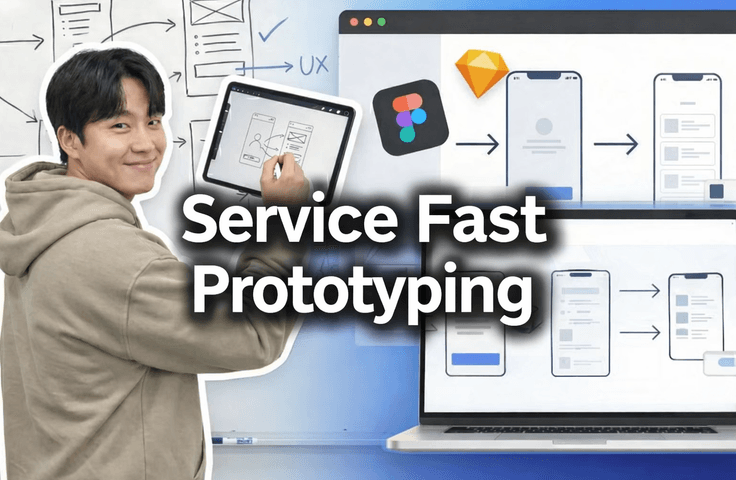
[AI Practical Workflow] Create a Service Planning Figma UX Flow in Just 10 Minutes

This is our 'real-world workflow', and we are sharing an 'onboarding video' for planners and developers joining our company. It explains how to design service screens without a designer, create a screen UX flow even without knowing Figma, and build a prototype. When planning services, our company rapidly creates prototypes to enable quick decision-making and finalize the necessary features, then makes them ready for use in frontend development, allowing us to maximize productivity. If the response is positive, we will upload other courses on our "real-world workflow.&quot

(4.7) 3 reviews

39 learners

Level Beginner

Course period Unlimited

Prototyping
Prototyping
Service Planning
Service Planning
frontend
frontend
AI
AI
UX Planning
UX Planning
Prototyping
Prototyping
Service Planning
Service Planning
frontend
frontend
AI
AI
UX Planning
UX Planning

What you will gain after the course

  • Even if you don’t know Figma, you can prototype the service you want to create in Figma in just 10 minutes.

  • Quickly prototype it for the boss and get praised.

  • You can create screen specifications without a designer.

  • You can create a UX flow even if you’re not familiar with Figma.

  • Can make quick decisions when planning a service.

  • You can quickly finalize the core features of the service.

  • I can leave work early.

Essential real-world collaboration methods


🔥 Even without a designer or knowing Figma,
how to create service screens and hold an idea meeting within 30 minutes

Just like this, you’ll be able to create high-quality Figma prototypes without a designer!

This course reveals the real-world service planning & prototyping methods we actually use at our company
, presented exactly as the onboarding video for new planners and developers
.

Even without a designer,
even if you’re not familiar with Figma,
even when you only have an idea.

👉 Learn how to create screens, present them, and make decisions right away.


At companies, the planning, design, frontend, and backend teams collaborate using Figma. Therefore, Figma prototypes are important in the workplace.

So we use it for onboarding new employees.


You will learn the following.

  • How to create service screen plans → UX flows → prototypes all at once without a designer

  • How to think about structuring screens around the UX Flow even if you are not familiar with Figma

  • How to create a visible deliverable you can say, “This is what I wanted to make,” within 30 minutes

  • With rapid prototyping

    • Quickly fix the core features of the service and

    • Reduce unnecessary discussions

    • A real-world approach that accelerates decision-making

  • A practical planning deliverable structure that frontend developers can immediately understand and use


What You’ll Gain from This Course

  • You can prototype the service you want to build in just 30 minutes

  • You can immediately show your boss, team leader, or colleagues “visible results”.

  • You can create a screen planning document yourself without a designer

  • Even without in-depth knowledge of Figma, you can create UX Flow-centered designs.

  • When planning a service, you can make decisions quickly

  • You can accurately fix the core features of the service early on.


Recommended for those who:

  • For those who want to turn their idea into a prototype right away

  • For those who need to show their planned service visually right now

  • I need to plan a service, but
    👉 I don't have a designer,
    👉 I don't know Figma well,
    👉 and I have no idea where to start.

  • Collaboration with designers and planners is too slow, so
    if you’re frustrated and want to plan the screens yourself

  • “People who don’t know anything yet but have a service they want to build”—aspiring entrepreneurs / junior planners / developers


“If you’ve ever gotten stuck explaining a screen, even once,
it’s worth saving time at this price.”

We are actually working in the field.

  • We work by quickly prototyping → quickly gathering feedback → quickly making decisions
    .

This course shows that process exactly as it is, without embellishment.
If the response is positive,
👉 we also plan to release the follow-up course, “Full-Stack Development Using Real-World Company Practices”.


Industry Tech Lead / PO

  • Former SK Group new hire, with experience developing services for multiple companies and providing corporate technology consulting.

  • AI and cloud-based service development team leader

  • An actual hiring manager who has reviewed applications from over 3,000 candidates and conducted interviews with more than 350 candidates

  • Korea Coast Guard IT Position Interview Panelist / Judge for Numerous Competitions

  • Multiple national R&D and AI service projects


  • Teaching KDT instructors how to carry out projects! Someone who teaches instructors (review video proof link)

  • Holds patents (7 applications, 3 registered)

  • Holds certifications including Big Data Analysis Engineer, AWS, SQLD, and Engineer Information Processing.

Recommended for
these people

Who is this course right for?

  • Those who want to prototype their own ideas right now

  • Those who need to visually demonstrate the service they’ve planned right away.

  • Someone planning a service who doesn’t know design or even what Figma is.

  • Designers and planners are taking way too long, and it’s frustrating. Looking for someone who can create the screen planning document themselves.

  • For those who want to build a service but don’t know anything yet.

Need to know before starting?

  • Even if you don’t know a single thing about Figma, it’s OK as long as you know how to sign up.

  • For AI such as ChatGPT, anyone who can type with their fingers is OK.

  • It’s OK if you know how to drag and drop files with your mouse in File Explorer.

Hello
This is crocro

57

Learners

3

Reviews

4.7

Rating

3

Courses

We share technical know-how used in the field.


Published: 
Last updated: 

Reviews

All

3 reviews

4.7

3 reviews

  • lucy75님의 프로필 이미지
    lucy75

    Reviews 5

    ∙

    Average Rating 4.8

    5

    100% enrolled

    I felt my lack of design sense always led to disappointing results whenever I worked on projects without a designer. However, after taking this course, I was able to implement a much cleaner web service than expected and even apply design principles that consider UX.

    • leejieun님의 프로필 이미지
      leejieun

      Reviews 7

      ∙

      Average Rating 4.6

      5

      75% enrolled

      • soohap5658님의 프로필 이미지
        soohap5658

        Reviews 1

        ∙

        Average Rating 4.0

        4

        100% enrolled

        crocro's other courses

        Check out other courses by the instructor!

        Similar courses

        Explore other courses in the same field!

        25% off for new members

        $13.10

        25%

        $23.10