
강의

멘토링

커뮤니티

NEW
Applied AI

/

AI for Work

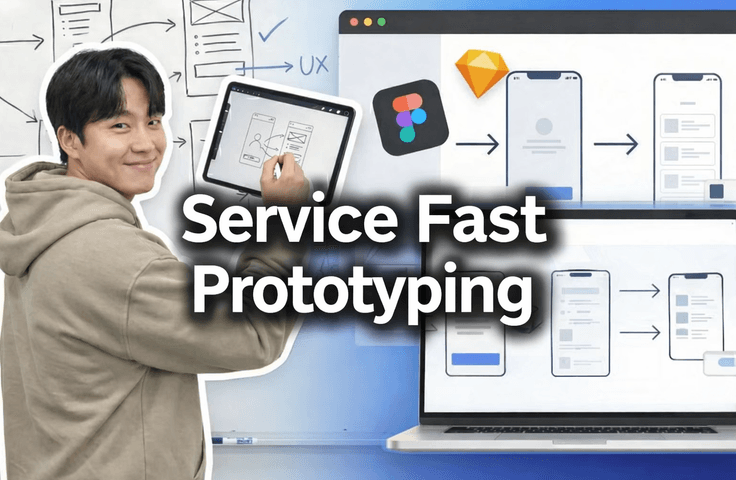
[Essential for Employment - Practical Collaboration Methods] How to Prototype Figma UX Flows Using AI

This is our 'actual real-world workflow,' and we are releasing the 'onboarding video' used for planners and developers joining our company. It teaches you how to design service screens without a designer and create UX flows and prototypes even if you don't know Figma. Our company maximizes productivity by prototyping quickly during service planning to enable fast decision-making, finalize necessary features, and utilize them directly in front-end development. If the response is positive, I will upload more lectures on other "real-world workflows."

11 learners are taking this course

Level Beginner

Course period Unlimited

  • macro
Prototyping
Prototyping
Service Planning
Service Planning
frontend
frontend
UX Planning
UX Planning
Generative AI
Generative AI
Prototyping
Prototyping
Service Planning
Service Planning
frontend
frontend
UX Planning
UX Planning
Generative AI
Generative AI

What you will gain after the course

  • Even if you don't know Figma, you can prototype the service you want to build in just 10 minutes.

  • Quickly build a prototype and get praised by the boss.

  • You can create wireframes without a designer.

  • You can create UX flows even if you don't know Figma well.

  • Decisions can be made quickly during service planning.

  • Core features of the service can be fixed quickly.

  • I can leave work early

Essential collaboration methods for developers in the field


🔥 Even without a designer or knowing Figma,

Create service screens in 30 minutes

How to get decisions made instantly in meetings

As shown below, even without a designer!
You will be able to create high-quality Figma prototyping.クオリティの高いFigmaプロトタイピングができるようになります。

This course reveals the
real-world service planning & prototyping methods actually used in our company,
presented exactly as the onboarding videos for our new planners and developers.

Even without a designer,
even if you don't know Figma well,
and even if you "only have an idea"

👉 I will show you how to build screens instantly, present them immediately, and make decisions on the spot.


In companies, planning, design, frontend, and backend teams collaborate using Figma. That's why Figma prototypes are important in the industry.

That's why we use it for new employee onboarding.


What you will learn

  • How to create service screen planning → UX Flow → prototypes all at once without a designer

  • A mindset for designing screens centered on UX Flow, even if you aren't familiar with Figma.

  • How to create tangible results in 30 minutes that will make people say, "This is exactly what I wanted to build."

  • With rapid prototyping

    • Quickly fixing the core features of the service and

    • Reducing unnecessary discussions and

    • Real-world methods to accelerate decision-making

  • A practical planning deliverable structure that frontend developers can immediately understand and use


What you will gain from this course

  • You can prototype the service you want to build in just 30 minutes

  • You can immediately show “visible results” to your CEO, team leader, or colleagues.

  • You can create UI wireframes on your own even without a designer. mà không cần đến nhà thiết kế.

  • Even without deep knowledge of Figma, UX flow-centered design becomes possible

  • Fast decision-making becomes possible during service planning khi lập kế hoạch dịch vụ

  • You can accurately fix the core functions of the service at an early stage.


Recommended for the following people

  • Those who want to turn their ideas into prototypes right away

  • Those who are in a situation where they need to visualize their planned service right away

  • Those who need to plan a service but
    👉 don't have a designer,
    👉 aren't familiar with Figma,
    👉 and feel lost on how to get started

  • Those who are frustrated by slow collaboration with designers and planners and want to design the screens themselves

  • "Aspiring entrepreneurs / Junior planners / Developers who don't know anything yet, but have a service they want to build"

You don't need to take this. If you're developing solo, you don't need Figma.

  • Solo Vibe Coder

  • Solopreneur

  • Solo Developer


“If you’ve ever struggled while explaining a screen,
saving time at this price is a total win.”

In actual field practice, we

  • Fast prototyping → Fast feedback → Fast decision-making
    is the way we work..

This course shows you that process exactly as it is, without any filters.
If the response is positive,
👉 we plan to release a follow-up course on “Full-stack Development the Real-world Way.”

Recommended for
these people

Who is this course right for?

  • Those who want to prototype their ideas right now

  • Those who need to visualize their planned service right away.

  • Someone planning a service who knows nothing about design or Figma.

  • For those who are frustrated because the designers and planners are taking too long and want to create the wireframes themselves.

  • Those who don't know anything yet, but have a service they want to create.

Need to know before starting?

  • Even if you don't know the first thing about Figma, as long as you know how to sign up, you're good to go.

  • Anyone who can type with their fingers on AI like ChatGPT is OK.

  • If you know how to drag and drop files with your mouse in File Explorer, you're good to go.

Hello
This is

I want the juniors in our industry to learn the right way. Instead of expensive courses that exploit job seekers, an industry professional will teach you properly.

Curriculum

All

4 lectures ∙ (9min)

Course Materials:

Lecture resources
Published: 
Last updated: 

Reviews

Not enough reviews.
Please write a valuable review that helps everyone!

$7.70

Similar courses

Explore other courses in the same field!