inflearn logo
inflearn logo

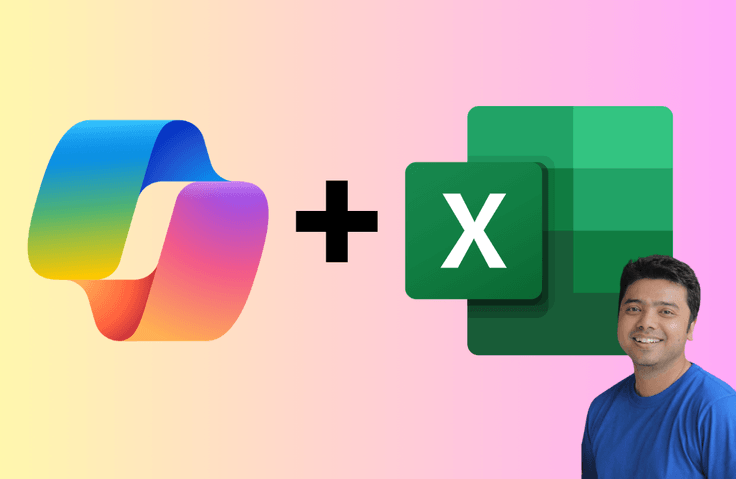
Microsoft Excel with Copilot Complete Guide 2026: From Fundamentals to AI-Powered Workflows

Artificial Intelligence is transforming the way professionals work with data. Microsoft Copilot in Excel allows you to analyze, clean, format, automate, and optimize spreadsheets faster than ever before. But using Copilot effectively requires more than just typing prompts — it requires understanding Excel fundamentals, structured thinking, and prompt engineering. This course gives you exactly that. You will learn how to combine Excel expertise with AI-powered automation to dramatically improve productivity, accuracy, and workflow efficiency. What You Will Gain From This Course • Save hours every week using AI-driven Excel automation • Analyze large datasets in seconds using Copilot • Clean and fix messy data effortlessly • Write powerful formulas with AI assistance • Master prompt engineering for Excel Copilot • Build professional reports and dashboards faster • Improve decision-making with AI-powered insights • Optimize workflows for real-world business scenarios By the end of this course, you will not just “use” Copilot — you will control it. What This Course Covers Foundations What is Microsoft Copilot How to activate and use Copilot in Excel Introduction to Excel basics and navigation Data types and conversions Data entry and validation techniques Excel Core Skills Mathematical, logical, and time functions Nested functions for complex calculations Combining logical and LOOKUP functions Conditional statements and formatting Pivot tables and advanced formatting Data Analysis with Copilot Data general analysis and Q&A Sorting, filtering, and profiling data Handling and fixing missing data Identifying and correcting common data errors Transposing data for trend analysis Date-time formatting techniques AI-Powered Excel Automation Generating synthetic data Adding formula columns with Copilot Subtotals and advanced calculations Optimizing workflows using Copilot Enhancing data presentation Editing spreadsheets intelligently Prompt Engineering for Excel Copilot Writing effective prompts Advanced prompt engineering techniques Evaluating prompt performance Optimizing prompts for better results Customizing Copilot for improved outcomes Real-World Application Creating a travel budget using Copilot Practical exercises and activities Performance evaluation and improvement strategies Why This Course Is Different Most Excel courses teach formulas. Most AI courses teach theory. This course bridges both. You will learn Excel fundamentals and advanced skills alongside AI-powered Copilot usage. That combination makes you significantly more productive than someone who only knows Excel or only knows AI prompts. This course is structured for clarity, practical application, and real-world efficiency. Who This Course Is For • Business professionals who work with Excel daily • Data analysts and aspiring analysts • Managers who want faster reporting • Students preparing for corporate roles • Entrepreneurs handling business data • Anyone who wants to leverage AI inside Excel No prior AI experience is required. Excel basics are covered before advancing into automation and Copilot optimization. Why You Should Enroll Today Microsoft Copilot is becoming a core productivity tool across organizations. Professionals who understand how to use AI effectively inside Excel will have a measurable competitive advantage. Instead of spending hours writing formulas, cleaning data, or building reports manually, you will learn how to work smarter. If you want to future-proof your Excel skills and become significantly more efficient with data, this course is for you. Enroll now and master Microsoft Copilot in Excel with confidence.

1 learners are taking this course

Level Beginner

Course period Unlimited

Excel
Excel
Microsoft Windows
Microsoft Windows
Excel PowerQuery
Excel PowerQuery
microsoft365
microsoft365
Microsoft Copilot
Microsoft Copilot
Excel
Excel
Microsoft Windows
Microsoft Windows
Excel PowerQuery
Excel PowerQuery
microsoft365
microsoft365
Microsoft Copilot
Microsoft Copilot

What you will gain after the course

  • Understand what Microsoft Copilot is and how it integrates with Excel.

  • Activate and configure Copilot inside Excel.

  • Navigate Excel confidently using core features and tools.

  • Understand and manage different Excel data types effectively.

  • Convert and format data types correctly for accurate analysis.

  • Perform mathematical, logical, and time-based calculations in Excel.

  • Build and combine nested and advanced formulas.

  • Use Copilot to analyze datasets using natural language queries.

  • Apply sorting and filtering techniques with and without Copilot.

  • Clean, profile, and correct messy datasets using Copilot.

  • Identify and fix missing or inconsistent data efficiently.

  • Generate synthetic datasets using Copilot for testing and practice.

  • Automatically create formula columns using Copilot assistance.

  • Use conditional statements and formula-based formatting effectively.

  • Apply conditional formatting, color scales, and data bars strategically.

  • Create and optimize pivot tables for structured data analysis.

  • Use Copilot to generate subtotals, summaries, and insights.

  • Engineer effective prompts to improve Copilot accuracy and output quality.

  • Evaluate and optimize Copilot performance for better results.

  • Build real-world Excel projects such as budgets and reports using AI-powered workflows.

Microsoft Copilot in Excel: Work Smarter with AI

Microsoft Copilot is transforming Excel from a spreadsheet tool into an intelligent data assistant. This course teaches you how to combine strong Excel fundamentals with AI-powered automation to analyze, clean, format, and optimize data faster than ever before.

You will learn how to write better formulas, fix messy datasets, generate insights using natural language, and engineer effective prompts that improve Copilot’s performance. The course covers Excel basics, advanced functions, data analysis, conditional formatting, pivot tables, workflow optimization, and real-world projects.


Benefits of This Course

  • Save hours by automating repetitive Excel tasks

  • Analyze complex datasets in seconds

  • Reduce spreadsheet errors and improve accuracy

  • Build advanced formulas with AI assistance

  • Clean and structure messy data efficiently

  • Improve reporting and data presentation

  • Master prompt engineering for better AI results

  • Future-proof your Excel skills in an AI-driven workplace

By the end of this course, you will confidently use Microsoft Copilot in Excel to work faster, smarter, and more strategically.


Course Highlights

  • Complete introduction to Microsoft Copilot in Excel

  • Step-by-step guidance to activate and use Copilot

  • Strong foundation in Excel basics and navigation

  • In-depth understanding of data types and conversions

  • Practical data entry and validation techniques

  • Mastery of arithmetic, logical, and nested functions

  • Advanced formula creation with Copilot assistance

  • AI-powered data analysis using natural language queries

  • Smart sorting and filtering techniques

  • Handling missing data and fixing common errors

  • Dataset profiling and data cleaning workflows

  • Generating synthetic data using Copilot

  • Conditional formatting, color scales, and data bars

  • Pivot table creation and optimization

  • Workflow automation using Excel Copilot

  • Prompt engineering techniques tailored for Excel

  • Evaluating and improving Copilot performance

  • Real-world project: Creating a travel budget

  • Hands-on exercises and practice activities

  • Productivity-focused strategies for real business use cases

Recommended For

Professionals who regularly use Excel for reporting, analysis, budgeting, or operations and want to increase productivity using AI-powered automation.

Individuals working with datasets who want to analyze data faster, clean data efficiently, and leverage Copilot for formula generation and insights.

Business owners managing sales, expenses, performance reports, and forecasts who want to save time and make smarter decisions using AI in Excel.


After Taking This Course

  • Confidence in using Microsoft Copilot inside Excel

  • Strong understanding of Excel fundamentals

  • Ability to analyze datasets using natural language prompts

  • Faster data cleaning and error correction skills

  • Improved accuracy in spreadsheet work

  • Capability to generate advanced formulas with AI assistance

  • Better understanding of data types and conversions

  • Skill in handling missing and inconsistent data

  • Expertise in sorting, filtering, and profiling datasets

  • Practical knowledge of pivot tables and summaries

  • Ability to apply conditional formatting effectively

  • Experience generating synthetic data for testing

  • Strong prompt engineering skills for Excel Copilot

  • Ability to evaluate and optimize Copilot responses

  • Faster workflow automation using AI tools

  • Improved reporting and data presentation techniques

  • Real-world project experience (e.g., budgeting workflows)

  • Increased workplace productivity

  • Competitive advantage in AI-driven environments

  • Future-ready Excel skills aligned with modern business needs

What You’ll Learn

  • What Microsoft Copilot is and how it works in Excel

  • How to activate and set up Copilot in Excel

  • Excel basic navigation and interface fundamentals

  • Understanding different Excel data types

  • Converting and managing data types correctly

  • Effective data entry and validation techniques

  • Using arithmetic and mathematical functions in Excel

  • Applying logical functions for decision-based calculations

  • Writing nested formulas for complex analysis

  • Combining logical and LOOKUP functions

  • Sorting and filtering datasets efficiently

  • Formatting data professionally in Excel

  • Using conditional formatting, color scales, and data bars

  • Creating and optimizing pivot tables

  • Cleaning, profiling, and correcting data errors

  • Handling missing values with Copilot

  • Generating synthetic data using Copilot

  • Adding and optimizing formula columns with AI assistance

  • Writing effective prompts for Excel Copilot

  • Evaluating and improving Copilot performance for better results

This template is based on the course titled “How Does a Delivery App Find Nearby Restaurants?”

Recommended for
these people

Who is this course right for?

  • Business professionals who use Excel daily.

  • Data analysts looking to improve productivity with AI.

  • Managers who need faster reporting and insights.

  • Entrepreneurs managing business data and budgets.

  • Finance professionals working with large datasets.

  • Marketing professionals analyzing campaign performance.

  • Operations teams optimizing workflows and reports.

  • HR professionals handling employee data and records.

  • Students preparing for corporate or analytics roles.

  • Beginners who want to learn Excel with AI integration.

  • Intermediate Excel users who want to work faster.

  • Professionals transitioning into data-driven roles.

  • Project managers managing structured data and timelines.

  • Consultants who build client reports in Excel.

  • Freelancers working with spreadsheets and analytics.

  • Small business owners tracking revenue and expenses.

  • Anyone interested in Microsoft Copilot for productivity.

  • Professionals who want to automate repetitive Excel tasks.

  • Individuals aiming to future-proof their Excel skills.

  • Anyone who wants to combine AI and Excel for smarter decision-making.

Need to know before starting?

  • A basic understanding of how to use a computer.

  • Familiarity with opening and saving files in Windows or macOS.

  • Microsoft Excel installed on your computer (Microsoft 365 recommended).

  • Access to Microsoft Copilot for Excel (active subscription required).

  • A stable internet connection for Copilot features.

  • Basic knowledge of spreadsheets (rows, columns, cells).

  • Willingness to practice using Excel during the course.

  • No prior AI experience is required.

  • No advanced Excel knowledge is required.

  • Basic typing skills to interact with Copilot prompts.

  • Interest in improving productivity with AI tools.

  • Openness to learning prompt engineering techniques.

  • A laptop or desktop computer (tablet-only use is not recommended).

  • Ability to download and use practice files provided in the course.

  • Basic understanding of numbers and simple calculations.

  • Willingness to experiment with real datasets.

  • Commitment to complete hands-on exercises and activities.

  • Access to Excel features like pivot tables and conditional formatting.

  • Curiosity to explore data analysis and automation.

  • A desire to work smarter using AI-powered Excel workflows.

Hello
This is Tanmoy Das

260

Learners

5

Reviews

5.0

Rating

31

Courses

Tanmoy Kr. Das is an IIM MBA alumnus and a seasoned digital marketing professional with over 18 years of experience. An ex-Google employee, he is widely known for his expertise in digital marketing, artificial intelligence, and online business creation.

As an acclaimed educator and corporate trainer, Tanmoy has empowered over 200,000 students and professionals across the globe. His teaching spans multiple domains — from Google Ads, Meta Ads, and SEO to AI tools like ChatGPT, Gemini, Copilot, and Midjourney, as well as strategies to build and monetize online businesses.

Celebrated for his ability to simplify complex concepts into actionable insights, Tanmoy continues to inspire learners and entrepreneurs to leverage technology for sustainable growth and success in the digital era.


Tanmoy Kr. Das는 IIM MBA 출신의 디지털 마케팅 전문가로, 18년 이상의 풍부한 경력을 보유하고 있습니다. 전 구글 직원으로 그는 업계 내에서 디지털 마케팅, 인공지능 (AI), 온라인 비즈니스 구축 분야의 탁월한 전문성을 인정받고 있습니다.

교육자이자 기업 트레이너로, Tanmoy는 지금까지 전 세계 20만 명 이상의 수강생들과 전문가들에게 실질적인 성장을 이끌어왔습니다.

그의 강의는 Google Ads, Meta Ads, SEO부터 ChatGPT, Gemini, Copilot, Midjourney와 같은 AI 도구 활용, 그리고 온라인 비즈니스 구축 및 수익화 전략에 이르기까지 폭 넓은 영역을 아우릅니다.


복잡한 개념을 누구나 이해할 수 있도록 실용적인 인사이트로 풀어내는 능력으로 유명한 Tanmoy는, 디지털 시대에 기술을 활용해 지속 가능한 성장을 이루고자 하는 학습자와 창업가들에게 꾸준히 영감을 주고 있습니다.

More

Curriculum

All

66 lectures ∙ (3hr 58min)

Published: 
Last updated: 

Reviews

Not enough reviews.
Please write a valuable review that helps everyone!

Tanmoy Das's other courses

Check out other courses by the instructor!

Similar courses

Explore other courses in the same field!

Limited time deal

$15,400.00

30%

$16.50