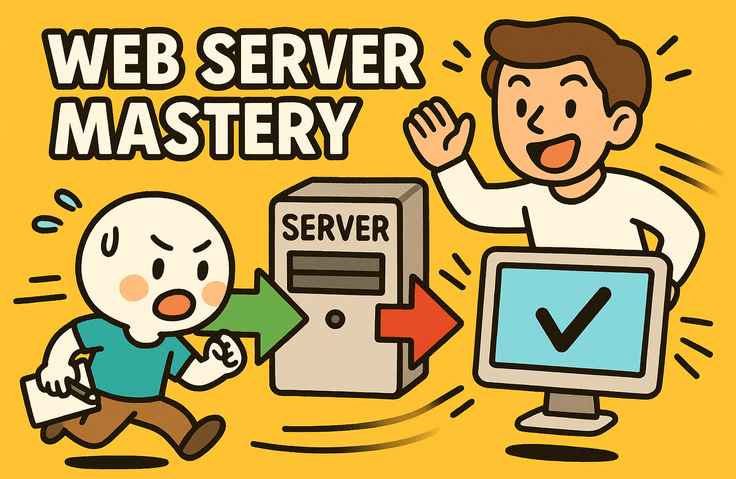
Introduction to Web Servers - Mastering Everything from Request to Response

Understand the entire journey from the moment a URL is entered into the browser address bar to the screen being rendered, and build a practical deployment environment by directly installing and configuring an Nginx web server. Develop practical skills to identify the causes of failures on your own through log analysis and status codes.

8 learners are taking this course

Level Beginner

Course period Unlimited

Web Application
Web Application
Protocol
Protocol
nginx
nginx
reverse-proxy
reverse-proxy
aws-code-deploy
aws-code-deploy
Web Application
Web Application
Protocol
Protocol
nginx
nginx
reverse-proxy
reverse-proxy
aws-code-deploy
aws-code-deploy

What you will gain after the course

  • Explanation of the 6-step journey of an HTTP request and the processing principles for each stage

  • Completed Nginx web server installation, static page deployment, and reverse proxy configuration.

  • Identifying Failure Points and Analyzing Causes Using Log Files and HTTP Status Codes

One-line course summary

This is an introductory course for understanding everything a web server does, from the moment an address is entered until the screen is rendered.


The overall flow covered in this course

[Browser] │ ① Address Parsing → ② Name Resolution → ③ Connection Establishment ▼ [Web Server] ── Direct response if it's a static file │ │ ④ Forward the rest (Reverse Proxy) ▼ [Application Server] ──▶ [Database] │ ▼ [Response] ⑤ Status Code + Header + Body → ⑥ Screen Rendering

The goal of this lecture is to examine step-by-step exactly what happens at each arrow in this diagram.


Have you ever had an experience like this?

  • I know that a screen appears when you type an address into the address bar, but I feel lost when asked to explain what happens in between.

  • It works fine on my computer, but I get an error when I upload it to the server.

  • A 502 error appeared, but I have no idea where to look.

  • I've heard the term "reverse proxy" dozens of times, but I don't know why it's used.

  • I changed the configuration file, but the changes are not being applied.

  • There was a time when the entire site displayed warnings because the certificate had expired.

If even one of these applies to you, this course will fill in those gaps.


Course Introduction

We use browsers every day. However, when asked to explain what happens between the browser and the server, most people find themselves at a loss for words. This is why, even if you know how to write code, the server always feels like someone else's domain.

This course fills that middle ground. It follows the sequence of how a request leaves, what the web server does with that request, and how the response returns to become a screen.

We don't stop at just listening to theory. We go all the way together—from installing the server yourself and modifying configuration files to deploying your own page and even intentionally recreating failures to find the cause through logs.

Terminology is also explained first using Korean conceptual terms. We don't start by pouring out English abbreviations. Original terms are presented alongside the Korean once the concepts are understood, allowing you to learn them naturally.

Recommended for
these people

Who is this course right for?

  • Junior front-end and back-end developers who feel that the server deployment process is vague.

  • Developers who experience frequent errors when deploying to a production server despite working normally in a local environment

  • A non-major career changer who wants to fill the gap in infrastructure and server knowledge after completing a bootcamp.

Need to know before starting?

  • Understanding basic HTML/CSS syntax and simple web page structures

  • Experience using basic commands such as cd and ls in a Linux terminal

  • Basic understanding of HTTP and URL concepts

Hello
This is jjangkbg7719

Career Verified

498

Learners

33

Reviews

2

Answers

4.8

Rating

20

Courses

Hello, I'm Frank.

I am an infrastructure engineer who has been wrestling with servers for over 20 years. Starting with Linux server operations, I am now in charge of the cloud infrastructure for a large-scale payment service. My daily life involves migrating from data centers to AWS, managing hundreds of instances, and tracing the causes of failures in the early hours of the morning.

The reason I created this course is simple.

I often received questions like these from those around me: "I managed to connect to the server, but I don't know what to do next." "There are so many instance types; which one should I choose?" These are the exact same points where I got stuck at first. However, when I looked for resources, I found that most of them were written for people who already knew what they were doing.

So I decided to create the course I wish I had when I first started learning.

My lectures are based on three principles.

First, I help you understand rather than memorize. Instead of just listing commands, I explain why we use them in the first place.

Second, I boldly omit unnecessary content. I do not increase the volume by including information that is useless to beginners right now.

Third, I also talk about what doesn't work. Instead of just listing the pros, I clearly point out cases where it might not be a good fit. For someone who has to make decisions in the field, that is more important.

If you feel a sense of "Ah, I should start from here" after listening to the lecture, then my goal has been achieved.

Please feel free to leave any questions you may have at any time.

More

Reviews

Not enough reviews.
Please write a valuable review that helps everyone!

jjangkbg7719's other courses

Check out other courses by the instructor!

Similar courses

Explore other courses in the same field!

Limited time deal ends in 6 days

$3,300.00

70%

$8.80