강의

멘토링

커뮤니티

Design

/

UI/UX

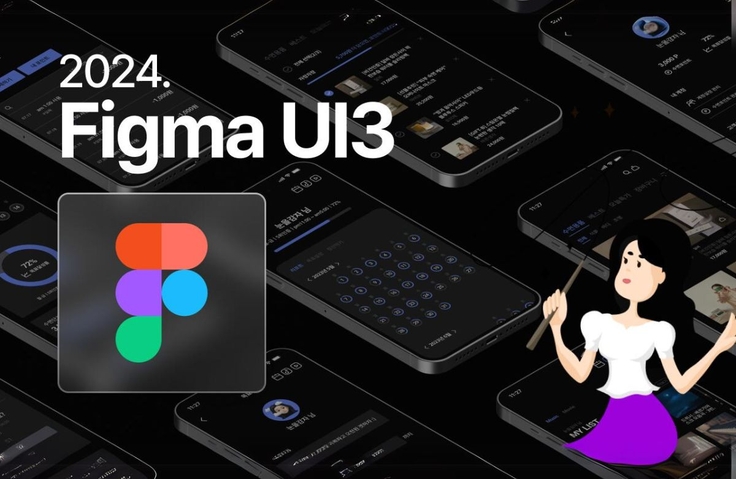
2024 Figma UI3 Basics + Practical Solid Super-Speed Complete Course

The newly upgraded Figma UI3 version for 2024 has been designed to allow you to complete the course systematically, easily, and quickly from the basics to practical work.

(4.8) 122 reviews

4,157 learners

Level Beginner

Course period Unlimited

  • jyoung
ui
ui
Figma
Figma
ui
ui
Figma
Figma

Reviews from Early Learners

Reviews from Early Learners

4.8

5.0

kuj123

100% enrolled

It was a very useful lecture with a speedy pace and essential courses.

5.0

김민혁

83% enrolled

5.0

una3177

33% enrolled

The quality is so good and the explanation is clean too

What you will gain after the course

  • Figma UI3 interface for beginners

  • Character creation 100 times easier than Illustrator

  • Create an icon in 3 minutes

  • Utilize Auto Layout! Card Design

  • 500% time-saving design system

  • The King of Reuse! Components and Variants

  • Mobile UI Design Practice

  • Auto layout practical training!

  • Completion of the trend! Glassmorphism UI

  • Create interactive prototypes without coding!

  • How to Use Top 10 Design Practice Skill-Up Plugins

  • UIUX Portfolio Case Study That Passed All Agency Approvals

[Figma UI3] 2024 Figma UI3 Basics + Practical Solid, Super-Speed, Complete Course! 🤔

This course is aimed at beginners of Figma UI3, so that they can build solid skills from the basics to practical use.
It has been configured.
Starting with UI3 installation, character design, card design, icon design, design system, components and variants, mobile UI design, auto layout practice, prototype production, and glassmorphism UI production, we have carefully, easily, and systematically organized the core elements necessary for practical work from the basics.

Additionally, for those who are preparing to advance to become UIUX designers, you can learn about UIUX planning techniques and the UIUX process by analyzing portfolio cases that have passed the agency exam. We plan to continuously update the latest successful cases in the future.

* It is structured to be mastered within 10 days, with 10 lectures of 15-20 minutes each, one lecture per day.

Features of this course

📌 It is systematically organized from the basics to practical skills for beginners seeking employment as a designer.

📌 You can improve your practical skills using Figma UI3 with just this course.

📌 You can continuously learn key portfolio tips for employment as a UIUX designer.

I recommend this to these people

As a UIUX designer
People preparing for employment

Become more proficient with Figma
Anyone who wants to deal with it

Figma UI3 is fast and easy
Those who want to learn systematically
Anyone who wants to systematically study Figma UI3 from basics to practical application in 2024

Improve your design skills!!
Web design, detailed page design,
Mobile design, UI design
Those who want to improve their skills

After class

  • You can build a solid foundation in Figma UI3, from basic to practical.

  • You can hone your character and icon creation and UI design skills.

  • As a designer, you can reduce your work time by 2-3 times.


Learn about these things.

Character creation 100 times easier than with Illustrator

Learn how to create cute characters very easily and quickly using Figma UI3.

Create a Figma icon in just 3 minutes

You can quickly and easily learn about various icon creation methods used in practice by utilizing Figma UI3's Boolean tool.

Card design using auto layout

Automatically arrange and align content with Auto Layout, flexibly expand or contract the screen, and import and use emojis from the community.

Design Token and Design System

We will learn about Microsoft's design tokens and systems, and how to create and register style guides for typography and color within the design system.

Components and Variants
You can shorten your work time by learning how to create components using Figma UI3 and how to register them as variants to reuse and change them.

Mobile UI design and auto layout in practice!
You can learn how to create mobile UI designs, and by applying auto layout, which is essential for mobile UI creation, you can shorten the work speed by 500%.

Prototype production
You can learn the ins and outs of creating prototypes and animations that can communicate with clients and developers using Figma UI.

Glassmorphism UI development
Learn how to create a glass-material card UI using the Glassmorphism UI production method, which is popular both domestically and internationally, and the client.

UIUX Design | Agency-Certified Portfolio
You can learn how to create a UIUX portfolio by analyzing portfolio cases that passed all agency interviews by renewing the Carrot Market app as a team project.

UIUX Design | Portfolio for Successful Companies with Over 100 Billion Won in Sales
We'll analyze portfolio cases that helped UIUX designers secure positions at companies with annual sales of 100 billion won in 2024, and share tips for creating a portfolio that will double your value as a UIUX designer.

Who created this course

  • Instructor with 25 years of practical experience and teaching experience


  • Over 400 UIUX designers and coding designers have advanced!

  • Over 4,000 students, online and offline!

  • Currently) Practical Director and UIUX & Web Portfolio lecturer in Gangnam (over 90% of graduates enter the field)

Things to note before taking the course

Learning Materials

  • The lecture source is linked in the More section below the lecture video.

Player Knowledge and Precautions

  • No prior knowledge required.

Recommended for
these people

Who is this course right for?

  • For those who want to learn Figma systematically from the basics

  • Those who are preparing for employment as a UIUX designer

  • For those who want to easily create a prototype

  • Anyone who wants to improve their design work skills

  • Anyone preparing a portfolio as a UIUX designer

  • Anyone who wants to design mobile UI using Figma

  • Anyone who wants to do web design using Figma

  • Anyone who wants to design a landing page or detail page

Hello
This is

9,035

Learners

366

Reviews

227

Answers

4.8

Rating

14

Courses

"디자인.개발 포트폴리오 멘토 J.Young입니다."

저는 지난 20년간 웹 디자인 및 앱 개발 회사를 운영하며 현장의 치열함을 몸소 겪어왔습니다. 그 경험을 바탕으로 현재는 대학과 전문 교육 기관에서 UI/UX 디자인부터 프론트엔드 개발까지, 후배 전문가들을 양성하는 데 매진하고 있습니다.

저의 강의 철학은 명확합니다.

  1. 기초부터 실무까지 막힘없는 연결

  2. 현업이 원하는 핵심 기술의 압축

  3. 취업 성공을 부르는 실무형 포트폴리오 완성

어디서부터 시작할지 막막하신 분, 이직을 꿈꾸지만 시간이 부족한 직장인, 그리고 코딩이 남의 이야기처럼 느껴지는 초보자분들까지. 제가 걸어온 20년의 길을 여러분의 지름길로 만들어 드리겠습니다. 당당히 실무자로 서는 그날까지, 여러분의 든든한 사수가 되어 최선을 다해 돕겠습니다.

J.young이 도와드리겠습니다.!!
또한!! 학습하시다 궁금하신 점 있으시면 댓글 남겨주시면
도움이 드릴 수 있는 답을 드리도록 최선을 다하겠습니다.

실무경력

- 2017~현) 웹개발 Director
- 2015년~2017년(주)엘리에셀 총괄 이사
- 2003년~2015년 (주)어뮤징웨어 총괄 이사
- 2003년: 서우씨앤디 디자인실장


- 현)
- UIUX웹기획/ 디자인/프론트엔드 부트캠프 강사 (이젠DX아카데미 -서초점)
- 디자인.개발 포트폴리오 전문 강의 및 그룹 및 개인 지도

 
* 운영중인 유튜브 (코딩하는 디자이너)

보다 원활한 학습을 위해, J.young이 운영하는 잘난웹디 오픈채팅방에 가입하시면,
강의 질문과 포트폴리오 관련 피드백 드립니다.

- 오픈채팅방명 : 잘난웹디
- 코드 : jyoung


Curriculum

All

12 lectures ∙ (3hr 14min)

Published: 
Last updated: 

Reviews

All

122 reviews

4.8

122 reviews

  • abcd4445558246님의 프로필 이미지
    abcd4445558246

    Reviews 1

    Average Rating 5.0

    Edited

    5

    83% enrolled

    • jyoung
      Instructor

      Thank you for saying the lecture was helpful, Kim Minhyuk~ I will come back with even better lectures. Thank you. Sincerely, J. Young

  • hylimhy658998님의 프로필 이미지
    hylimhy658998

    Reviews 1

    Average Rating 5.0

    5

    100% enrolled

    I learned Figma for sure. I learned things I didn't know before. It's a high-quality lecture that gives me a refreshing feeling. I'm so grateful that it's free. I'll listen to it a few more times to review.

    • jyoung
      Instructor

      hylimhy65, I sincerely thank you for your warm and heartwarming review. I hope this lecture will be of great help to you in your work. Thank you again. J.young Dream

  • jamesshin님의 프로필 이미지
    jamesshin

    Reviews 1

    Average Rating 5.0

    5

    100% enrolled

    I've seen many lectures so far, but I can't believe that this is a free lecture..!! It's really easy to understand because only the important parts are explained in 10 lectures.. Figma is so fun..! The only thing I regret is that the instructor's voice is a bit low, but it was perfect..!! If this is a free lecture, I can't wait to see how much better the instructor's other lectures will be..!!

    • jyoung
      Instructor

      James, thank you so much for your touching class review. Did your voice sound small? ㅜ.ㅜ Even though I try hard to control my voice tone.. There are parts that I miss when I film. I will pay more attention in the next lecture. Thank you again for your touching class review^^ J.young Dream^^

    • Ah, I made a mistake in the audio settings~!! I could hear the voice well~!!ㅎㅎ Instructor, fighting! Really!!ㅎㅎ

    • jyoung
      Instructor

      UIUX Portfolio_Sales of 100 billion won company Passing portfolio case lectures have been additionally uploaded^^ I think it will be of great help in creating UIUX portfolios^^ Please listen~~ J.young Dream

  • wjsduwls01011742님의 프로필 이미지
    wjsduwls01011742

    Reviews 8

    Average Rating 5.0

    5

    100% enrolled

    I took a few of Jay Young's coding classes, and now he's teaching Figma too!! I'm so thankful that I can take these classes for freeㅠㅠ.. I can finally get away from Photoshop!!! He's the best

    • jyoung
      Instructor

      Jenny, you've already become strong.. Thank you... If you use Photoshop and then encounter Figma, a new world will open up for you. ㅎㅎ I hope it will be of great help to you in your work^^ Thank you always^^ J.young Dream

  • kdmsl236398님의 프로필 이미지
    kdmsl236398

    Reviews 1

    Average Rating 5.0

    5

    100% enrolled

    Even as a non-major, the explanations were easy to understand, so I was able to follow along well! Thank you!!

    Free

    jyoung's other courses

    Check out other courses by the instructor!

    Similar courses

    Explore other courses in the same field!