inflearn logo

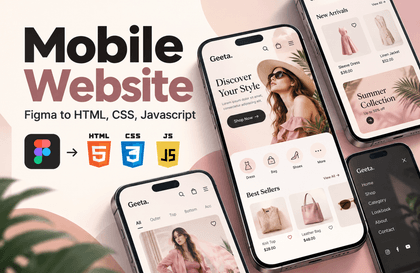
Practical Web Publishing - Build a Responsive Website from a Figma Design

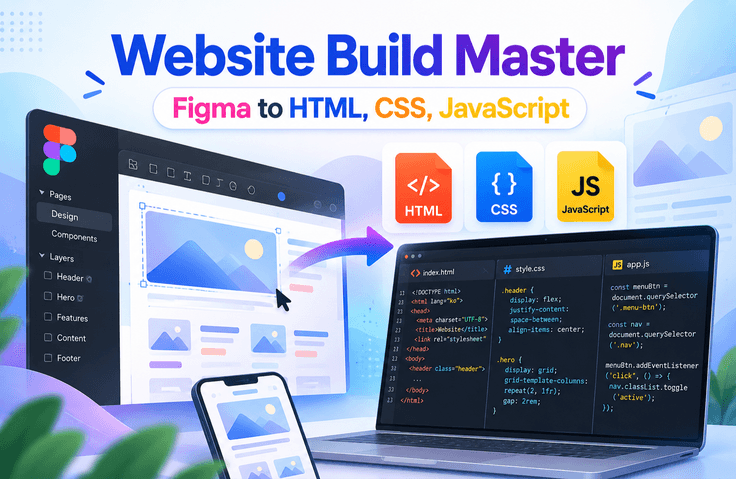
If you’ve learned the basics of HTML/CSS/JavaScript, it’s time to bring them together into a complete website. Analyze a Figma design, implement it with HTML/CSS, then add JavaScript (jQuery) interactions, make it responsive, and deploy it—experiencing the full process of professional web publishing.

(4.3) 3 reviews

25 learners

Level Basic

Course period Unlimited

jQuery
jQuery
Figma
Figma
publishment
publishment
Responsive Web
Responsive Web
css
css
jQuery
jQuery
Figma
Figma
publishment
publishment
Responsive Web
Responsive Web
css
css

What you will gain after the course

  • Practical web publishing skills for analyzing Figma designs and implementing them with HTML/CSS

  • Experience with the entire development process, from building to deploying responsive websites

  • The ability to independently design and determine the code structure based on a design draft

"You’ll miss out if you don’t claim it now! Just subscribe to YouTube and pay half the course fee"

Subscribe & Like & Comment Event

Complete a simple mission and receive a 50% discount coupon instantly. This incredible limited-time offer won’t last—claim it now!

Participate in the YouTube subscription & comment verification event: https://forms.gle/wcD2wRVeaG7B7fSj7

Implement the design perfectly as a webpage!

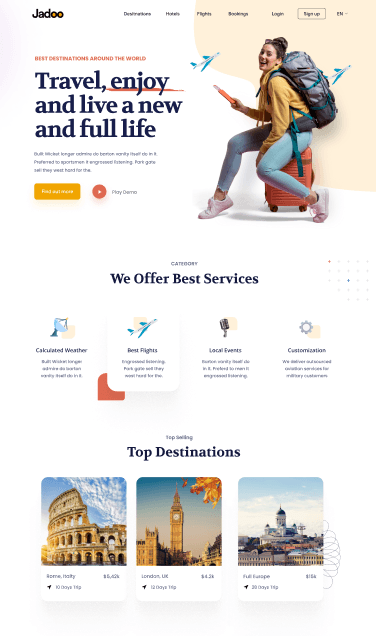
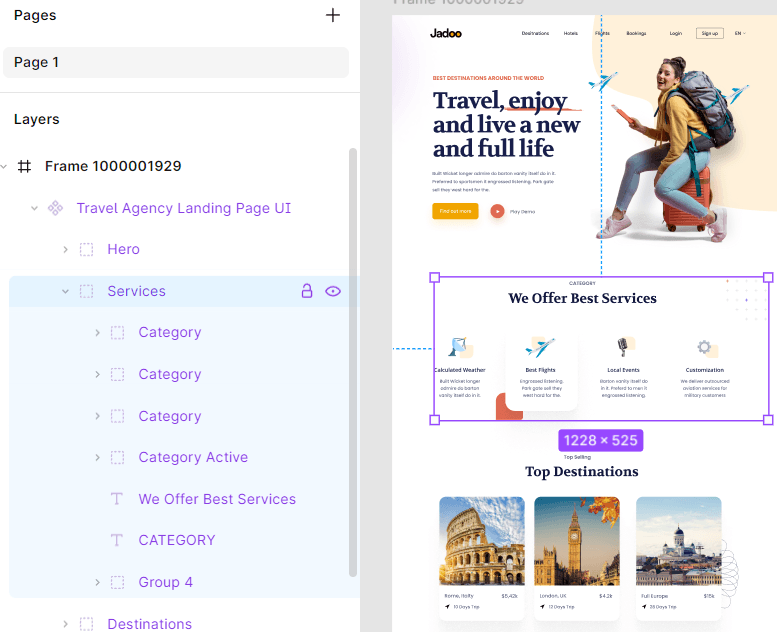
Learn how to implement a web page by referring to a Figma design, understanding various layouts, design elements, and the intent behind the planning.

Learning Objectives

  • Understand the process of implementing Figma designs on the web.


    Learn how to analyze design files and apply them to web publishing.

  • Learn the basic concepts and practical skills of web publishing.
    Learn markup and styling techniques using HTML and CSS.


  • Learn how to save and optimize images for the web in Figma.


    Learn how to choose the appropriate image format and optimize images with web performance in mind.


  • Improve your ability to write code that considers web standards and accessibility.
    Learn to provide a consistent UI/UX across various environments.


  • Develop the ability to implement headers and navigation bars.
    Learn how to apply navigation bar and header designs to web pages.


  • Learn how to apply design elements such as fonts, colors, and button styles.


    Practice how to maintain a consistent website design.


  • Learn how to apply animations and dynamic effects.
    Improve the user experience by utilizing CSS animations and transition effects.


  • Learn optimization techniques that take web performance into account.
    Learn how to improve code efficiency and enhance performance.

  • Strengthen your practical skills by completing a real-world project.
    Based on what you have learned, create a website yourself and develop your web publishing skills.


Are you aiming to become a web publisher or frontend developer?

Then leave the design to the designer and focus on implementing it by referring to the completed design.

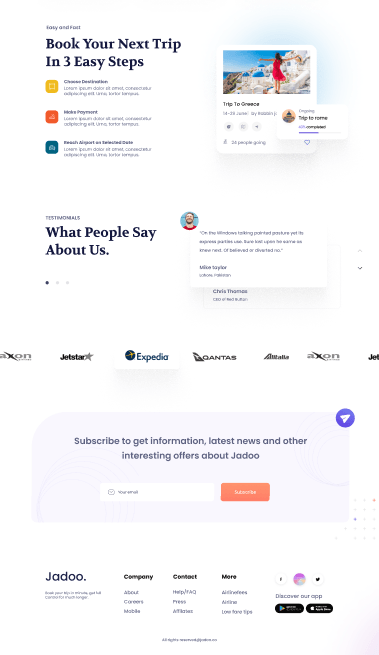
In this course, we will use free designs from the Figma Community.

Design file URL: https://www.figma.com/community/file/1383362001941293031


Key Learning Content

Early Part (Sessions 1–5)

Understanding the Basic Concepts of Web Publishing

Web publishing is the process of implementing designs with HTML and CSS. You will learn how to write code that takes web standards and accessibility into account, interpret design files, and plan markup structures. You will also learn how to write easily maintainable code so that you can apply these skills in real-world work.

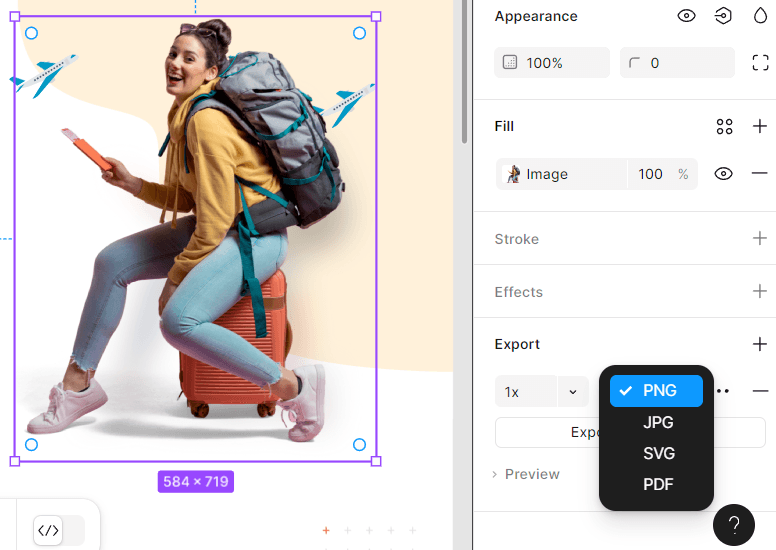
How to Save and Use Images in Figma

Learn how to select and save image formats suitable for web publishing in Figma. Understand the differences between PNG, JPG, and SVG, and learn how to optimize resolution and improve web performance. Through this, you will learn techniques for naturally applying designs to websites.

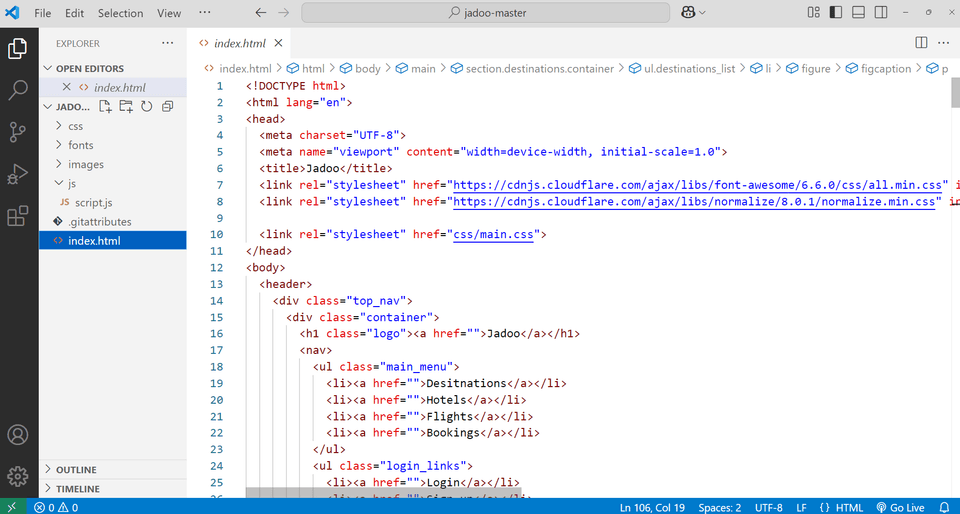
Writing the Basic HTML Structure

Learn how to create the basic structure of a website using HTML. You will learn the principles of designing accessible and maintainable markup using semantic tags. Through this, you will learn how to write efficient code that complies with web standards.

Midsection (Sessions 6–15)

Implementing Headers and Navigation Bars

Learn how to implement a website header and navigation bar using HTML and CSS. Learn the principles of appropriately arranging logos, menus, and icons and designing them for easy user navigation. You will also learn how to style the navigation bar and maintain a consistent design across various devices.


CSS Styling and Layout Setup


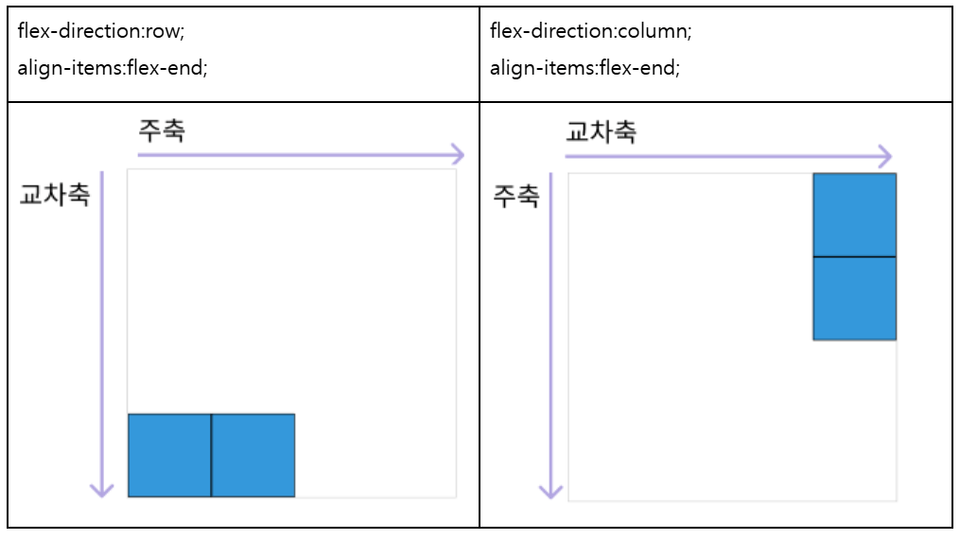
Learn how to style websites and create layouts using CSS. Master techniques for aligning and arranging content with Flexbox and Grid, and learn how to implement intuitive designs. You will also learn how to apply styles in a way that makes them easy to maintain and use in real-world projects.

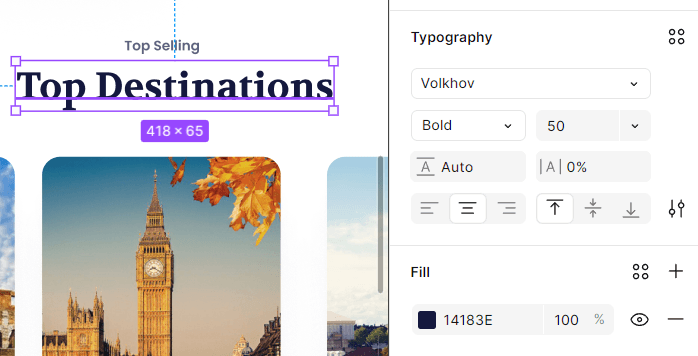
Applying fonts, colors, and background images

Learn how to apply appropriate fonts, colors, and background images to improve website readability and design. Learn how to use web fonts and techniques for optimizing background images while maintaining web performance.

Latter part (Sessions 16–23)

Adding Buttons and Animation Effects

Learn how to apply button styles and add various animation effects to enhance the user experience on websites. Use CSS to implement hover and click effects for buttons, and learn techniques for creating smooth interactions with transitions and keyframe animations. Through this, learn how to improve visual polish and effectively utilize dynamic web elements.

Mouse Hover Animation

Scroll animations, number animations

Implementing various slides

Learn how to implement slides that dynamically display images or content on a website. You will learn techniques for applying vertical and horizontal movement, automatic sliding, and more using CSS and JavaScript, as well as principles for designing slide layouts with UX in mind.

JavaScript Slide Implementation

We provide the example files and completed version.

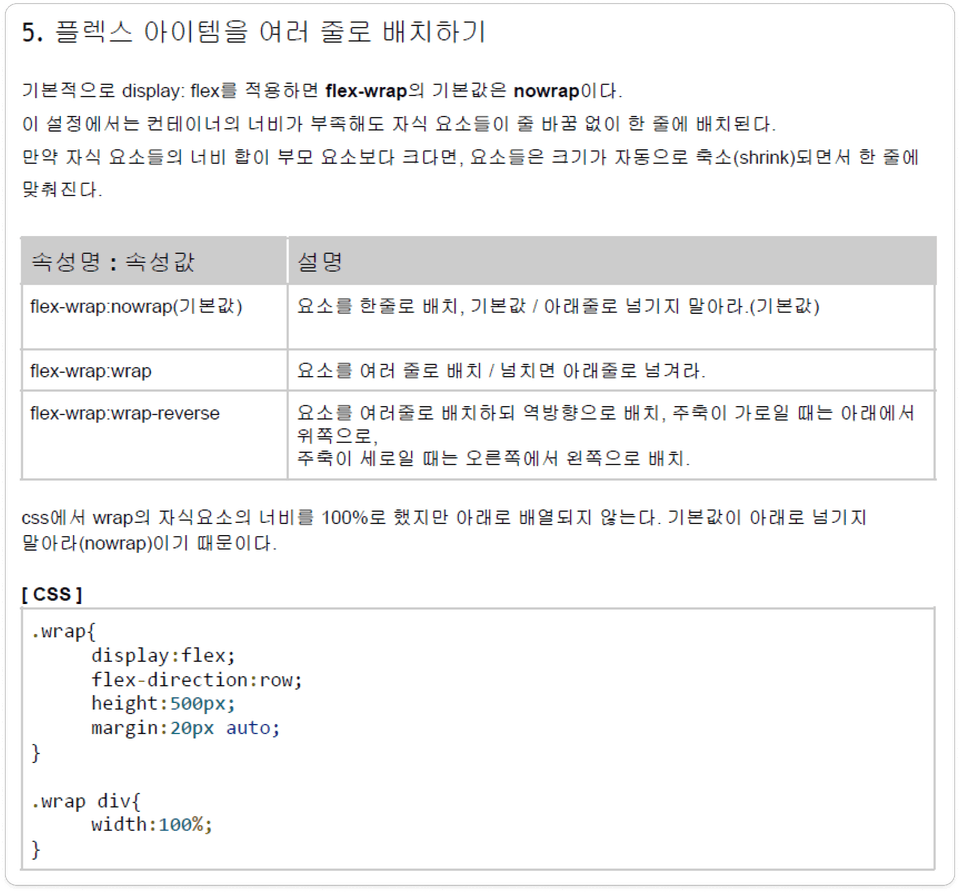
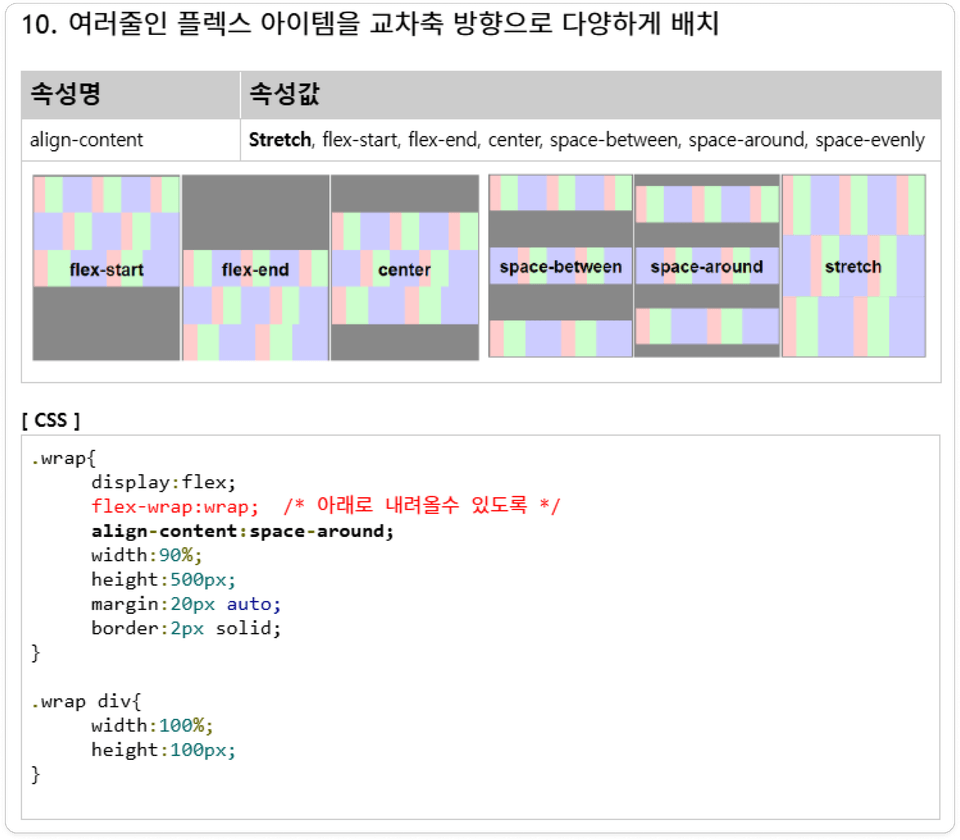
We provide explanations of all flex properties and practice example files.

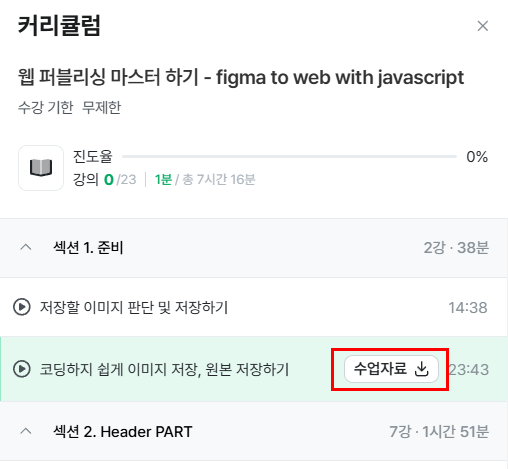
Please check the class materials for the second and final sessions.

We provide a PDF summarizing the key points.

We provide explanations of all flex properties and links to practice examples.


Communication channels (survey, 1:1 open chat room)✒

Students can share their feedback and ask questions at any time through the Google survey and 1:1 open chat room introduced in the Announcements section.


Recommended for
these people

Who is this course right for?

  • Learners who have learned the basics of HTML/CSS/JavaScript but lack hands-on project experience

  • An aspiring developer who wants to develop the skills to turn design mockups into websites.

  • Entry-level developer who needs a practical website project for their job portfolio

Need to know before starting?

  • Understanding HTML tags and basic structure

  • Basic knowledge of CSS selectors, the box model, and layouts

  • Experience with basic JavaScript syntax and DOM manipulation

Hello
This is ezweb

Career Verified

3,004

Learners

78

Reviews

4

Answers

4.9

Rating

15

Courses

I am a frontend specialist instructor who teaches everything from web publishing to practical JavaScript and React, as well as AI-assisted development.

I have taught non-majors, beginners, and job seekers at ESTSOFT KDT and Green Computer Academy, among others. I break down complex concepts into small hands-on exercises and favor project-based classes in which learners complete the deliverables themselves.

Key Educational Areas

  • HTML/CSS Web Publishing

  • JavaScript Basics and Web Interactions

  • React-based frontend development

  • Implementing Web Services Using Firebase

  • Figma UI design and development integration

  • Web Development with Generative AI

  • Web Design Technician Practical Exam

Corporate and institutional training

I conduct training for corporate practitioners, KDT courses, and special lectures at universities and academies.

We develop curricula and hands-on projects tailored to the learners, their prior knowledge, the training duration, and the intended outcomes. We offer in-person instruction, live online classes, and recorded educational content production.

Online Educational Content Production

We handle the following online educational content production tasks.

  • Lecture curriculum and learning objective design

  • Creation of course materials and presentations

  • Step-by-step practice code and example project setup

  • Writing lecture scripts for recording

  • Lecture filming and content delivery

Main Activities

  • ESTSOFT KDT Frontend Course

  • Green Computer Academy Web Publishing & Front-End Course

  • Operating the web publishing YouTube channel ‘ezweb’

  • Authored books in the fields of web publishing and web design

Publications

We accept inquiries about delivering courses for companies and institutions and producing online educational content.

Inquiries: ezwebpub@gmail.com

More

Curriculum

All

23 lectures ∙ (7hr 29min)

Course Materials:

Lecture resources
Published: 
Last updated: 

Reviews

All

3 reviews

4.3

3 reviews

  • alsghd26123722님의 프로필 이미지
    alsghd26123722

    Reviews 1

    ∙

    Average Rating 5.0

    5

    61% enrolled

    • racoon726235님의 프로필 이미지
      racoon726235

      Reviews 6

      ∙

      Average Rating 4.8

      4

      30% enrolled

      • tmdgml06148258님의 프로필 이미지
        tmdgml06148258

        Reviews 2

        ∙

        Average Rating 4.5

        4

        30% enrolled

        ezweb's other courses

        Check out other courses by the instructor!

        Similar courses

        Explore other courses in the same field!

        25% off for new members

        $41.70

        25%

        $51.70