Create an intranet site to replace your company file server with SharePoint
Many data are scattered all over the place, such as NAS, external hard drives, and drives, and can be accessed without specific permission management. In addition, various calendars are used to work together and additional emails are sent. The reality is that it is difficult to develop a separate collaboration site that is absolutely necessary for the company, so it is used like this.
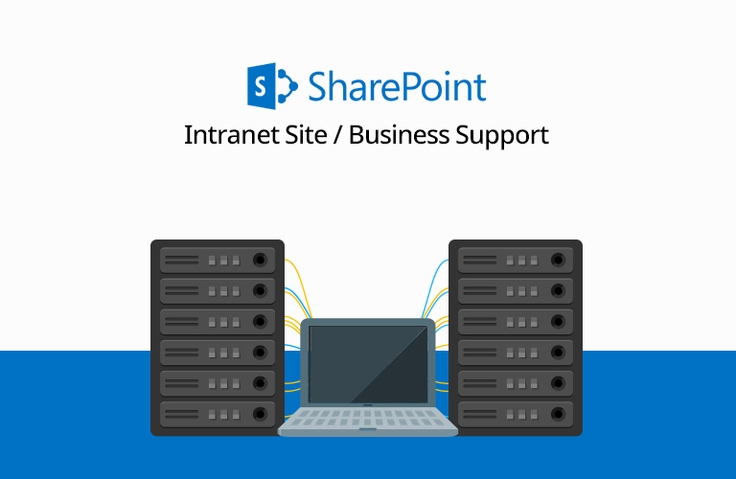
You can create a collaboration site including an intranet that replaces the file server and various services you are using through Microsoft's SharePoint. Learn how to do it through the lecture!
The instructor explains it well and easily. But the instructor changed from a woman to a man, right?
5.0
naeun.lee
100% enrolled
It helped me a lot.
5.0
mmnn21
100% enrolled
thank you
What you will gain after the course
How to build an intranet site with SharePoint
Differences between SharePoint and OneDrive
Understanding Communication Sites and Team Sites
Understanding the existing data room and the changing environment
Create and design sites with SharePoint, and even set permissions!
Utilizing the created SharePoint site
How to build a collaboration site using SharePoint
SharePoint, a space where you can collaborate both internally and with external partners!
Our company's vast and important data is stored unmanaged in various locations, including NAS drives, external hard drives, portal drives, personal computers, and USB drives. This data is accessible to anyone with knowledge or possession of it, without specific authorization, leaving it vulnerable to potential threats.
Additionally, while collaboration sites are essential for collaborating with internal employees or external partners, the reality is that separate calendar services or email are often used due to costs and maintenance issues.
However, as data is used in this way, it becomes more difficult to manage, is exposed to security threats, and collaboration becomes difficult.
Microsoft's SharePoint lets you create dynamic and productive collaboration sites.
Collaborative sites built in SharePoint allow you to share files, data, news, and resources with your colleagues and streamline your team's work processes, strengthening teamwork within your company's departments, business units, or project teams.
Collaborate easily and securely with team members inside and outside your organization across PCs, Macs, and mobile devices—without any additional work.
In this course, you'll learn how to use SharePoint to replace your existing company's file servers and create collaborative sites that enable you to work with both internal employees and external partners.
What will you learn? ✒️
What you will learn in this course ✏️
1.Overview of Building a Collaboration Site Using SharePoint in Office 365 1) Introduction and differences between SharePoint and OneDrive 2) Comparison of communication sites and team sites 3) Understanding and Structure of SharePoint 4) Understanding the existing data room and the changing environment
2. Practice by following along 1) Create a site 2) Site design 3) Screen composition 4) Invite users 5) Understanding the site structure 6) Add a document library 7) Creating news 8) Edit home screen 9) Add a calendar app 10) Permission settings
3. Using the created SharePoint collaboration site 1) General use 2) Additional Uses
Tools covered in the lecture ⭐
Microsoft SharePoint Go to product link
Instructor Introduction 📖
Hello! I'm Omas , your Microsoft 365 expert. Microsoft 365 experts are here to help you work smarter, easier.










![[Work Automation Using Free MS RPA] Power Automate Desktop BasicCourse Thumbnail](https://cdn.inflearn.com/public/courses/329047/cover/35cb417d-cd84-47f8-a20f-653724b03a77/329047-eng.png?w=420)







![[Latest version update] Project and task management to become a pro at planning - MS PlannerCourse Thumbnail](https://cdn.inflearn.com/public/courses/336001/cover/9368db08-c64b-42ca-8ad1-e7a872bffc0e/336001.jpg?w=420)

![[Work Automation Using Free MS RPA] Power Automate Desktop - Automate Repetitive TasksCourse Thumbnail](https://cdn.inflearn.com/public/courses/332826/cover/fd9d8667-48a8-4d2e-b27d-1154f66df679/332826.png?w=420)






![[Beginner] Mastering Excel with a Solid Foundation CourseCourse Thumbnail](https://cdn.inflearn.com/public/files/courses/330002/cover/01m01nqapy9skgs8gsn4geedyp?w=420)
![[Pass ITQ Excel A in One Go] in 3 daysCourse Thumbnail](https://cdn.inflearn.com/public/courses/329652/cover/b44e11b6-a47e-4993-86ea-a85da9836bb5/329652-eng.png?w=420)


![Excel Vibe Coding: Automate Ribbon Menus with AI Without Knowing VBA [Power Tools Masterclass]Course Thumbnail](https://cdn.inflearn.com/public/files/courses/343602/cover/01m2mmj8wt743mqhjr5bxsby5c?w=420)


![[For Beginners] Data Visualization with Power BICourse Thumbnail](https://cdn.inflearn.com/public/courses/327055/cover/455b54c1-3e63-439b-9b60-5d12e12bc303/PowerBI-001 (1).png?w=420)

